00192662-01.pdf - 第195页
User Manual SIPLAC E F5/F5 HM 5 Single Functions Software version SR.407.xx 01/2001 US Edition 5.2 Single functions, Gantry 195 5.2.6 "Nozzle configuration re volver head" sc reen 5 Å In the curren t scr een fo…
5 Single Functions User Manual SIPLACE F5/F5 HM
5.2 Single functions, Gantry Software version SR.407.xx 01/2001 US Edition
194
5.2.5.1 Functions
In the "Nozzle offset" screen only the "Measure" button is available. This is used to start a evalu-
ation of the nozzle height for all nozzles.
Measure 5
When this function is activated, after a vacuum check the gantry moves the placement head to a
defined position above the board conveyor. The z-axis is lowered until the nozzle touches the con-
veyor, the procedure is then repeated for each nozzle. In this way, you can measure the height of
each nozzle.
The gantry then returns to its starting position. 5
Å Click the Measure button.
This starts the procedure used to measure nozzle height.
The values determined are displayed in the column "Offset (1/100 mm)" for each of the noz-
zles. These values can, for example, be used to determine whether the nozzle on a particular
segment broken.
User Manual SIPLACE F5/F5 HM 5 Single Functions
Software version SR.407.xx 01/2001 US Edition 5.2 Single functions, Gantry
195
5.2.6 "Nozzle configuration revolver head" screen
5
Å In the current screen for the single functions for Gantry, click the symbol .
The user interface is switched to the "Nozzle configuration revolver head" screen (see
Fig. 5.2 - 9
and 5.2 - 10).
5
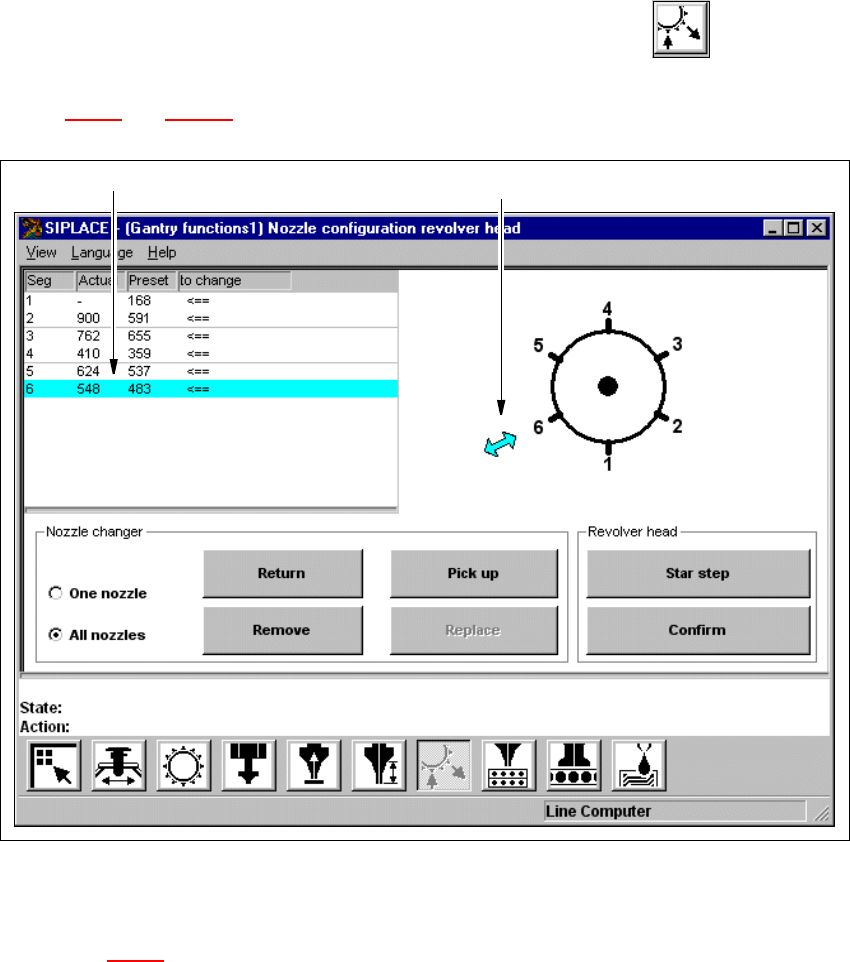
Fig. 5.2 - 9 "Nozzle configuration revolver head" screen (6-nozzle Collect&Place head)
5
Key to Fig. 5.2 - 9
(1) The entry for the segment currently located in the changeover position is highlighted in light
blue.
(2) The arrow points to the number of the segment which is in the changeover position.
5
1
2
5 Single Functions User Manual SIPLACE F5/F5 HM
5.2 Single functions, Gantry Software version SR.407.xx 01/2001 US Edition
196
5
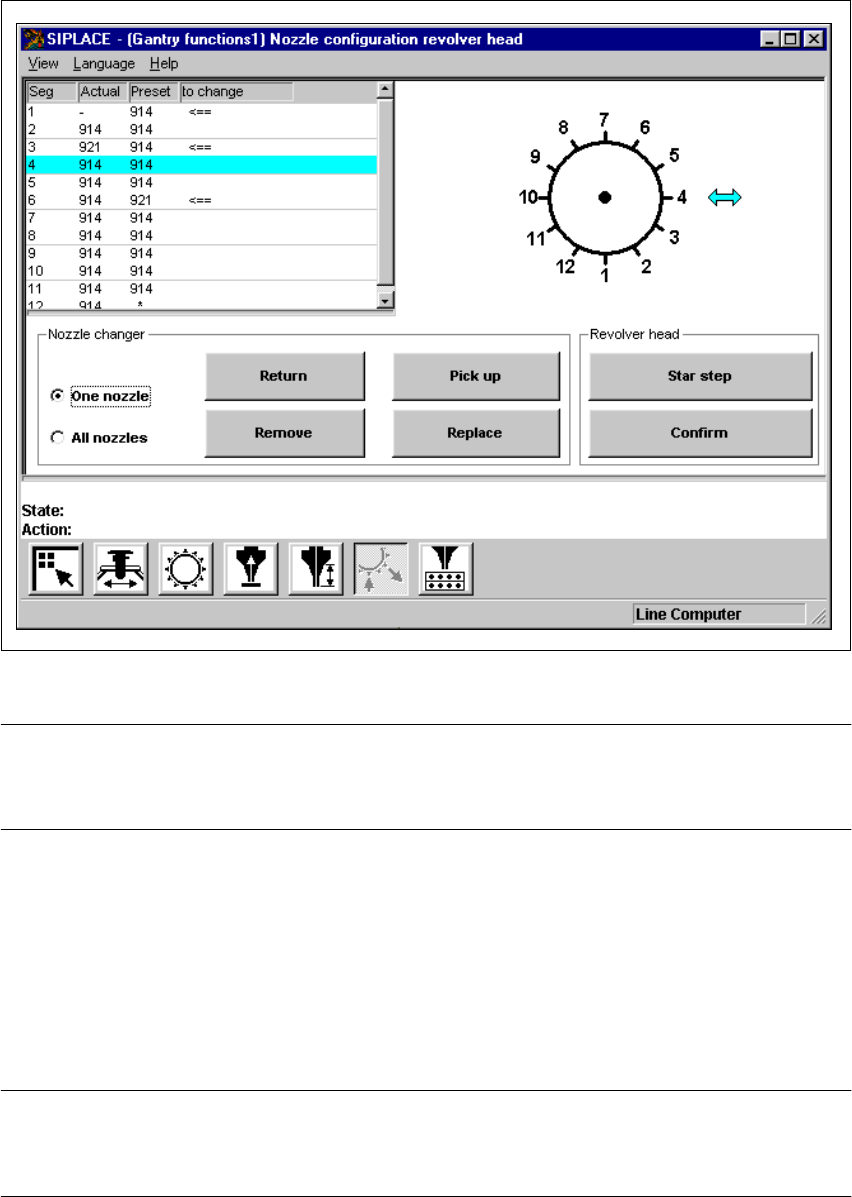
Fig. 5.2 - 10 "Nozzle configuration revolver head" screen (12-segment Collect&Place head)
NOTE
Since the functions for nozzle configuration are identical for the 6-nozzle and 12-nozzle Col-
lect&Place heads, they will not be described separately. 5
5
5.2.6.1 Functions
The "Nozzle configuration revolver head" screen provides functions which allow you to change the
nozzle configuration and to then confirm that this change has been made. The required function
is carried out by clicking on the appropriate button. 5
NOTE
The functions "Return", "Pick up", "Remove" and "Replace" can only be carried out if a nozzle
changer is installed and configured in the machine options.