00192662-01.pdf - 第432页
9 Online Help System User Manua l SIPLACE F5/F5 HM 9.1 General Software version SR. 407.xx 01/2001 US E dition 432 9.1.1.6 Calling help on an object Å Press the ke y combi nation Sh ift + F1 in the curren tly active view…
User Manual SIPLACE F5/F5 HM 9 Online Help System
Software version SR.407.xx 01/2001 US Edition 9.1 General
431
9.1.1.5 Calling general station computer information
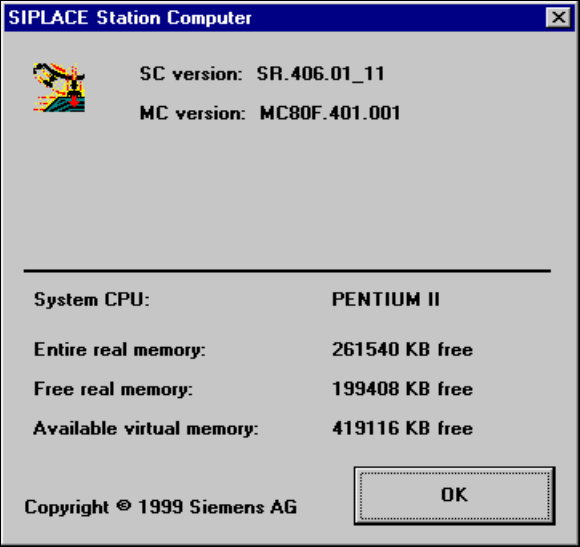
Å In the Help menu, click the About ... item.
The following window is opened.
This displays the version designations of the SC, MC and GEM software currently installed on
the station computer together with general station computer data
Fig. 9.1 - 5 Information on the station computer
9 Online Help System User Manual SIPLACE F5/F5 HM
9.1 General Software version SR.407.xx 01/2001 US Edition
432
9.1.1.6 Calling help on an object
Å Press the key combination Shift + F1 in the currently active view of the SC user interface. A
question mark is displayed next to the mouse pointer
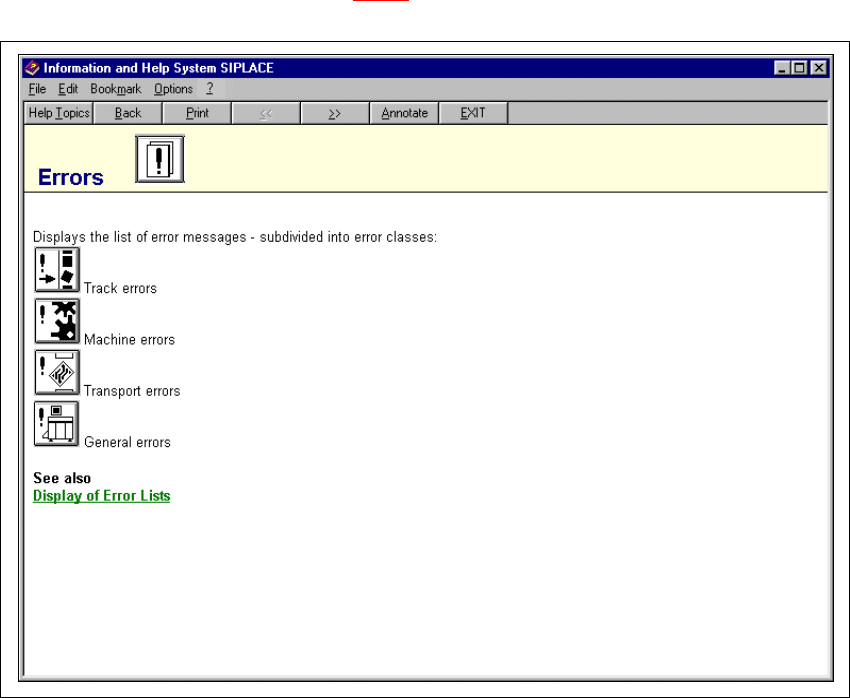
Å Move the mouse pointer and question mark to the required object (e.g. to the "Display errors"
icon) and then click.
The main help system window is opened. The display area contains help information on the
selected object (see example in Fig. 9.1 - 6
).
9
Fig. 9.1 - 6 Example: Help on the "Display errors" icon
9

User Manual SIPLACE F5/F5 HM 9 Online Help System
Software version SR.407.xx 01/2001 US Edition 9.1 General
433
9.1.2 Functions in the main help system window
9.1.2.1 Copying a help file
To make it possible to call up the topics present in the help system independently of the station
computer, it is possible to copy the associated help file to floppy disk so that it can be installed on
an external computer if required.
Å Open the main help system window (e.g. as described in section 9.1.1.3).
Å Insert a floppy disk in the station computer’s 3
1
/
2
" floppy disk drive ("A:").
Å In the File menu, select the Copy function.
An MS-DOS window is opened. This displays the help file copy process.
NOTE
The help file that is copied is always the one relating to the currently configured language
version of the SC user interface (e.g. "Bo_eng.hlp" for "English"). 9
When the copy operation has been completed, the MS-DOS window is closed automatically.9
Å Remove the floppy disk from the drive.
Å If necessary, copy the help file from the floppy disk to the required computer.
9
9.1.2.2 Printing a help topic
The topic currently displayed in the main help system window can be output on the installed printer9
Å To do this, enter the File menu and select the function Print Topic ... or click the Print button
(below the menu bar).
The currently selected help topic is printed.
9