00192662-01.pdf - 第87页
User Manual SIPLAC E F5/F5 HM 2 Operational Safety Software version SR.407.xx 01/2001 US Edition 2.1 Safety instructions 87 Key t o Fig . 2.1 - 9 2 2.1.9 Safety inst ructions for the PCB barcode reader (option) Fig. 2.1 …
2 Operational Safety User Manual SIPLACE F5/F5 HM
2.1 Safety instructions Software version SR.407.xx 01/2001 US Edition
86
DANGER
In the event of any modifications or tampering with the module the factory safety warranty will be
rendered null and void. In addition, the user shall be obliged to comply with the guidelines of the
Union of Employers’ Liability Insurance Associations [Hauptverband der Berufsgenossen-
schaften] -VBG 93. In other words:
- Registration with the liability insurance association
- Appointment of a laser safety officer
- Drawing up guidelines for the use of the module 2
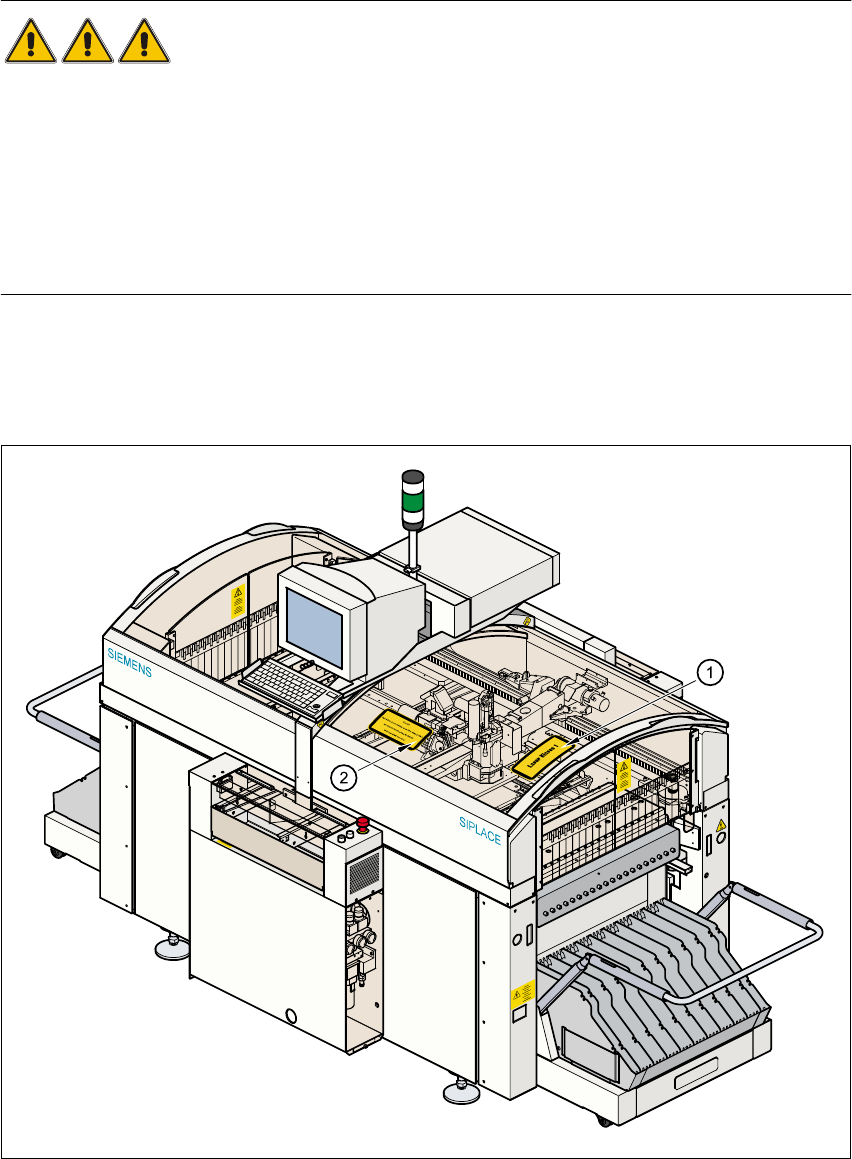
The illustration below shows the location of the safety information for operating the coplanarity la-
ser module of the SIPLACE machine. This information must be glued onto the cover in the places
which are indicated by arrows so that it is clearly visible. 2
Fig. 2.1 - 9 Safety instructions on the SIPLACE machine
User Manual SIPLACE F5/F5 HM 2 Operational Safety
Software version SR.407.xx 01/2001 US Edition 2.1 Safety instructions
87
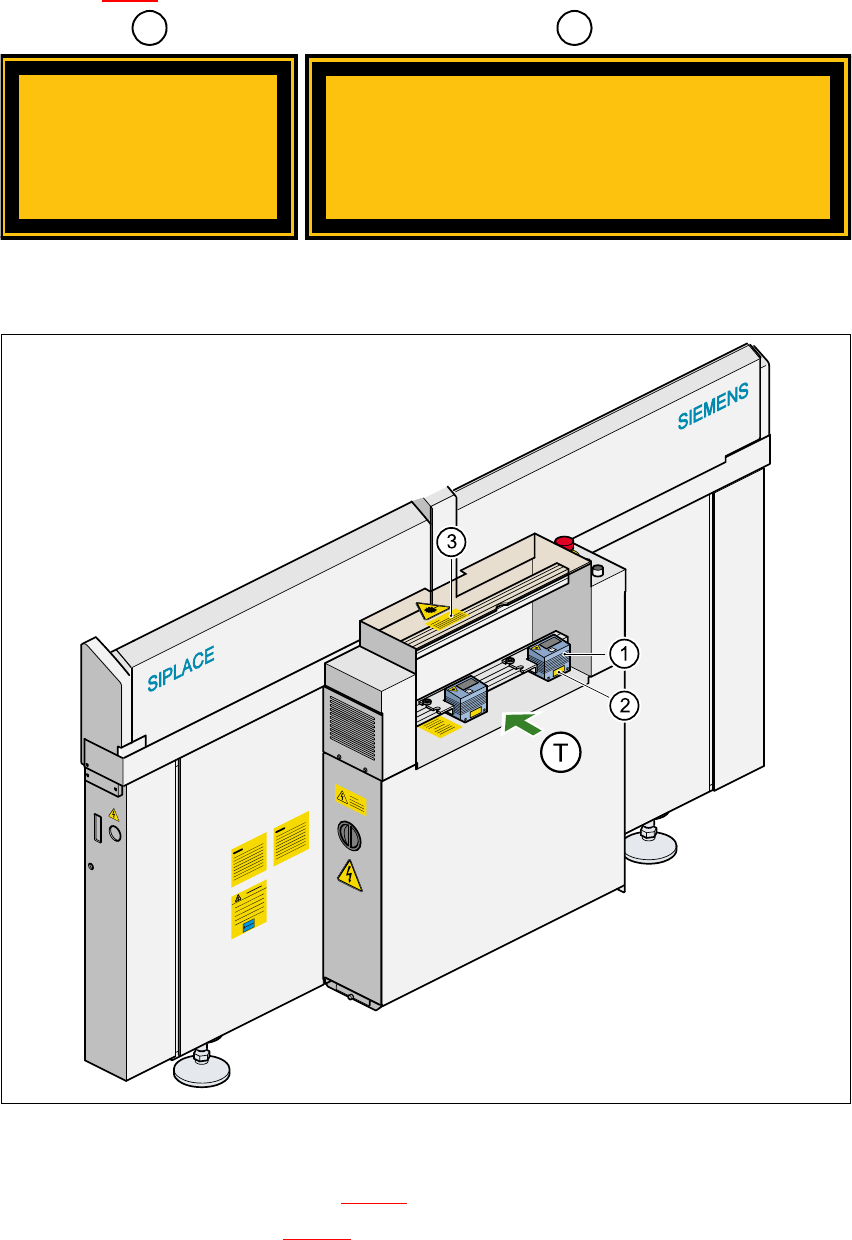
Key to Fig. 2.1 - 9 2
2.1.9 Safety instructions for the PCB barcode reader (option)
Fig. 2.1 - 10 PCB barcode reader (bottom)
(1) PCB barcode reader (bottom)
(2) ‘Laser radiation…’ label (see Fig. 2.1 - 11
)
(3) ‘Caution …’ label (see Fig. 2.1 - 12
)
1
2
Class 1 Laser
Product
Caution
Invisible laser radiation if the cover is opened
and safety interlock is bypassed
Do not stand in front of the beam
2 Operational Safety User Manual SIPLACE F5/F5 HM
2.1 Safety instructions Software version SR.407.xx 01/2001 US Edition
88
CAUTION 2
The scanning beam of the barcode reader has a radiant power of less than 1 mW. The barcode
reader thus conforms to laser class 2 and, according to EN 60825-1, requires no special safety
devices or protective measures. NEVER look into the laser beam. There is also a safety circuit
that switches off the laser diode if the polygon wheel is stationary or rotating too slowly. 2
2
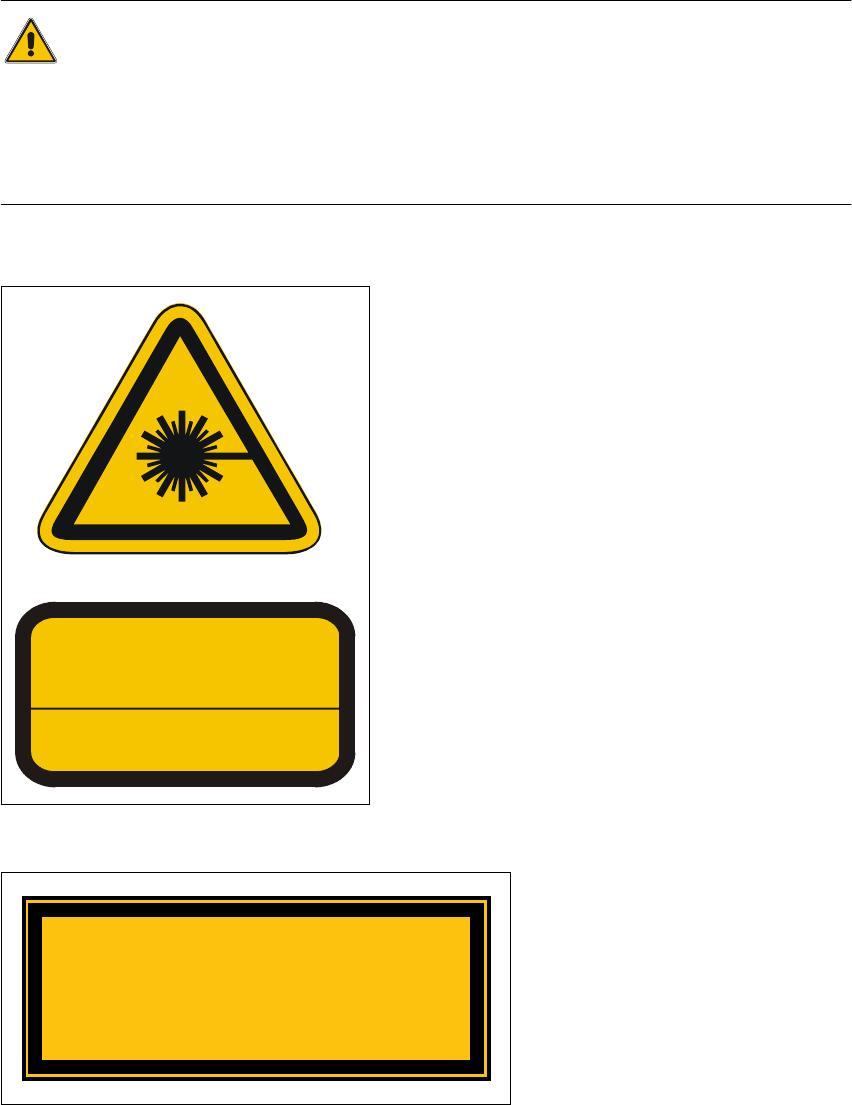
Laser radiation 2
The radiation from the laser diode (infrared or IR
light) of the PCB barcode reader is harmful to the hu-
man eye, 2
Åso you should never look into the laser beam.
ÅNever direct the PCB barcode reader into other
people’s eyes,
ÅWhen installing the barcode reader, make sure
that the laser beam cannot be not reflected dur-
ing use.
If you open the housing during use, the scanning cy-
cle will continue and the laser diode will continue to
switch on. 2
The laser beam output at the barcode template win-
dow does not exceed 1.0 mW. The PCB barcode
reader thus conforms to protection class 2. 2
Fig. 2.1 - 11 ‘Laser radiation’ label
2
2
2
2
2
2
Fig. 2.1 - 12 ‘Caution …’ label
2
LASER RADIATION
DO NOT LOOK INTO BEAM
CLASS 2 LASER PRODUCT
EN 60825 1991
Max. output radiation: 1.0 mW
Emitted wave length: 670 nm
ATTENTION
Caution
Laser radiation when the cover is opened
and the safety interlock is bypassed
Do not look into the beam