00192662-01.pdf - 第282页
6 Vision functions User Manua l SIPLACE F5/F5 HM 6.5 Teach F iducial Software version SR. 407.xx 01/2001 US E dition 282 Setting t he contrast sensitivi ty to suppress defect ive struct ures and intensif y the cont rast …
User Manual SIPLACE F5/F5 HM 6 Vision functions
Software version SR.407.xx 01/2001 US Edition 6.5 Teach Fiducial
281
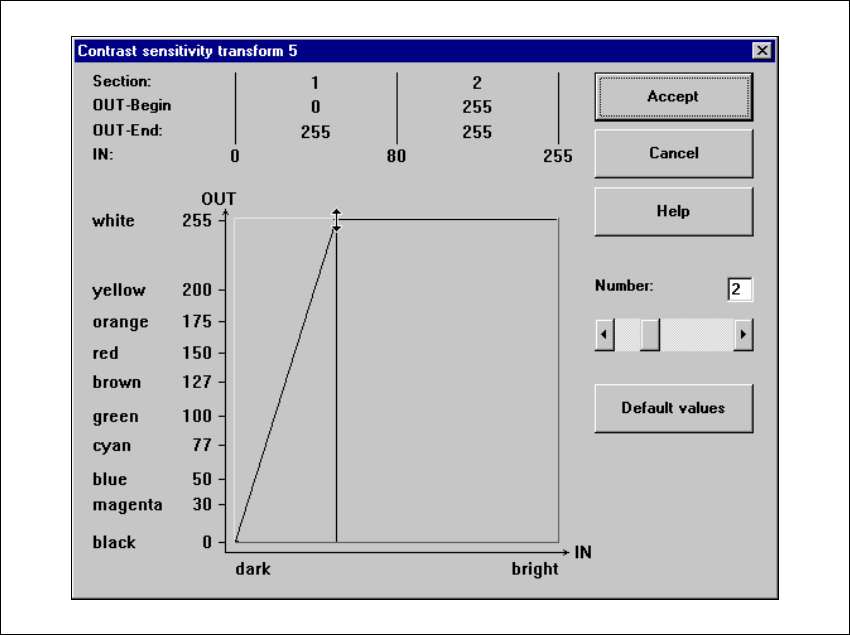
Setting the contrast sensitivity to intensify low-contrast fiducials 6
Å Select the following settings for low-contrast fiducials in order to intensify the contrast:
6
Fig. 6.5 - 21 Setting the contrast sensitivity to intensify low-contrast fiducials
6 Vision functions User Manual SIPLACE F5/F5 HM
6.5 Teach Fiducial Software version SR.407.xx 01/2001 US Edition
282
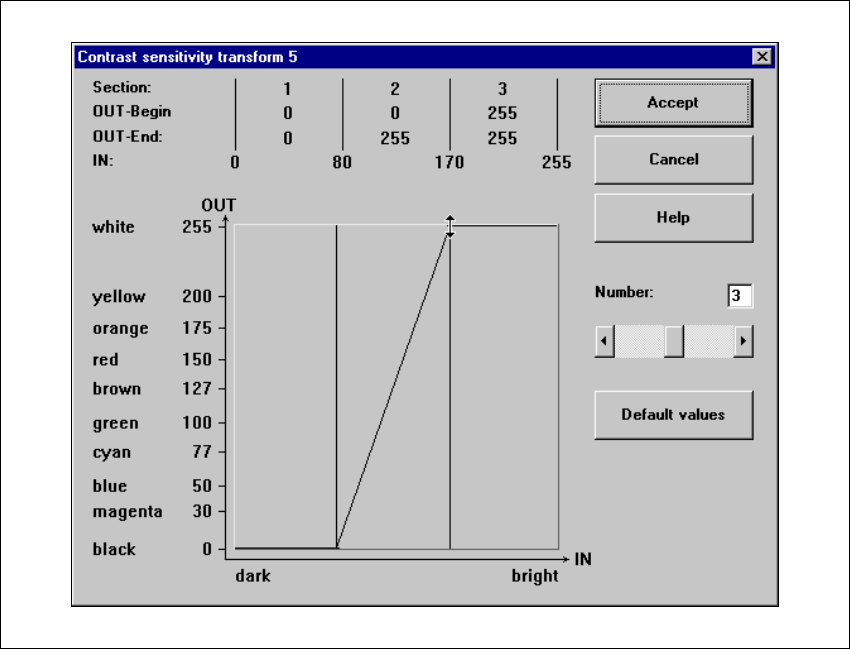
Setting the contrast sensitivity to suppress defective structures and intensify the contrast at
the same time 6
Å Select the following settings to suppress defective structures and at the same time to intensify
the contrast for low-contrast fiducials:
6
Fig. 6.5 - 22 Setting the contrast sensitivity to suppress defective structures and
to intensify the contrast at the same time
6
6
User Manual SIPLACE F5/F5 HM 6 Vision functions
Software version SR.407.xx 01/2001 US Edition 6.5 Teach Fiducial
283
6.5.6 Test Fiducial Menu
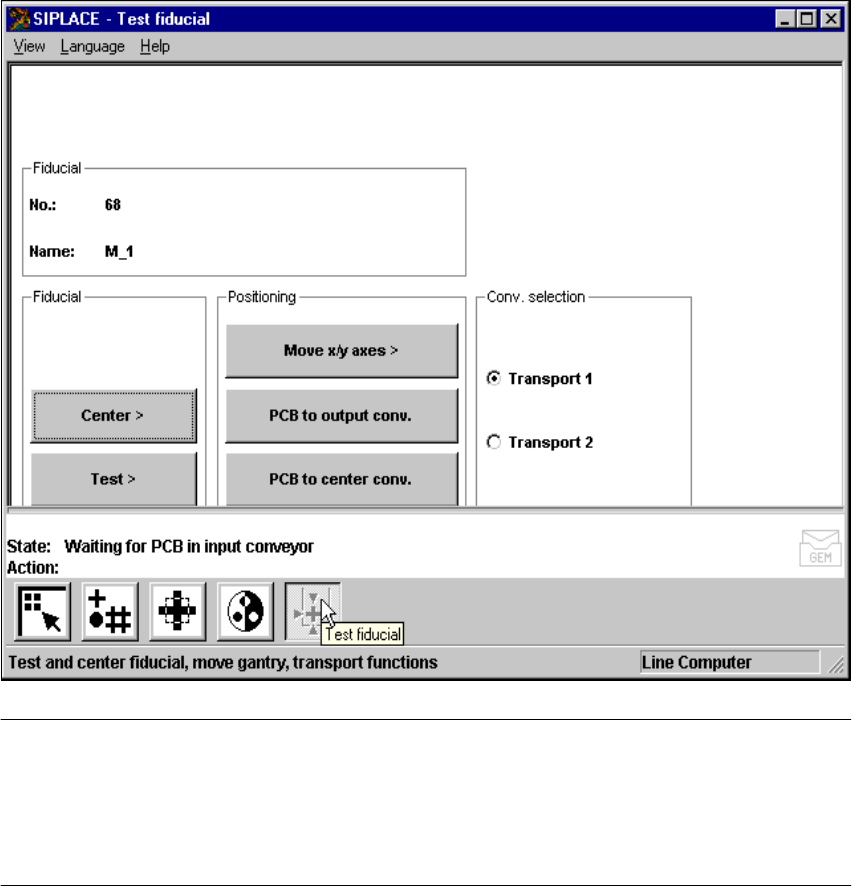
In the Test fiducial menu the following options are available: 6
– Centering the fiducial (Center)
– Testing the fiducial (Test)
– Positioning the teaching gantry (X/Y movement) (move X/Y axes)
– Transporting the board onto the output conveyor (PCB to output conveyor)
– Transporting the board onto the processing conveyor (PCB to processing conveyor)
Fig. 6.5 - 23 Test fiducial menu, options
NOTE 6
Buttons are active when the text on the button is black (rather than gray). This means that you
can launch the associated function by clicking on the button with the mouse.
The Center and Test options will only be available if you have already loaded a fiducial and a
model already exists for this fiducial.
If you have selected a fiducial the fiducial number and the fiducial name will appear in the display
field. 6