00192662-01.pdf - 第573页
User Manual SIPLAC E F5/F5 HM 12 S tation Extensions - Software Software version SR.407.xx 01/2001 US Edition 12.2 GEM Interface 573 The displ ay area is subdi vided i nto separate fields wh ich con tain the too ls neces…
12 Station Extensions - Software User Manual SIPLACE F5/F5 HM
12.2 GEM Interface Software version SR.407.xx 01/2001 US Edition
572
NOTE
Depending on the selected action, the corresponding placement program must be available at the
station computer or the host computer.
To download a placement program, the control mode must be set to "GEM Host" (see section
12.2.2.1). 12
Å Enter the name of the required placement program in the box "Placement Program ID:".
Å Click the corresponding button to "upload" or "download" the corresponding placement pro-
gram.
The action is performed and the current status of the action is displayed above the buttons.
12.2.2.7 Messages
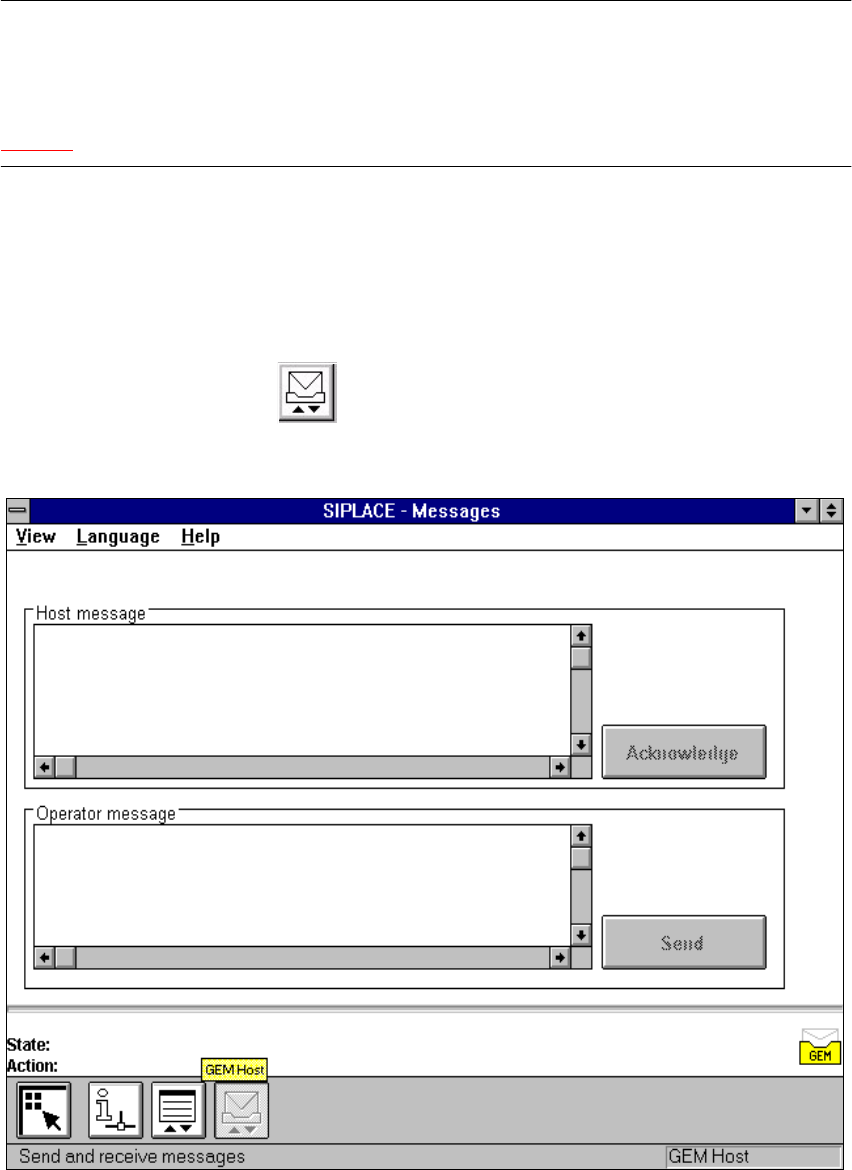
Å In the "State" view, click the button.
The user interface switches to the following view.
12
Fig. 12.2 - 6 "Messages" view
12

User Manual SIPLACE F5/F5 HM 12 Station Extensions - Software
Software version SR.407.xx 01/2001 US Edition 12.2 GEM Interface
573
The display area is subdivided into separate fields which contain the tools necessary to perform
the actions described below. 12
"Host message" Display Field 12
This display field displays the messages received from the host computer.
The last message to be received appears at the bottom of the message list. 12
Å Once you have read the message, click the Acknowledge button. Confirmation is then sent
to the host computer that the message has arrived and been read.
"Operator message" Display Field 12
In this field you can enter the messages which are to be sent to the host computer. 12
Å Enter the required message (max. 160 characters).
Å Click the Send button.
The message is now sent to the host computer.
NOTE
The last message to have been written and sent to the host computer is always displayed in the
text box. 12
12 Station Extensions - Software User Manual SIPLACE F5/F5 HM
12.2 GEM Interface Software version SR.407.xx 01/2001 US Edition
574