DFD6361-Maintenance.pdf - 第229页
C-17 Procedur es for ex ecuting conditi oning ( Continued) Step No. Do This 5 Mount the conditioning jig on the chuck table for dressing. 6 Move the Z-axis to the location shown below b y using the axis operation button.…
C-16
Procedures for executing conditioning (Continued)
NOTICE
If splash cover opening is carried out without rotating the
maintenance switch, no axis is operative. It also makes it necessary
to effect system initialization after splash cover closure.
Step No. Do This
(Continued from the previous section)
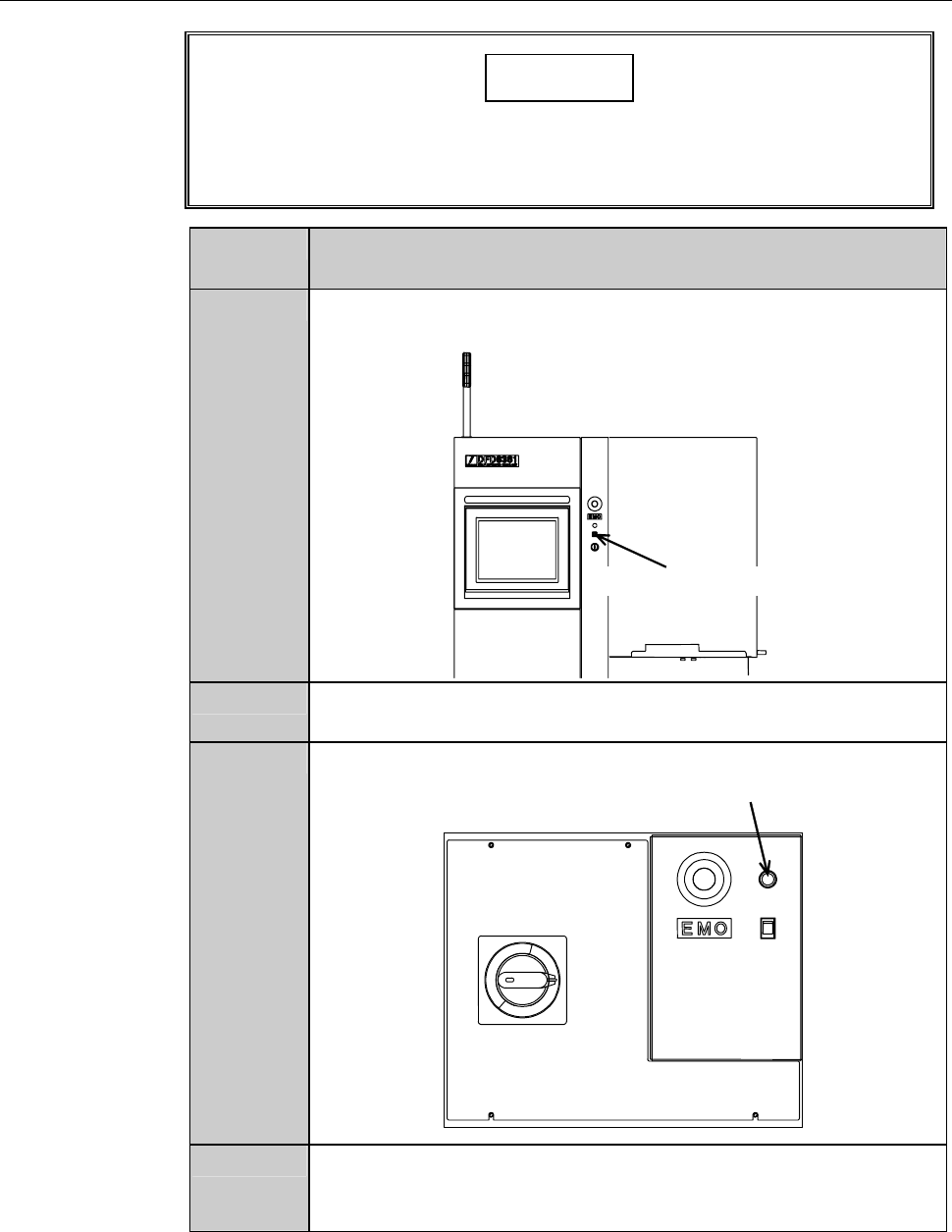
1
Insert the maintenance key into the maintenance switch. The
maintenance key is placed under maintenance personnel control.
Maintenance switch
2
Rotate the maintenance key clockwise and placed in the
OVERRIDE position.
3
While pressing the override button, open the splash cover.
Override button
4
Turn the touch panel to the position where the operator can
control the touch panel with standing at the normal working
position.
C-17
Procedures for executing conditioning (Continued)
Step No. Do This
5
Mount the conditioning jig on the chuck table for dressing.
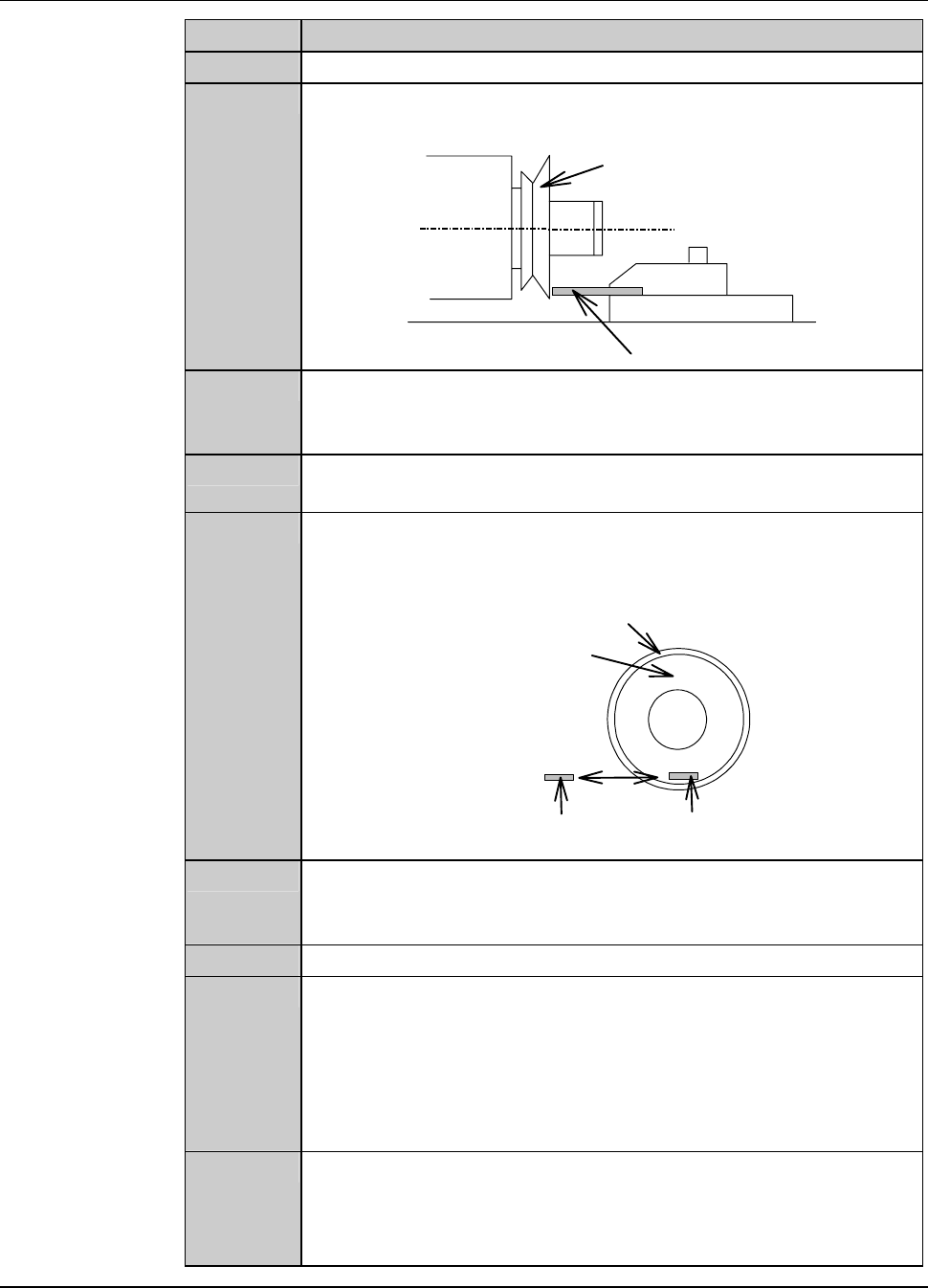
6
Move the Z-axis to the location shown below by using the axis
operation button.
Conditioning jig
Conditioning chip
Flange/Wheel mount
7
Using the axis operation button, move the Y-axis to the location
where the conditioning chip touches the flange or wheel mount
end face lightly.
8
Turn ON the vacuum system by pressing the <C/T Vacuum>
button to secure the conditioning jig.
9
Move the X-axis to the conditioning start position shown below.
- The resultant axis position setup provides the conditioning start
position.
End face
Conditioning start
position
Conditioning chip
Flange/Wheel mount
10
Check the value of [X-stroke] on the FLANGE DRESSING
screen [screen 7.1] and make sure that the conditioning jigs do
not collide against the wheel cover nozzle.
11
Close the splash cover.
12
Press the <START> button.
- The spindle starts rotating to automatically initiate a
conditioning operation.
- The display goes back to the CONDITIONING IN PROGRESS
screen [screen 7.1.1].
- During a pause, the X-axis is at the conditioning start position.
13
When the operation has been executed the pre-selected number
of times, the spindle stops.
- The display goes back to the FLANGE DRESSING screen
[screen 7.1].
Continued in the next section.
C-18
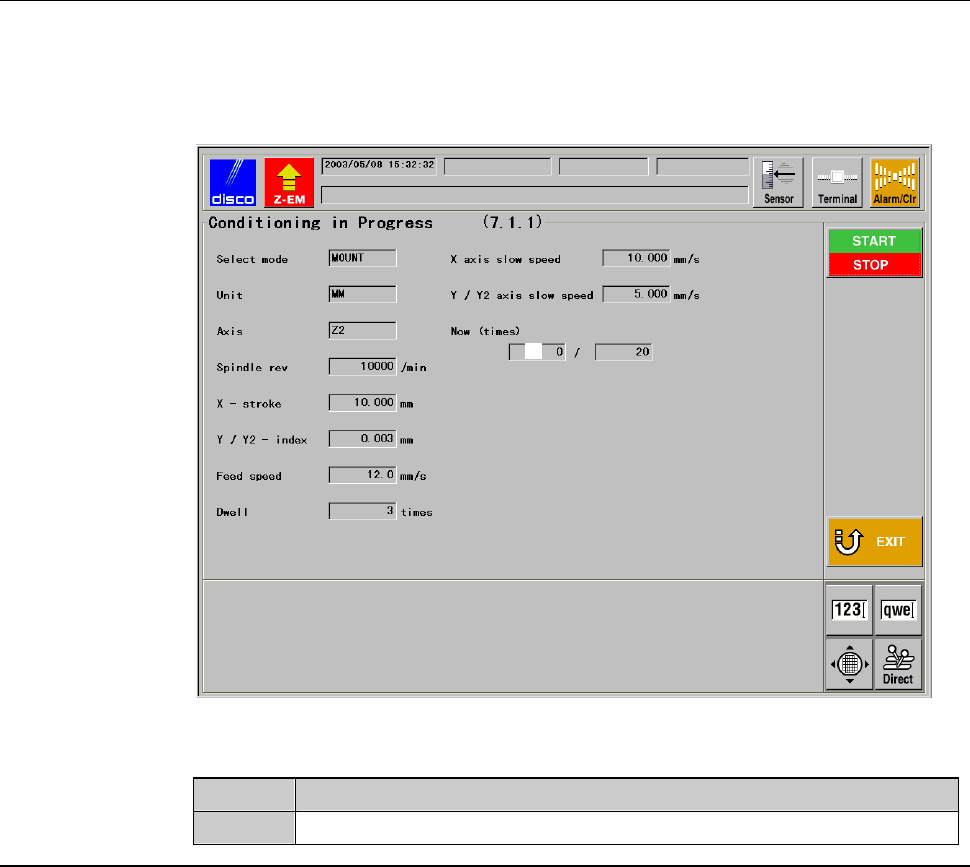
CONDITIONING IN PROGRESS screen [screen 7.1.1]
While the conditioning is executed, the CONDITIONING IN PROGRESS
screen [screen 7.1.1] is displayed.
[Screen]
ÿ
[1]
[Setting Item]
Item No. Descriptions
[1]
Shows the cycle counts of conditioning that have been performed.