DFD6361-Maintenance.pdf - 第249页
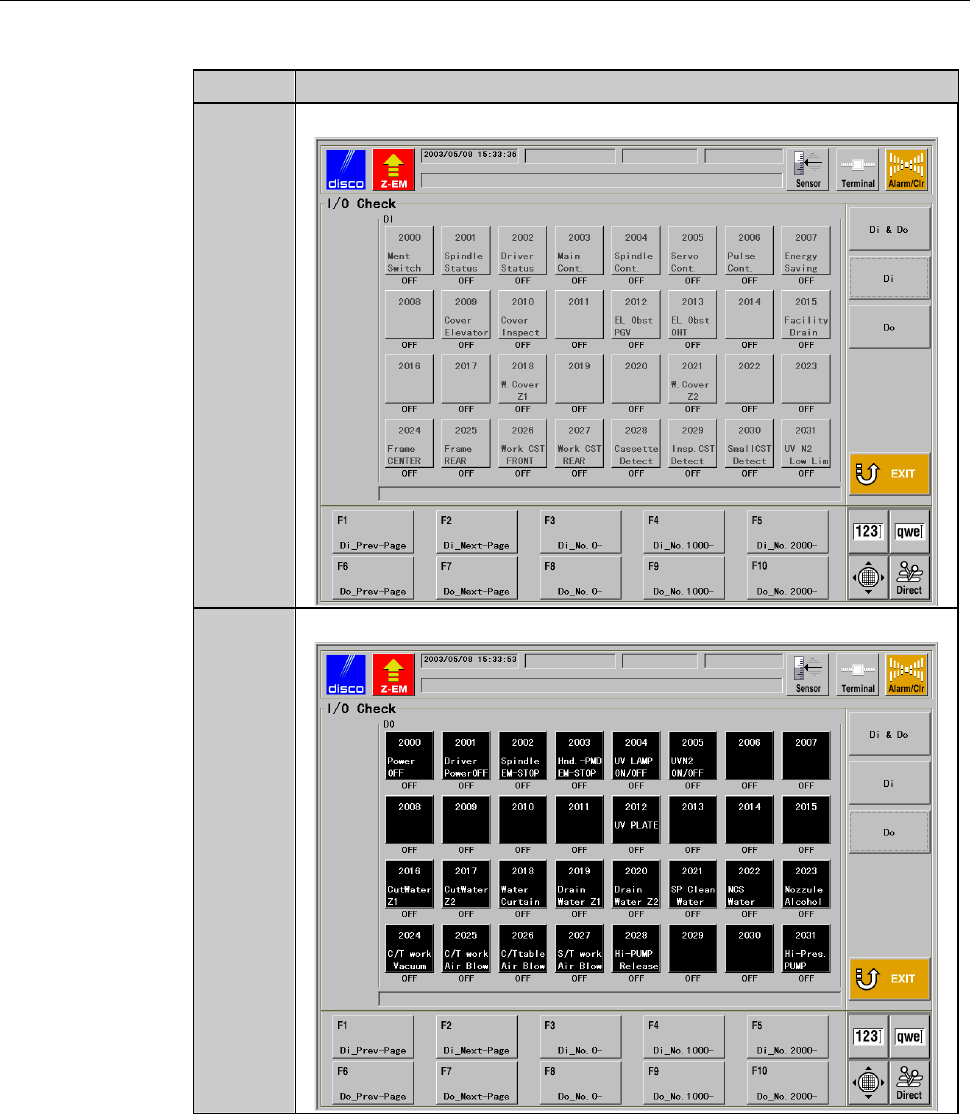
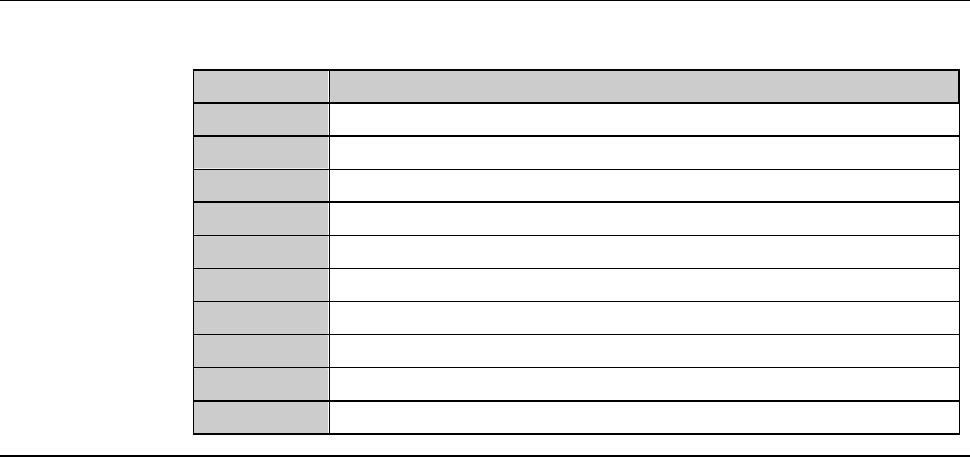
C-37 I/O CHECK scr een (C ontinued) [Function Butto n] Press To F1 Display the previous page of INPUT area. F2 Dis play the next p ag e of IN PUT area . F3 Display the address of 00 00 of INPUT area. F4 Display the addre…
C-36
I/O CHECK screen (Continued)
[Setting Item]
Item No. Descriptions
[4]
Displays the INPUT area in the whole screen.
[5]
Displays the OUTPUT area in the whole screen.
C-37
I/O CHECK screen (Continued)
[Function Button]
Press To
F1
Display the previous page of INPUT area.
F2
Display the next page of INPUT area.
F3
Display the address of 0000 of INPUT area.
F4
Display the address of 1000 of INPUT area.
F5
Display the address of 2000 of INPUT area.
F6
Display the previous page of OUTPUT area.
F7
Display the next page of OUTPUT area.
F8
Display the address of 0000 of OUTPUT area.
F9
Display the address of 1000 of OUTPUT area.
F10
Display the address of 2000 of OUTPUT area.
C-38
4-2. Axis Sensor Check
Summary of this section
This section explains the methods to check the axis sensor status.
If any abnormality is found in a sensor that is checked, such as an abnormal
operation, contact your DISCO Service Office.
Procedures for axis sensor check
WARNING
- In the axis sensor check procedures, in some cases, you may have
to operate an axis by using the maintenance key that disables the
axis driver power supply shutoff feature and deactivates the axis
interlock. This operation, therefore, may result in personnel injury or
damage of the machine.
This operation must be carried out carefully by the qualified
maintenance personnel.
- If the person other than the maintenance personnel touches the
machine, the machine operates and the maintenance personnel
may be injured.
Ensure that no person other than the maintenance personnel
touches the machine.
While you don't use the touch panel, press the Disco's logo button
located at the upper left of the screen in order to lock up and
deactivate the touch panel.