DFD6361-Maintenance.pdf - 第465页
E-29 1-2-3-3. Adjusting the amplifier of blade breakage detector Procedur es for adjus ting the amplifier of blad e breakag e detector Step No. Do This (Continued from the previous section) 1 Wear the protective gloves. …
E-28
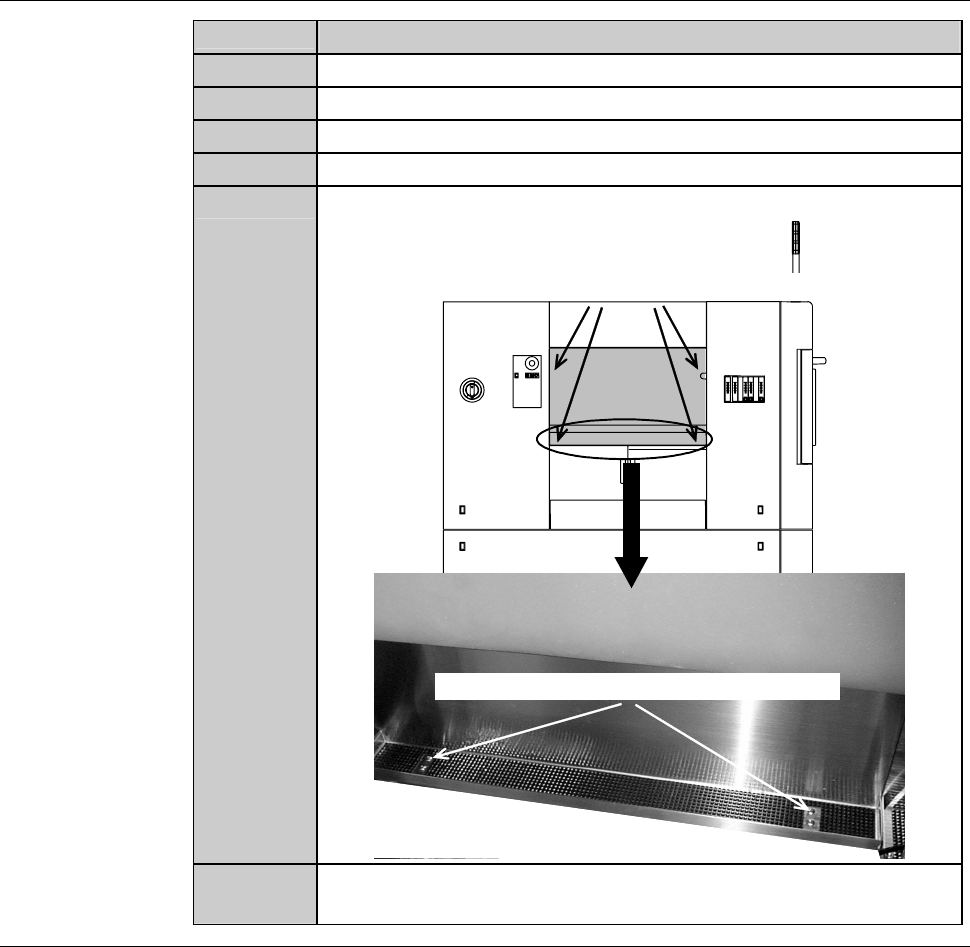
Procedures for removing the partition (left) (Continued)
Step No.
Do This
3
Lift the safety switch cover approximately by 10mm.
4
Move the safety switch cover to its either side.
5
Pull the safety switch cover toward you and remove it.
6
An assistant holds the partition.
7
Remove the mounting screws of the partition.
Mounting screw (cross-shaped recess screw)
Mounting screw (cross-shaped recess screw)
8
Remove the partition. Store it sufficiently away from the
working area.
Continued in the next section.
E-29
1-2-3-3. Adjusting the amplifier of blade breakage detector
Procedures for adjusting the amplifier of blade breakage detector
Step No. Do This
(Continued from the previous section)
1
Wear the protective gloves.
2
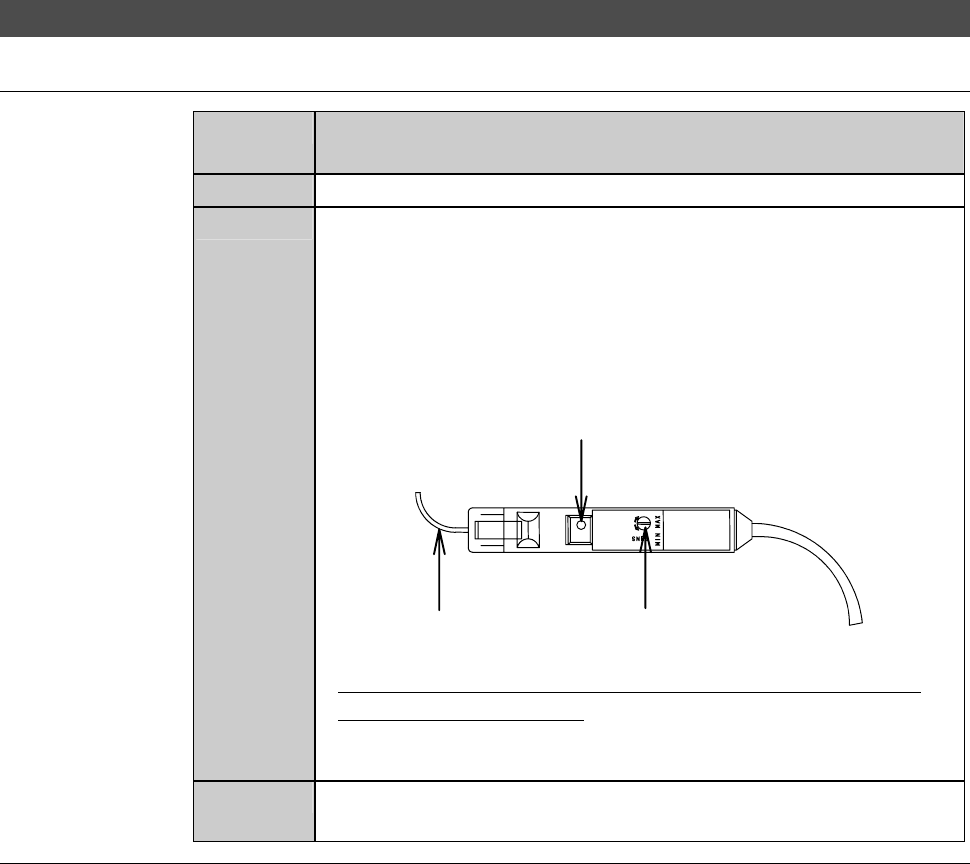
With the amplifier adjustment driver, rotate the amplifier
sensitivity adjustment dial so that the maximum sensitivity
displayed on the BLADE BREAKAGE DETECTOR
ADJUSTMENT screen [screen 4.2] reads between or equal to
90% and 99%.
- Clockwise dial rotation increases the sensitivity level.
Fiber
Sensitivity regulation dial
Power indication lamp
- When the sensitivity level remains unduly low after cleaning
and amplifier adjustment;
It is conceivable that the fiber may be broken.
Contact your nearest DISCO office.
3
After completion of adjustment, reinstall the partition (left) in its
original position.
Continued in the next section.
E-30
1-2-4. Completion of cleaning
the blade breakage detector sensor
Procedures for completion of cleaning the blade breakage detector sensor
Step No. Do This
(Continued from the previous section)
1
Adjust the blade breakage detector.
- For the blade breakage detector adjustment procedure,
see the section B-6, [Blade Maintenance] of the Operation
Manual.
2
Close the splash cover.
3
Press the <System Initial> button to effect system initialization.