Infinity EX Transportation.pdf - 第17页
INFINITY EX TRANS PORTATION MAJOR RELO CATION Chapter Issue 3 J an 04 Technical Reference Manual 31.17 1. Remov e the six pan head M4 securing screws and washers from the front left hand safety cove r and remove the cov …
INFINITY
EX
TRANSPORTATION
MAJOR RELOCATION
31.16 Technical Reference Manual Chapter Issue 3 Jan 04
7. Remove the right hand machine side covers.
8. Disconnect the electrical supply connectors to the pneumatic solenoid valves
M27SOL01 and M27SOL03 fitted to the rear face of the front rail support.
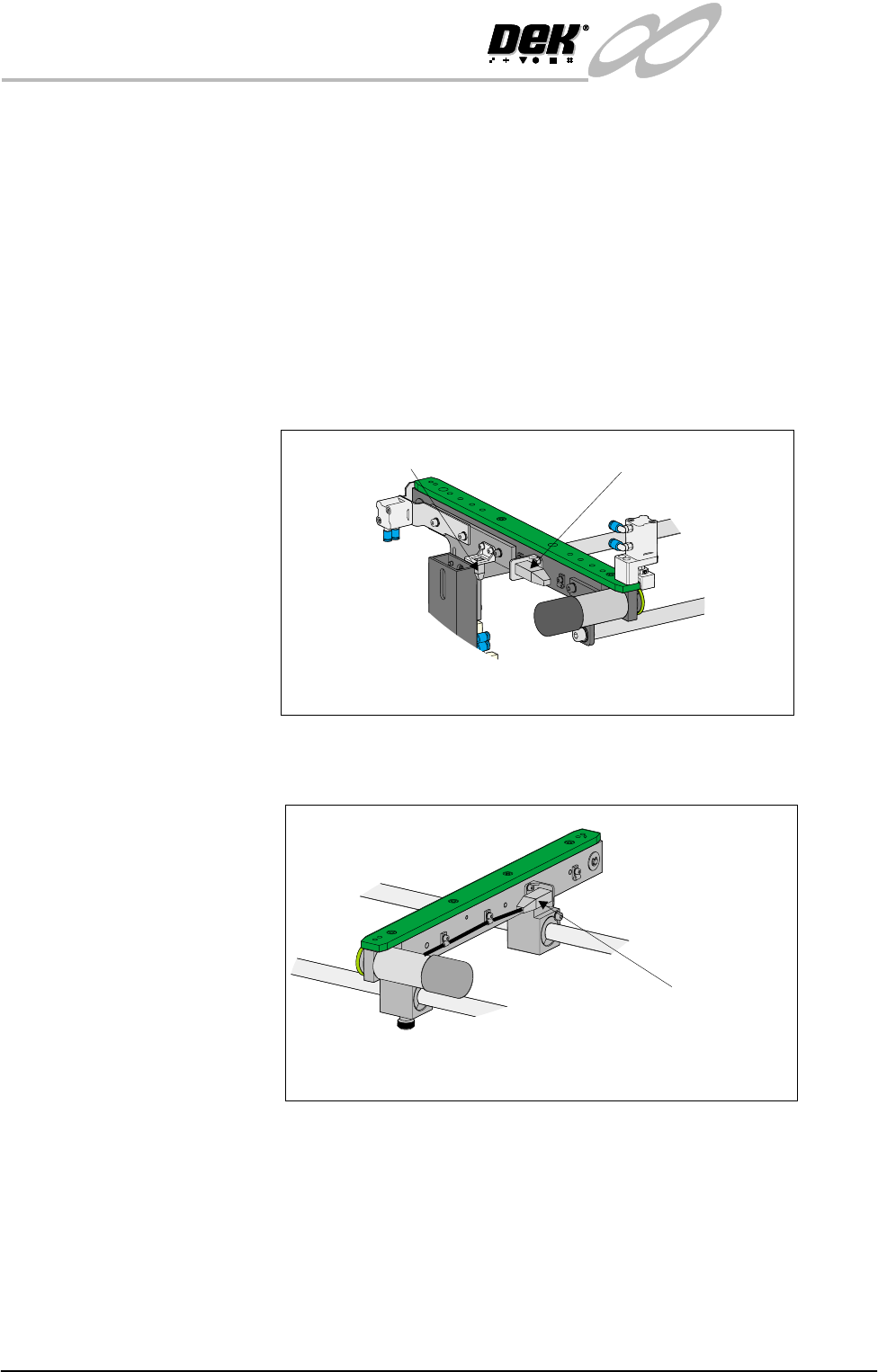
9. Disconnect the pneumatic connection feeding the solenoid valves
M27SOL01 and M27SOL03 at the tee piece connection to valve
M27SOL03.
10.Disconnect the following connectors fitted to the front rail of the right hand
auxiliary conveyor:
• M27SK14 - Auxiliary conveyor sensor
• M27PL16 - Auxiliary conveyor front transport belt motor
11.Disconnect connector M27PL17 feeding the auxiliary conveyor rear trans-
port motor, fitted to the rear face of the rear rail of the conveyor.
12.Loosen the eight M5 auxiliary conveyor rail support securing bolts (four
bolts on each support) that secure the auxiliary conveyor to the machine
lower frame.
13.Ensuring the auxiliary conveyor is fully supported, remove the bolts loos-
ened in Step 12 and remove the conveyor from the machine.
14.Refit the right hand machine side panels.
To remove the left hand auxiliary conveyor from the machine carry out the
following procedure:
Front View on Right Hand Auxiliary Conveyor
Connector M27SK14
Connector M27PL16
Connector M27PL17
Rear View on Right Auxiliary Conveyor
INFINITY
EX
TRANSPORTATION
MAJOR RELOCATION
Chapter Issue 3 Jan 04 Technical Reference Manual 31.17
1. Remove the six pan head M4 securing screws and washers from the front left
hand safety cover and remove the cover from the machine.
2. Remove the six pan head M4 securing screws and washers from the rear left
hand safety cover and remove the safety cover from the machine.
3. Remove the two countersunk M5 screws securing the left hand safety plate
to the green wear insert fitted to the top of the left hand conveyor.
4. Carefully lift the safety plate clear of the machine and remove the two plastic
safety cover spacers from the on top of the green wear insert.
5. Remove the left hand machine side covers.
6. Disconnect the electrical supply connector to the pneumatic solenoid valve
M27SOL02 rear face of the front upright of the conveyor frame.
7. Disconnect the pneumatic connection feeding the solenoid valve
M27SOL02.
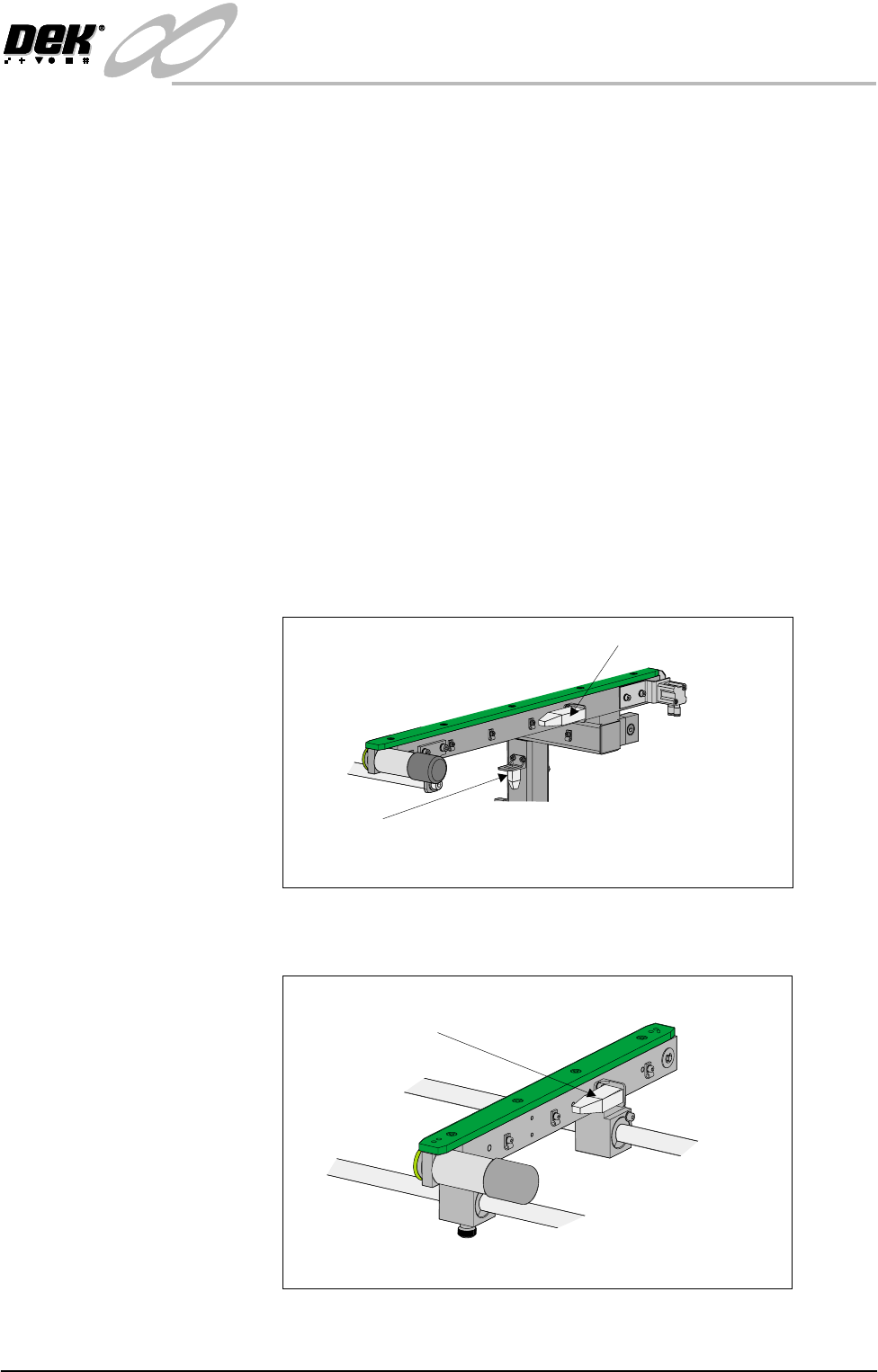
8. Disconnect the following connectors fitted to the front rail of the left hand
auxiliary conveyor:
• M27SK05 - Auxiliary conveyor sensor
• M27PL06 - Auxiliary conveyor front transport belt motor
9. Disconnect connector M27PL07 feeding the auxiliary conveyor rear trans-
port motor, fitted to the rear face of the rear rail of the conveyor.
10.Loosen the eight M5 auxiliary conveyor frame securing bolts (four bolts on
each upright) that secure the auxiliary conveyor to the machine lower frame.
Connector M27SK05
Connector M27PL06
Front View on Left Hand Auxiliary Conveyor
Connector M27PL07
Rear View on Left Hand Auxiliary Conveyor
INFINITY
EX
TRANSPORTATION
MAJOR RELOCATION
31.18 Technical Reference Manual Chapter Issue 3 Jan 04
11.Ensuring the auxiliary conveyor is fully supported, remove the bolts loos-
ened in Step 10 and remove the conveyor from the machine.
12.Refit the left hand machine side panels.
13.Switch on the m3 Jan 04achine, remove the head prop and lower the head.
Removal of the 12″
MMI Assembly
The following procedure details how to remove the MMI assembly from the
machine.
NOTE
Ensure that the machine is switched OFF at the mains isolator.
1. Unfasten the machine front right corner access panel, by releasing the three
quick release fasteners. Unplug the E Stop connector from the back of the
corner panel and disconnect the System button at plug 8PL14. Release the
ESD cable by pulling the cable spade connector from the capacitor fixing
point.
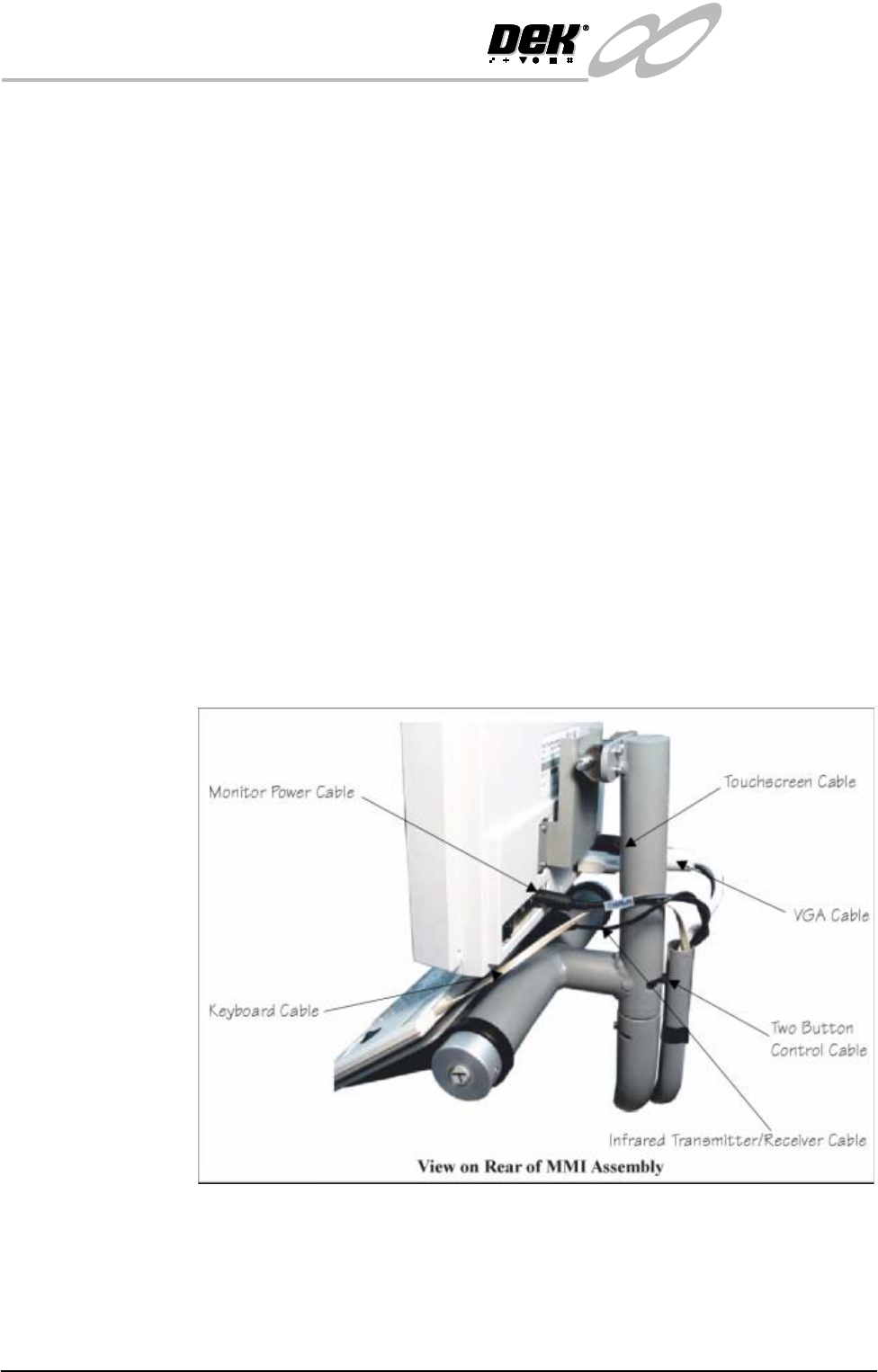
2. At the rear of the monitor, remove the following connections on the rear of
the monitor:
• Monitor Power Cable (M16SK03) - Power DC-IN
• VGA Cable (M16PL023) - Display Input
• Touchscreen Cable (M16PL01) - Touch RS-232
3. Remove the infrared receiver/transmitter from beneath the monitor.
4. Unclip the cable conduit from behind the MMI arm.
5. Carefully remove the following cables from the cable conduit utilizing the
slot in the conduit:
• Infrared Transmitter/Receiver
• Monitor Power Supply Cable