Infinity EX Transportation.pdf - 第26页
INFINITY EX TRANSPORT ATION MAJOR RE LOCATION 31.2 6 Technical Reference Manual Chapter Issue 3 Jan 04 Figur e 31-8 Rear T ransit Brac ke t Figur e 31-9 Paste Dispense T ransit Bracket T ransit Br acket to P rinthead Cas…

INFINITY
EX
TRANSPORTATION
MAJOR RELOCATION
Chapter Issue 3 Jan 04 Technical Reference Manual 31.25
washers either side of the transit bracket, loosen the nuts securing the studs
to the carriage, unscrew the studs from the printhead carriage.
b. On the screen chase securing studs (Items 1a), remove the nuts and
washers on both sides of the bracket and remove the studs to release the
screen chase.
c. On the printhead lift securing studs (Items 1c), loosen the nuts and washers
on both sides of the bracket, loosen the nuts and washers securing the stud
to the machine frame, unscrew the studs from the machine frame.
d. On the transit bracket, remove the two fixing screws (Items 1d) that secure
the transit bracket to the printhead casting.
3. From the camera carriage transit bracket securing the camera carriage to the
left hand stud of the printhead lift stud, loosen the nuts and washers from
both sides of the bracket securing the bracket to the stud, remove the screw
securing the bracket to the camera carriage. Carefully remove the main front
transit bracket from the machine.
4. From the rear transit bracket securing the rear of the screen chase to the
printhead (Items 5a), loosen the nuts and washers either side of the bracket,
loosen the nuts and washers to release the screen chase (Items 5b). Carefully
remove the rear transit bracket from the machine.
5. From the paste dispense transit bracket, remove the two screws from the
sensor bracket and paste dispenser, remove the transit bracket (Item 3).
6. On the two X axis chase restrainer brackets, release the locknuts by turning
them in an anti-clockwise direction. Slowly turn the black knobs in an anti-
clockwise direction until the actuators have made contact with the chase
striker plates. Continue to turn the knobs until the threads have withdrawn
enough to allow access to the lower cap head screws.
7. On the Y axis chase restrainer bracket, release the locknut. Slowly undo the
cap head screw until the actuator has made contact with the chase striker
plate. Continue to undo the cap head screw until the bracket can be easily
removed from the Y axis actuator.
INFINITY
EX
TRANSPORTATION
MAJOR RELOCATION
31.26 Technical Reference Manual Chapter Issue 3 Jan 04
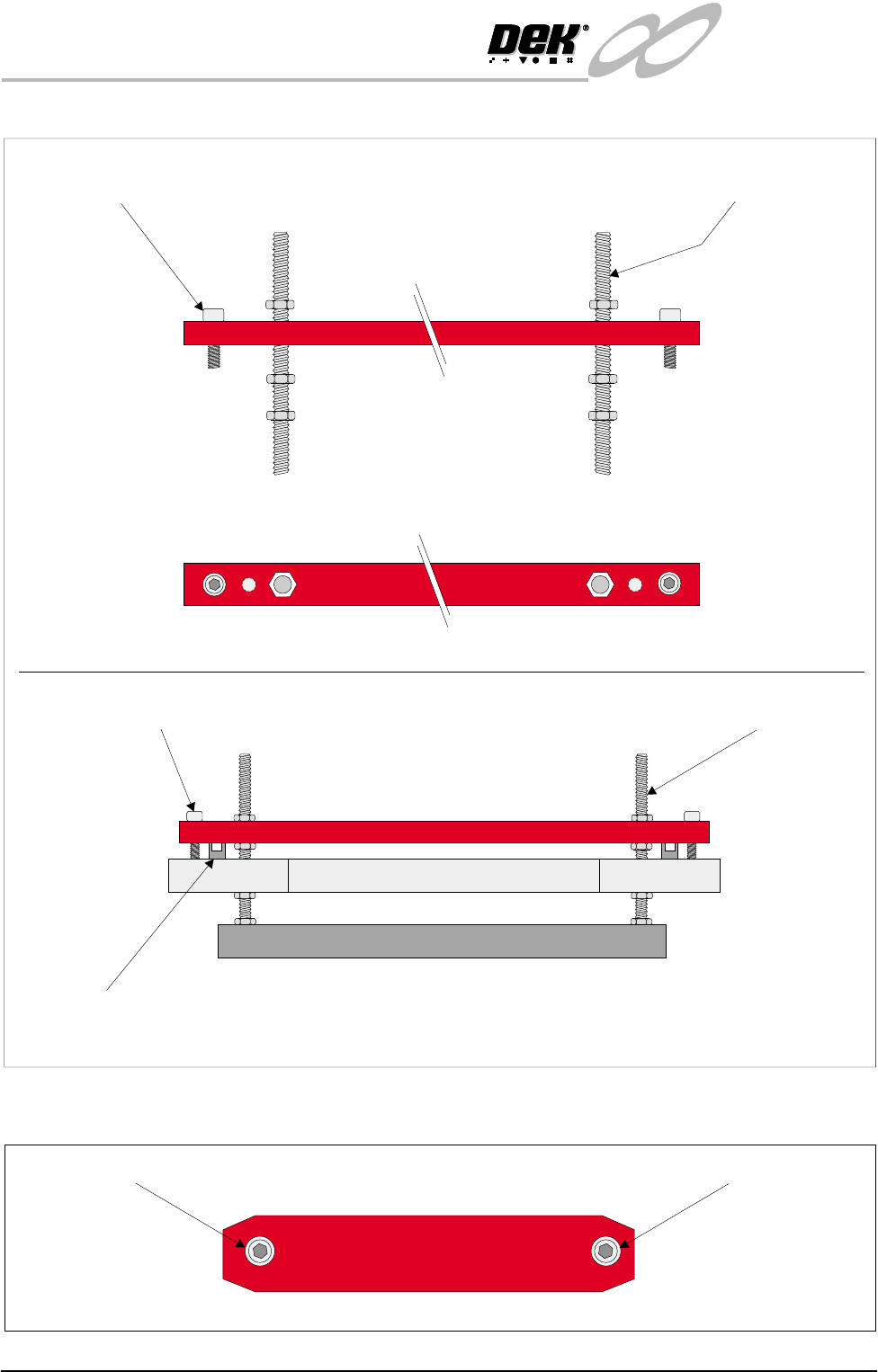
Figure 31-8 Rear Transit Bracket
Figure 31-9 Paste Dispense Transit Bracket
Transit Bracket to Printhead
Casting Fixing Screw (Item 5a- 2 positions)
Screen Chase Mounting Studs
(Item 5b - 2 positions)
Front View on Rear Transit Bracket
Rear Transit Bracket Fixing Screw
(Item 5a - 2 positions)
Screen Chase Studs
(Item 5b - 2 positions)
Print Carriage Guide Rail
(2 positions)
Printhead Casting
Rear Transit Bracket
Screen Chase
Section View of Rear Transit Bracket Fixing Arrangement
Plan View on Rear Transit Bracket
Front View on Paste Dispense Bracket
Paste Dispense Fixing ScrewPaste Dispense Fixing Screw
INFINITY
EX
TRANSPORTATION
MAJOR RELOCATION
Chapter Issue 3 Jan 04 Technical Reference Manual 31.27
Machine Assembly Assemble the machine components and assemblies removed for transportation.
• Paste dispenser nozzle
• Paste cartridge sleeve
• Paste dispenser drip tray
• Squeegees or ProFlow
• MMI assembly and arm
• Tricolour beacon
• Pneumatic supply fitting
• Magnetic tooling pins
• TCU manifold
• Auxiliary Conveyors (HTC Option)
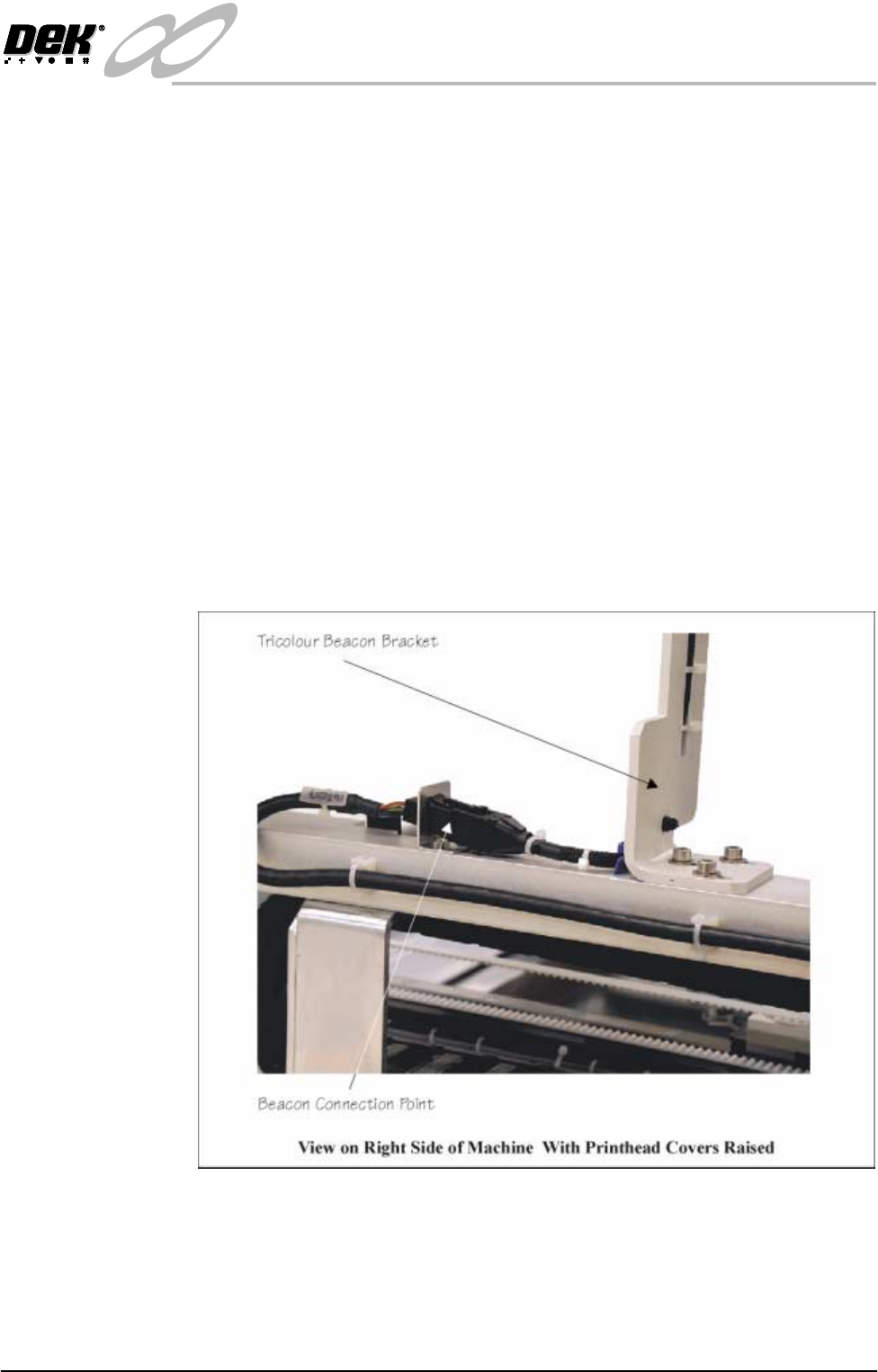
Tricolour Beacon 1. Assemble the tricolour beacon assembly to the right hand top hinge bracket
and secure with three M5 cap head screws.
2. Connect the tricolour beacon connector 14PL07 to socket 14SK07 (Tricol-
oured Beacon Bracket figure refers).
Figure 31-10 Tricoloured Beacon Bracket
Fitting of 12″ MMI
Assembly
The following procedure details how to fit the MMI assembly to the machine.
NOTE
Ensure that the machine is switched OFF at the mains isolator.
1. Unfasten the machine front right corner access panel, by releasing the three