Infinity EX Transportation.pdf - 第74页
INFINITY EX TRANSPORT ATION MACHI NE PERF ORMAN CE 31.7 4 Technical Reference Manual Chapter Issue 3 Jan 04 7. In the Record Filters Box, select sqy1 fil e and select O.K . 8. Select Stati stics , Cp k - Process Capabili…
INFINITY
EX
TRANSPORTATION
MACHINE PERFORMANCE
Chapter Issue 3 Jan 04 Technical Reference Manual 31.73
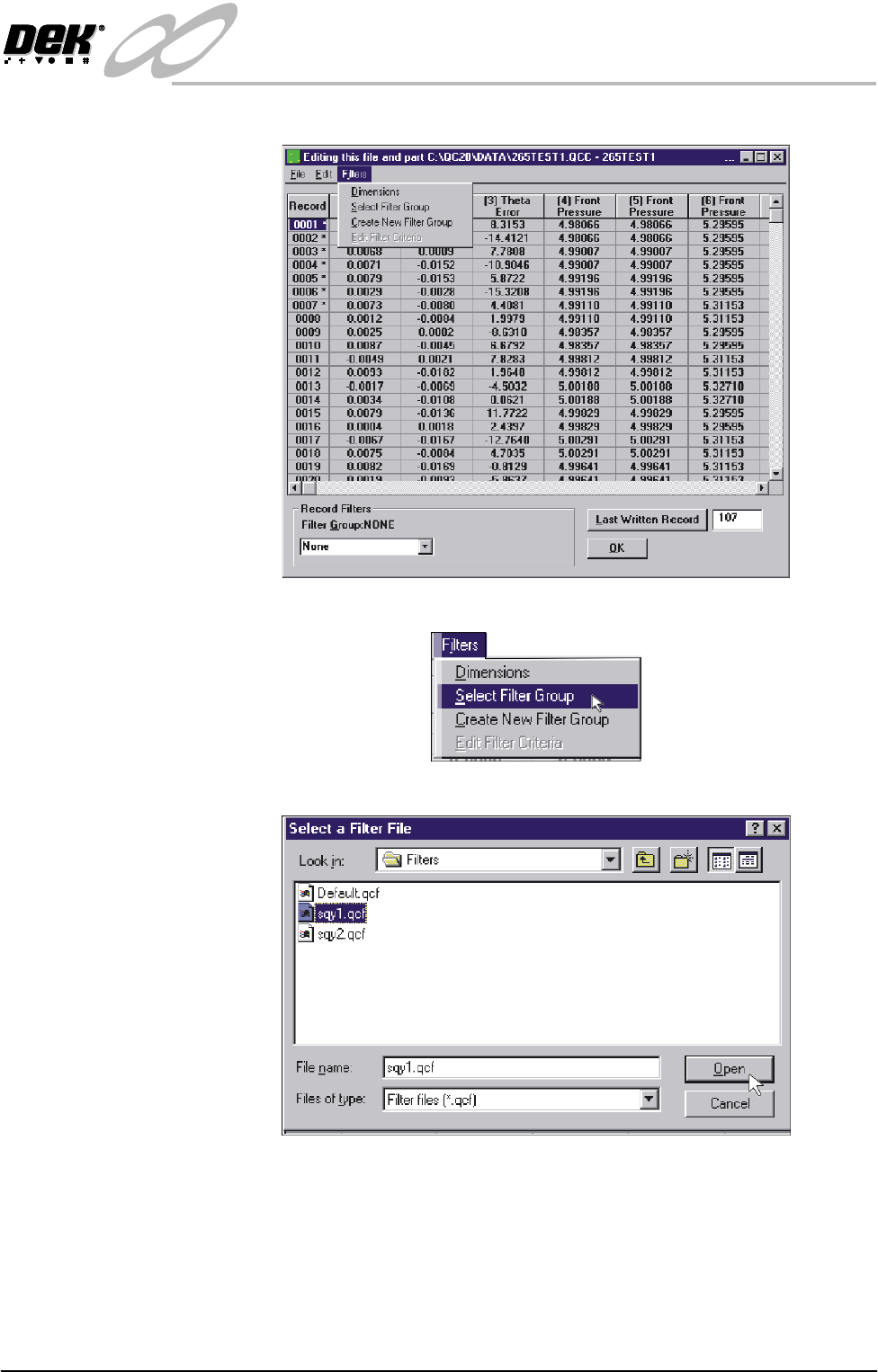
4. Select Filters.
5. Select Select Filter Group.
6. Highlight sqy1.qcf file and select Open.
INFINITY
EX
TRANSPORTATION
MACHINE PERFORMANCE
31.74 Technical Reference Manual Chapter Issue 3 Jan 04
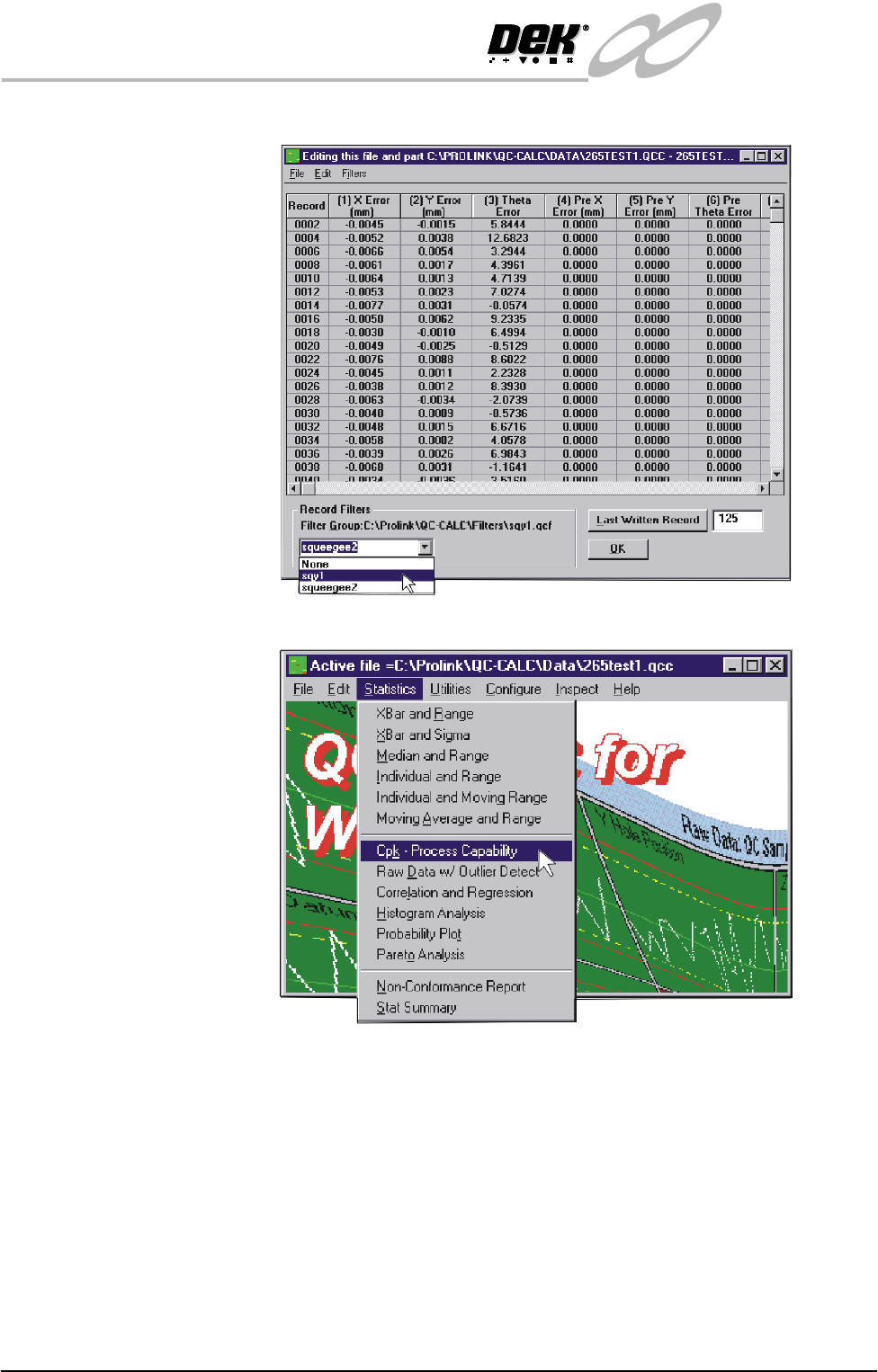
7. In the Record Filters Box, select sqy1 file and select O.K.
8. Select Statistics, Cpk - Process Capability.
INFINITY
EX
TRANSPORTATION
MACHINE PERFORMANCE
Chapter Issue 3 Jan 04 Technical Reference Manual 31.75
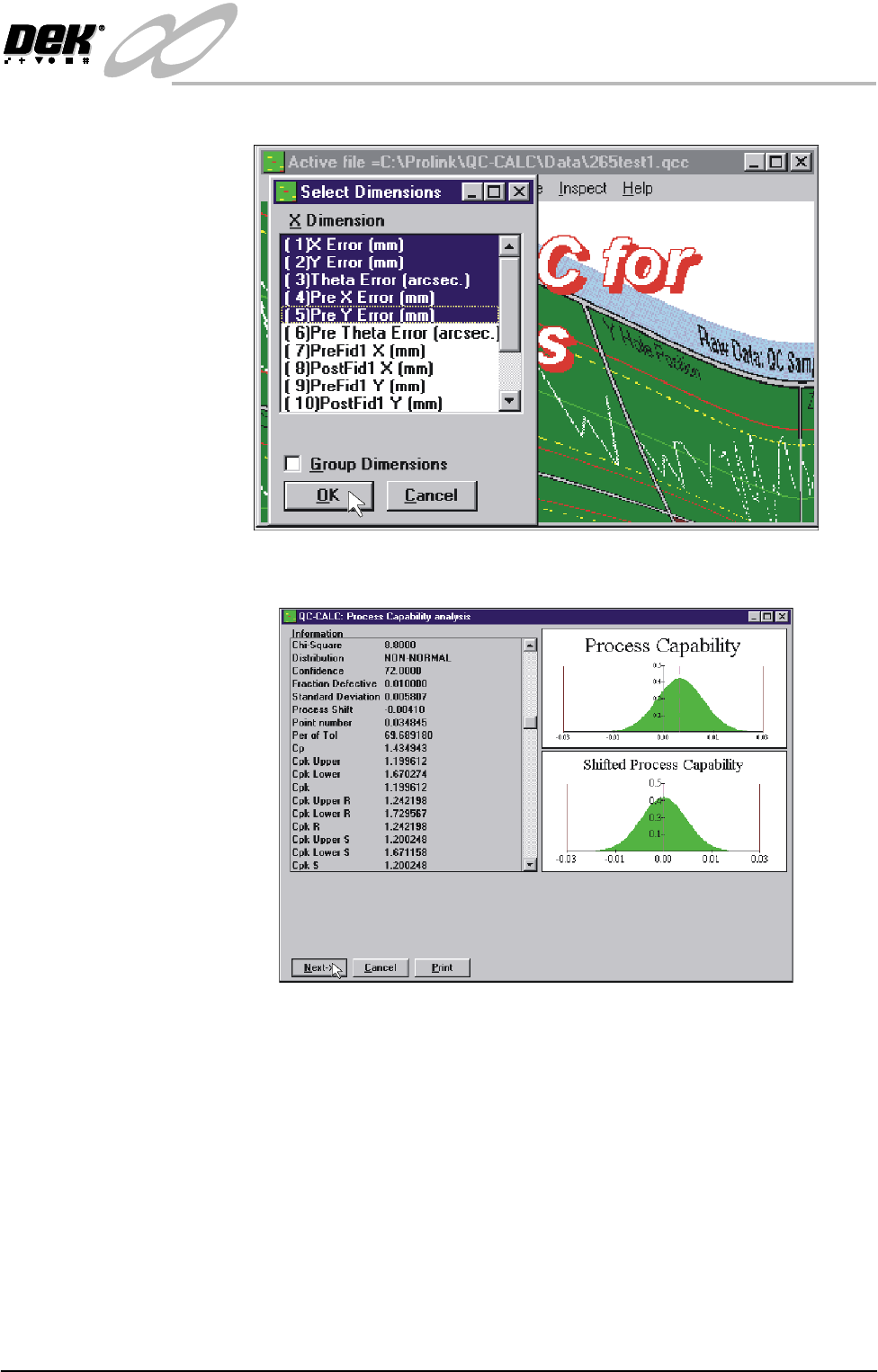
9. Highlight the required dimensions to output and select O.K.
10.View the Cp/Cpk values for the dimension illustrated ensuring the values are
within the specification. Select Next to view the further dimensions.
11.Repeat Steps 4 - 10 for filter group sqy2.qcf.