Infinity EX Transportation.pdf - 第28页
INFINITY EX TRANSPORT ATION MAJOR RE LOCATION 31.2 8 Technical Reference Manual Chapter Issue 3 Jan 04 quick release fasteners. Unplug the E Stop connector from the back of the corner panel and disconnect the System butt…
INFINITY
EX
TRANSPORTATION
MAJOR RELOCATION
Chapter Issue 3 Jan 04 Technical Reference Manual 31.27
Machine Assembly Assemble the machine components and assemblies removed for transportation.
• Paste dispenser nozzle
• Paste cartridge sleeve
• Paste dispenser drip tray
• Squeegees or ProFlow
• MMI assembly and arm
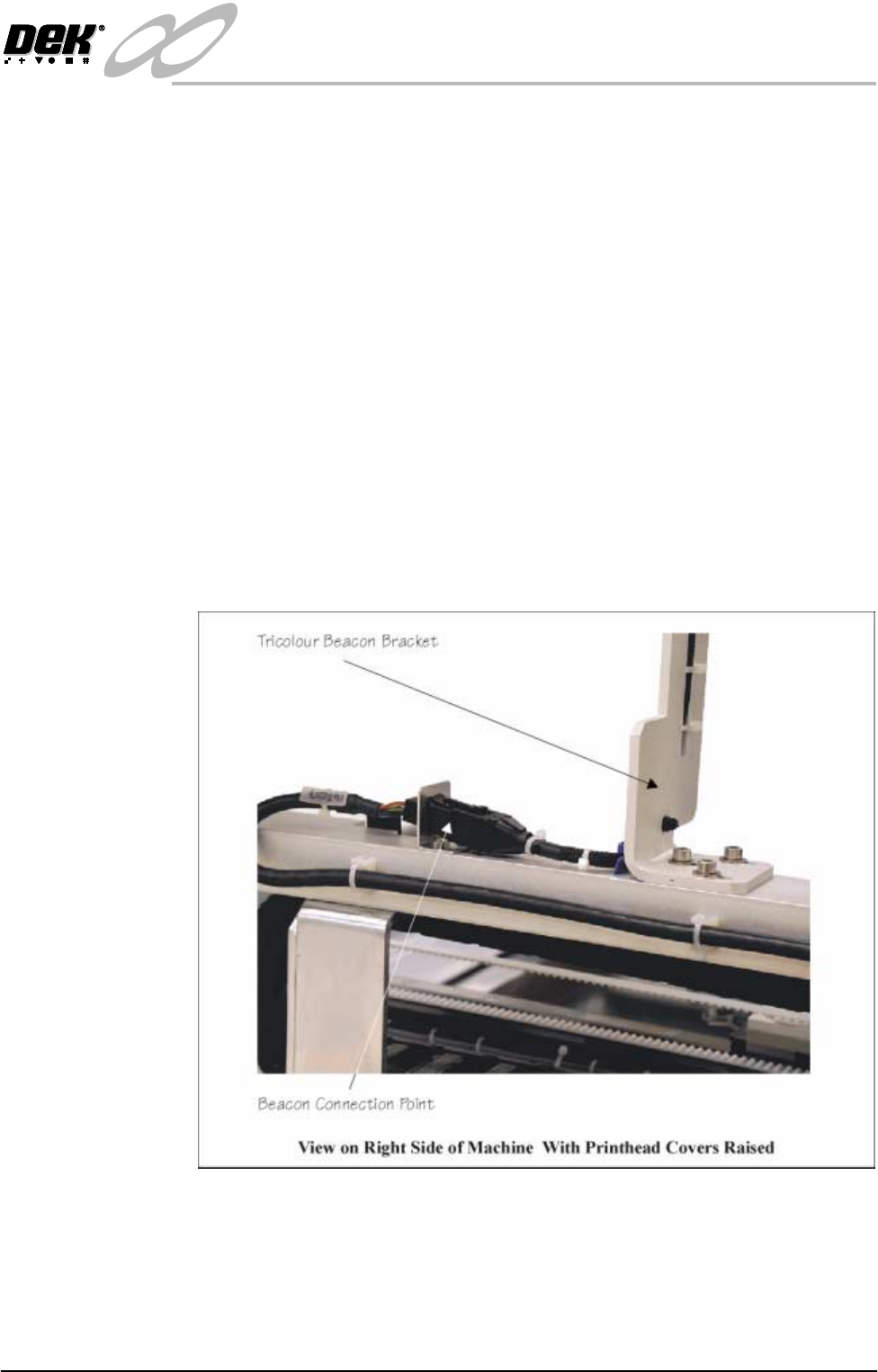
• Tricolour beacon
• Pneumatic supply fitting
• Magnetic tooling pins
• TCU manifold
• Auxiliary Conveyors (HTC Option)
Tricolour Beacon 1. Assemble the tricolour beacon assembly to the right hand top hinge bracket
and secure with three M5 cap head screws.
2. Connect the tricolour beacon connector 14PL07 to socket 14SK07 (Tricol-
oured Beacon Bracket figure refers).
Figure 31-10 Tricoloured Beacon Bracket
Fitting of 12″ MMI
Assembly
The following procedure details how to fit the MMI assembly to the machine.
NOTE
Ensure that the machine is switched OFF at the mains isolator.
1. Unfasten the machine front right corner access panel, by releasing the three
INFINITY
EX
TRANSPORTATION
MAJOR RELOCATION
31.28 Technical Reference Manual Chapter Issue 3 Jan 04
quick release fasteners. Unplug the E Stop connector from the back of the
corner panel and disconnect the System button at plug 8PL14. Release the
ESD cable by pulling the cable spade connector from the capacitor fixing
point. Remove the access panel from the machine.
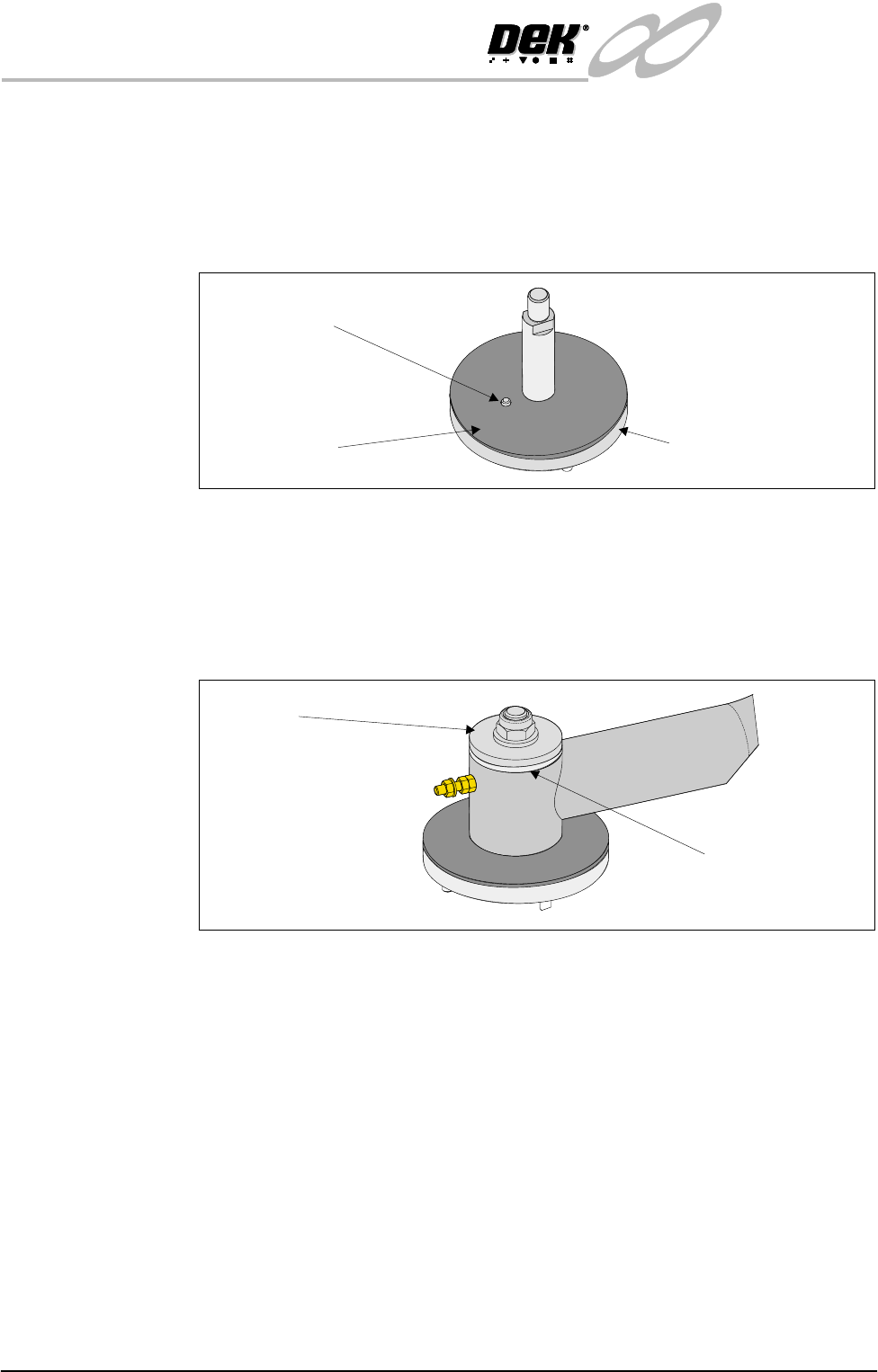
2. Fit the large friction washer to the MMI support bracket so that the dowel
fits through the washer locating hole, (graphic below refers).
3. Locate the MMI arm onto the pivot post of the machine MMI arm support
bracket. Ensure the MMI arm locates onto the bracket dowel correctly so
that arm travel is restricted to an approximate 90
o
arc of movement.
4. Fit the smaller friction washer, large stainless steel spacer, M12 plain washer
and M12 nyloc nut to the mounting bracket pivot post, (graphic below
refers). Tighten the nut until the MMI arm offers resistance when moved.
5. Slide the machine right hand corner access panel over the MMI arm.
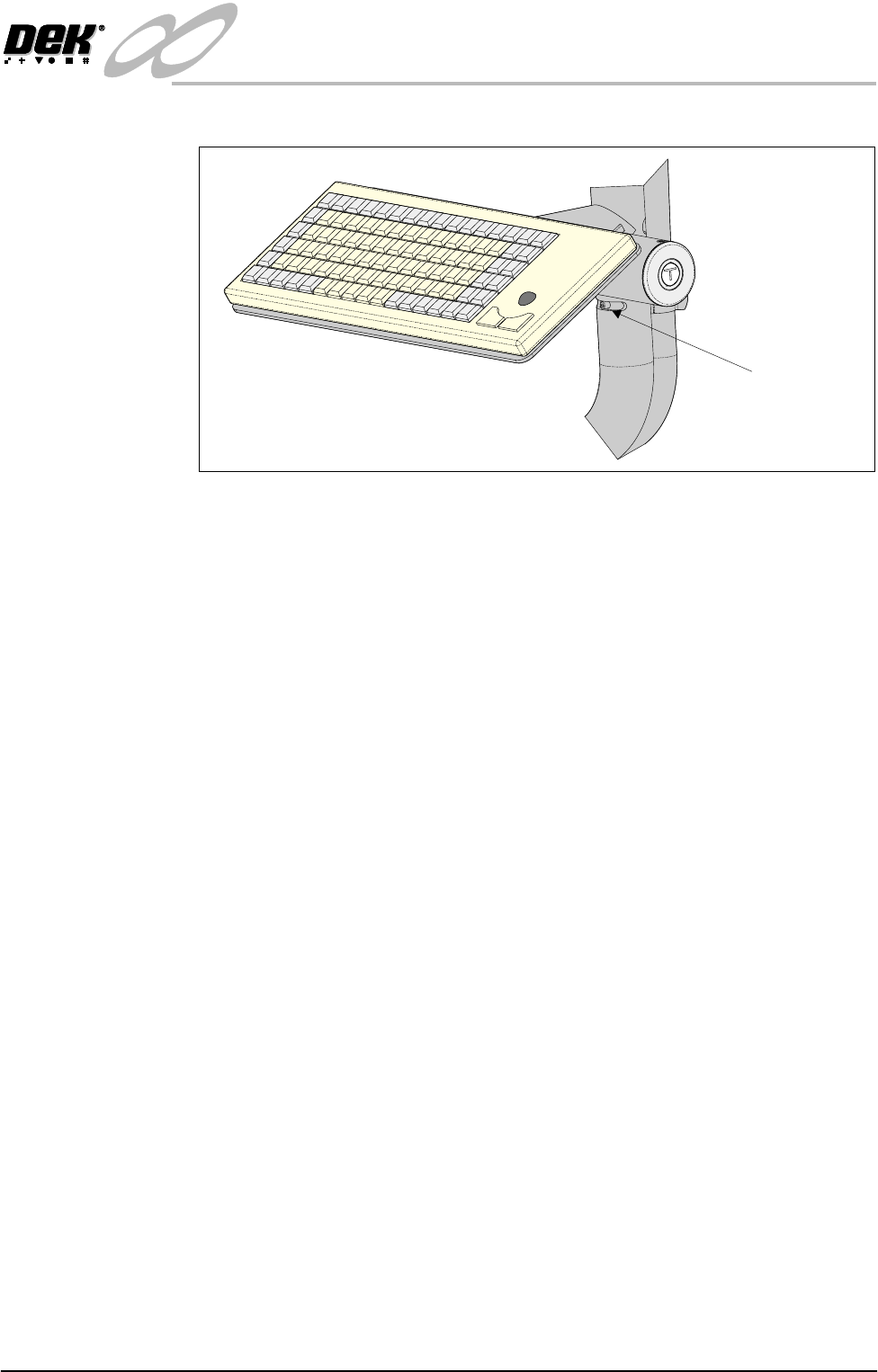
6. Fit the MMI assembly, tube and keyboard tray to the MMI tube and secure
Friction Washer
Locating Dowel
MMI Mounting Pivot Post
Friction Washer
Spacer
INFINITY
EX
TRANSPORTATION
MAJOR RELOCATION
Chapter Issue 3 Jan 04 Technical Reference Manual 31.29
with the end stop pin.
7. Fit the keyboard to the keyboard tray, ensure the keyboard is secured to the
tray with the velcro hook and eye strips.
8. Utilizing the slot in the cable conduit, feed the following cables through the
conduit:
• Infrared Receiver/Transmitter
• Monitor Power Supply (M16SK03)
• VGA Cable (M16PL02)
• Touchscreen Cable (M16PL01)
• Keyboard Cable
NOTE
For ease of installation, straighten the keyboard cable before feeding through
the cable conduit.
9. Carefully feed the two button control cable from the rear of the MMI tube
through the cable conduit. Ensure the heatshrink protection on the cable
End Stop Pin