Infinity EX Transportation.pdf - 第51页
INFINITY EX TRANS PORTATION MACHI NE POWE R UP SEQUE NCE Chapter Issue 3 J an 04 Technical Reference Manual 31.51 h. The Chkdsk progra m displays a DOS prompt. Select Y , Enter i. W hen the DO S windo w clos es, selec t …
INFINITY
EX
TRANSPORTATION
MACHINE POWER UP SEQUENCE
31.50 Technical Reference Manual Chapter Issue 3 Jan 04
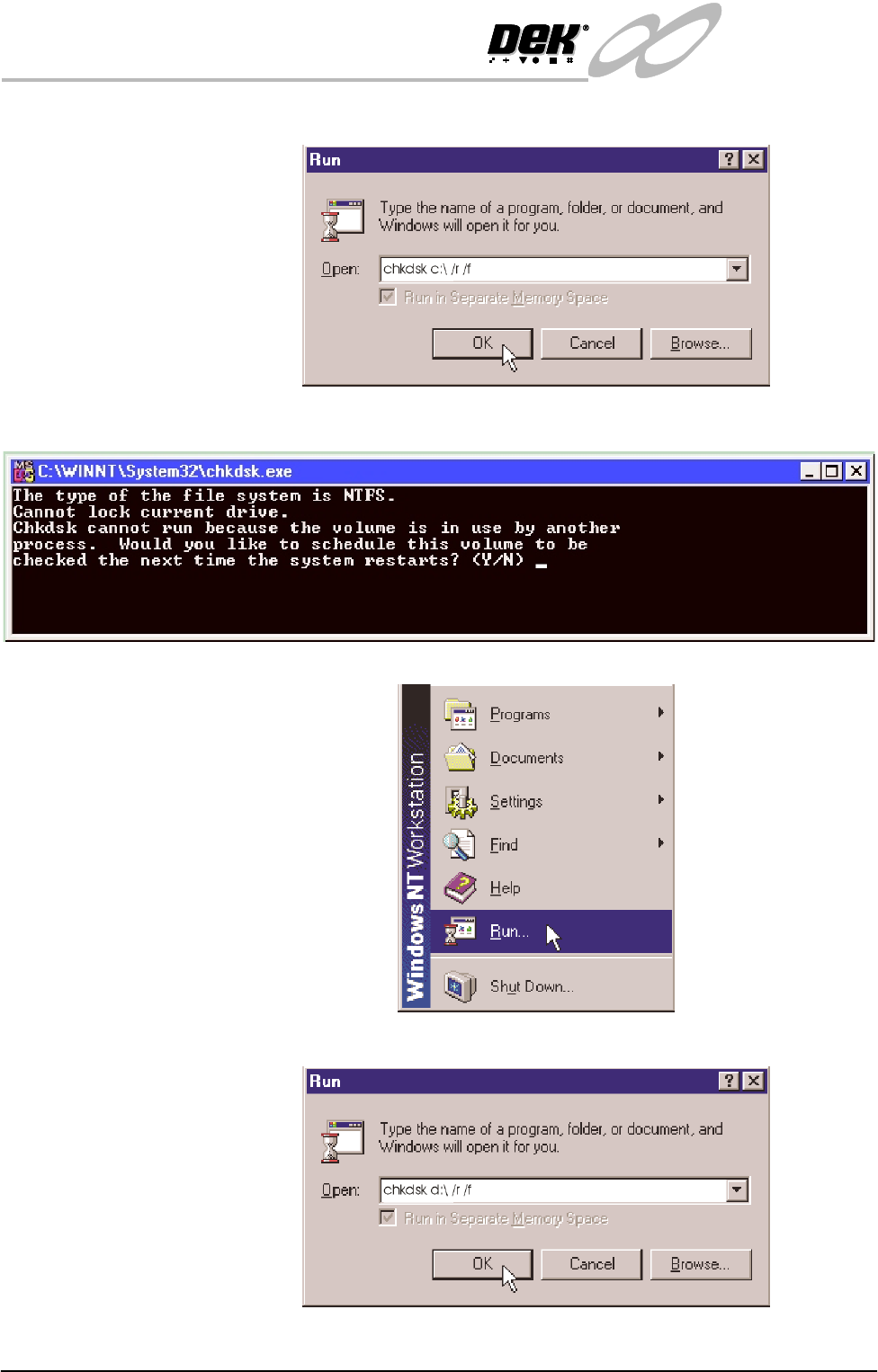
d. Click in the open box, and type chkdsk c:\ /r /f
e. The Chkdsk program displays a DOS prompt. Select Y, Enter.
Checking Hard Disk
Partition D
f. When the DOS window closes, select Start on the taskbar, select Run...
g. Click in the open box and type chkdsk d:\ /r /f
INFINITY
EX
TRANSPORTATION
MACHINE POWER UP SEQUENCE
Chapter Issue 3 Jan 04 Technical Reference Manual 31.51
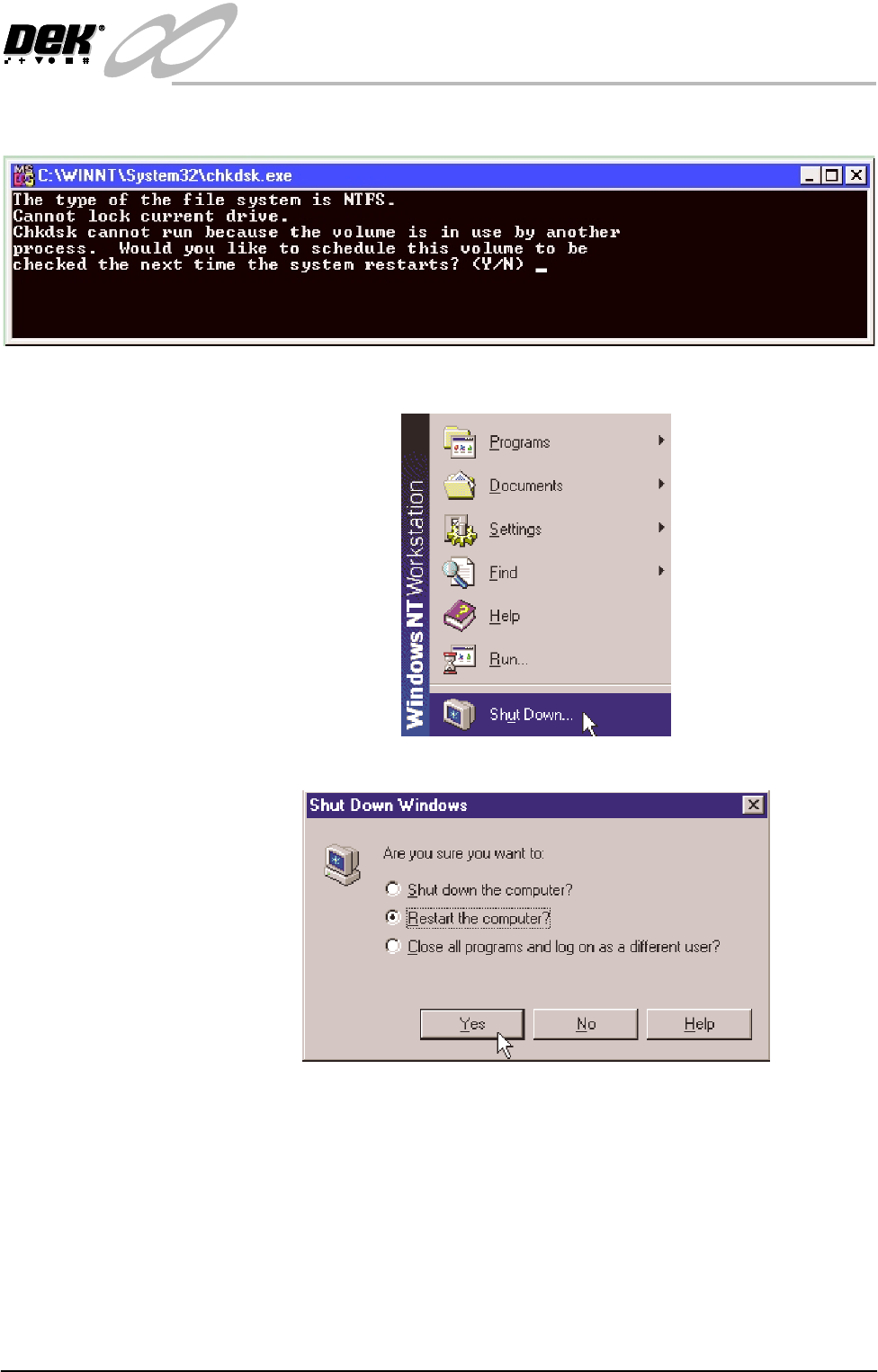
h. The Chkdsk program displays a DOS prompt. Select Y, Enter
i. When the DOS window closes, select Start on the taskbar, select Shut-
down...
j. Click the radio button alongside ‘Restart the computer?’. Select Yes .
The system closes down and restarts. The Chkdsk program executes and
checks the hard disk for errors. On completion of Chkdsk, Windows NT
starts in the standard way.
INFINITY
EX
TRANSPORTATION
MACHINE POWER UP SEQUENCE
31.52 Technical Reference Manual Chapter Issue 3 Jan 04
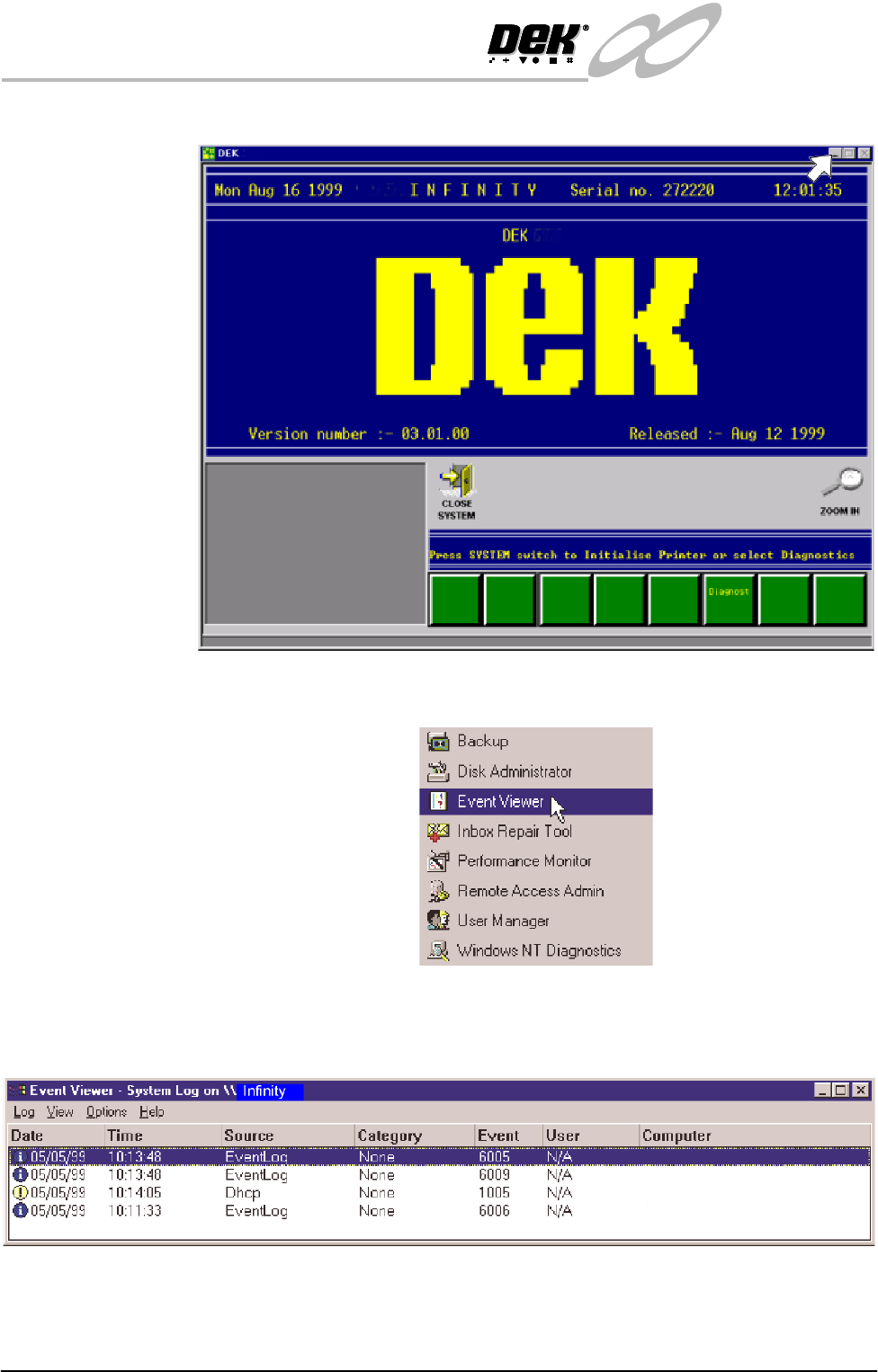
4. On completion of ‘auto login’, minimise the DEK 265 program.
5. Select Start on the taskbar, Programs, Administrative Tools and Event
Viewer
6. Examine the Event Log, looking for errors. Errors are indicated by a red icon
in the leftmost column. Any errors reported that display 'Disk' in the Source
column, indicate a problem has been found on the system hard disk.
When errors are found, the Event Log is to be forwarded to DEK CSG
Engineering, by e-mail, hardcopy or fax.
7. If no errors are found in the Event Viewer, close down Event Viewer.