Infinity EX Transportation.pdf - 第72页
INFINITY EX TRANSPORT ATION MACHI NE PERF ORMAN CE 31.7 2 Technical Reference Manual Chapter Issue 3 Jan 04 MA CHINE PERFORMANCE Carry out a machine capability check and c ompare the results with the check completed prio…
INFINITY
EX
TRANSPORTATION
FOREIGN MACHINE INTERFACE
Chapter Issue 3 Jan 04 Technical Reference Manual 31.71
12.Ensure that the Upline and Downline Machines are connected and are
powered up (E Stop loop connected if necessary).
13.Select Run (F1).
14.The following function keys are displayed:
The screen printer requests a board from the upline machine and pass it
through the machine. The board stops at the sensor on the conveyor. On
request from the downline machine the board passes onto the external
conveyor. When the sensor is clear the screen printer requests another board
from the upline machine and the sequence repeats.
This shows that the interface is working between the screen printer and the
external machines.
15.Select End Run (F1).
NOTE
If the machine has auxiliary conveyors fitted, on machine initialisation, each
auxiliary conveyor PLC needs to detect the machine ‘System Power’ and an
initial ‘Downline Availiable’ signals before the system starts operating. If
the machine is being run in a stand alone environment, the ‘Downline
Available’ signal from the downline machine can be mimicked by shorting
pins 1 & 2 of loom Pt NO 160645 to the downline machine.
Run Head
Paste
Load
Clean
Screen
Adjust Setup Monitor Maint.
End
Run
Stop
Cycle
Paste
Load
Clean
Screen
Adjust
Knead
Paste
Adjust
Inspect
End
Run
Stop
Cycle
Paste
Load
Clean
Screen
Adjust
Knead
Paste
Adjust
Inspect
INFINITY
EX
TRANSPORTATION
MACHINE PERFORMANCE
31.72 Technical Reference Manual Chapter Issue 3 Jan 04
MACHINE PERFORMANCE
Carry out a machine capability check and compare the results with the check
completed prior to transportation.
Machine
Capability
Load the product file named 265test1 from the hard disk and with a DEK
alignment board loaded ensure that the following parameters are correct:
• Screen - Calibration/Dry Align
• Squeegee - Length to suit board
• Front & Rear Print Speed - 25mm/sec.
• Front & Rear Pressure - 5kg
• Separation Speed - 1mm/sec.
• Under Board Clearance - 20mm
• Paste Dispense - 0
• Under Screen Rate - 0
• Transport Mode - Left to Left
• SPC Data Output Rate - Every Cycle
• SPC Data Mode - Disk
• SPC Format - Windows
• SPC Align Inspect Mode - Post Print
Use nine magnetic tooling pins to fully support the board, apply small amount
of paste or suitable lubricant (enough to lubricate squeegees). Record >100 full
machine cycles and setup QC-Cal program as follows:
1. Ensure the filter files sqy1.qcf and sqy2.qcf are present in the directory
structure C:\Prolink\QcCalc\Filters.
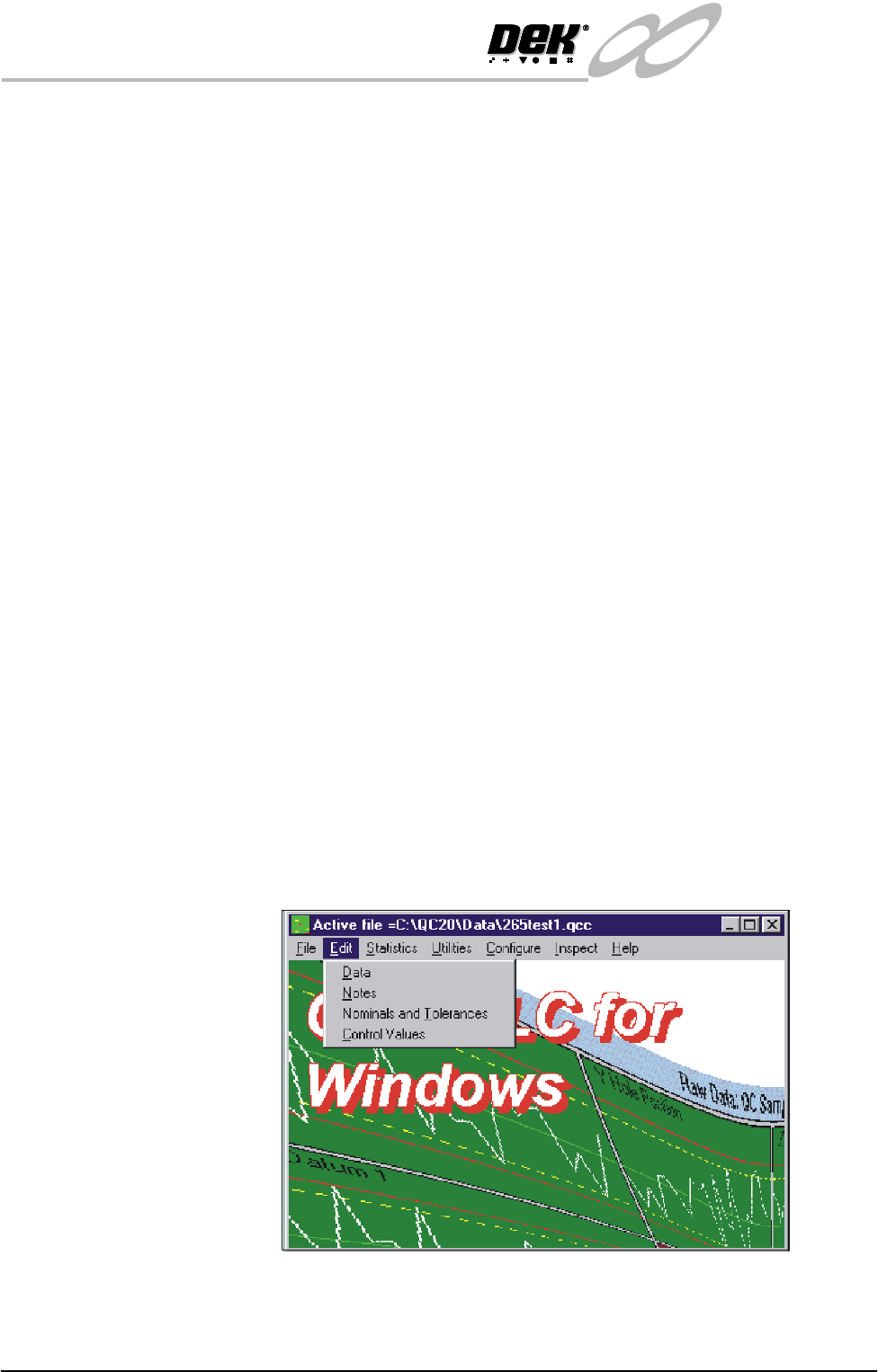
2. Start the QC-Cal program.
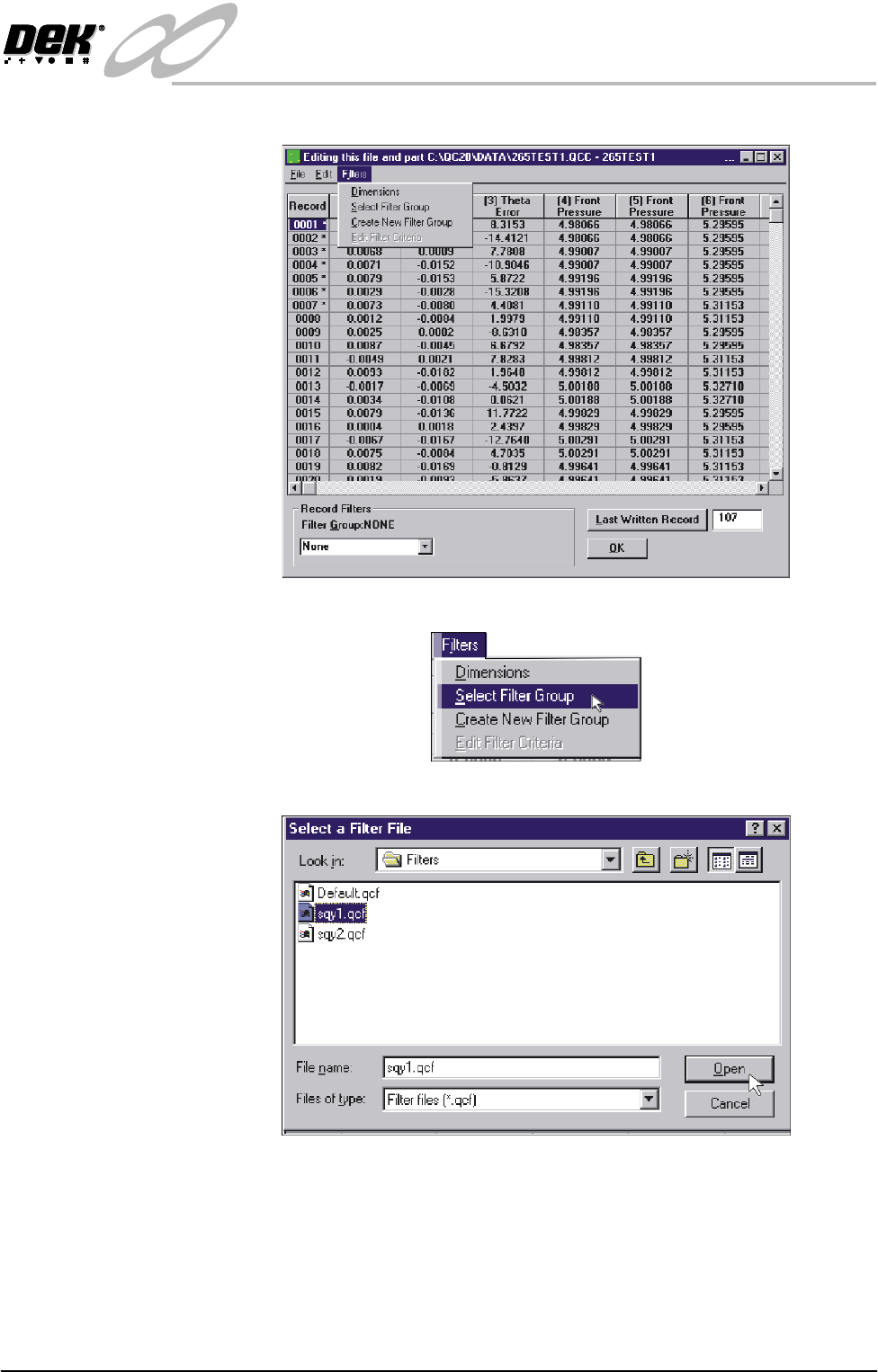
3. Select Edit, Data.
INFINITY
EX
TRANSPORTATION
MACHINE PERFORMANCE
Chapter Issue 3 Jan 04 Technical Reference Manual 31.73
4. Select Filters.
5. Select Select Filter Group.
6. Highlight sqy1.qcf file and select Open.