Infinity EX Transportation.pdf - 第75页
INFINITY EX TRANS PORTATION MACHIN E PERF ORMANCE Chapter Issue 3 J an 04 Technical Reference Manual 31.75 9. Highlight the required dimensi ons to output and select O.K . 10. V ie w the Cp/Cpk v alues for the dimension …
INFINITY
EX
TRANSPORTATION
MACHINE PERFORMANCE
31.74 Technical Reference Manual Chapter Issue 3 Jan 04
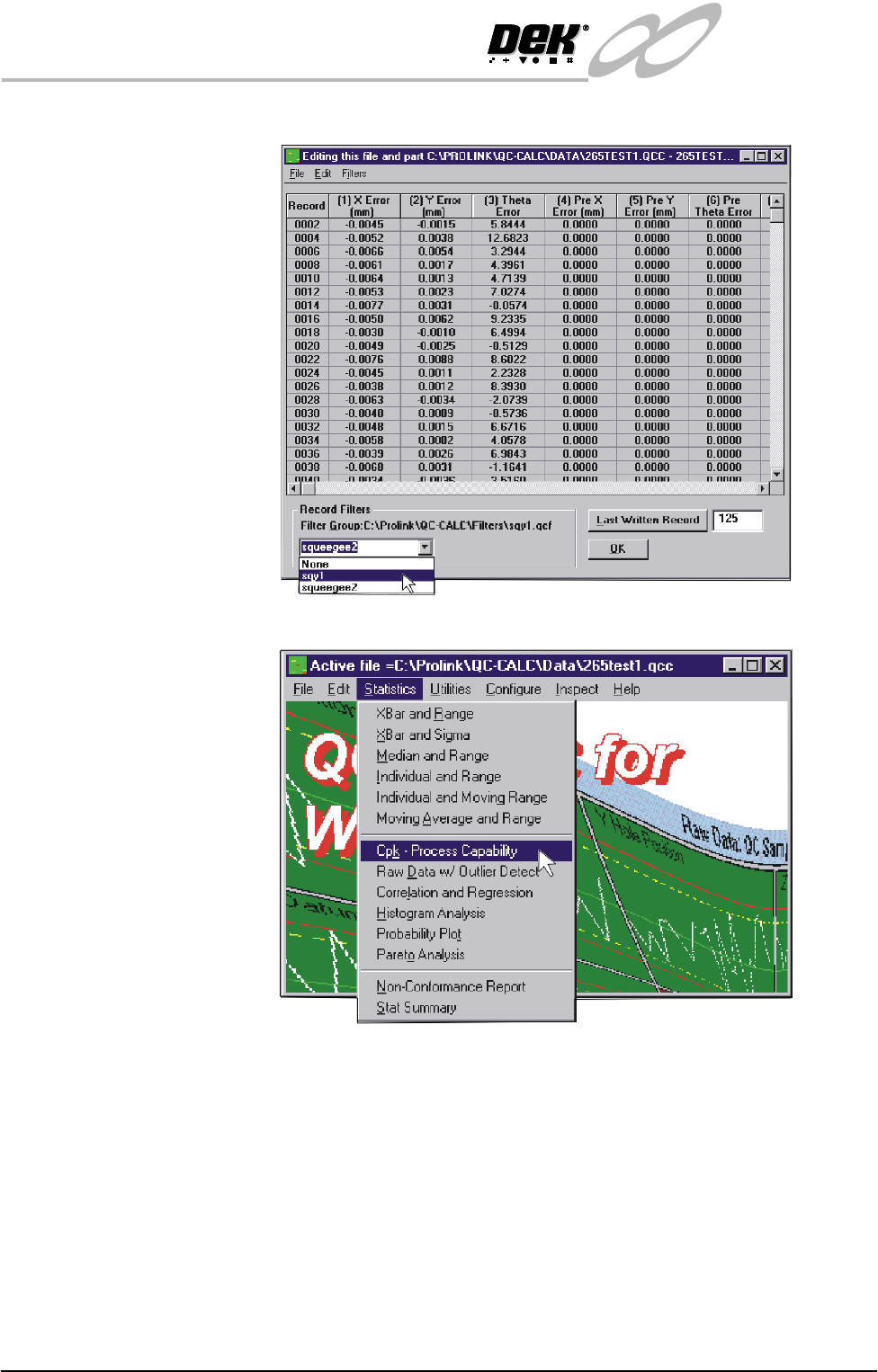
7. In the Record Filters Box, select sqy1 file and select O.K.
8. Select Statistics, Cpk - Process Capability.
INFINITY
EX
TRANSPORTATION
MACHINE PERFORMANCE
Chapter Issue 3 Jan 04 Technical Reference Manual 31.75
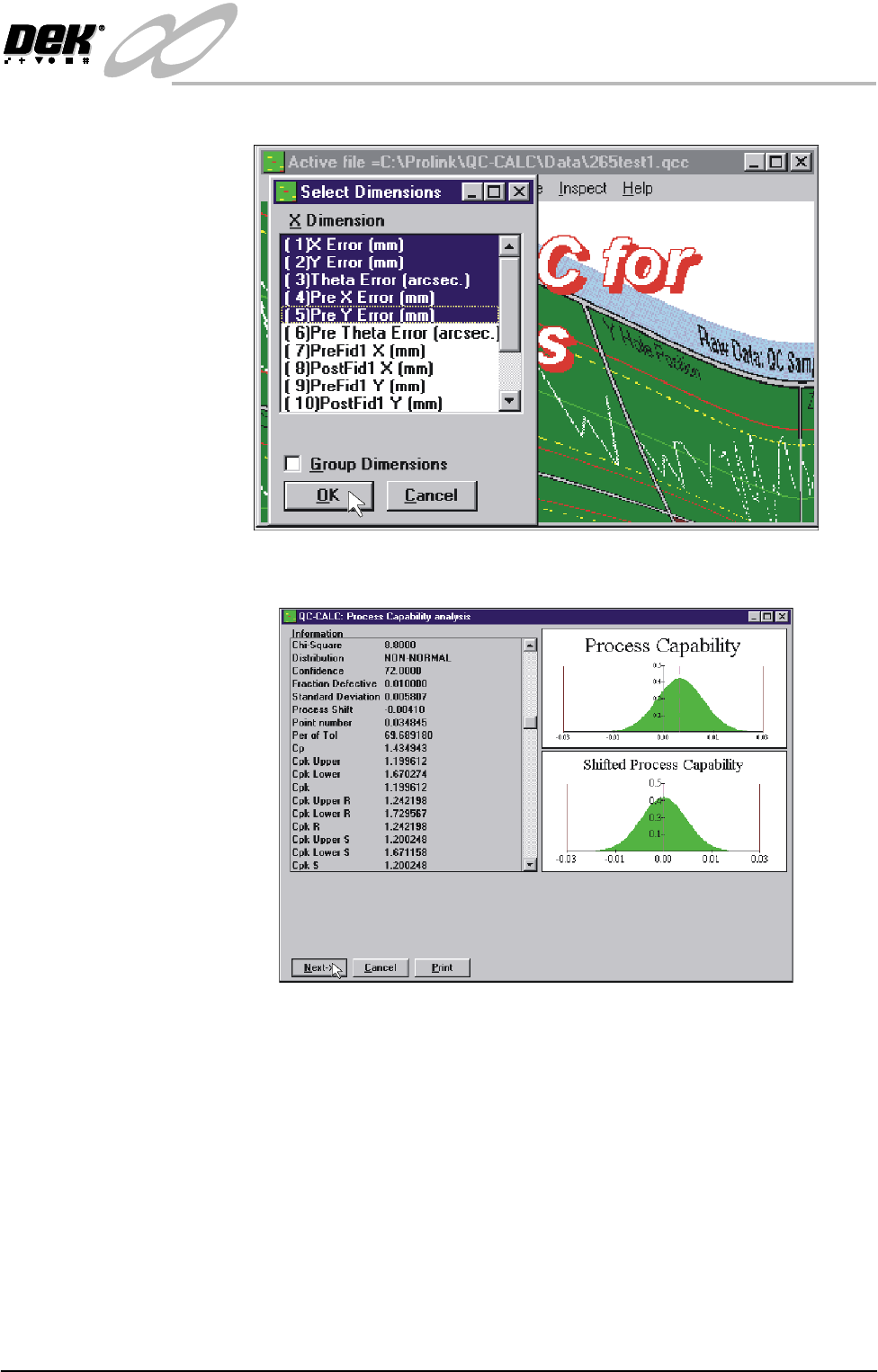
9. Highlight the required dimensions to output and select O.K.
10.View the Cp/Cpk values for the dimension illustrated ensuring the values are
within the specification. Select Next to view the further dimensions.
11.Repeat Steps 4 - 10 for filter group sqy2.qcf.

INFINITY
EX
TRANSPORTATION
MACHINE PERFORMANCE
31.76 Technical Reference Manual Chapter Issue 3 Jan 04
12.Record the following information in Section 20 of the Installation Checklist:
NOTE
On occasions no Cp/Cpk values are displayed for pressure and speeds due to the
small size of the error.
Detail Specification
X Alignment (Front) ≥Cp/Cpk 2.0
X Alignment (Rear) ≥Cp/Cpk 2.0
Y Alignment (Front) ≥Cp/Cpk 2.0
Y Alignment (Rear) ≥Cp/Cpk 2.0
θ Alignment (Front) ≥Cp/Cpk 2.0
θ Alignment (Rear) ≥Cp/Cpk 2.0
Front Pressure (See Note) ≥Cp/Cpk 2.0
Rear Pressure (See Note) ≥Cp/Cpk 2.0
Front Print Speed (See Note) ≥Cp/Cpk 2.0
Rear Print Speed (See Note) ≥Cp/Cpk 2.0