Infinity EX Transportation.pdf - 第61页
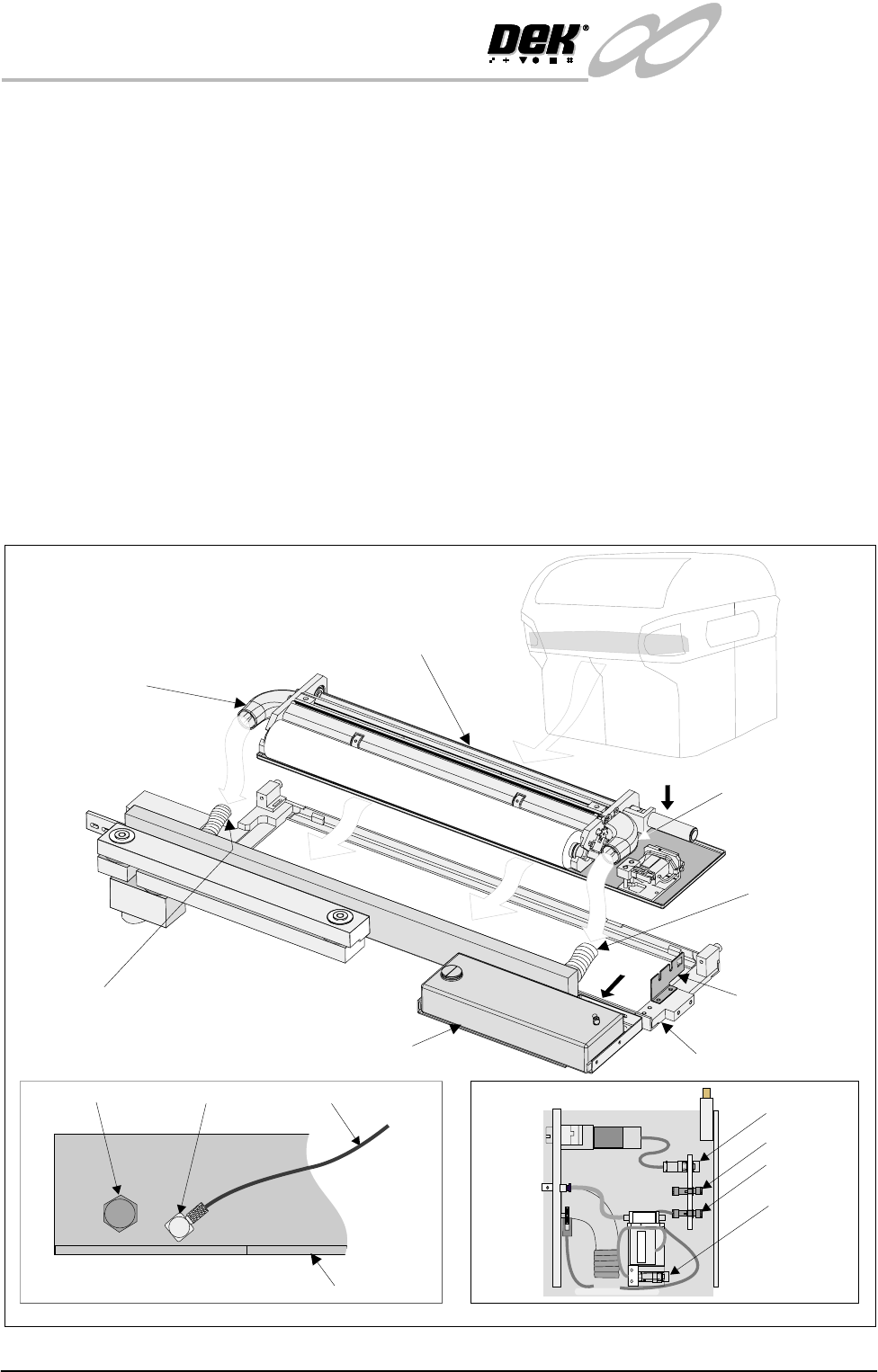
INFINITY EX TRANS PORTATION UNDE RSCREEN CLEANER Chapter Issue 3 J an 04 Technical Reference Manual 31.61 V ort ex USC Assembly Fitting 1. Align the v acuum inlets of the underscre en cleaner to the flexible v acuum conn…
INFINITY
EX
TRANSPORTATION
UNDERSCREEN CLEANER
31.60 Technical Reference Manual Chapter Issue 3 Jan 04
UNDERSCREEN CLEANER
Blue USC
Assembly Fitting
1. Align the vacuum inlets of the underscreen cleaner to the flexible vacuum
connections of the underscreen cleaner tray.
2. Position the underscreen cleaner in the underscreen cleaner tray.
3. Connect the left and right hand flexible vacuum connections to the under-
screen cleaner.
4. Fit electrical connections 8PL72, 8SK73, 8SK71 to the connector bracket
(view on Arrow B).
5. Connect the solvent tank outlet hose to the outlet elbow (view on Arrow A).
6. On completion of fitment, power up machine, select F10 and type bluon.
Press Enter. The message ‘Blue Underscreen Cleaner Enabled’ is dis-
played in the message prompt bar.
7. Check connections for air/solvent leaks.
8. Ensure the cable tie fitted around the take up roll is removed before use.
Solvent Tank
Flexible Vacuum
Connection
Flexible
Vacuum
Connection
Under Screen
Cleaner Tray
Under Screen Cleaner Assembly
Vacuum Inlet
(left hand)
Vacuum Inlet
(right hand)
Connector
Bracket
A
B
Enlarged View on Arrow A
Solvent Low Sensor Elbow Outlet Hose
Solvent Tank (Rear)
Enlarged View on Arrow B
8PL72
8SK73
8SK71
8SK76
Electrical Connections
INFINITY
EX
TRANSPORTATION
UNDERSCREEN CLEANER
Chapter Issue 3 Jan 04 Technical Reference Manual 31.61
Vortex USC
Assembly Fitting
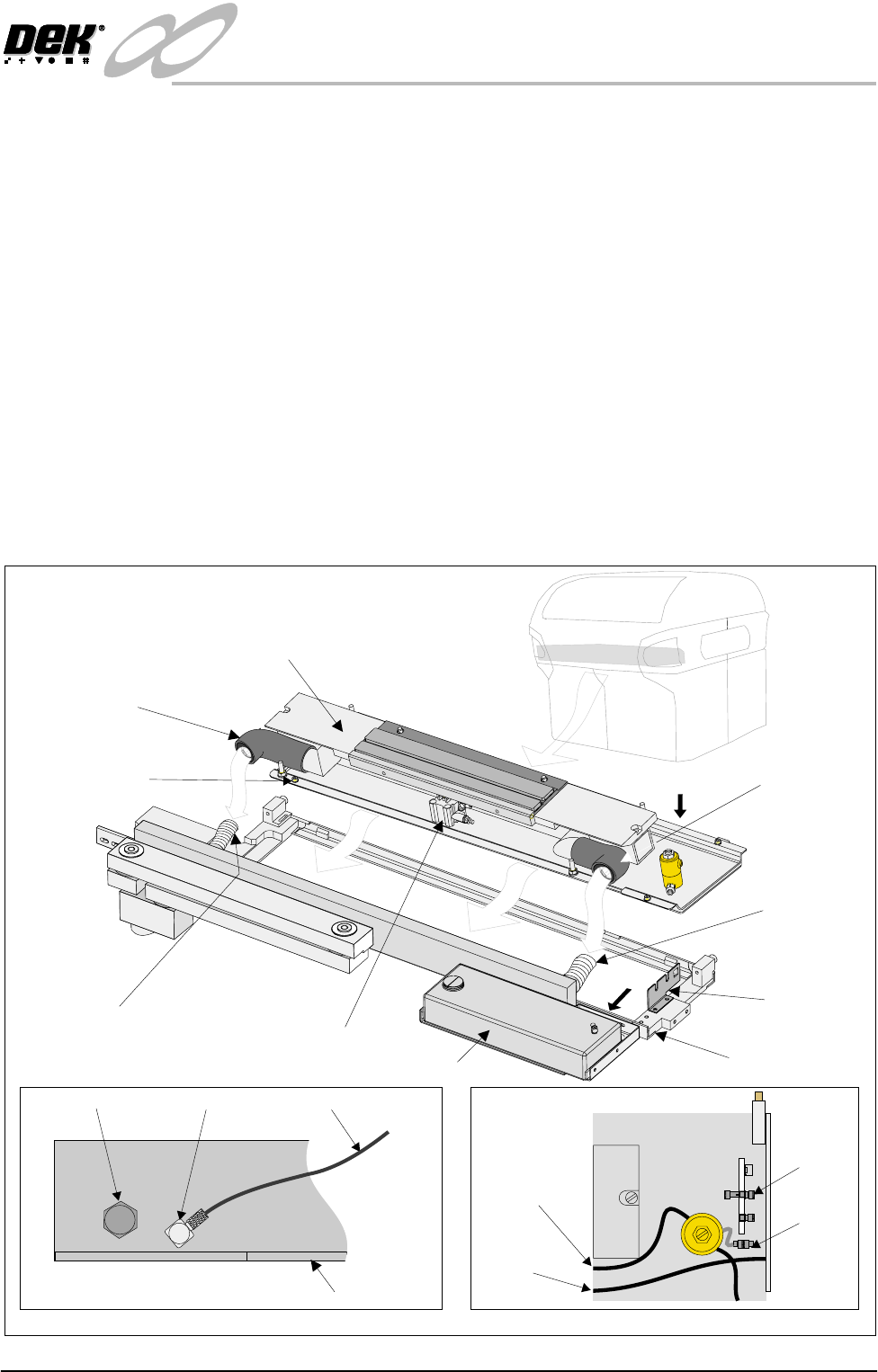
1. Align the vacuum inlets of the underscreen cleaner to the flexible vacuum
connections of the underscreen cleaner tray.
2. Position the underscreen cleaner in the underscreen cleaner tray.
3. Remove any lateral movement of the cleaner within the tray by means of the
four adjuster stops.
4. Connect the left and right hand flexible vacuum connections to the under-
screen cleaner.
5. Fit electrical connections 8SK71 to the connector bracket and 8SK76 to the
solvent pinch valve flylead (view on Arrow B).
6. Connect the solvent tank outlet hose to the outlet elbow (view on Arrow A).
7. Connect the air hose to the pneumatic cylinder.
8. On completion of fitment, power up machine, select F10 and type vorton.
Press Enter. The message ‘Vortex Underscreen Cleaner Enabled’ is
displayed in the message prompt bar.
9. Check connections for air/solvent leaks.
8SK73
8SK76
To Solvent
Spray Bar
To Pneumatic
Cylinder
A
B
Solvent Tank
Flexible Vacuum
Connection
Pneumatic Cylinder
Flexible
Vacuum
Connection
Under Screen
Cleaner Tray
Vortex Under Screen
Cleaner Assembly
Vacuum Inlet
(left hand)
Vacuum Inlet
(right hand)
Connector
Bracket
Adjuster Stop
(4 positions)
Enlarged View on Arrow A
Solvent Low Sensor Elbow Outlet Hose
Solvent Tank (Rear)
Enlarged View on Arrow B
Electrical Connections
INFINITY
EX
TRANSPORTATION
UNDERSCREEN CLEANER
31.62 Technical Reference Manual Chapter Issue 3 Jan 04
Screen Cleaner Functional Check (if fitted)
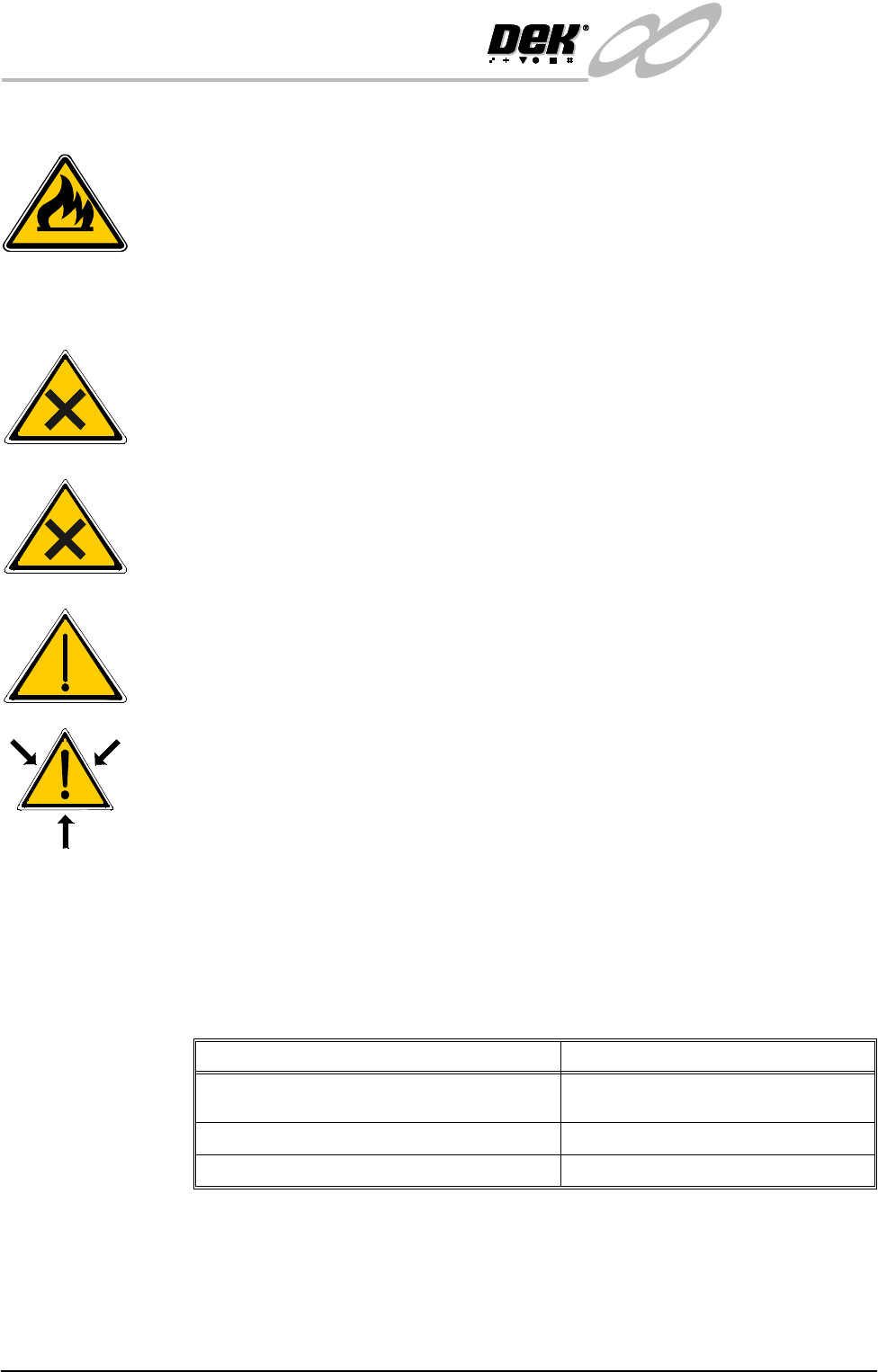
WARNING
RECOMMENDED SOLVENTS. ANY SOLVENTS USED MUST
COMPLY WITH LOCAL ENVIRONMENTAL GUIDELINES. DEK
RECOMMEND USING SOLVENTS THAT ARE
ENVIRONMENTALLLY FRIENDLY, IE CFC FREE AND WATER
BASED. SOLVENTS USED MUST HAVE FAST EVAPORATION
RATES AND FLASHPOINT SPECIFICATIONS GREATER THAN
39ºC.
WARNING
SOLDER PASTE AND SOLVENTS. WHEN USING OR HANDLING
ANY SOLDER PASTE OR SOLVENT FORMULATION THE
MANUFACTURERS’ RECOMMEND SAFETY PRECAUTIONS MUST
BE STRICTLY ADHERED TO.
WARNING
PROTECTIVE CLOTHING. APPROVED PROTECTIVE CLOTHING
SHOULD BE WORN BY SOLDER PASTE AND SOLVENT
HANDLERS AT ALL TIMES TO ELIMINATE FUME INHALATION,
EYE CONTACT, SKIN CONTACT AND INGESTION.
WARNING
SOLVENT SOLUTION. DO NOT MIX SOLVENT SOLUTIONS.
FLUSH THE SOLVENT TANK THOROUGHLY WHEN CHANGING
TO A DIFFERENT SOLVENT SOLUTION.
WARNING
SOLVENT SPRAY. THE UNDERSCREEN CLEANER SPRAYS A FINE
JET OF SOLVENT SOLUTION ON TO THE CLEANER. APPROVED
PROTECTIVE CLOTHING SHOULD BE WORN.
Blue USC To enable the blue under screen cleaner carry out the following:
1. Select Maint. (F8).
2. Select Set Prefs (F5).
3. Select F10 function key on the keyboard, type bluon and select Enter.
4. Set up the machine and filtration units as shown in the table.
Vacuum Non Vacuum
Check the filtration unit is ON, air flow set to
Max
Set the machine transport mode to LEFT
to LEFT
Set Machine transport mode to LEFT to LEFT Set clean mode to 1 WET-1 DRY
Set the clean mode to WET/VAC WET/DRY