Infinity EX Transportation.pdf - 第38页
INFINITY EX TRANSPORT ATION MAJOR RE LOCATION 31.3 8 Technical Reference Manual Chapter Issue 3 Jan 04 l. T ighten bolt C loosened in Step 4j and repeat the check. 5. Connect M27PL07 to the rear transport belt motor sock…
INFINITY
EX
TRANSPORTATION
MAJOR RELOCATION
Chapter Issue 3 Jan 04 Technical Reference Manual 31.37
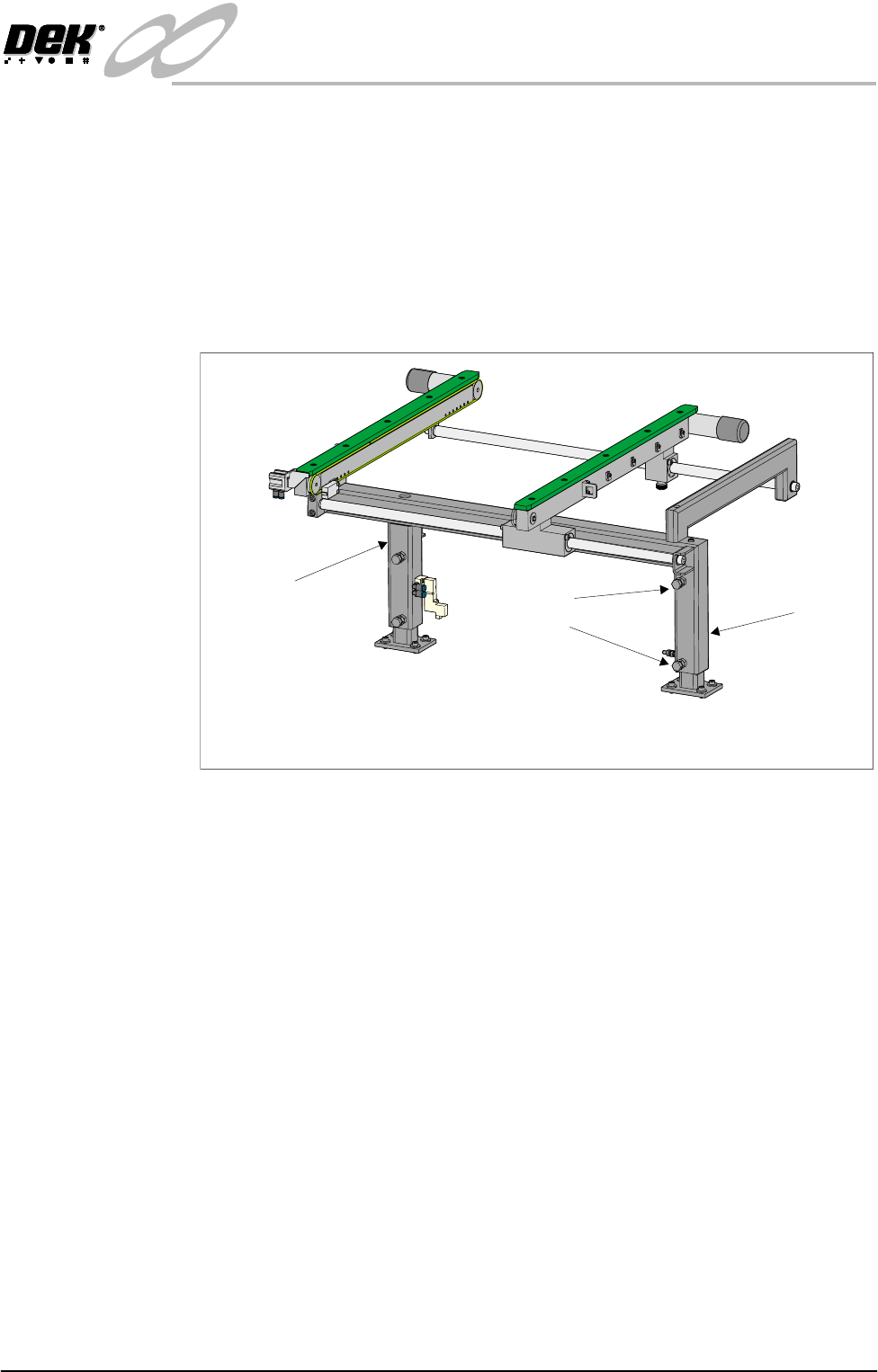
e. Loosen the three hexagonal headed bolts, two on the inner face and one on
the outer face of the front upright of the conveyor frame.
f. Using the two hexagonal headed bolts on the inner face of the rear upright
of the conveyor frame, carefully loosen or tighten the bolts to level the
conveyor.
NOTE
Tightening bolt A and loosening bolt B raises the inboard end of the
conveyor rails. Loosening bolt A and tightening bolt B lowers the inboard
end of the conveyor rails.
g. Carefully lock bolts A and B in position using the locknuts provided.
h. Tighten the three bolts on the front upright of the conveyor frame and
repeat the check.
i. If adjustment in the Y plane is required, carry out Steps 4j - 4l.
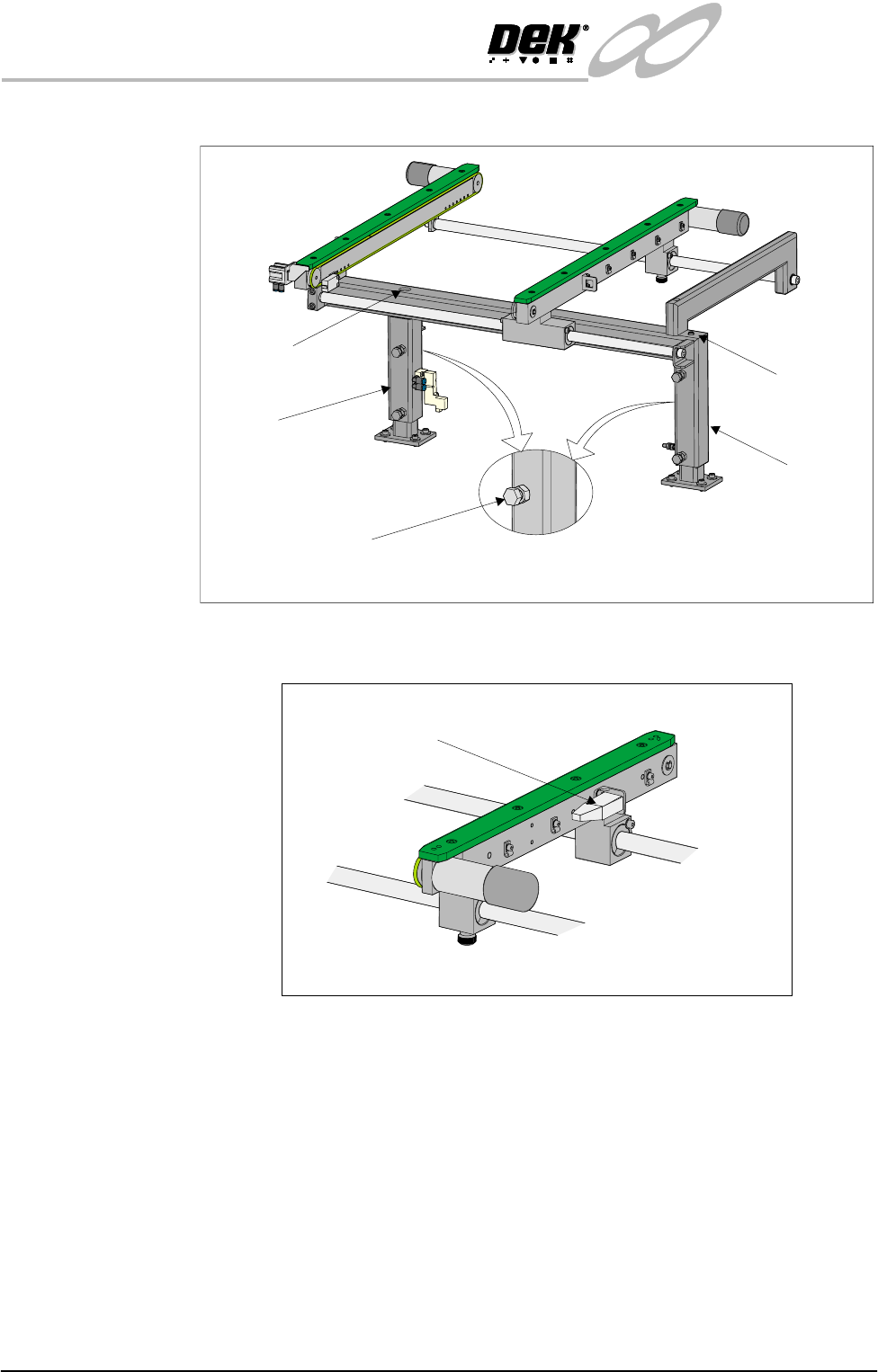
j. Loosen the bolt C on the outer face of the appropriate conveyor upright.
k. Adjust the height of the upright by loosening or tightening the height
adjustment grub screw fitted to the top of the upright.
Rear View of Left Hand Auxiliary Conveyor
(Configured as Upline Conveyor)
Bolt A
Bolt B
Rear Upright of
Conveyor Frame
Front Upright of
Conveyor Frame
INFINITY
EX
TRANSPORTATION
MAJOR RELOCATION
31.38 Technical Reference Manual Chapter Issue 3 Jan 04
l. Tighten bolt C loosened in Step 4j and repeat the check.
5. Connect M27PL07 to the rear transport belt motor socket fitted to the rear
face of the rear auxiliary conveyor rail.
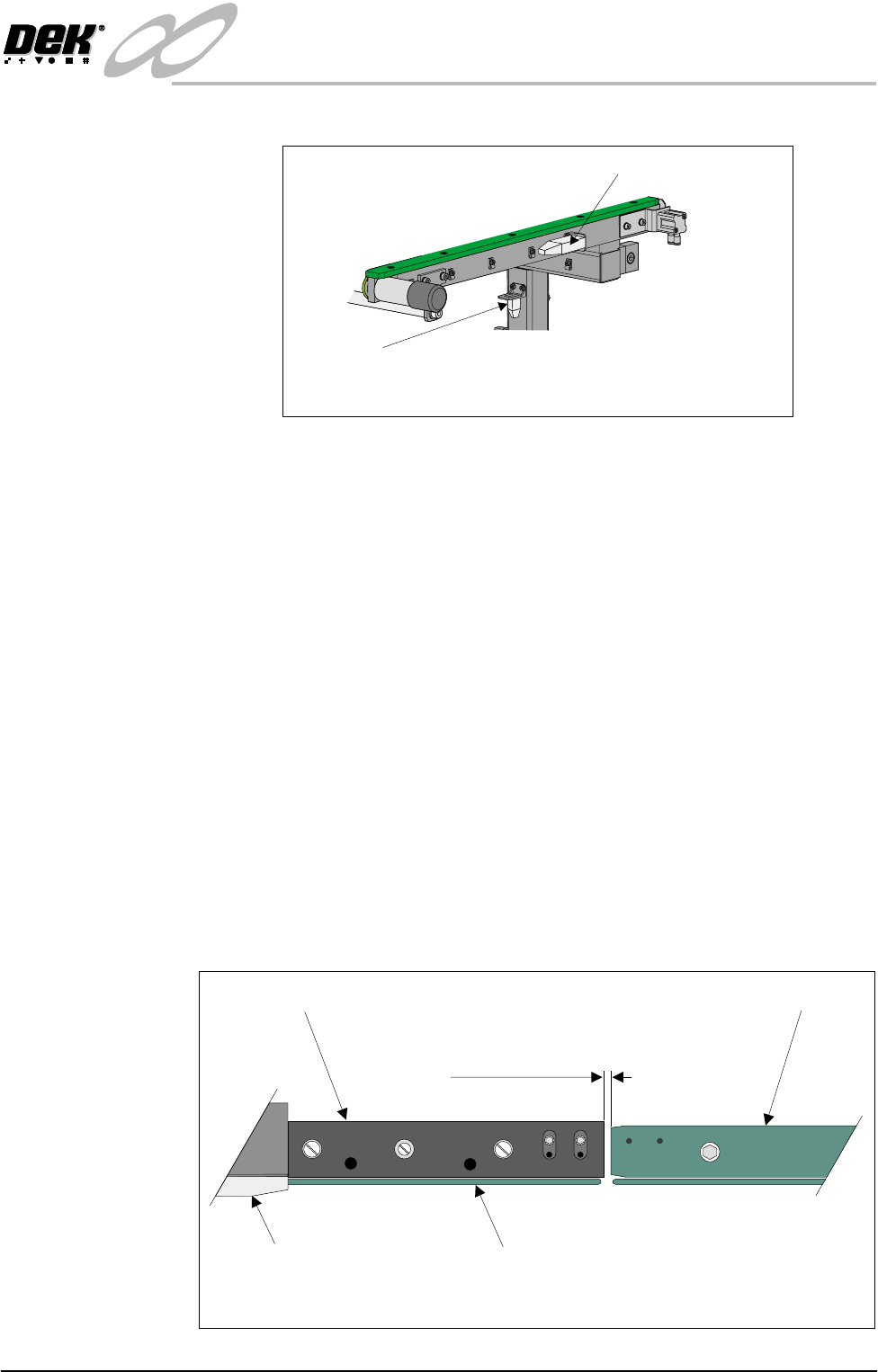
6. Connect to following connectors situated on the front auxiliary conveyor rail:
• M27SK05 - Auxiliary conveyor sensor
Rear View of Left Hand Auxiliary Conveyor
Bolt C on Outer Face
Of Conveyor Frame Uprights
Rear Upright of
Conveyor Frame
Front Upright of
Conveyor Frame
Height Adjustment
Grub Screw
Height Adjustment
Grub Screw
Connector M27PL07
Rear View on Left Hand Auxiliary Conveyor
INFINITY
EX
TRANSPORTATION
MAJOR RELOCATION
Chapter Issue 3 Jan 04 Technical Reference Manual 31.39
• M27PL06 - Auxiliary conveyor front transport belt motor
7. Connect the electrical connector labelled M27SOL02 to the solenoid valve
M27SOL02 fitted to the rear face of the front upright of the conveyor frame.
8. Connect the 4mm pneumatic pipe to M27SOL02 solenoid valve.
9. Refit the left hand machine side panels removed in Step 1.
To fit the right hand auxiliary conveyor carry out the following procedure:
10.Remove the right hand machine side covers.
11.Whilst fully supporting the right hand auxiliary conveyor, attach the con-
veyor to the machine lower frame attachment points using eight M5 bolts.
DO NOT fully tighten the bolts at this stage.
12.Carry out the following procedure to check the gap between the right hand
auxiliary conveyor rails and the print station rails:
a. Disconnect the two 4mm pneumatic pipe connections to the conveyor
board stop.
b. Loosen and remove the two M5 cap head screws securing the board stop
bracket to the conveyor and remove the bracket and board stop.
c. Using feeler gauges or a 3mm allen key, ensure that the gap between the
print station and the right hand auxiliary conveyor (in two positions) is 3.0
± 0.5mm.
Connector M27SK05
Connector M27PL06
Front View on Left Hand Auxiliary Conveyor
Board Clamp
Board Transport Rail
Auxiliary Conveyor
Print Station
Plan View on Print Station and Auxiliary Rails
5157438
3.0mm +/- 0.5mm