Infinity EX Transportation.pdf - 第50页
INFINITY EX TRANSPORT ATION MACHINE POW ER UP S EQUENCE 31.5 0 Technical Reference Manual Chapter Issue 3 Jan 04 d. Click in the open box, and type chkdsk c:\ /r /f e. The Chkdsk program displays a DOS prompt. Select Y ,…
INFINITY
EX
TRANSPORTATION
MACHINE POWER UP SEQUENCE
Chapter Issue 3 Jan 04 Technical Reference Manual 31.49
MACHINE POWER UP SEQUENCE
Hard Disk Check 1. Connect the mains supply to the machine.
2. Turn the mains isolation switch ON.
Checking Hard Disk
Partition C
3. Carry out the following:
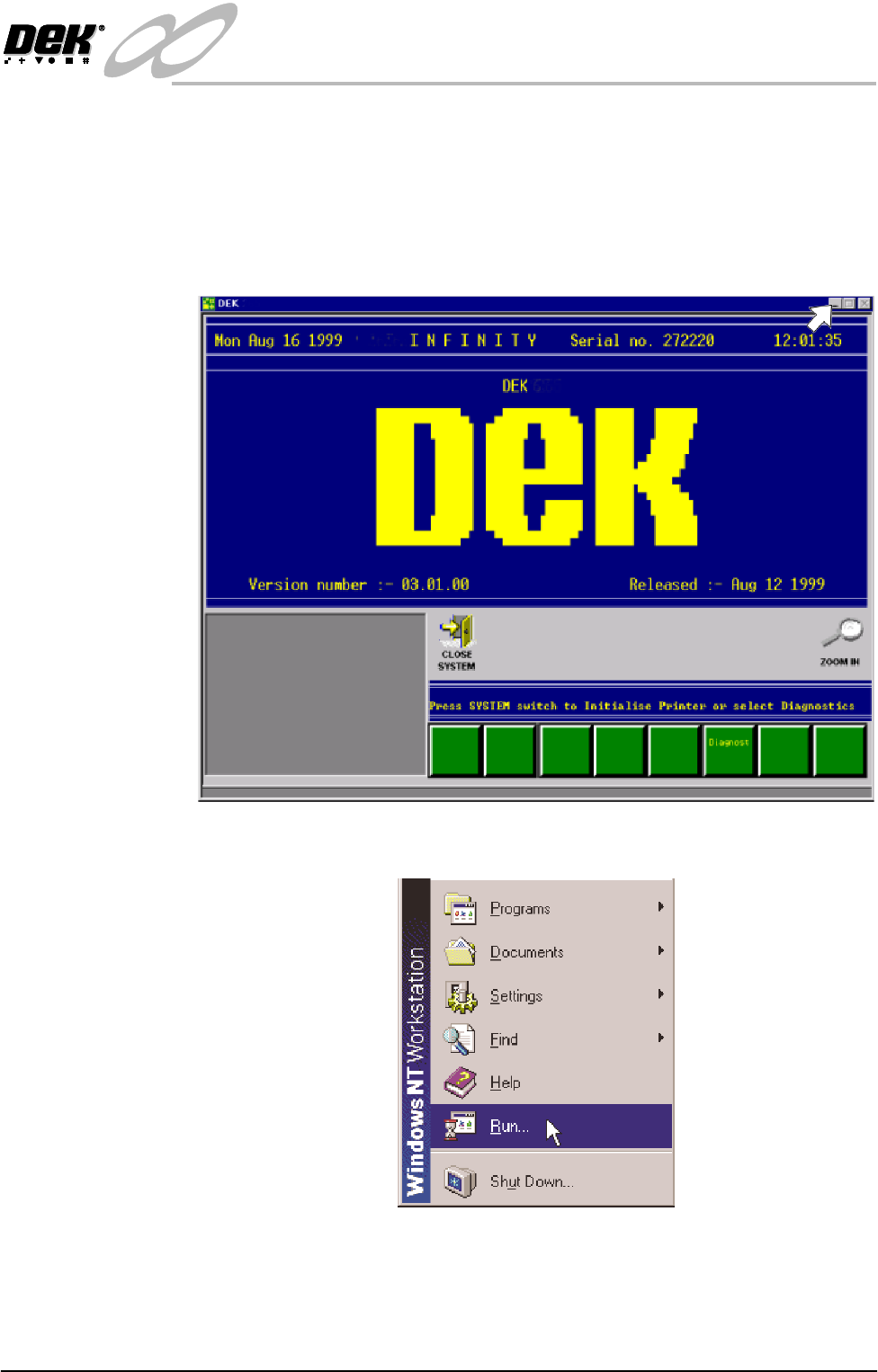
a. On completion of ‘auto login’, minimise the DEK program.
b. Using the mouse, click on the Start button on the taskbar. The Start Menu
is displayed.
c. Click on Run.
INFINITY
EX
TRANSPORTATION
MACHINE POWER UP SEQUENCE
31.50 Technical Reference Manual Chapter Issue 3 Jan 04
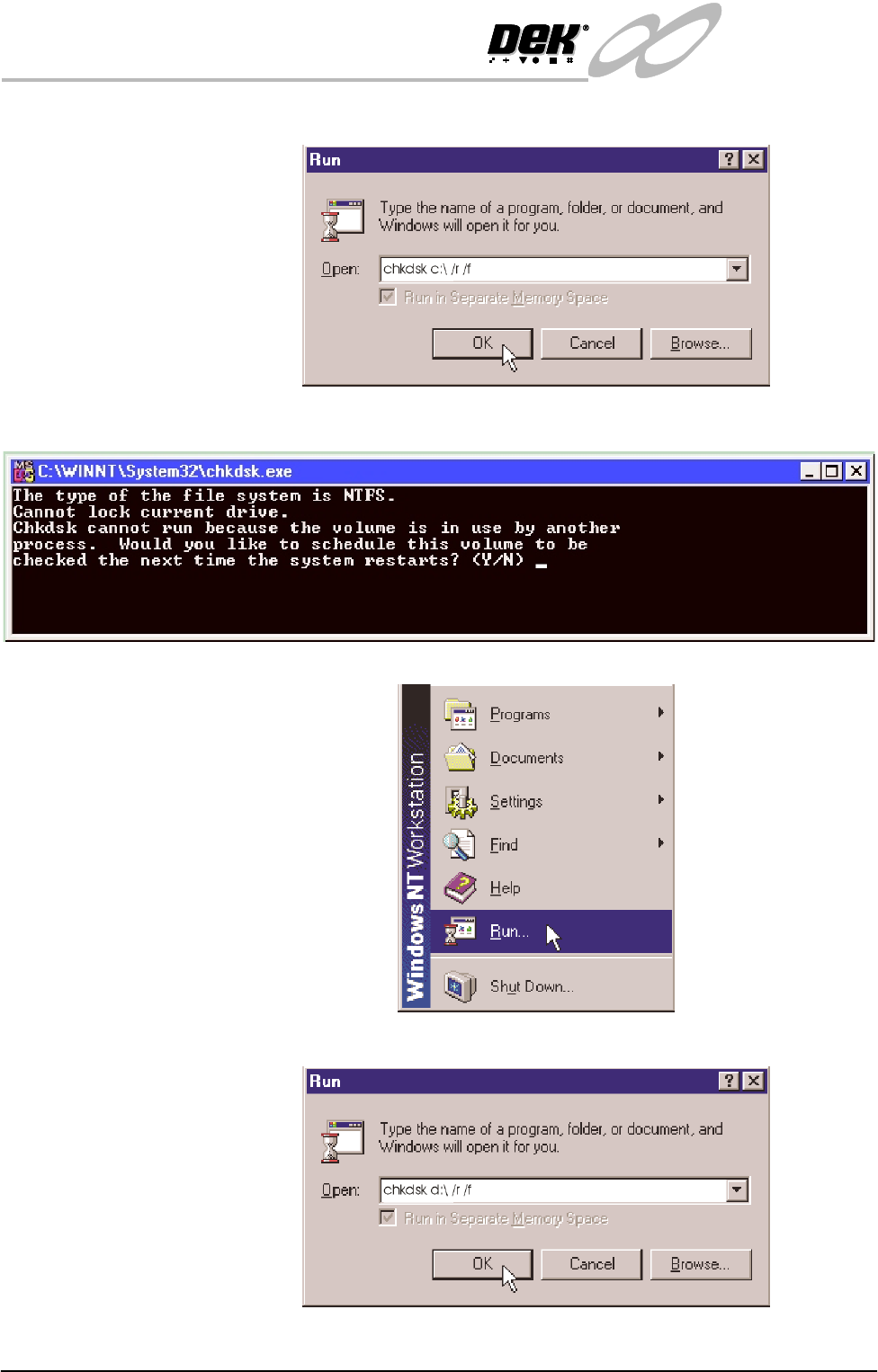
d. Click in the open box, and type chkdsk c:\ /r /f
e. The Chkdsk program displays a DOS prompt. Select Y, Enter.
Checking Hard Disk
Partition D
f. When the DOS window closes, select Start on the taskbar, select Run...
g. Click in the open box and type chkdsk d:\ /r /f
INFINITY
EX
TRANSPORTATION
MACHINE POWER UP SEQUENCE
Chapter Issue 3 Jan 04 Technical Reference Manual 31.51
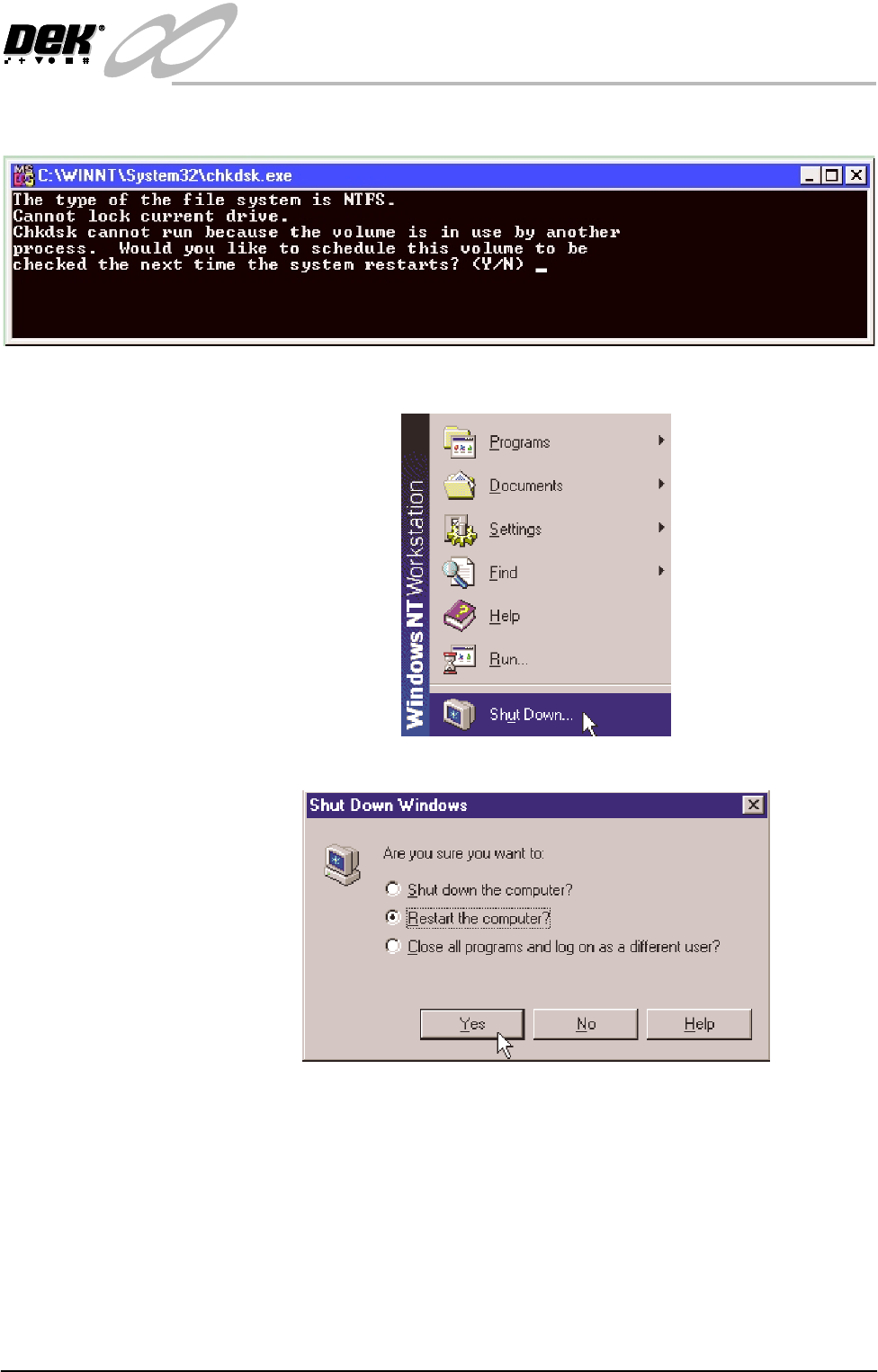
h. The Chkdsk program displays a DOS prompt. Select Y, Enter
i. When the DOS window closes, select Start on the taskbar, select Shut-
down...
j. Click the radio button alongside ‘Restart the computer?’. Select Yes .
The system closes down and restarts. The Chkdsk program executes and
checks the hard disk for errors. On completion of Chkdsk, Windows NT
starts in the standard way.