Infinity EX Transportation.pdf - 第48页
INFINITY EX TRANSPORT ATION PRE INSTALLAT ION CHECK S 31.4 8 Technical Reference Manual Chapter Issue 3 Jan 04 Figur e 31-15 Machin e Lev elling Isometric V iew Showing Levelling of T ooling Base Plate T ooling B ase Pla…
INFINITY
EX
TRANSPORTATION
PRE INSTALLATION CHECKS
Chapter Issue 3 Jan 04 Technical Reference Manual 31.47
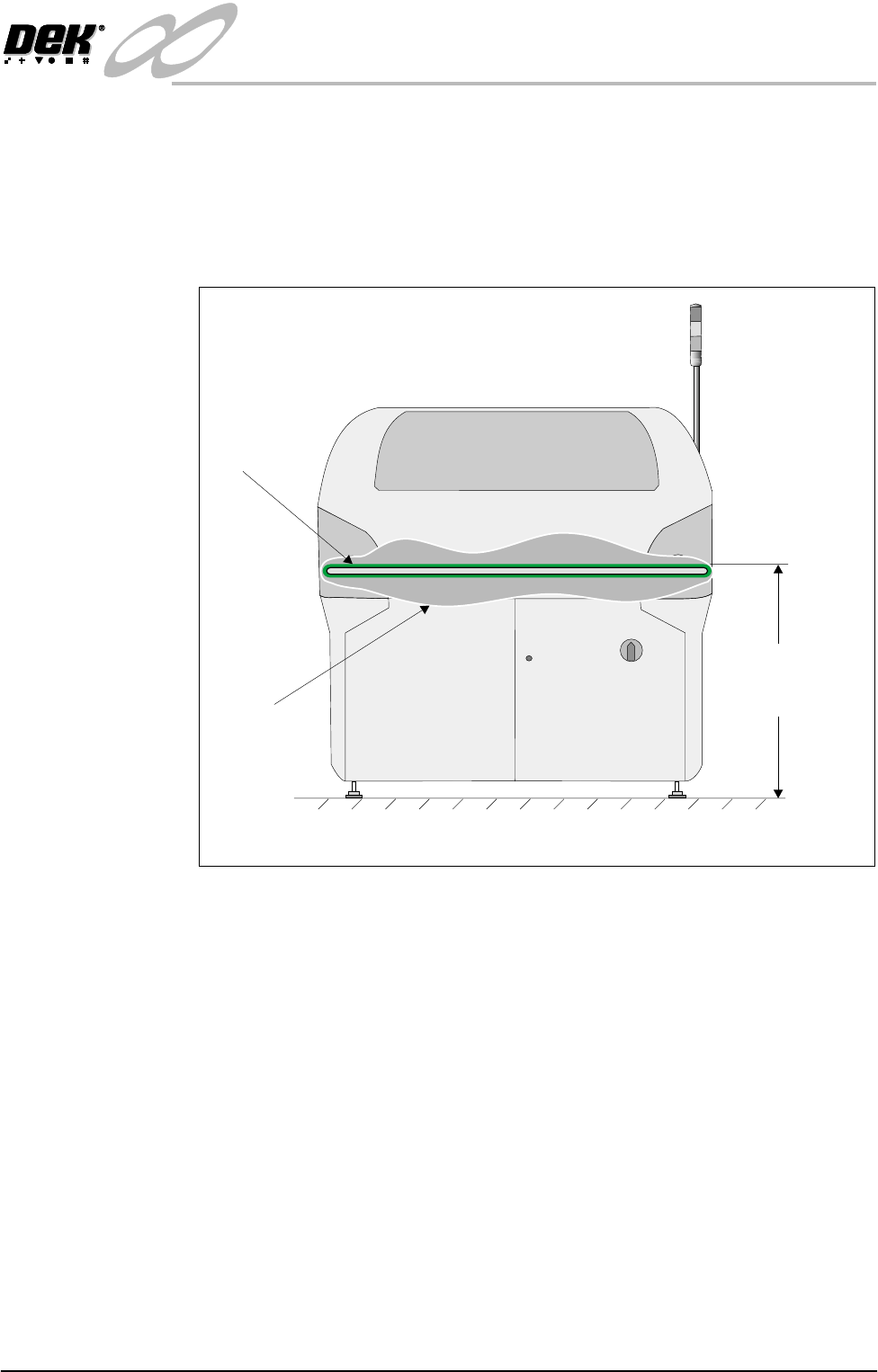
Machine Levelling The machine must be installed at the correct height and levelled before opera-
tion.
Machine Height The height of the machine is governed by the external machines that it is to be
connected to and ranges from 840mm to 980mm (depending if the feet exten-
sions are fitted). The height is measured from the floor to the top of the transport
belts. Adjust the four feet to achieve the desired height.
Figure 31-14 Machine Height
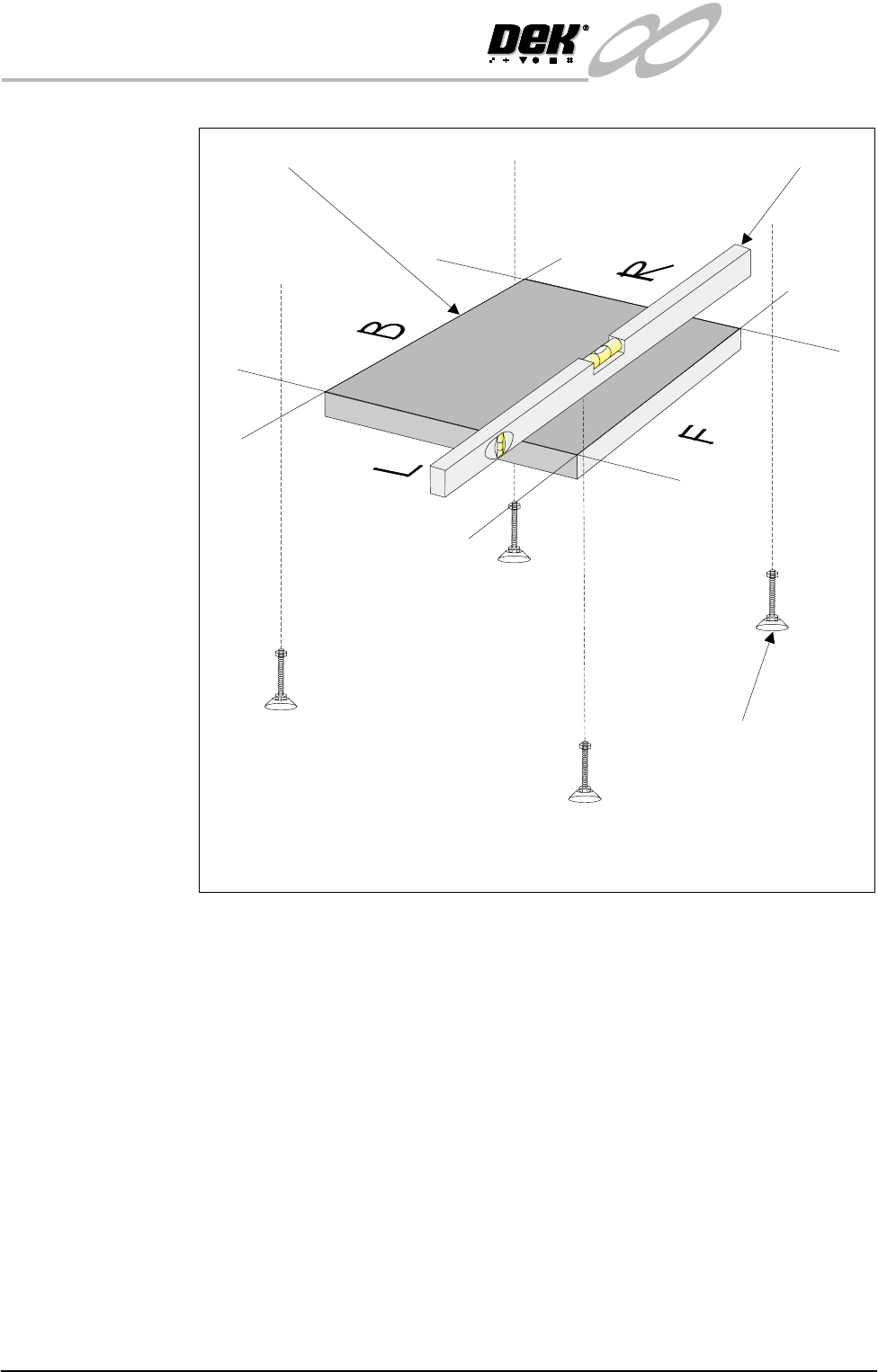
Initial Levelling When the correct height of the machine has been achieved, the four feet should
now be adjusted for correct level.
Place an Engineering level on the tooling base plate facing Left (L) - Right (R)
or Back (B) - Front (F).
By carefully adjusting each of the four feet individually, level the machine so
that in each direction, Left (L) - Right (R) and Back (B) - Front (F), 0.004” per
foot (0.32mm/metre) is achieved. Lock the feet using the lock-nuts on the
adjusters.
Check that the height has not been disturbed. Repeat until the correct height and
level are achieved.
Transport
Belt
Cutaway
Section
Height to Topof
TransportBelts
840 mm to 980 mm
View on Front of Machine
INFINITY
EX
TRANSPORTATION
PRE INSTALLATION CHECKS
31.48 Technical Reference Manual Chapter Issue 3 Jan 04
Figure 31-15 Machine Levelling
Isometric View Showing Levelling of Tooling Base Plate
Tooling Base Plate Engineering Level
Adjustable Mounting Feet
(4 positions)
INFINITY
EX
TRANSPORTATION
MACHINE POWER UP SEQUENCE
Chapter Issue 3 Jan 04 Technical Reference Manual 31.49
MACHINE POWER UP SEQUENCE
Hard Disk Check 1. Connect the mains supply to the machine.
2. Turn the mains isolation switch ON.
Checking Hard Disk
Partition C
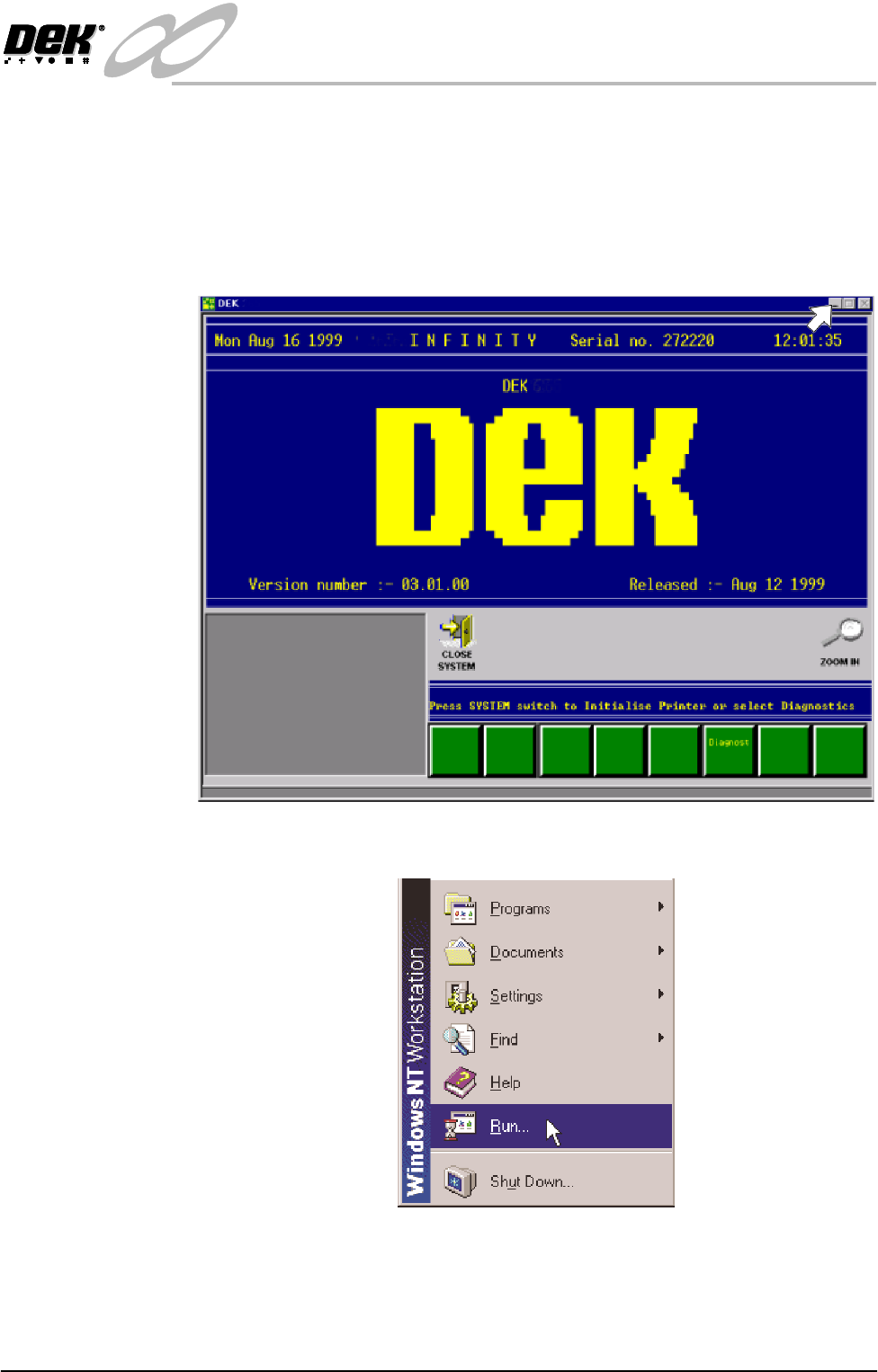
3. Carry out the following:
a. On completion of ‘auto login’, minimise the DEK program.
b. Using the mouse, click on the Start button on the taskbar. The Start Menu
is displayed.
c. Click on Run.