instruction-manual-product-monitoring-data-acquisition-monitouch-V9-hardware-en.pdf - 第101页
在线预览 instruction-manual-product-monitoring-data-acquisition-monitouch-V9-hardware-en.pdf PDF 文档。


1. Installation Procedure 4-1
4
Installation
1. Installation Procedure
Installation Procedure
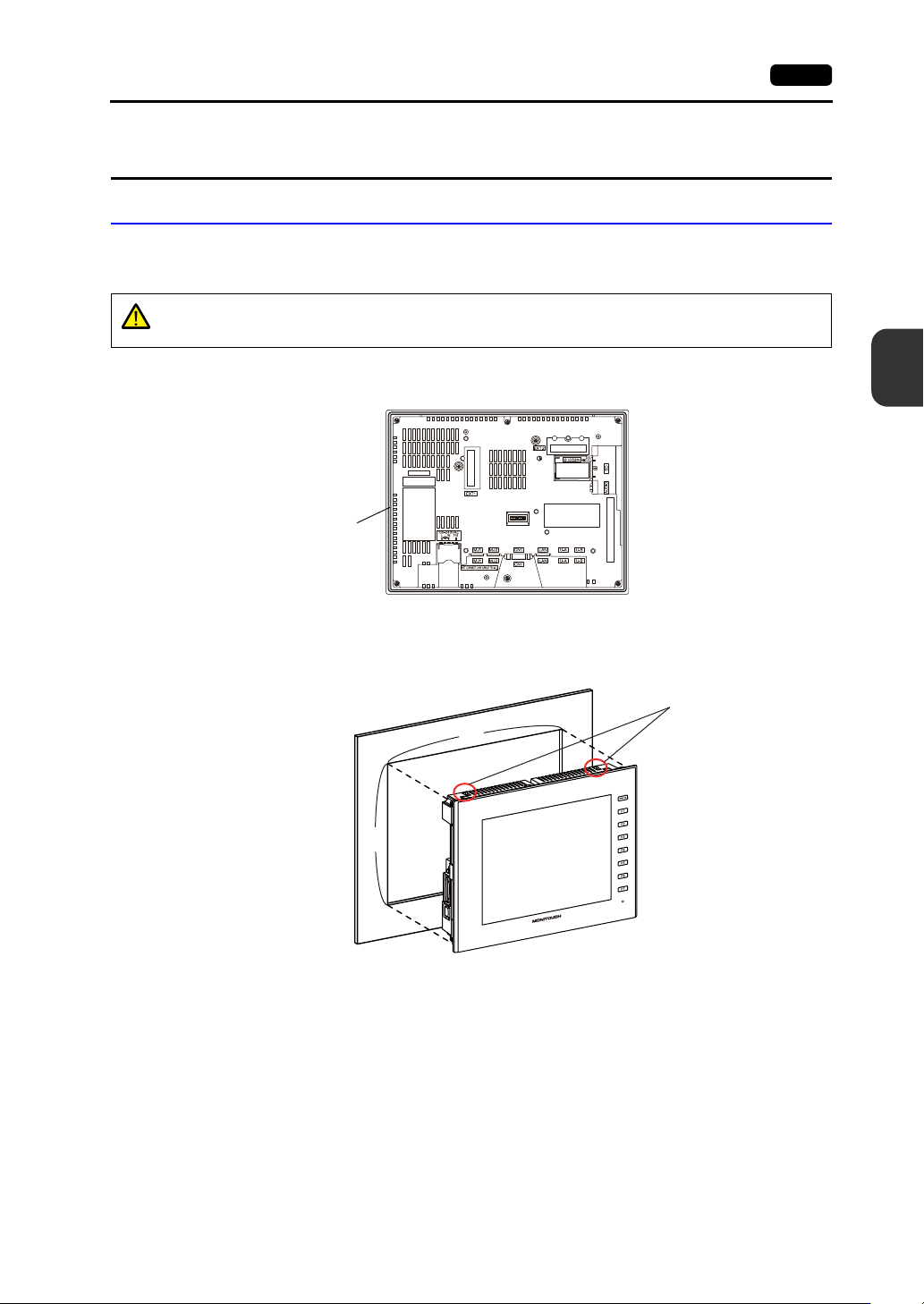
1. Place the V9 series unit on a flat surface with the display facing down.
Insert the provided waterproof gasket into the groove around the unit.
2. Mount the V9 series unit into the mounting panel (maximum thickness of 4.0 mm) while paying
attention to the fall prevention tabs.
CAUTION
The unit will not be waterproof if the waterproof gasket is not correctly inserted into
the groove.
Waterproof gasket
Example: When mounting the V9100iS unit in the upright orientation
X
Y
Fall prevention tabs