instruction-manual-product-monitoring-data-acquisition-monitouch-V9-hardware-en.pdf - 第83页
3-18 2. Specifications of Components USB Hub Devices like printers can be used at the same time by connecting a USB hub to the V9 series unit. Connection Example * A parall el printer can also be connected. (In t his cas…
3
2. Specifications of Components 3-17
Names and Specifications of Components
V9 Series Unit Setting
In the Local mode, select the type of keyboard to be connected.
For details, refer to the separate V9 Series Troubleshooting/Maintenance Manual.
Mouse
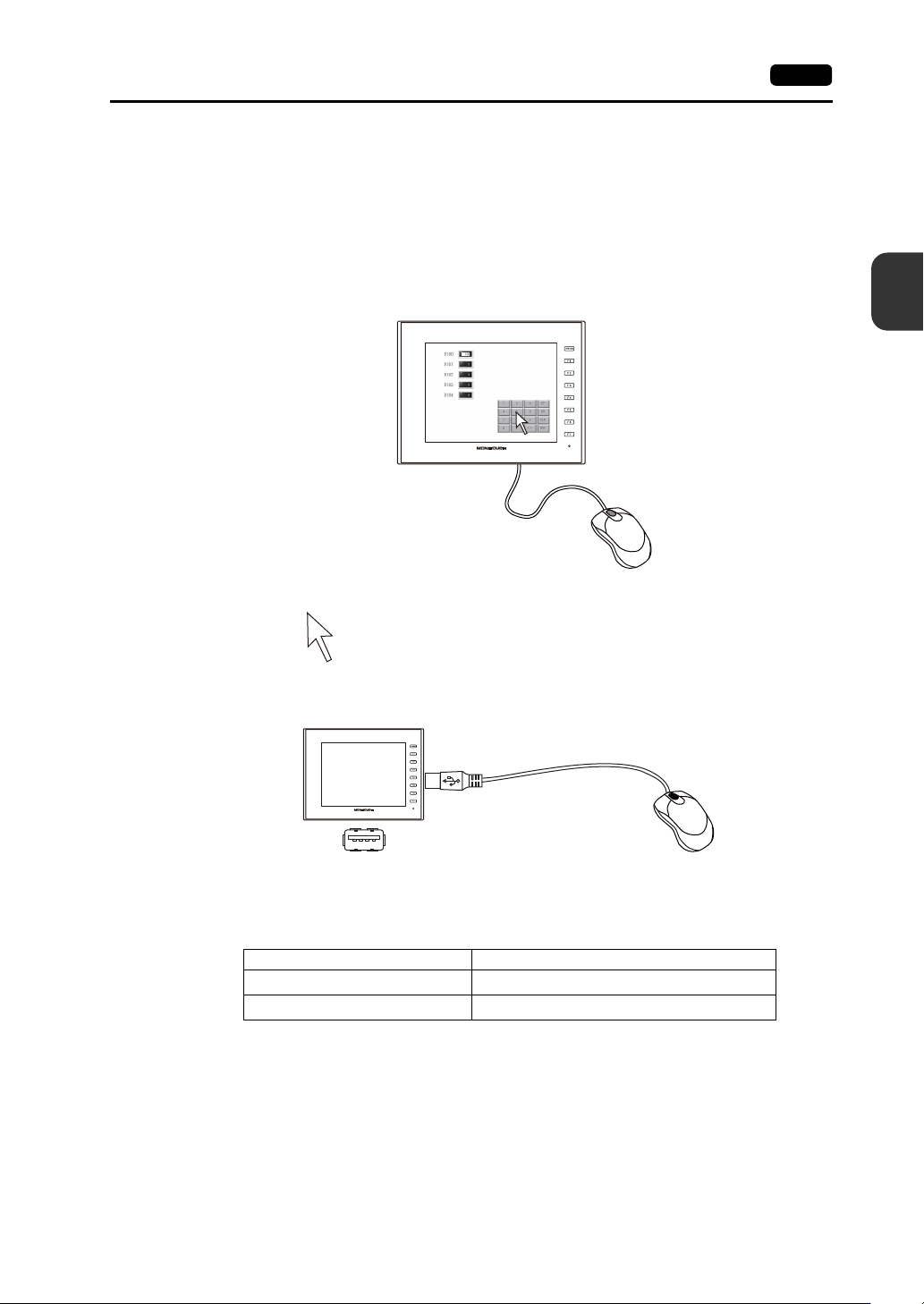
A mouse can be used to operate screens displayed on the V9 series unit by connecting a mouse to the
unit.
The mouse pointer displayed on the unit is shown below.
Connection Example
Mouse Operation
The mouse operations available on the unit are shown below.
Mouse Operation Action
Movement Moving the mouse pointer
Left-click Pressing a switch
USB-A
V9
Mouse
3-18 2. Specifications of Components
USB Hub
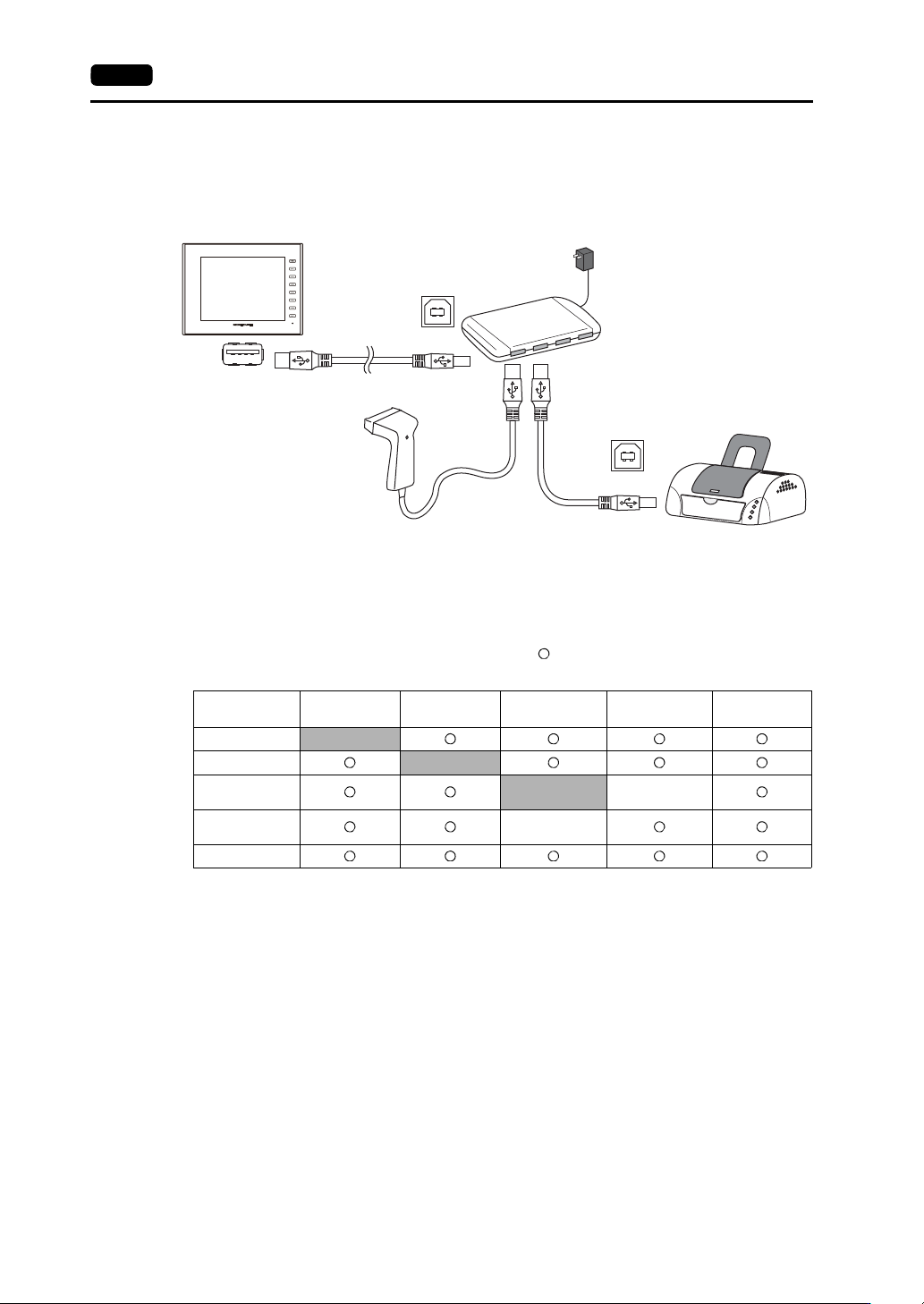
Devices like printers can be used at the same time by connecting a USB hub to the V9 series unit.
Connection Example
* A parallel printer can also be connected. (In this case, a parallel printer that is compatible with the V9 series
and a commercially available parallel-to-USB cable must be used (recommended cable: UC-PGT
manufactured by ELECOM).) For more information on compatible printer models, visit our website
(http://www.monitouch.com/)).
Combinations of Connected Devices
Combination of devices usable at the same time:
Combination of devices not usable at the same time:
* If these devices are connected at the same time, only the USB barcode reader will be recognized.
USB-A
USB-B
USB-B
V9
Printer
*
USB hub
Printer
USB Flash
Drive
USB Barcode
Reader
Keyboard/
Numeric Keypad
USB Mouse
Printer
-
USB Flash Drive
-
USB Barcode
Reader
-
Keyboard/
Numeric Keypad
USB Mouse
*
*
3
2. Specifications of Components 3-19
Names and Specifications of Components
Notes
A maximum of two USB hubs can be connected (cascaded) to the V9 series unit.
Note that performance will decrease when two USB hubs are connected.
Do not turn off the power adaptor or disconnect the connector between the power adaptor and
the USB hub when the USB hub is connected to the V9 series unit and powered by the
adaptor.
Doing so may prevent sufficient power supply to the V9 series unit resulting in faulty operation
such as repeated restarting.
When connecting two USB hubs to the V9 series unit, supply power to each USB hub using
the adaptor provided with each hub.
Even when connecting only one USB hub, use the provided power supply adaptor (if
provided).
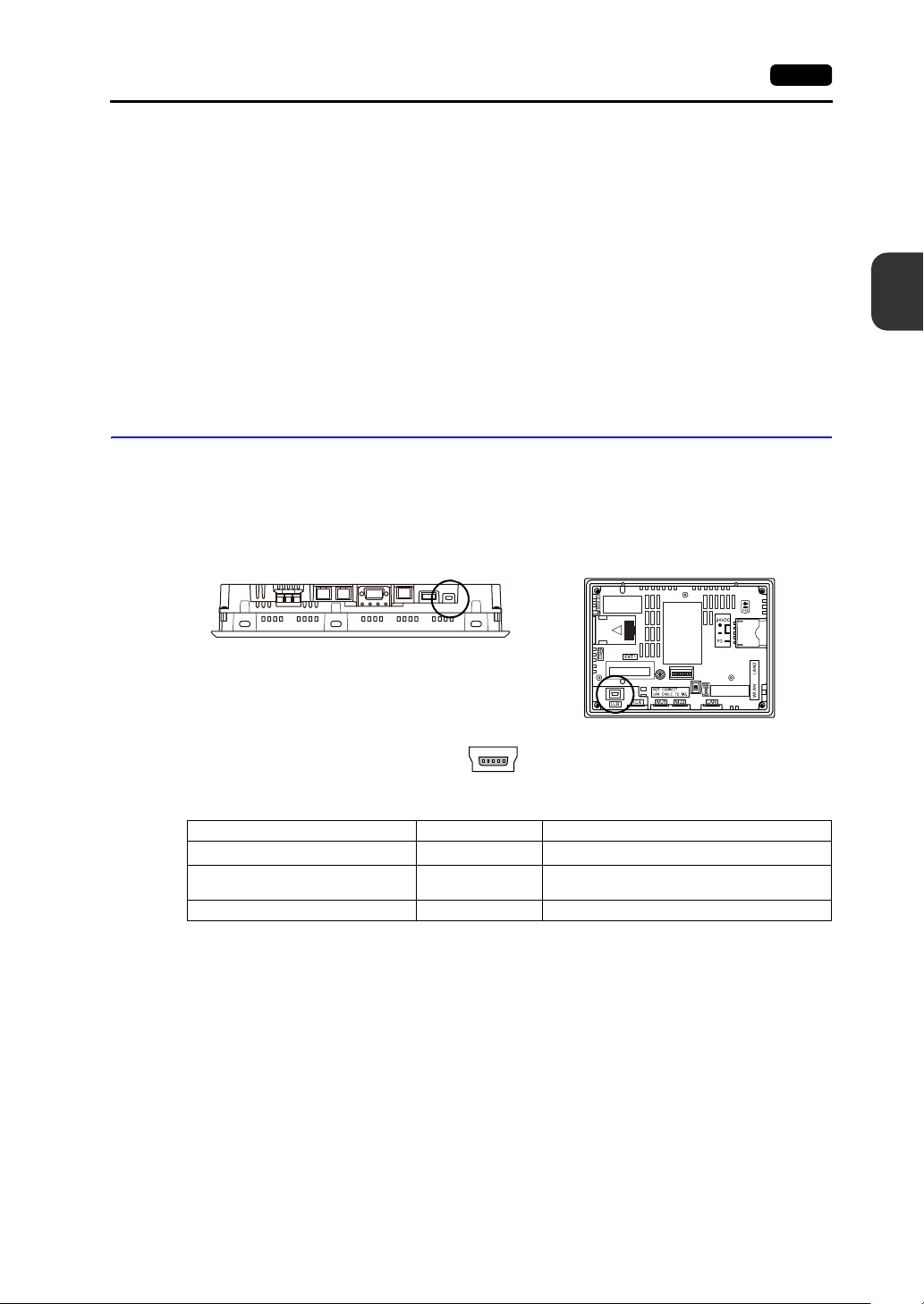
USB mini-B (Slave Port)
This connector is used for screen program transfer or connection with a PictBridge-compatible printer.
The USB mini-B port of the V9 unit complies with USB version 2.0.
Applications
*1 The ladder transfer function cannot be used simultaneously with 1:n communication (multi-drop) or multi-link
communication.
Bottom view
V9100
Rear view
V907xiW
Enlarged view
Application V-SFT-6 Setting Refer to
Ladder transfer function
*1
Required V9 Series Reference Manual 2
PictBridge-compatible printer
connection
Required V9 Series Reference Manual 1
Screen program transfer Required V9 Series Setup Manual