instruction-manual-product-monitoring-data-acquisition-monitouch-V9-hardware-en.pdf - 第110页
5. Installing the Battery 4-9 4 Installation 5. Installing the Battery Role of the Battery The battery provides backup power to the use r memory area in SRAM (non-volatile device $L and $LD, sampling data) as well as the…
4-8 4. Inserting and Removing SD Cards
4. Inserting and Removing SD Cards
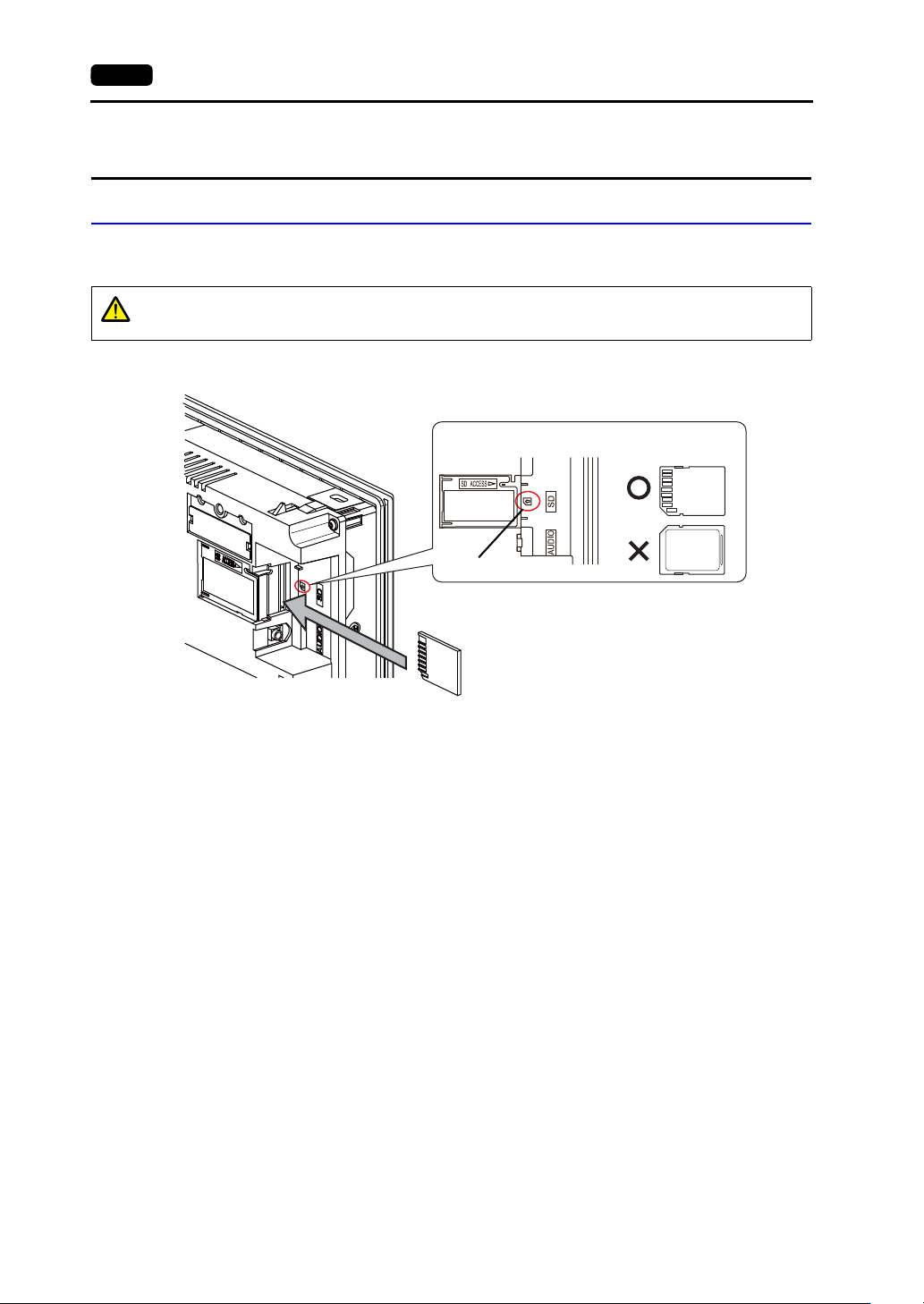
SD Card Insertion/Removal Procedure
1. Hold the SD card in the same orientation (SD card rear) as shown by the SD card pictured on the
unit and then insert the SD card into the slot until it clicks.
2. Check that the SD card access LED is unlit before removing the SD card. Push the SD card until it
clicks and then the SD card will come out. Pinch the SD card with your fingers and remove it from
the slot.
* When removing the SD card, select [Storage Removal] in the system menu, or press the
[Storage Removal] switch.
CAUTION
Insert the SD card into the V9 series unit in the correct orientation.
Failure to do so may damage the SD card or the slot on the unit.
SD card
Enlarged view
SD card picture
SD card orientation
Rear
Front
Rear
Example: V910xiW
5. Installing the Battery 4-9
4
Installation
5. Installing the Battery
Role of the Battery
The battery provides backup power to the user memory area in SRAM (non-volatile device $L and
$LD, sampling data) as well as the built-in clock.
Battery Replacement Period
The service life of the battery is about 5 years from the date of manufacture.
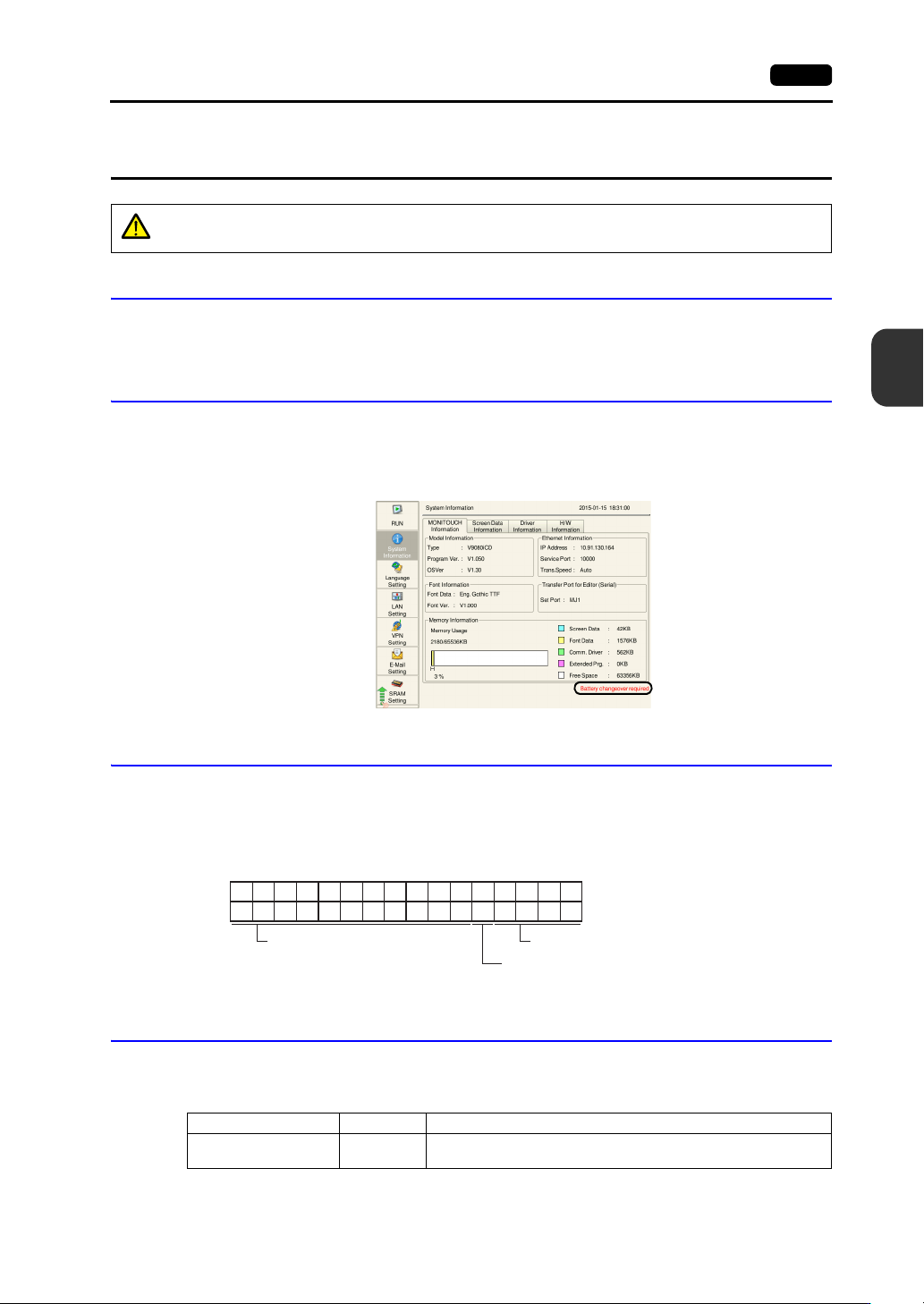
When the battery voltage drops, the message “Battery changeover required” appears at the lower right
in the Local mode on the V9 series unit.
* For information on the Local mode, refer to the separate V9 Series Troubleshooting/Maintenance Manual.
Battery Voltage Drop Detection
The battery status is output to the internal device memory address $s167 of the V9 series unit.
When the battery voltage drops, the 4th bit of $s167 turns ON.
If the battery voltage drops (4th bit turns ON) within the expiration date (five years), replace the battery
immediately.
Battery Replacement
Replacement batteries are available from Hakko Electronics.
V9150, V9120, V9100, V910xiW, V9080 series
* When using a commercially available battery, use “CR2450S”.
CAUTION
A battery is already installed upon delivery.
$s167
15 14 13 12 11 10 09 08 07 06 05 04 03 02 01 00
0000000000 0
MSB LSB
0000
System reserved (setting: 0)
0: Battery OK.
1: Battery voltage drop, no battery
System reserved (setting: 0)
Name Model Description
Battery for replacement V9-BT
Coin-type lithium primary cell 1 pce.
Caution sticker 1 pce.
4-10 5. Installing the Battery
V907xiW, V9060iTD series
* Commercially available batteries cannot be used.
Safety Instructions on Handling Batteries
Lithium batteries contain combustible material such as lithium and organic solvents. Mishandling may
cause heat, explosion, or ignition resulting in fire or injury. To prevent accidents, pay attention to the
following cautions when handling lithium batteries.
SRAM Area Backup Procedure
Replace the “V9-BT”/“V7-BT” battery within three minutes after the unit is turned off.
If it is not possible to replace the battery within three minutes, use the V-SFT-6 editor or a storage
device to make a backup copy of the data in SRAM.
When Using the V-SFT-6 Editor
1) Connecting a cable
Connect the V9 series unit and the computer using the transfer cable (“V-CP”, USB cable,
or Ethernet cable).
2) Starting the V-SFT-6 editor
Start the V-SFT-6 editor on the computer.
3) Displaying the [Transfer] dialog
Click [Transfer] [Upload]. The [Transfer] dialog is displayed.
4) Selecting data to be transferred
Select [SRAM Data] for [Transfer Data].
5) Starting SRAM data transfer
Click the [PC ] button. Data transfer from the SRAM is started.
6) Saving the SRAM data
When the SRAM data has been transferred, the [Save As] dialog is displayed on the
computer. Save the data as a backup copy. The file extension is “.RAM”.
* To transfer the “.RAM” data, which was saved as a backup copy, back to the V9 series
unit, click [Transfer] [Download] in step 3, and click the [PC ] button in step 5.
When Using a Storage Device:
For details on the method for making backups using a storage device such as an SD card or
USB flash drive, refer to the separate V9 Series Troubleshooting/Maintenance Manual.
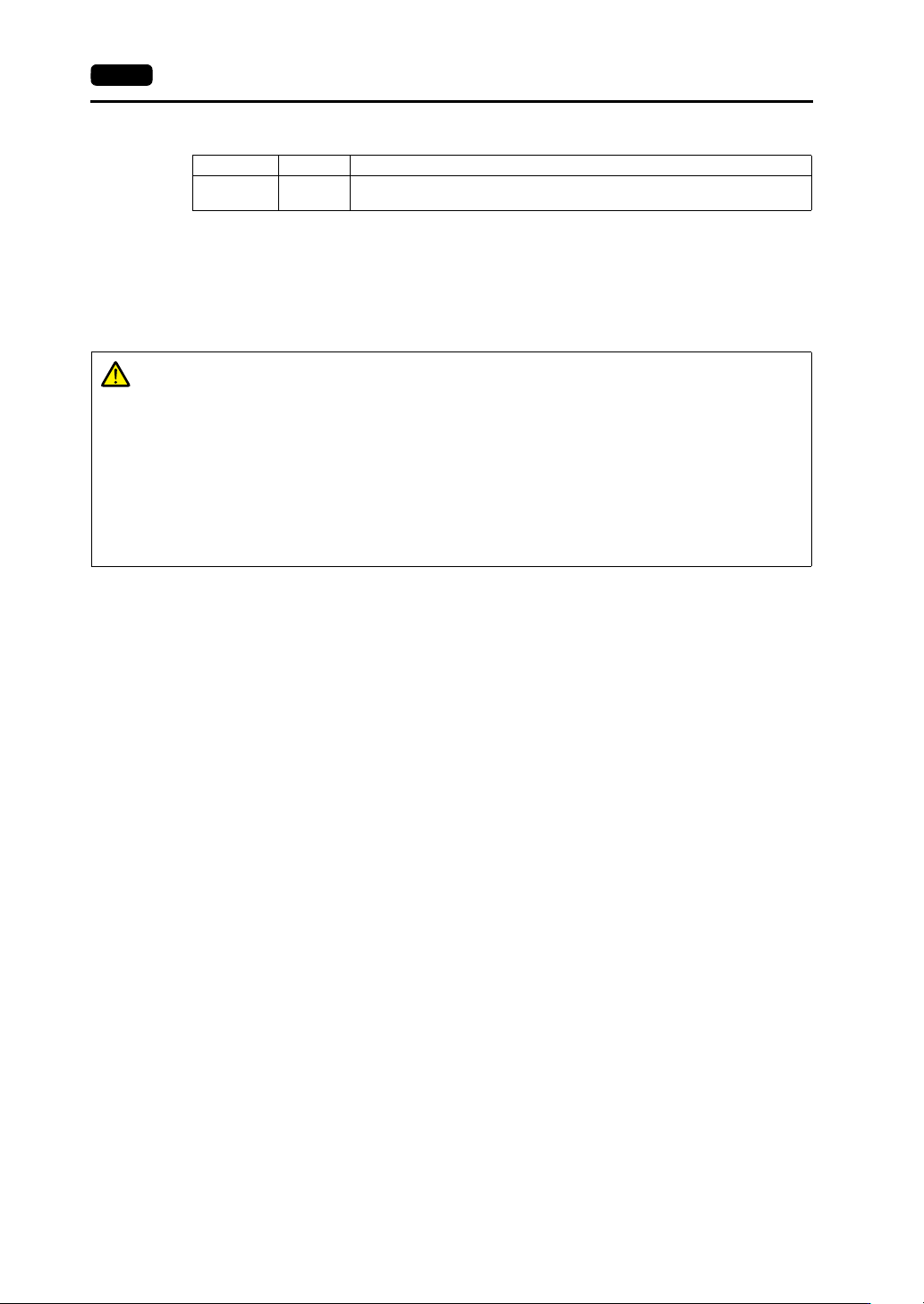
Name Model Description
Battery for
replacement
V7-BT
Coin-type lithium primary cell 1 pce.
Caution sticker 1 pce.
CAUTION
Only experts are authorized to perform battery replacement.
Be sure to discharge static electricity from your body before performing battery
replacement.
Use the recommended battery for replacement.
Rough handling of the battery may cause fire or chemical burns.
Do not disassemble, incinerate, or heat the battery.
Observe local and governmental regulations when disposing of waste batteries.
Keep batteries out of reach of children. (If swallowed, immediately consult a doctor.)
Never recharge the battery.
If a battery leaks or smells, note that the leaking battery electrolyte is flammable.
Keep away from heat or flame.