instruction-manual-product-monitoring-data-acquisition-monitouch-V9-hardware-en.pdf - 第87页
3-22 2. Specifications of Components Connector for Wireless LAN Dipole Antenna (WLAN) (Only for Wireless LAN I/F Models) This connector is for connecting the external di pole antenna “V9-ANT” (opt ional) for wirele ss LA…
3
2. Specifications of Components 3-21
Names and Specifications of Components
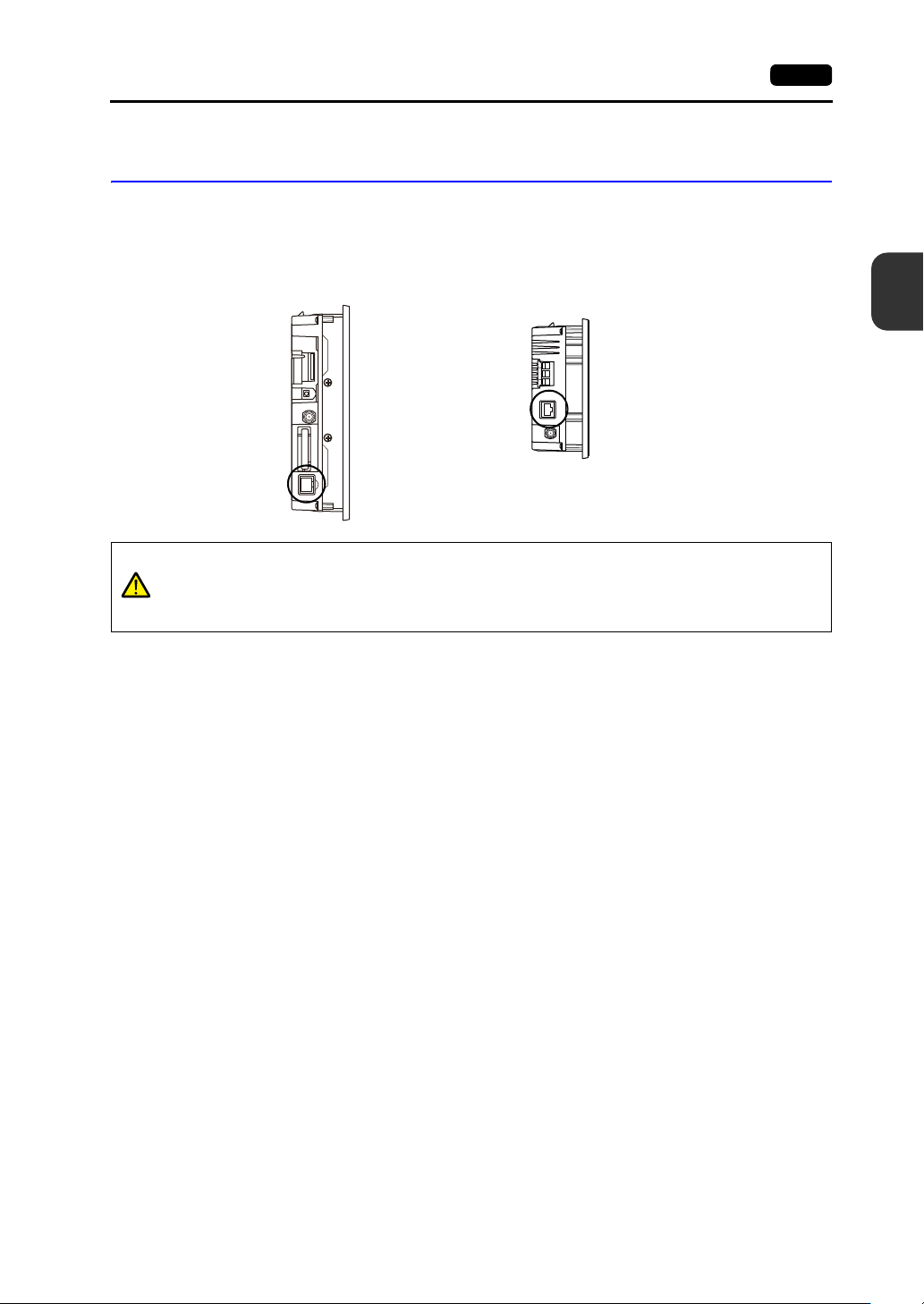
Additional LAN Connector (LAN2)
(Only for Additional Wired LAN I/F Models)
This connector is used for Ethernet communication with controllers and supports 100BASE-TX and
10BASE-T.
The specifications and applications are the same as “ LAN Connector (LAN)” (page 3-20).
Side view
V901xiW
Side view
V907xiW
CAUTION
The MJ1 (or MJ2) and LAN connectors are both 8-pin modular jacks.
Check the connector names on the unit and insert cables into the correct connectors.
Do not connect any peripheral device that will carry excess voltage to the LAN
connector.
3-22 2. Specifications of Components
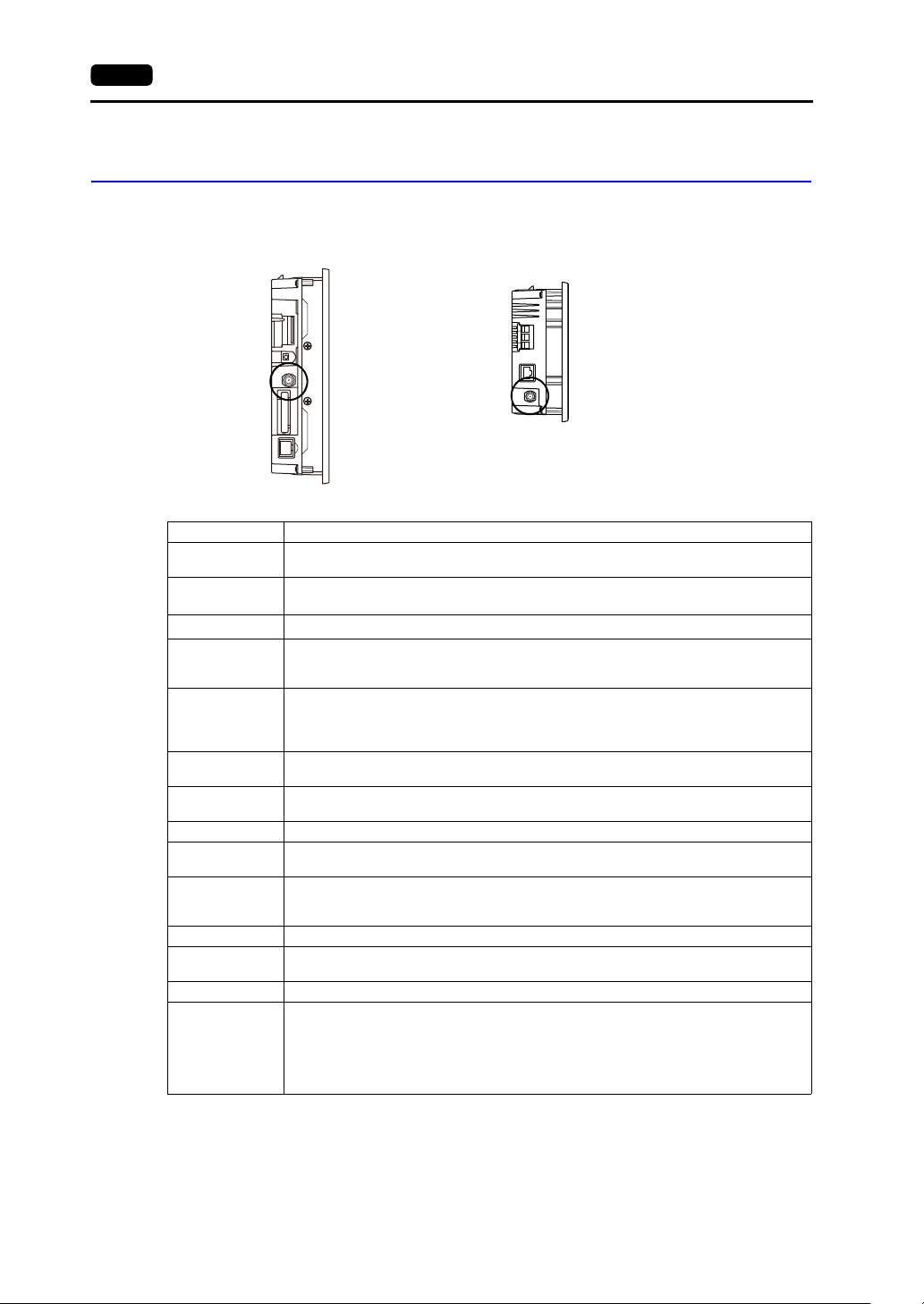
Connector for Wireless LAN Dipole Antenna (WLAN)
(Only for Wireless LAN I/F Models)
This connector is for connecting the external dipole antenna “V9-ANT” (optional) for wireless LAN.
Wireless LAN specifications are shown below.
*1 According to wireless LAN standards, the 2.4 GHz communication frequency band can be used indoors and
outdoors. However, if UL standard certification is required, installation conditions must conform to those
designated by the UL standard.
*2 Channels 1 to 11 which can be used in all countries are enabled. Channels 12 to 14 cannot be used.
*3 The V9 series unit will not conform to the above laws if using any antenna other than the built-in antenna or the
optional V9-ANT for wireless LAN connection.
*4 V9150iXRD, V9120iSRD, V9100iSRD and V9080iSRD conform with only the Japanese Radio Law.
Side view
V901xiW
Side view
V907xiW
Item Specification
Wireless LAN
Standards
IEEE802.11b, IEEE802.11g, IEEE802.11n
Communication
Frequency
*1
2.4 GHz band (2.412 GHz to 2.462 GHz)
Channels
*2
1 to 11 ch (for all countries) (Channel spacing: 5 MHz)
Transmission
Mode
11b: Direct-sequence spread spectrum (DS-SS)
11g: Orthogonal frequency-division multiplexing (OFDM)
11n: Orthogonal frequency-division multiplexing (OFDM)
Transmission
Rate
11b: 1, 2, 5.5, 11 Mbps
11g: 6, 9, 12, 18, 24, 36, 48, 54 Mbps
11n: HT20 (GI: 800 ns) 1 stream: 6.5, 13, 19.5, 26, 39, 52, 58.5, 65 Mbps
11n: HT20 (GI: 400 ns) 1 stream: 7.2, 14.4, 21.7, 29.9, 43.3, 57.8, 65, 72.2 Mbps
Antenna Power
(Output Power)
Max. 10 mW/MHz
Complying
Antennas
Built-in antenna of the V9 series unit
V9-ANT (optional): External dipole antenna for wireless LAN
Polarization Vertical polarization
Horizontal
radiation pattern
Built-in antenna of V9 series unit: Directional
V9-ANT (optional): Omnidirectional
Operation Mode
Infrastructure mode (access point, station)
Ad-hoc mode
* Selected in Local mode.
Authentication OPEN SYSTEM, WPA-PSK, WPA2-PSK
Encryption
Method
NONE, WEP, TKIP, AES
Clients Max. 6 (when the V9 series unit is in access point mode)
Conformance
Standards
*3 *4
TELEC (Japanese Radio Law: Technical Regulations Conformity Certification, Article 2,
clause 1-19)
FCC Part15 SubPart C
IC RSS-210, RSS-Gen
RE: EN300328, EN301489-1, EN301489-17, EN62311, EN60950-1
KC
3
2. Specifications of Components 3-23
Names and Specifications of Components
Notes on Wireless LAN
An antenna is built into the V9 series unit for use as a wireless communication antenna. Consider
your usage environment, and if necessary, use Hakko Electronics’ “V9-ANT” external dipole
antenna (optional).
(The built-in antenna of the V9 series unit can be used for wireless LAN communication within 10
meters from the front side of the V9 series unit. For wireless LAN communication around the V9
series unit (360) or more than 10 meters away from the V9 series unit, use of the “V9-ANT” is
recommended.)
Radio waves used by wireless LAN pass through wood and glass, and therefore communication is
possible even if floors and walls are made of wooden or glass material. However, radio waves
cannot penetrate reinforcing rods, metal, or concrete, so if these materials are used
communication is not possible.
Signal intensity can be checked using the Received Signal Strength Indication (RSSI) as a
guideline. Placing the V9 series unit (access point) so that the RSSI value is higher will attain a
more stable communication status.
A low RSSI value, which does not improve by moving the position of the V9 series unit (access
point) or antenna, indicates that the radio wave intensity is weakened due to a long communication
distance or physical obstructions.
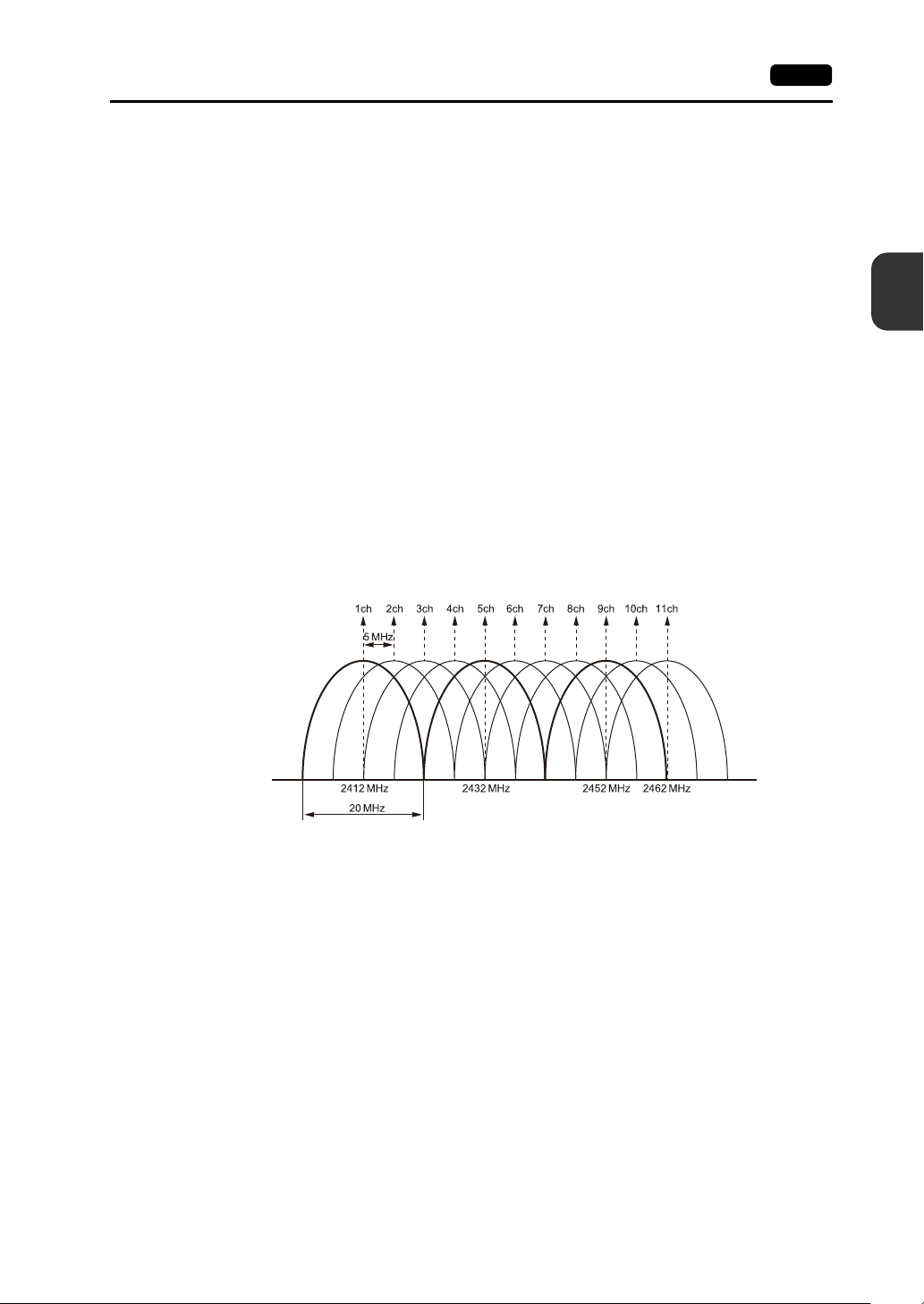
The radio waves used for wireless LAN communication are divided into frequency bands called
channels (ch). The V9 series spaces the 2.4 GHz band into 11 channels (1 to 11 ch) at 5 MHz
intervals. However, if the same channel is used or neighboring channels interfere with each other,
communication speed may be reduced.
We recommend selecting channels for access points so that the frequencies do not overlap, such
as 1 ch, 5 ch and 9 ch (when using MONITOUCH as an access point).
Notes on Radio Waves
The wireless LAN function of the V9 series corresponds to “radio equipment for radio stations
(antenna power: 10 mW/MHz or less) of low-power data communication systems” defined by radio
law, and therefore does not require a radio license.
Depending on the peripheral environment or installation conditions, data transmission via wireless
LAN may be unstable compared to wired connections and result in packet loss.
Be sure to check the connection before actual use.
Do not use the wireless LAN function in the following situations.
1) Near a person who uses a cardiac pacemaker: The function may cause electromagnetic
interference in cardiac pacemakers, leading to malfunctions.
2) Near medical devices: The function may cause electromagnetic interference in medical
devices, leading to malfunctions.
3) Near microwaves: Microwaves may cause electromagnetic interference in wireless
communications of the V9 series unit.