instruction-manual-product-monitoring-data-acquisition-monitouch-V9-hardware-en.pdf - 第91页
3-26 2. Specifications of Components Optional Unit Connector (EXT2) (V910xiW/Standard Models Only) This is a connector for attach ing the optional “GUR-xx” unit. The types of optional units are shown below. * For details…
3
2. Specifications of Components 3-25
Names and Specifications of Components
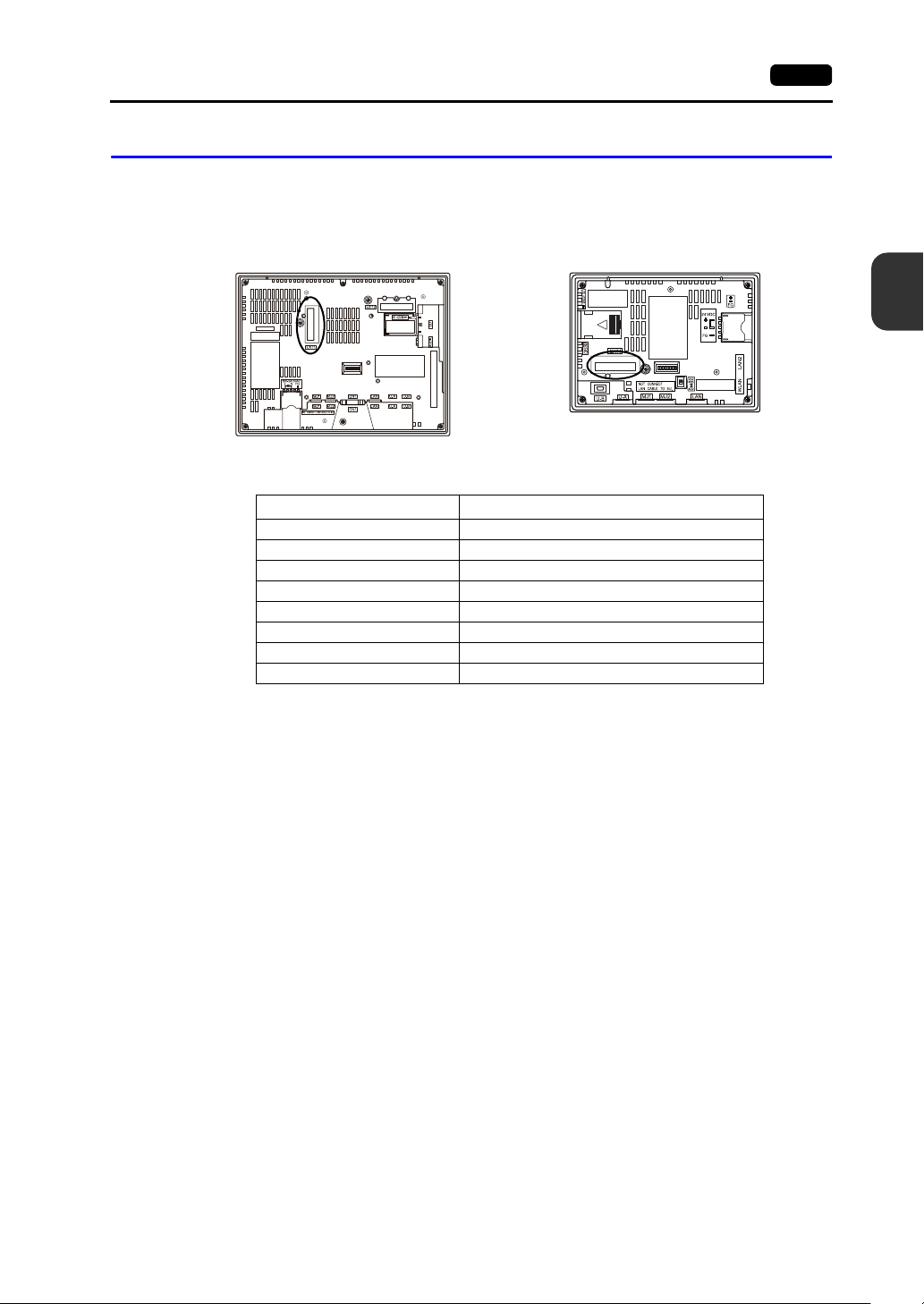
Communication Interface Unit Connector (EXT1)
This is a connector for attaching the communication interface unit “CUR-xx”.
The connector on the V907xiW, V9060iTD can also be used for attaching the optional “DUR-00” unit.
The types of communication interface units are shown below.
* For details on specifications and how to attach a communication interface unit, refer to the
respective V9 Series Communication Unit Specifications.
Type Communication Specification
CUR-00 OPCN-1
CUR-01 T-Link
CUR-02 CC-Link
CUR-03 Ethernet
CUR-04 PROFIBUS-DP
CUR-06 SX BUS
CUR-07 DeviceNet
CUR-08 FL-net
Rear view Rear view
V9100 V907xiW
3-26 2. Specifications of Components
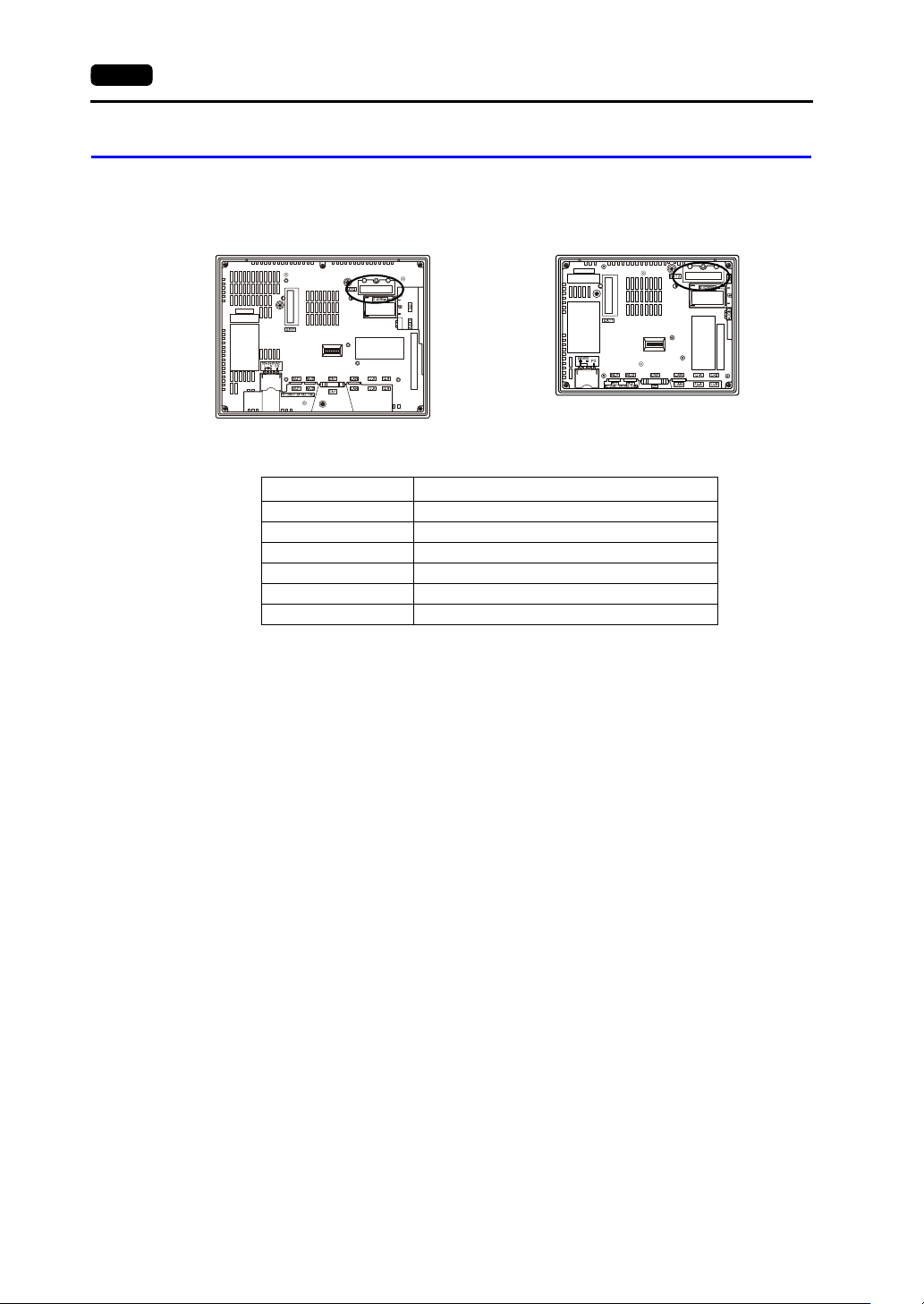
Optional Unit Connector (EXT2) (V910xiW/Standard Models Only)
This is a connector for attaching the optional “GUR-xx” unit.
The types of optional units are shown below.
* For details on specifications and how to attach an optional unit, refer to the respective instruction
manual.
Type Communication Specification
GUR-00 Video input 4 CH
GUR-01 RGB input 1 CH
GUR-02 RGB output 1 CH
GUR-04 Video input 1 CH
GUR-10 Video input 1 CH and RGB input 1 CH
GUR-11 RGB input 2 CH
Rear view Rear view
V9100iS V9080iS
3
2. Specifications of Components 3-27
Names and Specifications of Components
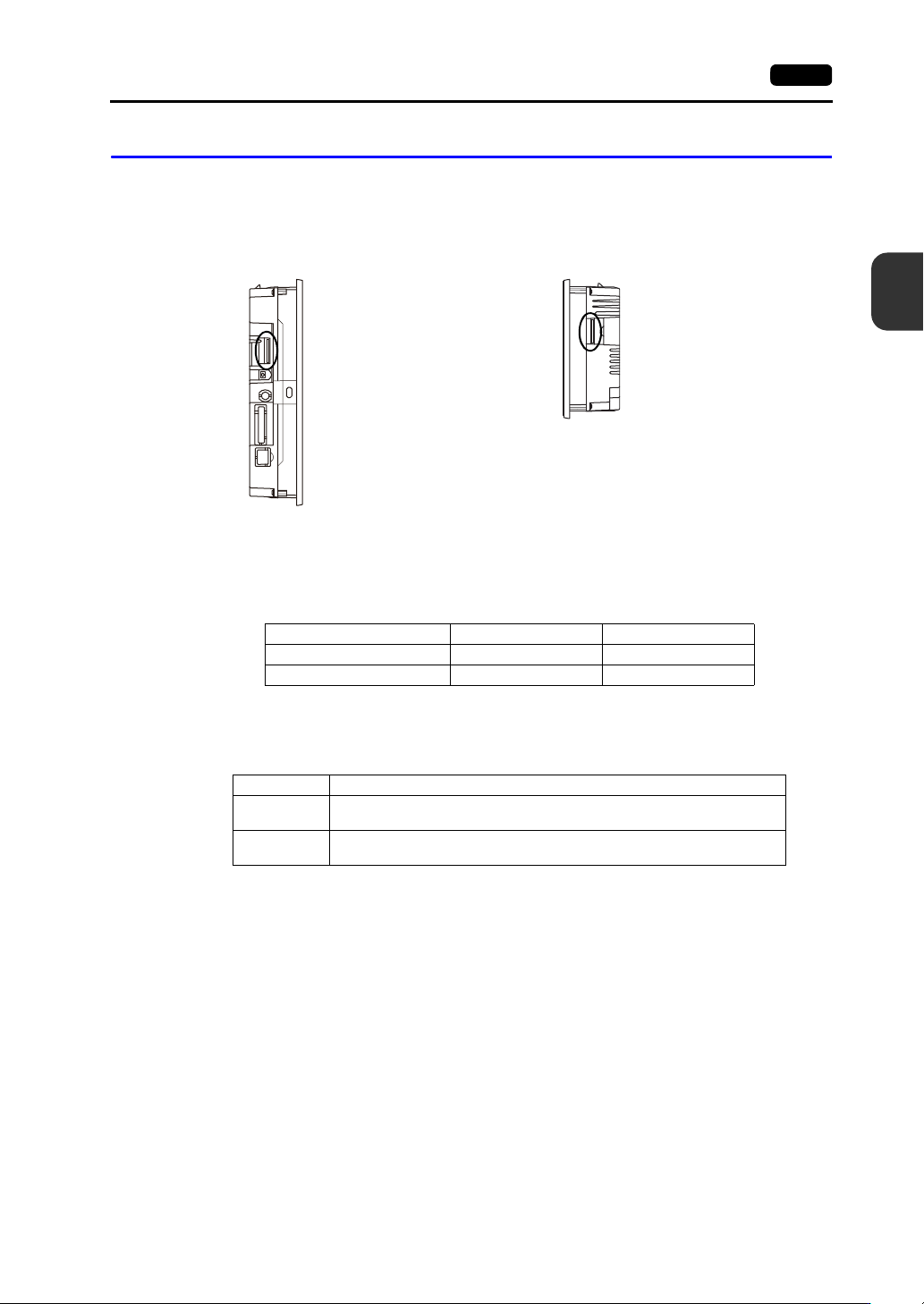
SD Card Interface (SD)
This is the interface used for inserting an SD card.
An SD card can be used to transfer screen programs and save log data and image data.
SD Card Specifications
SD cards that are compatible with the V9 series are shown below.
* This manual collectively refers to the following cards as “SD cards”.
SD Card Access LED
The state of the SD card access LED is configured as shown below.
Applications
For details on functions that use an SD card, refer to the separate V9 Series Reference Manual 2.
For details on reading and writing between an SD card and the V9 series unit, refer to the separate
V9 Series Troubleshooting/Maintenance Manual.
Side view
Side view
V9100
V907xiW
Card Type Capacity File System
SD card 2 GB max. FAT, FAT32
SDHC card 4 GB to 32 GB FAT32
LED Description
Off
The SD card is not being accessed.
The SD card can be removed.
Flashing red
The SD card is being accessed.
The LED turns off when access is complete.