instruction-manual-product-monitoring-data-acquisition-monitouch-V9-hardware-en.pdf - 第5页
T ypes and Model Names of the V9 Series The MONITOUCH V9 series comprises the following types. Note that model names are differentiated according to the above descriptions in this manual for operation explanations. Gener…
Preface
Thank you for selecting the MONITOUCH V9 series.
This manual describes operation procedures and errors of the V9 series in detail.
For correct use of the V9 series, you are requested to read through this manual to understand more about the
product.
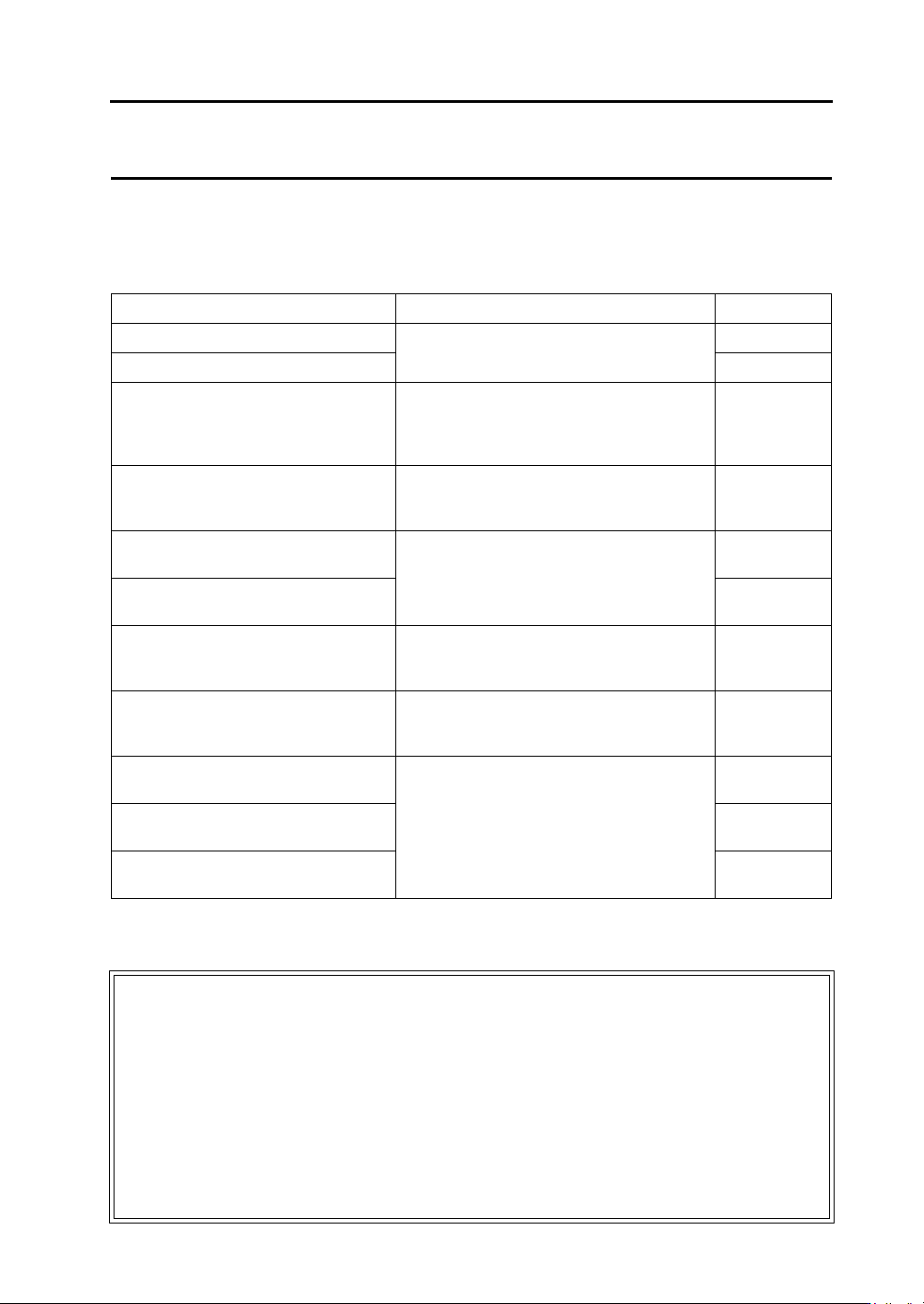
The manuals shown below are related manuals for the V9 series. Refer to them as necessary.
For further details about controllers (PLCs, temperature controllers, etc.), refer to the manual issued by each
controller manufacturer.
Manual Name Contents Reference No.
V9 Series Reference Manual [1] Explains the functions and operation of the V9
series.
1065NE
V9 Series Reference Manual [2] 1066NE
V9 Series Setup Manual Explains the installation procedure of V-SFT
version 6, the creation process of simple screen
programs as well as how to transfer a created
screen program using V-SFT version 6.
1067NE
V9 Series
Troubleshooting/
Maintenance Manual
Provides an error list and explains the operating
procedures for the V9 series.
1068NE
V9 Series
Training Manual Beginner’s Guide
Explains the screen creation process using
V-SFT version 6 with examples in detail.
1069NE
V9 Series
Training Manual Practical Guide
1070NE
V9 Series Macro Reference Provides an overview of macros of V-SFT
version 6 and explains macro editor operations
and macro command descriptions in detail.
1071NE
V9 Series Operation Manual Explains the configuration of V-SFT version 6,
the editing process of each part and limitations
regarding operation in detail.
1072NE
V9 Series
Connection Manual [1]
Explains the connection and communication
parameters for the V9 series and controllers in
detail.
2210NE
V9 Series
Connection Manual [2]
2211NE
V9 Series
Connection Manual [3]
2212NE
Notes:
1. This manual may not, in whole or in part, be printed or reproduced without the prior written consent of
Hakko Electronics Co., Ltd.
2. The information in this manual is subject to change without prior notice.
3. Windows and Excel are registered trademarks of Microsoft Corporation in the United States and other
countries.
4. All other company names or product names are trademarks or registered trademarks of their
respective holders.
5. This manual is intended to give accurate information about MONITOUCH hardware. If you have any
questions, please contact your local distributor.
Types and Model Names of the V9 Series
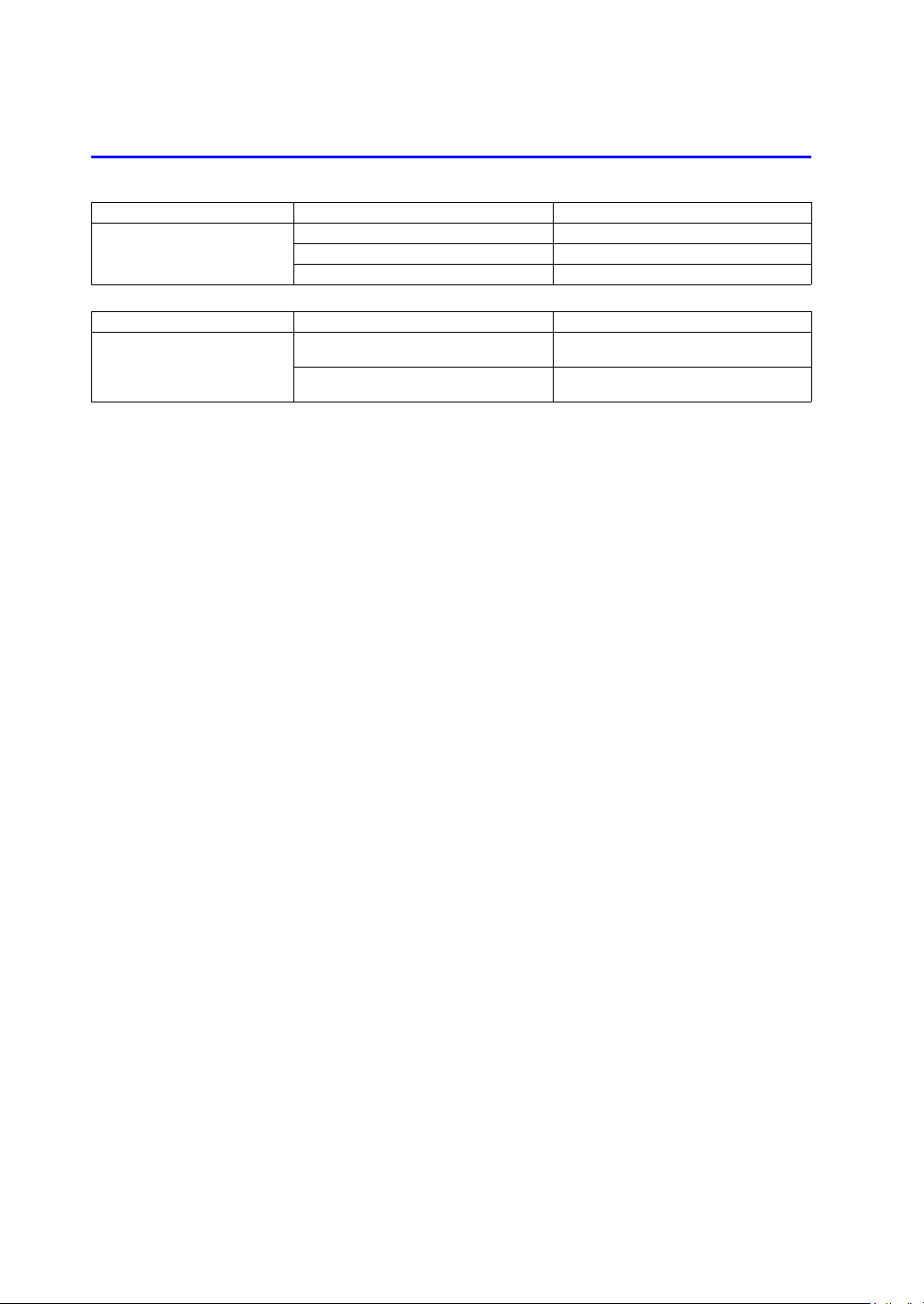
The MONITOUCH V9 series comprises the following types.
Note that model names are differentiated according to the above descriptions in this manual for operation
explanations.
General Name Model Classification Model
V9 series
Advanced model V910xiW, V907xiW
Standard model V9150iX, V9120iS, V9100iS, V9080iSD
Lite model V9100iC, V9080iCD, V9060iTD
General Name Model Classification Model
V9 series
Additional wired LAN I/F model
V9 model name with “L” added
Example: V9101iWLD
Wireless LAN I/F model
V9 model name with “R” added
Example: V9101iWRLD
Notes on Safe Usage of MONITOUCH
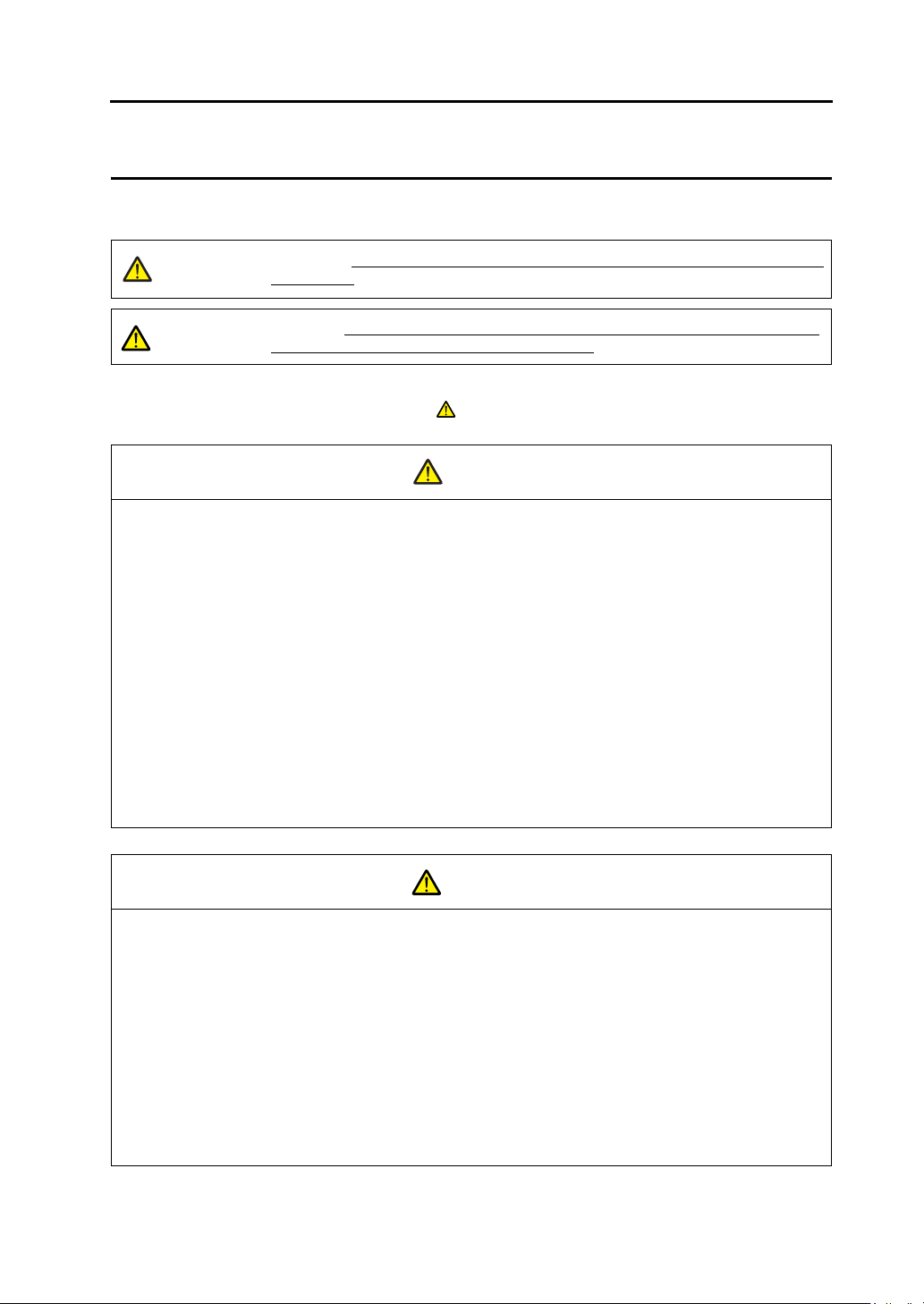
In this manual, you will find various notes categorized under the following levels with the signal words “DANGER”
and “CAUTION”.
Note that there is a possibility that items listed with may have serious ramifications.
DANGER
Indicates an imminently hazardous situation which, if not avoided, will result in death or
serious injury.
CAUTION
Indicates a potentially hazardous situation which, if not avoided, may result in minor or
moderate injury and could cause property damage.
Never use the output signal of the V9 series for operations that may threaten human life or damage the
system, such as signals used in case of emergency. Please design the system so that it can cope with a
touch switch malfunction. A touch switch malfunction may result in machine accidents or damage.
Turn off the power supply when you set up the unit, connect new cables, or perform maintenance or
inspections. Otherwise, electrical shock or damage may occur.
Never touch any terminals while the power is on. Otherwise, electrical shock may occur.
You must cover the terminals on the unit before turning the power on and operating the unit. Otherwise,
electrical shock may occur.
The liquid crystal in the LCD panel is a hazardous substance. If the LCD panel is damaged, do not ingest the
leaked liquid crystal. If leaked liquid crystal makes contact with skin or clothing, wash it away with soap and
water.
Never disassemble, recharge, deform by pressure, short-circuit, reverse the polarity of the lithium battery,
nor dispose of the lithium battery in fire. Failure to follow these conditions will lead to explosion or ignition.
Never use a lithium battery that is deformed, leaking, or shows any other signs of abnormality. Failure to
follow these conditions will lead to explosion or ignition.
Switches on the screen are operable even when the screen has become dark due to a faulty backlight or
when the backlight has reached the end of its service life. If the screen is dark and hard to see, do not touch
the screen. Otherwise, a malfunction may occur resulting in machine accidents or damage.
Check the appearance of the unit when it is unpacked. Do not use the unit if any damage or deformation is
found. Failure to do so may lead to fire, damage, or malfunction.
For use in a facility or as part of a system related to nuclear energy, aerospace, medical, traffic equipment, or
mobile installations, please consult your local distributor.
Operate (or store) the V9 series under the conditions indicated in this manual and related manuals. Failure
to do so could cause fire, malfunction, physical damage, or deterioration.
Observe the following environmental restrictions on use and storage of the unit. Otherwise, fire or damage to
the unit may result.
- Avoid locations where there is a possibility that water, corrosive gas, flammable gas, solvents, grinding
fluids, or cutting oil can come into contact with the unit.
- Avoid high temperatures, high humidity, and outside weather conditions, such as wind, rain, or direct
sunlight.
- Avoid locations where excessive dust, salt, and metallic particles are present.
- Avoid installing the unit in a location where vibrations or physical shocks may be transmitted.
CAUTION
DANGER
CAUTION