instruction-manual-product-monitoring-data-acquisition-monitouch-V9-hardware-en.pdf - 第90页
3 2. Specifications of Components 3-25 Names and Specifications of Components Communication Interface Un it Connector (EXT 1) This is a connector for attaching t he communication interface unit “CUR-xx”. The connector on…

3-24 2. Specifications of Components
Radio equipment which use the 2.4 GHz frequency band
Models that support wireless LAN use the 2.4 GHz frequency band. This frequency band is used
for industrial, scientific, and medical equipment; on-site radio stations (requiring a radio license)
and certain low-power radio stations (no radio license required) for identifying moving objects in
production lines; and amateur radio stations (requiring a radio license).
1) Before using the wireless LAN function, check that there are no on-site radio stations and
certain low-power radio stations for identifying moving objects or amateur radio stations in use
nearby.
2) If ever the V9 series unit causes wave interference to an on-site radio station for identifying
moving objects, immediately stop wireless LAN communication and ensure that waves are no
longer emitted. Then take necessary actions to resolve the interference (e.g. changing
frequencies, relocating, installing partitions).
3) If the V9 series unit causes wave interference to a certain low-power radio station for
identifying moving objects, or if any other problem occurs, contact your distributor.
The product will not conform to radio laws if using any antenna other than the built-in antenna of
the V9 series unit or the external dipole antenna “V9-ANT” (optional).
The wireless LAN function conforms to the radio standards in the following countries *.
Never use the V9 series unit outside of these countries.
Australia, Belgium, Canada, Czech, Denmark, Finland, France, Germany, Great Britain, Greek,
Hungary, Ireland, Italia, Japan, Netherlands, Norway, Poland, Portugal, Slovakia, Slovenia, South
Korea, Spain, Sweden, Switzerland, United States of America
* V9150iXRD, V9120iSRD, V9100iSRD, and V9080iSRD are available for use in Japan only.
Notes on Security
A wireless LAN transmits data between a computer and a wireless LAN access point without using a
LAN cable. Therefore, as long as radio waves are transmitted, LAN connection can be established
whenever desired.
On the other hand, within a certain range, radio waves will pass through all obstructions (such as
walls) and reaches the entire area. If security settings are not made, the following problems may occur.
Transmission contents can be eavesdropped on
A malicious third party can eavesdrop on communication contents and steal identity such as your
ID, password, and credit card numbers, or eavesdrop on email contents.
Unauthorized intrusions
A malicious third party may access personal or corporate networks without authorization and steal
identity or confidential information (information leakage).
An attacker can impersonate you and send out false information (impersonation).
Communication contents can be intercepted and then manipulated before sending (manipulation).
Data and systems can be destroyed using a computer virus (destruction).
Principally, models that support wireless LAN have security functions. If such functions are properly
configured before use, any risks of sustaining the above attacks can be reduced.
We recommend configuring security functions before use at your own judgment and responsibility, and
fully understand the problems that may occur if the V9 series unit is used without configuring security
functions.
Applications
* Configurations in Local mode of the V9 series unit are required to use wireless LAN.
For details, refer to the V9 Series Troubleshooting/Maintenance Manual.
Application V-SFT-6 Setting Refer to
Screen program transfer Not required V9 Series Operation Manual
Ethernet communication function
(excluding PLC 8WAY communication)
Depends on
function
V9 Series Reference Manual 2
3
2. Specifications of Components 3-25
Names and Specifications of Components
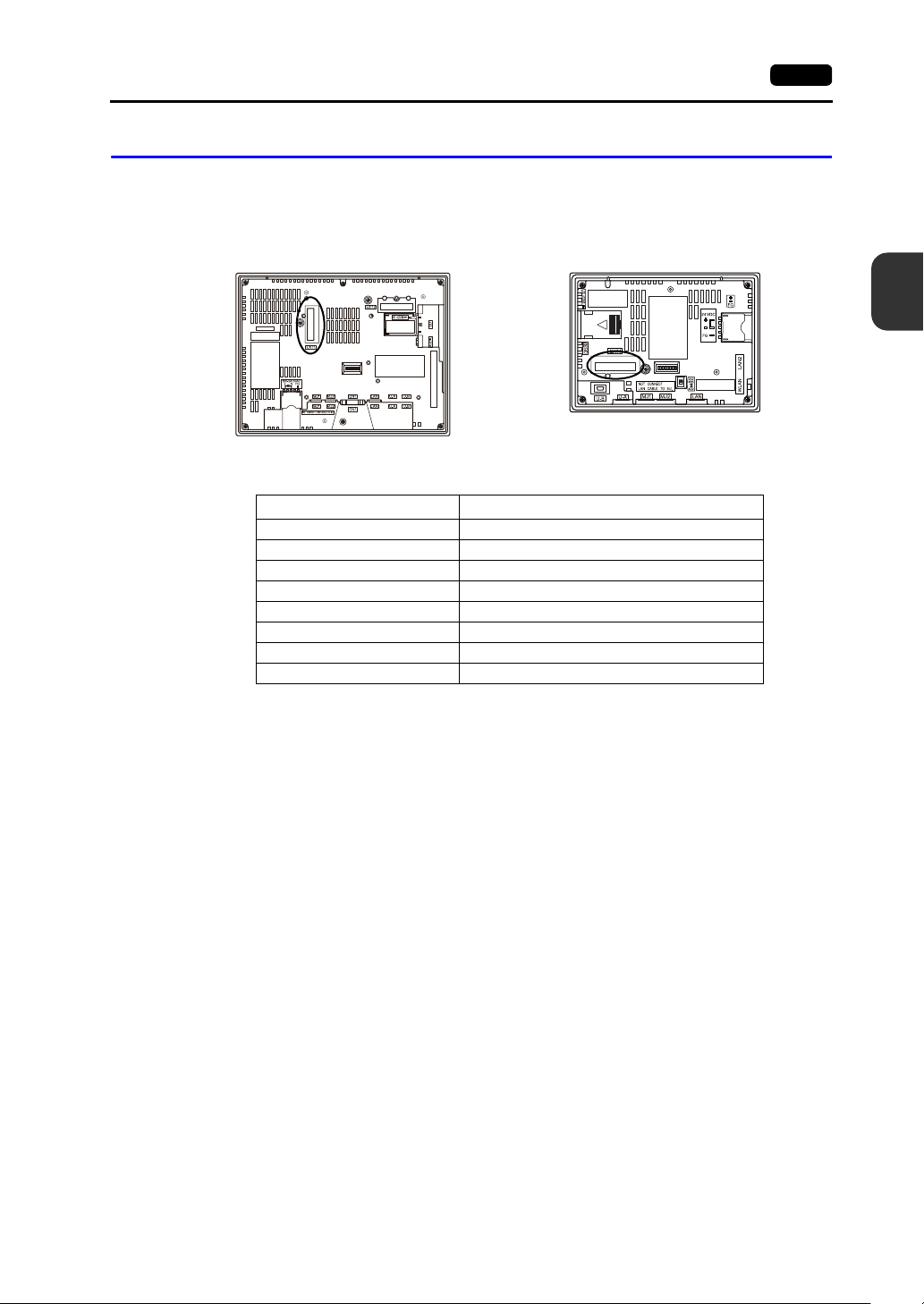
Communication Interface Unit Connector (EXT1)
This is a connector for attaching the communication interface unit “CUR-xx”.
The connector on the V907xiW, V9060iTD can also be used for attaching the optional “DUR-00” unit.
The types of communication interface units are shown below.
* For details on specifications and how to attach a communication interface unit, refer to the
respective V9 Series Communication Unit Specifications.
Type Communication Specification
CUR-00 OPCN-1
CUR-01 T-Link
CUR-02 CC-Link
CUR-03 Ethernet
CUR-04 PROFIBUS-DP
CUR-06 SX BUS
CUR-07 DeviceNet
CUR-08 FL-net
Rear view Rear view
V9100 V907xiW
3-26 2. Specifications of Components
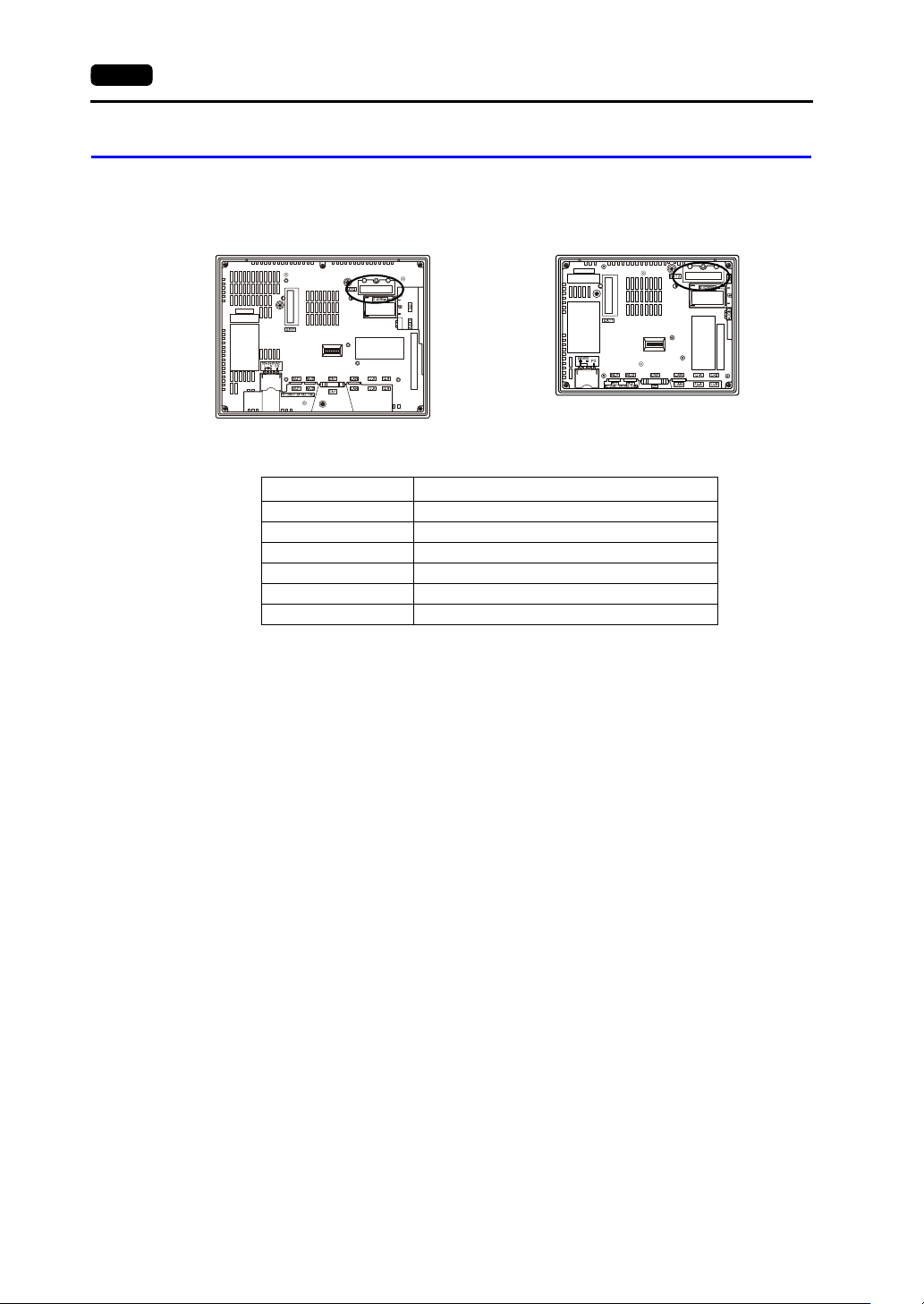
Optional Unit Connector (EXT2) (V910xiW/Standard Models Only)
This is a connector for attaching the optional “GUR-xx” unit.
The types of optional units are shown below.
* For details on specifications and how to attach an optional unit, refer to the respective instruction
manual.
Type Communication Specification
GUR-00 Video input 4 CH
GUR-01 RGB input 1 CH
GUR-02 RGB output 1 CH
GUR-04 Video input 1 CH
GUR-10 Video input 1 CH and RGB input 1 CH
GUR-11 RGB input 2 CH
Rear view Rear view
V9100iS V9080iS