instruction-manual-product-monitoring-data-acquisition-monitouch-V9-hardware-en.pdf - 第113页
4-12 5. Installing the Battery 6. Close the battery holder cover . 7. Remove the caution sticker on the rear face of t he V9 series unit (circled below). Write a date five years from the present date for battery replac e…
5. Installing the Battery 4-11
4
Installation
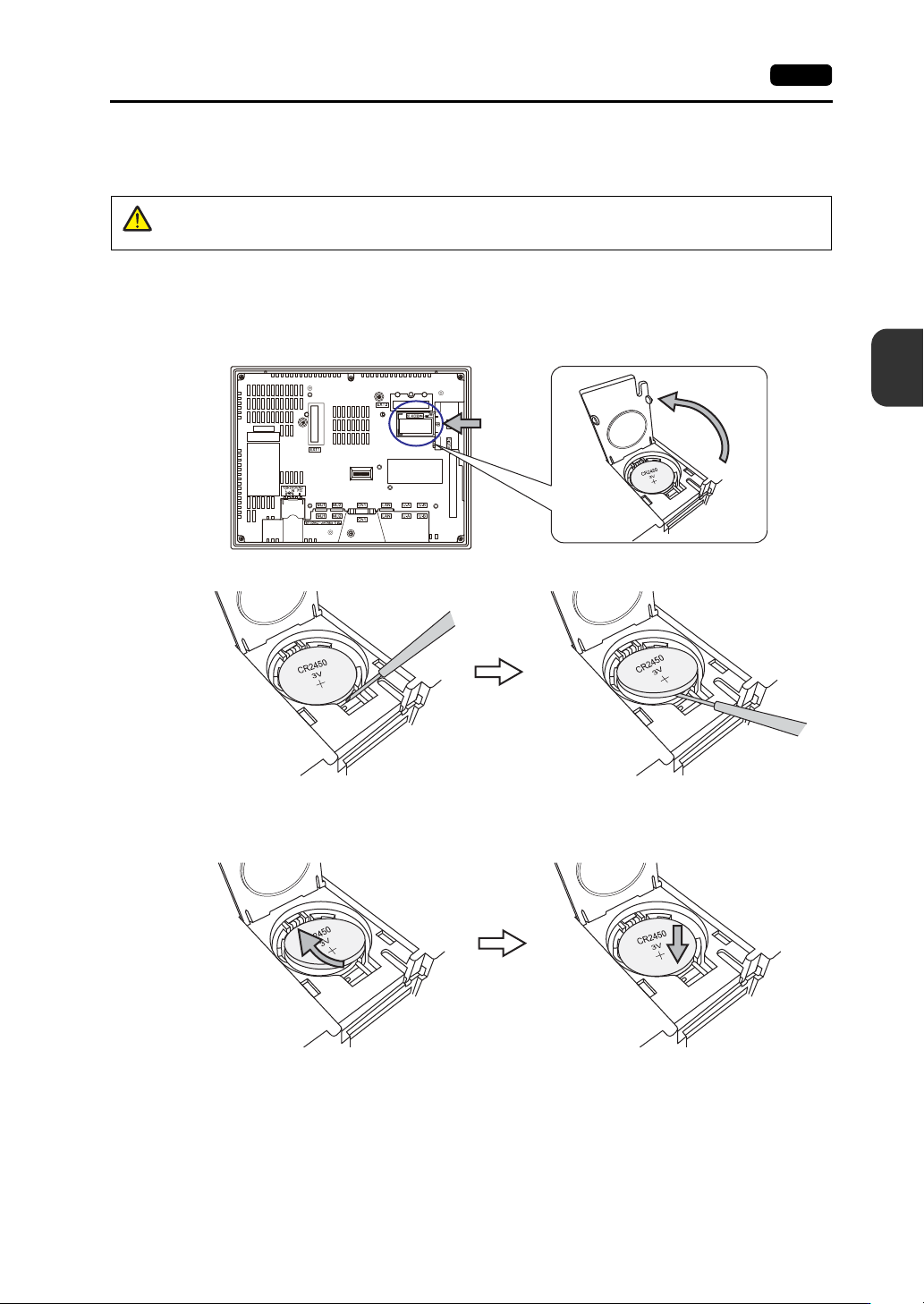
Battery Replacement Procedure
V9150, V9120, V9100, V910xiW, V9080
1. Turn OFF power the V9 series unit.
2. Slide the battery holder cover in the direction of the arrow to open it.
3. Insert a precision screwdriver into the gap on the right side of the battery and lift the battery out.
4. Remove the battery.
5. Slide a new battery left into the battery holder with the “+” side facing upward and then press the
right side of the battery until it clicks.
DANGER
There is a risk of electrical shock.
Turn OFF power to the V9 series unit before performing steps 2 through 7 below.
Rear view
Example: V9100
4-12 5. Installing the Battery
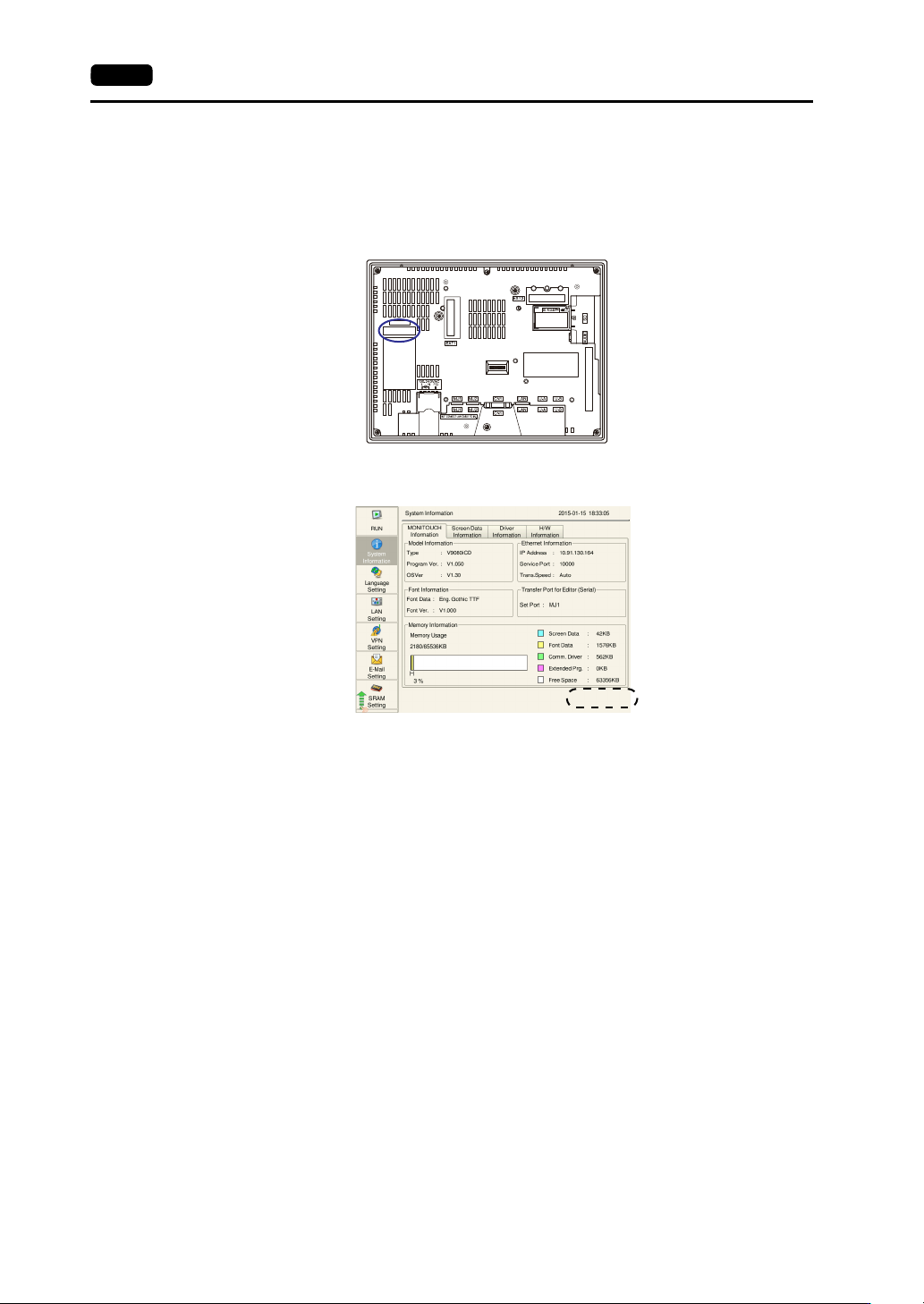
6. Close the battery holder cover.
7. Remove the caution sticker on the rear face of the V9 series unit (circled below). Write a date five
years from the present date for battery replacement on the new caution sticker and attach the
sticker.
8. Turn power ON to the V9 series unit and check that the message “Battery changeover required” is
cleared from the lower right of the screen in the Local mode.
9. If a “.RAM” backup file was saved, transfer it back to the V9 series unit.
Rear view
5. Installing the Battery 4-13
4
Installation
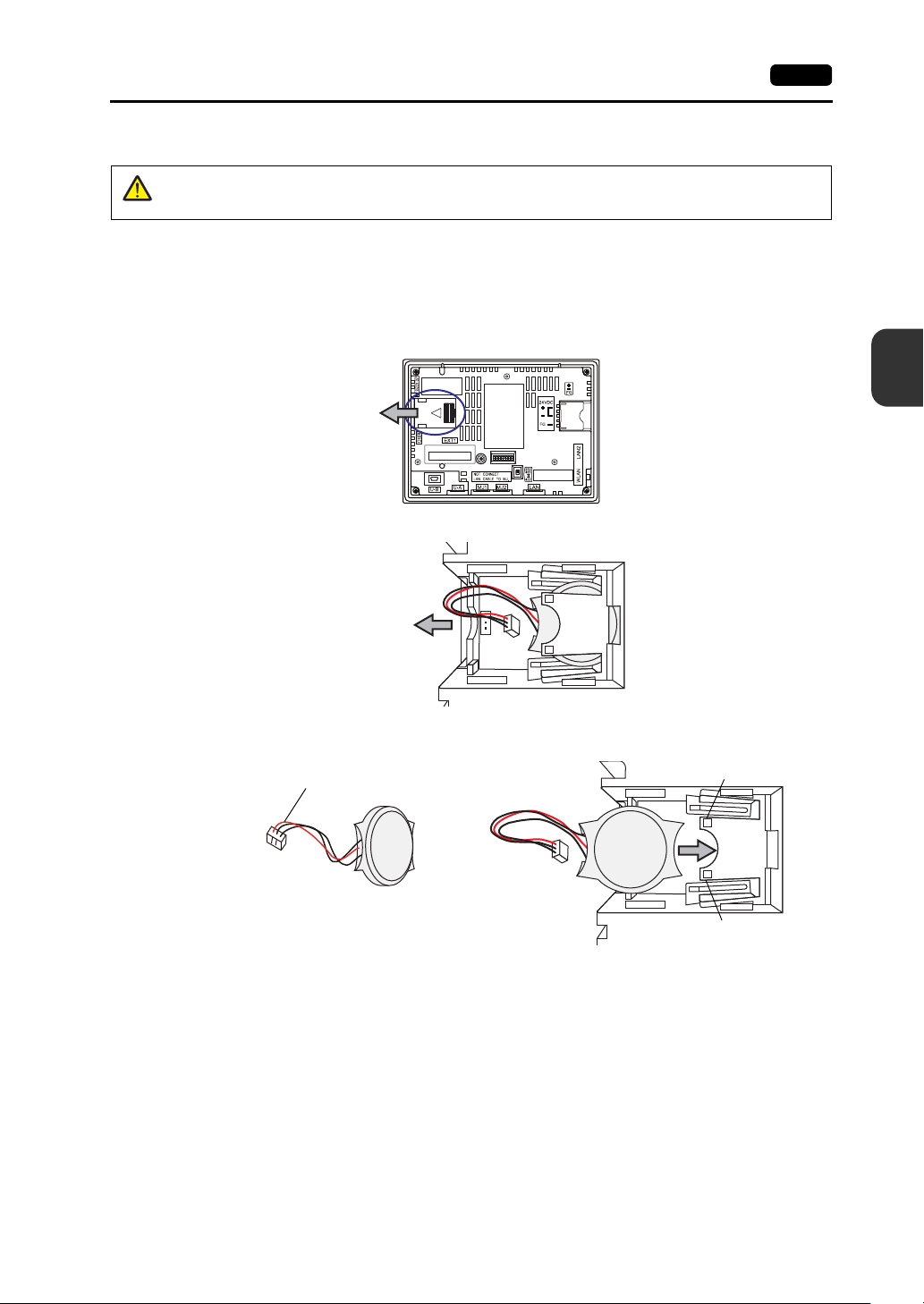
V907xiW, V9060iTD
1. Turn OFF power to the V9 series unit.
2. Slide the battery holder cover in the direction of the arrow to remove it. The battery set in the
socket is visible.
3. Disconnect the battery connector, and pull the battery toward the left to remove it from the socket.
4. Insert the new battery into the socket with the side with the red wire facing down. Make sure that
the battery is held in place by the retainers.
5. Attach the battery connector and close the battery holder cover.
6. Write a date five years from the present date for battery replacement on the new caution sticker
and attach the sticker to an open area on the V9 series unit.
* Do not attach the sticker on air holes of the V9 series unit or optional units.
DANGER
Electrical shock hazard!
Turn OFF power to the V9 series unit before performing steps 2 through 6 below.
Rear view
Example: V907xiW
Red wire
Retainer
Retainer