00198711-01_UM_X-Serie-S_EN.pdf - 第246页
5 Tasks at the placement machine Ins truction manual SIPLACE X-Series S 5.5 The user interface From software version 713.0 Edition 11/2019 246 5 Fig. 5.5 - 3 User interface in the "Feeder mod ules, components and no…
Instruction manual SIPLACE X-Series S 5 Tasks at the placement machine
From software version 713.0 Edition 11/2019 5.5 The user interface
245
5.5.4 Operating the station software in the views
Most views which can be accessed via the toolbar (see section 5.5.3, page 243) have an addi-
tional vertical toolbar with subviews and functions, on the right-hand side of the user interface.
5
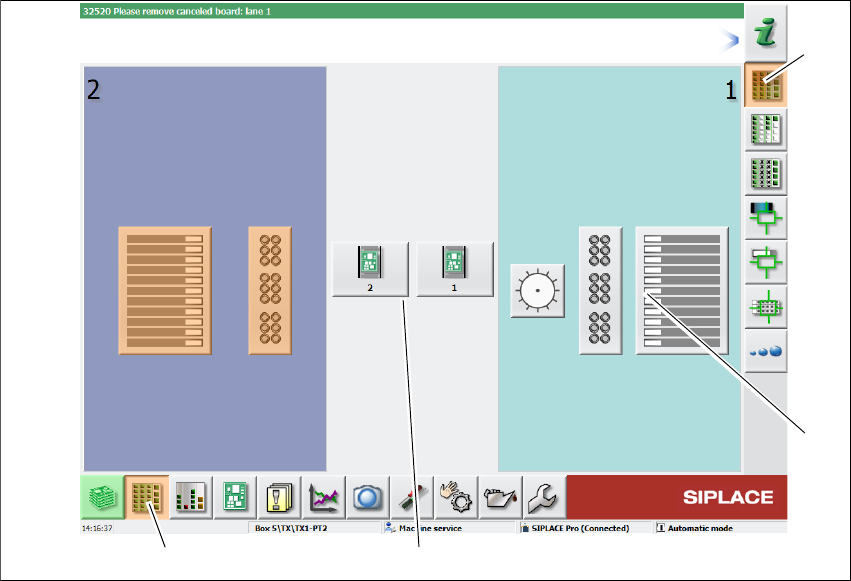
Example: View: "Feeder modules, components and nozzles"
Click on "Feeder modules, components and nozzles" in the toolbar .
The following view will open:
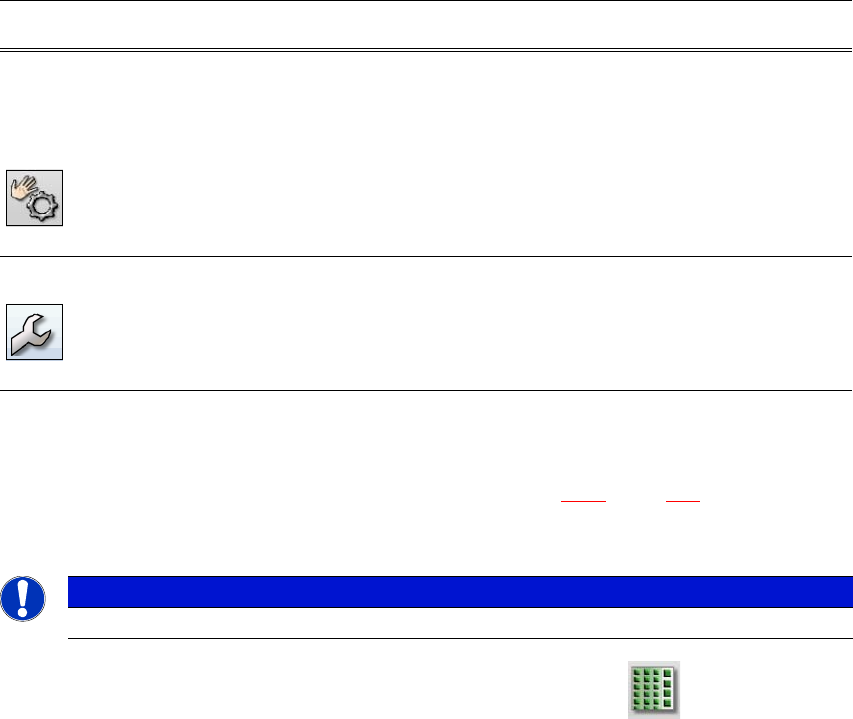
Check sensors
and functions
Contains information and functions for tests and diagnoses.
Allows you to set the function of the start button for the placement
machine.
Only available from operator level "Advanced Production" :
Allows you to test the complete reference run and C&P20 head
functions.
Single functions and continuous runs. Each gantry is addressed
individually.
Service Service tools.
Only available from operator level "Service (customer)".
Allows you to set up and calibrate the SIPLACE placement ma-
chines, download embedded software versions, calibrate and con-
figure the entire machine.
Icon View Description
PLEASE NOTE
For a detailed description of the individual functions refer to the Online Help.
5 Tasks at the placement machine Instruction manual SIPLACE X-Series S
5.5 The user interface From software version 713.0 Edition 11/2019
246
5
Fig. 5.5 - 3 User interface in the "Feeder modules, components and nozzles" view (example of SIPLACE SX2
shown)
Legend
(1) Toolbar ("Feeder modules, components and nozzles" button)
(2) Vertical toolbar in "Feeder modules, components and nozzles" view
(3) Processing area with 2 gantries
(4) Button for nozzle change at gantry 2
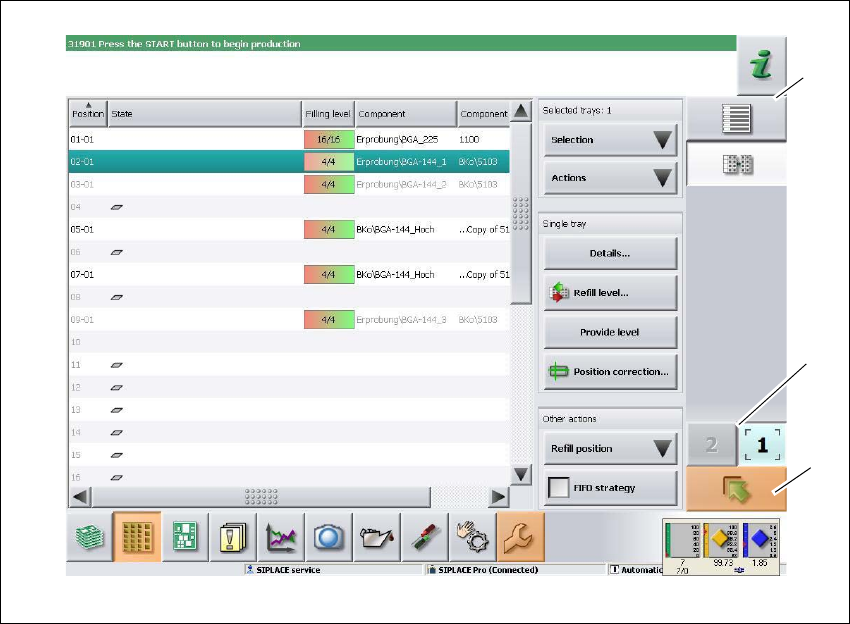
Click, for example, on the WPC for gantry 1 (button 4), to check the configuration.
The following view will open:
(1)
(2)
(3)
(4)
Instruction manual SIPLACE X-Series S 5 Tasks at the placement machine
From software version 713.0 Edition 11/2019 5.5 The user interface
247
5
Fig. 5.5 - 4 User interface in the "WPC" view (example of SIPLACE SX shown)
Legend
(1) Vertical toolbar "WPC"
(2) "Up one level" button, to return to previous view (here: "Feeder modules, components and
nozzles" view, see previous diagram)
(3) Buttons for changing directly to a different gantry
(1)
(2)
(3)