00198711-01_UM_X-Serie-S_EN.pdf - 第75页
Instruction manual SIPLACE X-Series S 2 Operational safety From software version 713.0 Edition 11/2019 2.6 Safety features 75 2.6 Safety features 2.6.1 Protective covers The travel range of the gantrie s is covered with …

2 Operational safety Instruction manual SIPLACE X-Series S
2.5 Safety instructions for operation From software version 713.0 Edition 11/2019
74
2
2.5.11 Safety instructions for emptying the waste tape container
The waste tape container must be pulled out of the component trolley for emptying. There is a risk
of catching your thumbs as you do so. To prevent this, observe the safety instructions in section
5.8.2
, page 259.
CAUTION
Risk of injury due to uncontrolled movement of component trolley!
Make sure that the component trolley does not roll away on inclined surfaces or ramps.
Secure the component trolley so that it does not start rolling away.
Instruction manual SIPLACE X-Series S 2 Operational safety
From software version 713.0 Edition 11/2019 2.6 Safety features
75
2.6 Safety features
2.6.1 Protective covers
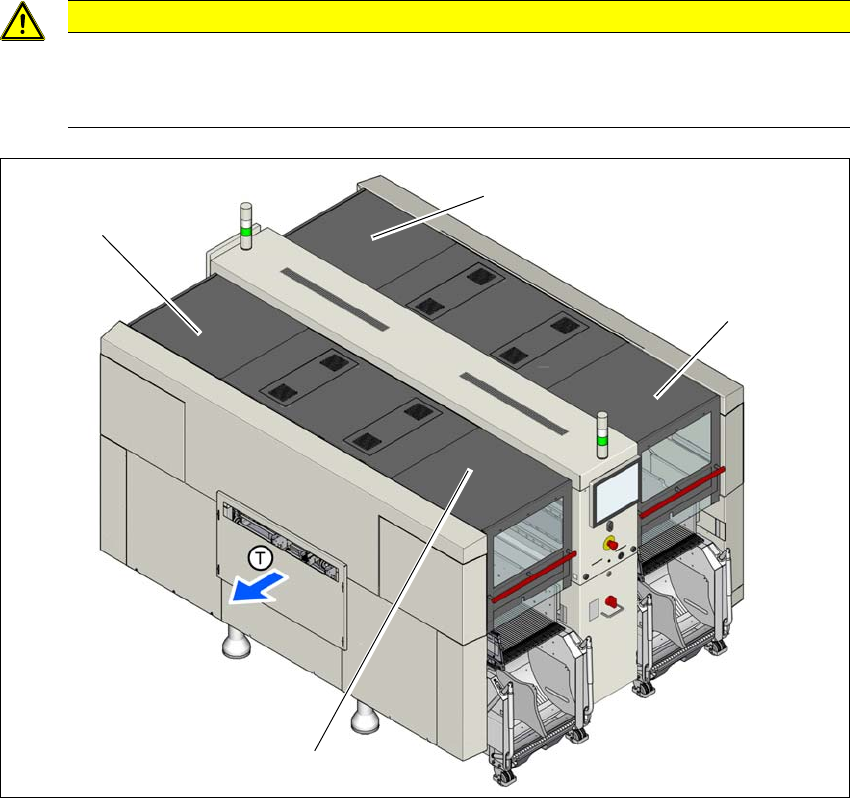
The travel range of the gantries is covered with four movable protective covers. The protective
hoods and covers serve as protective devices which prevent unauthorized access to the inside of
the placement machine.
2
2
Fig. 2.6 - 1 Protective covers (example of SIPLACE X2 S / X3 S / X4 S shown)
(1) Protective cover location 1
(2) Protective cover location 2
(3) Protective cover location 3
(4) Protective cover location 4
CAUTION
Risk of damage!
The protective covers and other covers could be damaged if too much force is exerted.
Do not stand on or climb up the protective covers and other covers.
(4)
(1)
(3)
(2)
2 Operational safety Instruction manual SIPLACE X-Series S
2.6 Safety features From software version 713.0 Edition 11/2019
76
Function 2
If one of the protective covers is opened upwards, the power supply to the gantry axes will be im-
mediately interrupted. The gantry axes stop moving. The message "Close cover" is displayed on
the screen.
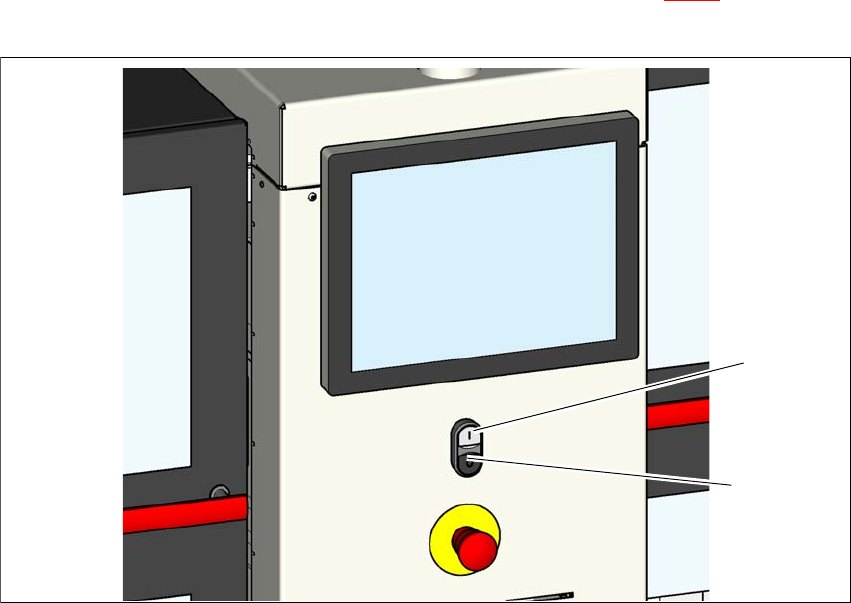
Close the protective covers and press the START button (item 1 in fig. 2.6 - 2), to continue
placement.
2
Fig. 2.6 - 2 Position of the start button (white) on the placement machine (example of SIPLACE X4 S shown)
(1) Start button (white) on the placement machine
(2) Stop button (black) on the placement machine
(2)
(1)