00191369-01.pdf - 第178页
5 Single Functions User’s Manual SIPLACE HS-50 5.3 Single functions, T ransport Software Version SR.501.xx Edition 01/99 176 3&%FRQY H\RUZ LG WKVFUHHQ Å In the "T ransport func tions" screen , …
User’s Manual SIPLACE HS-50 5 Single Functions
Software Version SR.501.xx Edition 01/99 5.3 Single functions, Transport
175
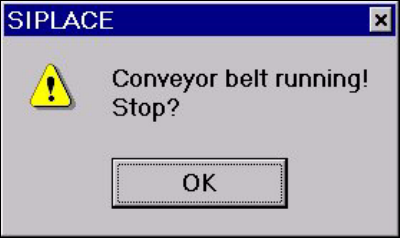
The conveyors are traveling at the set speed.
All functions are locked.
Å Click the 2. button in this dialog box if the operation is to be stopped.
The conveyors will be stopped and the dialog box closed.
All functions are then released.
5 Single Functions User’s Manual SIPLACE HS-50
5.3 Single functions, Transport Software Version SR.501.xx Edition 01/99
176
3&%FRQYH\RUZLGWKVFUHHQ
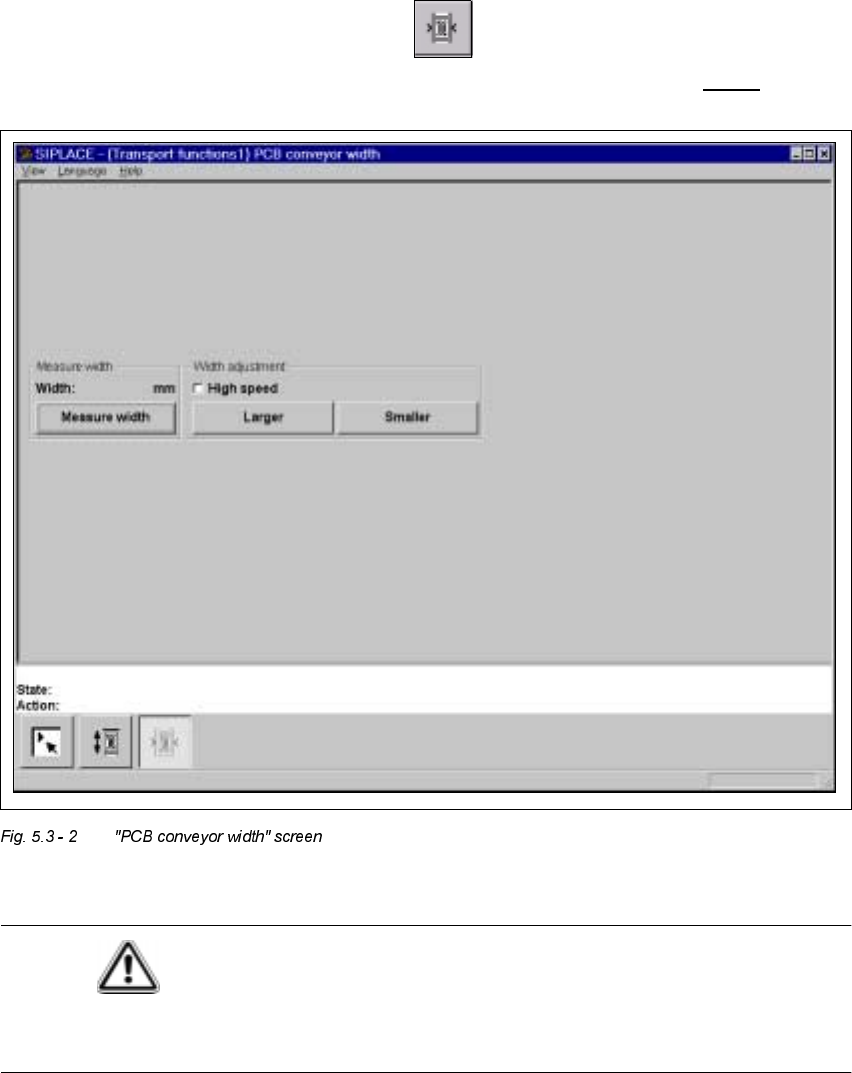
Å In the "Transport functions" screen, click the symbol.
The user interface is switched to the "PCB conveyor width" screen (see Fig. 5.3 - 2
).
CAUTION
Before adjusting the conveyor width, make sure there are no boards or other objects on the
machine’s conveyors. Failure to do so may result in damage to both machine and boards!

User’s Manual SIPLACE HS-50 5 Single Functions
Software Version SR.501.xx Edition 01/99 5.3 Single functions, Transport
177
*HQHUDOFRPPHQWV
The "PCB conveyor width" screen makes available all functions necessary to adjust the width
of the conveyor.
It may be necessary to change the width of the conveyor, for example, for maintenance work
or when introducing a board with new dimensions.
The conveyor can be adjusted to suit the width of the board.
Incremental width adjustments are made by clicking the buttons "Larger" or "Smaller" (see sec-
tion 5.3.2.2
).
Width adjustments can be made in large increments (increment size = 1 mm) or in smaller steps
(increment size = 0,1 mm). This can be controlled by activating or deactivating the "High speed"
check box in the "Width adjustment" area (see section 5.3.2.2
).
)XQFWLRQV
0HDVXUHZLGWK
This function can be used to measure the current width of the conveyor. The result is shown
and saved.
Å Click the 0HDVXUHZLGWKbutton.
The measured width is displayed above the button.
,QFUHPHQWDODGMXVWPHQW
Å Activate the "High speed" check box to adjust the conveyor width in large increments.
Deactivate the check box if you want to adjust the conveyor width in smaller steps.
&RQYH\RUZLGWKDGMXVWPHQW
/DUJHU
Å Click the /DUJHUbutton to increase the width of the conveyor.
Each time you click the button the width is increased by the increment size set using the
"High speed" check box.
6PDOOHU
Å Click the 6P DOOHUbutton to reduce the width of the conveyor.
Each time you click the button the width is reduced by the increment size set using the
"High speed" check box.
r