00191369-01.pdf - 第406页
12 Station Extensions - Software User’s Manual S IPLACE HS-50 12.2 GEM Interface Software Version SR.501.xx Edition 01/99 404 The figure below pre sents the "O ptions" menu whic h is pr esent in the men u bar o…
User’s Manual SIPLACE HS-50 12 Station Extensions - Software
Software Version SR.501.xx Edition 01/99 12.2 GEM Interface
403
*(0 ,QWHUIDFH
*HQHUDO
([SODQDWLRQ RI7HUPV
GEM => *eneric(quipment0odel
SECS-II => 6emiconductor (quipment &ommunication 6tandard, 3art 2
Host computer => Communications computer
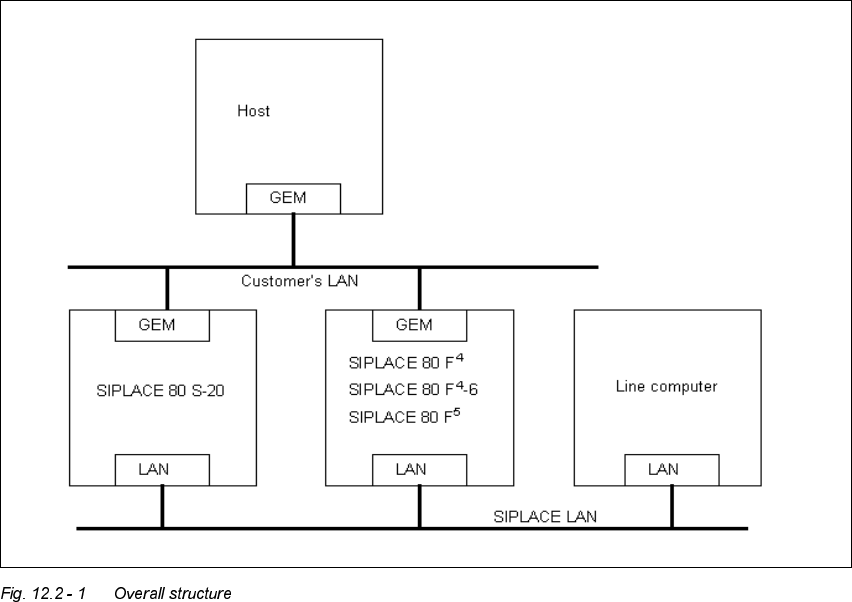
WIth the GEM/SECS-II interface, it is possible to control a SIPLACE station using any host
computer which is compatible with GEM. However, the station computer at the SIPLACE sta-
tion must be left connected to the line computer to allow the machine, set-up and cluster data
to be programmed and loaded into the station computer. The station computer packs this data
in a placement program and makes this available to the host computer for uploading. During
operation, and depending on the control mode, the host or line computer provides the SI-
PLACE station with the necessary machine, set-up and cluster data or with the placement pro-
gram.
12 Station Extensions - Software User’s Manual SIPLACE HS-50
12.2 GEM Interface Software Version SR.501.xx Edition 01/99
404
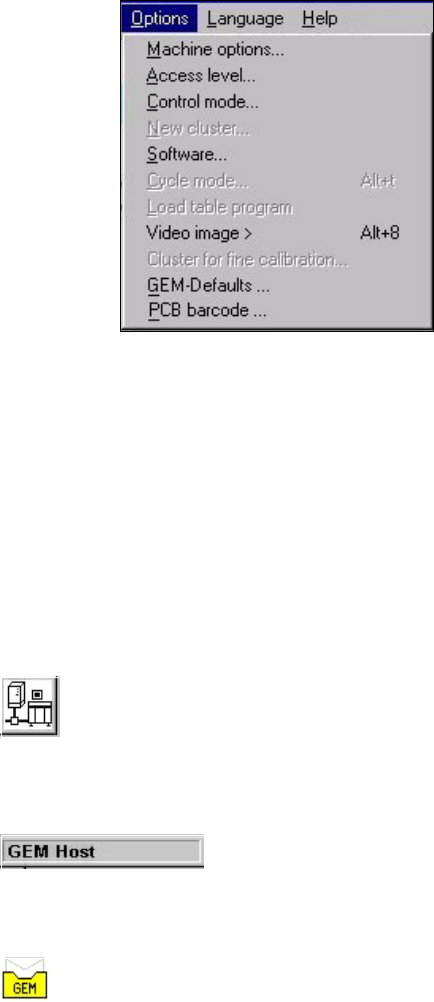
The figure below presents the "Options" menu which is present in the menu bar of the user
interface. This menu contains the options for the GEM interface settings.
0HQX2SWLRQVIRUWKH*(0,QWHUIDFH
– &RQWUROPRGH
This opens a dialog box which is used to set the control mode at the GEM computer.
– *(0'HIDXOWV
This opens the window used to specify the default settings for the GEM interface.
&RQWUROVDQG,QGLFDWRUVLQWKH*(0,QWHUIDFH
This button switches the user interface to "State view" mode. (Load placement program, send/
receive message)
The current control mode is displayed in a separate area in the user interface’s information
bar.
The icon displayed in the user interface’s status area (on the right-hand side) indicates the cur-
rent status of the connection to the GEM computer.
User’s Manual SIPLACE HS-50 12 Station Extensions - Software
Software Version SR.501.xx Edition 01/99 12.2 GEM Interface
405
2SHUDWLRQ
6HWWLQJWKH&RQWURO0 RGH
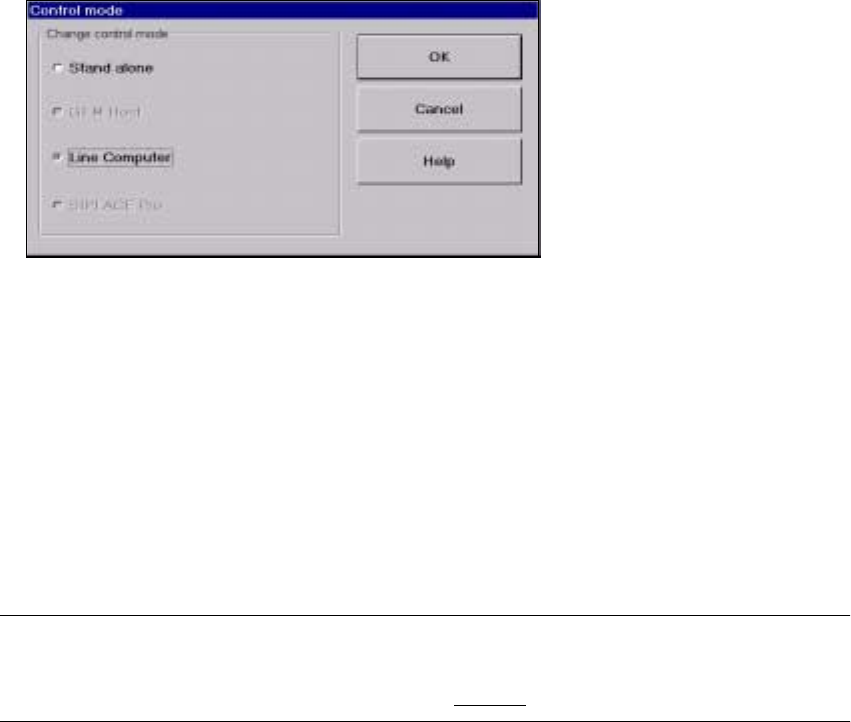
The control mode specifies how the station is supplied with the necessary placement data.
Å In the main view, select the 2SWLRQVmenu and then choose the &RQWUROPRGHoption.
Å The following selection box appears.
3RVVLEOH6HWWLQJV
6WDQGDORQH
(This control mode is used for test purposes only)
If a cluster is specified at the station, all necessary data will be loaded from the hard disk of
the station computer.
The data must be located on the station computer’s hard disk.
*(0+RVW
In this control mode only the host computer can specify the placement programs.
The data must be located on the host computer’s hard disk.
NOTE
This setting must be activated if you wish to download placement programs from the GEM
computer to the station computer. See also section 12.2.2.6.
/LQH&RPSXWHU
If a cluster is specified at the station, all necessary data will be loaded from the line computer.
The data must be located on the line computer’s hard disk.
6,3/$&(3UR
This control mode cannot be set in the current software version.
Å Select the button for the required control mode.
Å Click 2. to confirm and activate this setting.