00191369-01.pdf - 第249页
User Manual HS-50 6 Vision functions Software-Version 5.01Edition 01/99 6.6 Test Component 247 &DPHUD7 \SH2SWLRQ NOTE The buttons for sel ecting the different cam era type s can on ly be used with the 80F…
6 Vision functions User Manual HS-50
6.6 Test Component Software-Version 5.01 Edition 01/99
246
launch the associated function by clicking on the button with the mouse.
The /RDG*)GDWDbuttonwill, for example, only be active if you have previously clicked on a pack-
age form in the lists field.
The 6DYH*)GDWDbutton will only be active if you have changed the package form parameters.
You can switch from the ’Test component ’ menu to the Main menu at any time in order to start
actions such as "Fill track" etc. The settings in the ’Teach fiducial’ menu will be retained, which
means that the same conditions will be set up when you return to the ’Test component’ menu.
However, if you have changed the fiducial data or taught a new fiducial, and then switch from the
Main menu to the ’Test component’, ’Single functions’, ’SITEST’ or ’Continue placement’ menu,
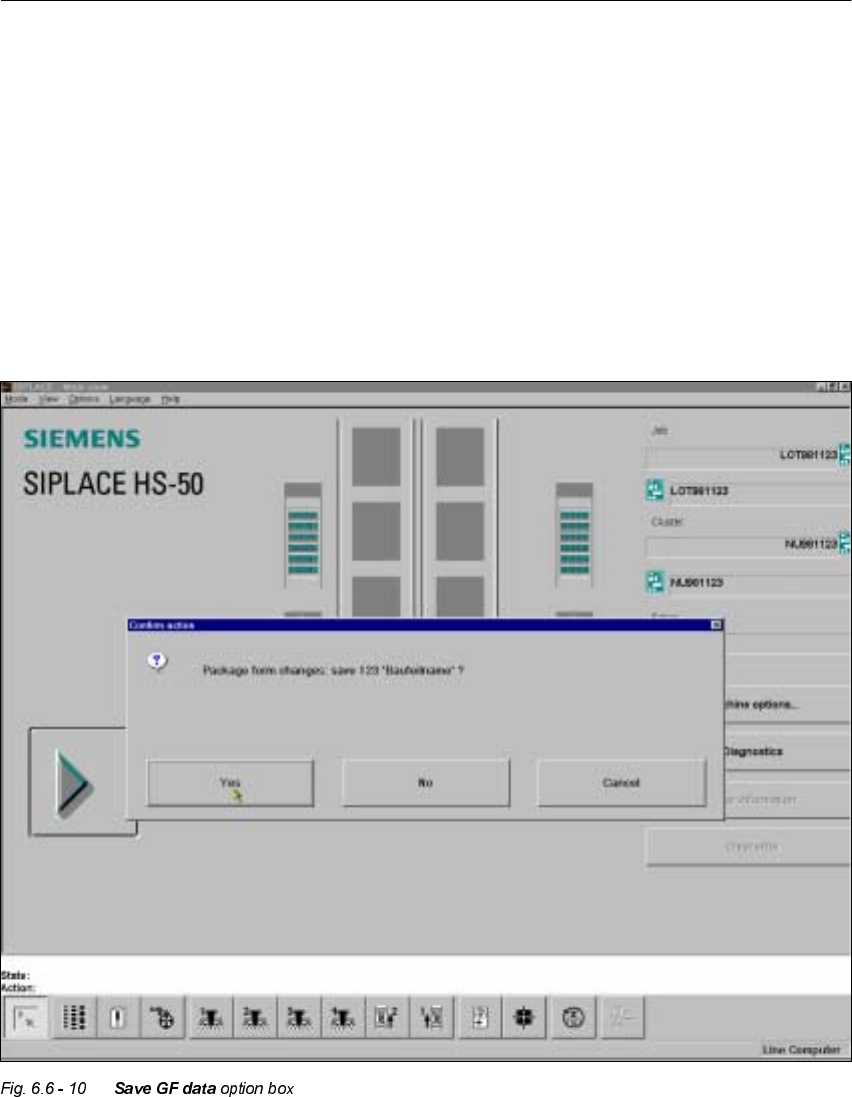
the ’Save fiducial data’ selection box will appear when you leave the ’Teach fiducial’ option. You
can then either save the modified or new data or delete it.
By selecting the 6DYH*)GDW Doption you cause the station computer to send the package form
data to the line computer, where it is saved. The modified package form data is updated in the
remaining stations as well. The transformation tables are held locally in the station computer.
User Manual HS-50 6 Vision functions
Software-Version 5.01Edition 01/99 6.6 Test Component
247
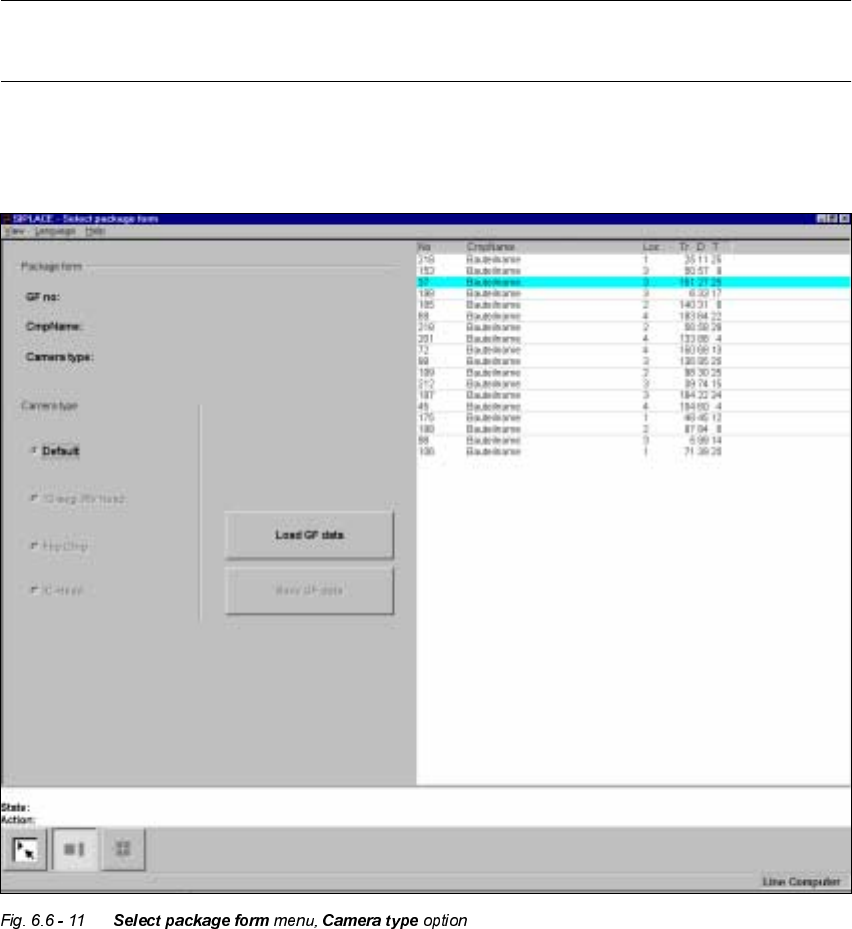
&DPHUD7\SH2SWLRQ
NOTE
The buttons for selecting the different camera types can only be used with the 80F
machines.
With the HS-50 machine each gantry only has a single camera type used for optically centering
the components. For this reason the allocation of the 'HIDXOWbutton cannot be changed.
6 Vision functions User Manual HS-50
6.6 Test Component Software-Version 5.01 Edition 01/99
248
/RDG*)GDWD2SWLRQ
NOTE
When you call the /RDG*)GDWD option, first of all the 6DYH *) GDWD box will drop down, provided
that you have already processed a package form (see Fig. 6.6 - 10).
If you wish to save your data, the package form file will be transmitted to the line computer. Fol-
lowing this inquiry the component which has just been processed will be rejected and the package
form number list updated.
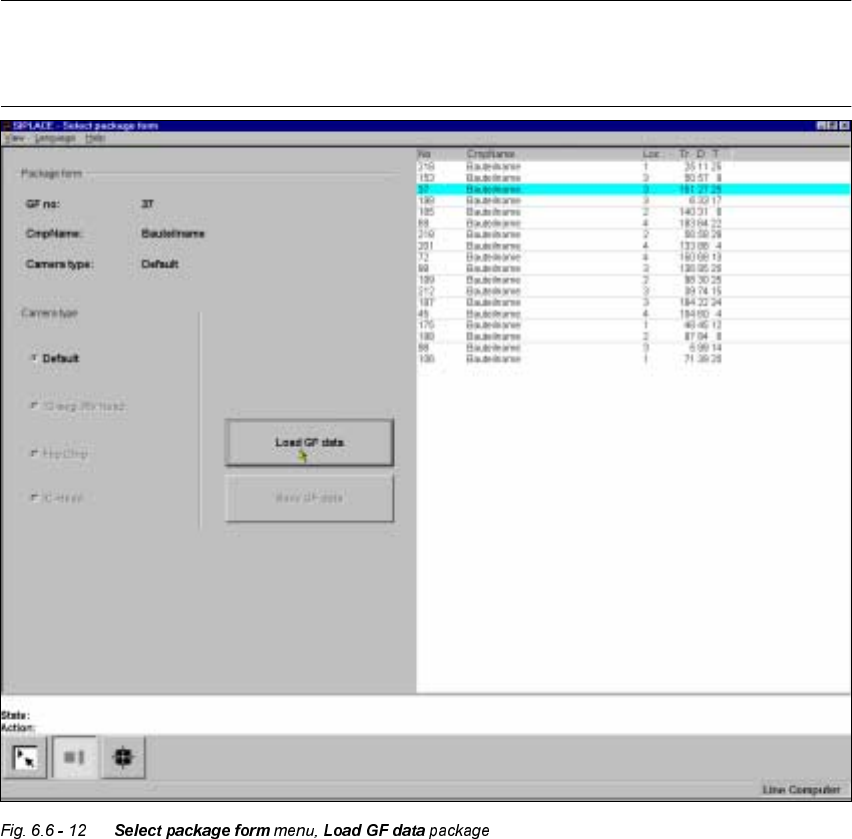
Å From the list field use the mouse pointer to select a particular package form. The selected
package form will appear against a cyan-colored bar.
Å Click on the /RDG *) GDWD button. In the 3DFNDJH IRUP display field the package form and the
package form will be displayed.
The station computer will request the package form data of the selected package form from the
line computer. The interpreter edits the data and generates the teaching command. With this com-
mand the edited package form data is loaded into the MVS system (vision analysis unit).