00191369-01.pdf - 第358页
9 Online Help System User’s Manual S IPLACE HS-50 9.1 General Software Version SR.501.xx Edition 01/99 356 )XQFWLRQVLQWKHPDLQKHOSV\VWHPZ LQGRZ &RS\LQJ DKHOSIL OH T o make i t possible to ca ll…
User’s Manual SIPLACE HS-50 9 Online Help System
Software Version SR.501.xx Edition 01/99 9.1 General
355
&DOOLQJKHOSRQDQREMHFW
Å Press the key combination 6KLIW+ ) in the currently active view of the SC user interface.
A question mark is displayed next to the mouse pointer
Å Move the mouse pointer and question mark to the required object (e.g. to the "Display
errors" icon) and then click.
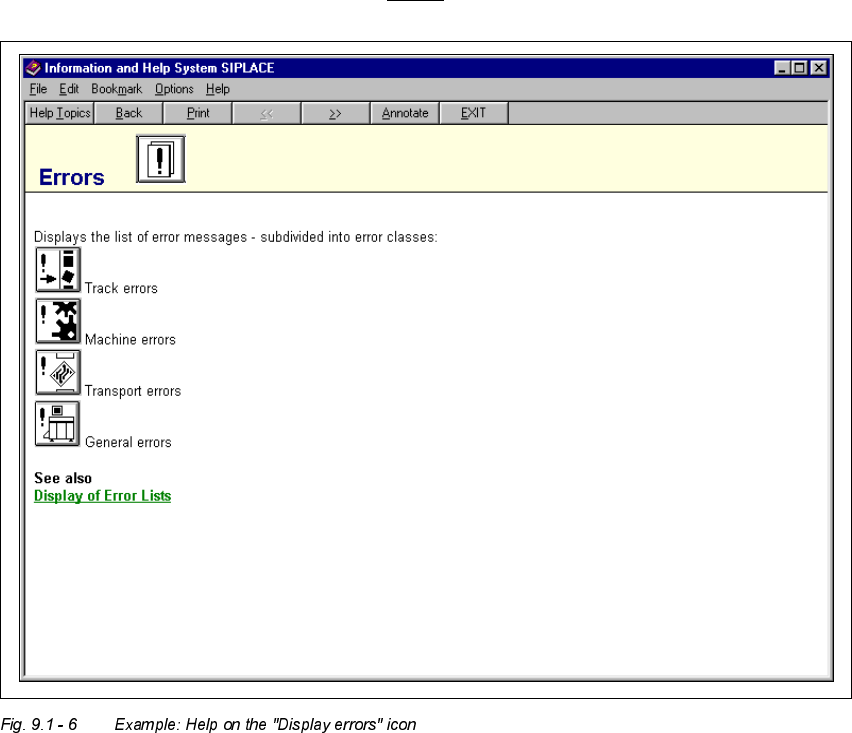
The main help system window is opened. The display area contains help information on
the selected object (see example in Fig. 9.1 - 6
).

9 Online Help System User’s Manual SIPLACE HS-50
9.1 General Software Version SR.501.xx Edition 01/99
356
)XQFWLRQVLQWKHPDLQKHOSV\VWHPZLQGRZ
&RS\LQJDKHOSILOH
To make it possible to call up the topics present in the help system independently of the
station computer, it is possible to copy the associated help file to floppy disk so that it can be
installed on an external computer if required.
Å Open the main help system window (e.g. as described in section 9.1.1.3).
Å Insert a floppy disk in the station computer’s 3
1
/
2
" floppy disk drive ("A:").
Å In the)LOH menu, select the &RS\ function.
An MS-DOS window is opened. This displays the help file copy process.
NOTE
The help file that is copied is always the one relating to the currently configured language
version of the SC user interface (e.g. "Bo_eng.hlp" for "German").
When the copy operation has been completed, the MS-DOS window is closed automati-
cally.
Å Remove the floppy disk from the drive.
Å If necessary, copy the help file from the floppy disk to the required computer.
3ULQWLQJDKHOSWRSLF
The topic currently displayed in the main help system window can be output on the installed
printer
Å To do this, enter the )LOH menu and select the function 3ULQW7RSLFor click the 3ULQW
button (below the menu bar).
The currently selected help topic is printed.
User’s Manual SIPLACE HS-50 9 Online Help System
Software Version SR.501.xx Edition 01/99 9.1 General
357
6HDUFKLQJIRUDKHOSWRSL F
The station computer’s help system allows you to search for specific help topics.
Å To do this, open the main help system window (e.g. as described in section 9.1.1.3).
Å In this window, click the +HOS7RSLFVbutton (below the menu bar).
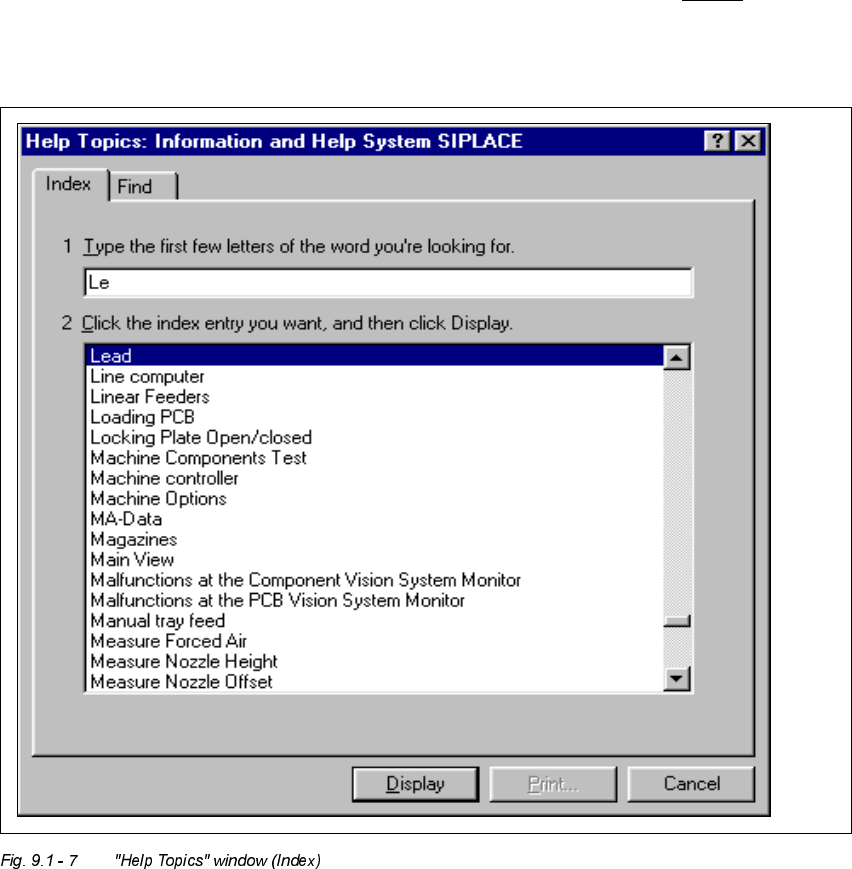
The "Help Topics" window is opened with the tabs "Index" and "Find".
Å Enter the first few letters of the required term in the edit field.
The first index entry that starts with the entered letters is selected in the list.