00191369-01.pdf - 第57页
User Manual HS-50 2 Operational Safety Software-Version 5.01Edition 01/99 2.1 Safety instructions 55 1. P rotecti ve covers 2. Recessed g rips Å When opening or closi ng the prot ective covers, alway s hold the co ve…
2 Operational Safety User Manual HS-50
2.1 Safety instructions Software-Version 5.01 Edition 01/99
54
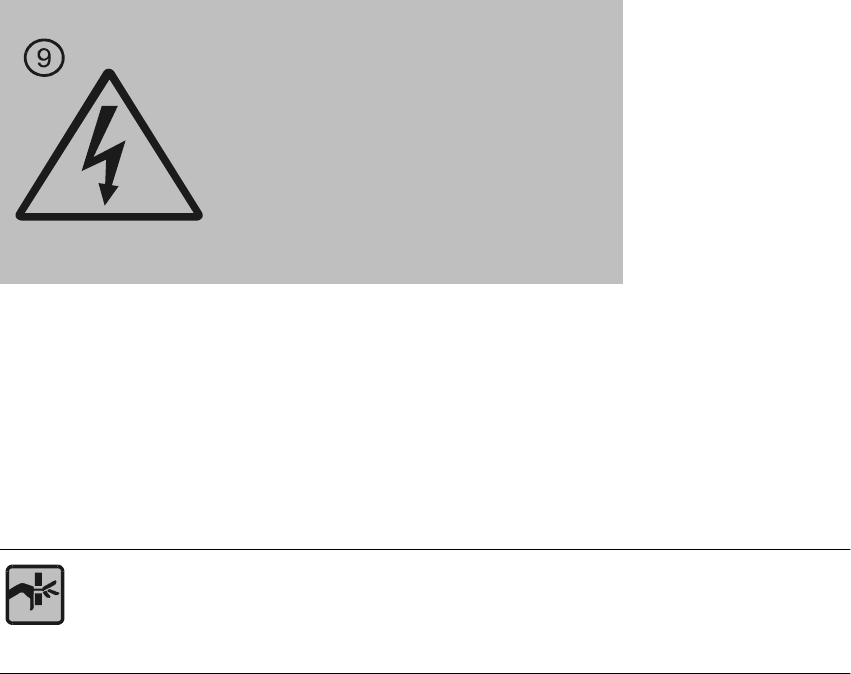
Item 9 from the diagram showing the warning signs on the placement system - on the UPS and
station computer (beneath the PCB conveyor)
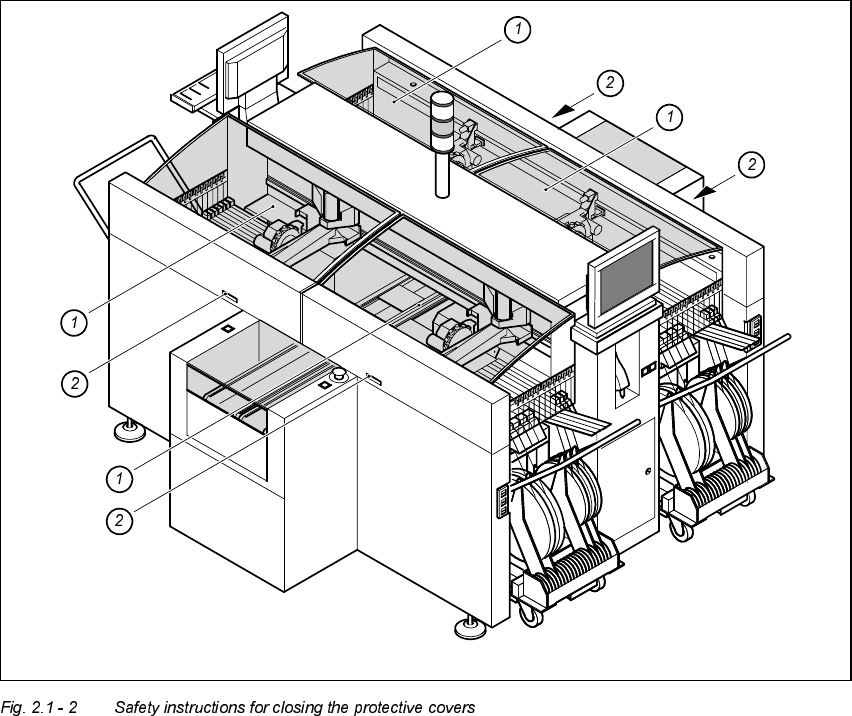
6DIHW\LQVWUXFWLRQVIRUFORVLQJWKHSURWHFWLYHFRYHUV
To prevent all risk of injury when closing the protective covers on the machine, all personnel must
be required to follow the instructions below when closing the covers.
RISK OF CRUSHING HANDS IF THE PROTECTIVE COVERS ARE NOT CLOSED
CORRECTLY
Warning!
When the main switch is switched off
under voltage
User Manual HS-50 2 Operational Safety
Software-Version 5.01Edition 01/99 2.1 Safety instructions
55
1. Protective covers
2. Recessed grips
Å When opening or closing the protective covers, always hold the covers by the recessed grips.
If the shock absorbing capacity of the protective covers reduces over time, for example, your
hands can easily be crushed if you do not close the covers using the recessed grips.
2 Operational Safety User Manual HS-50
2.1 Safety instructions Software-Version 5.01 Edition 01/99
56
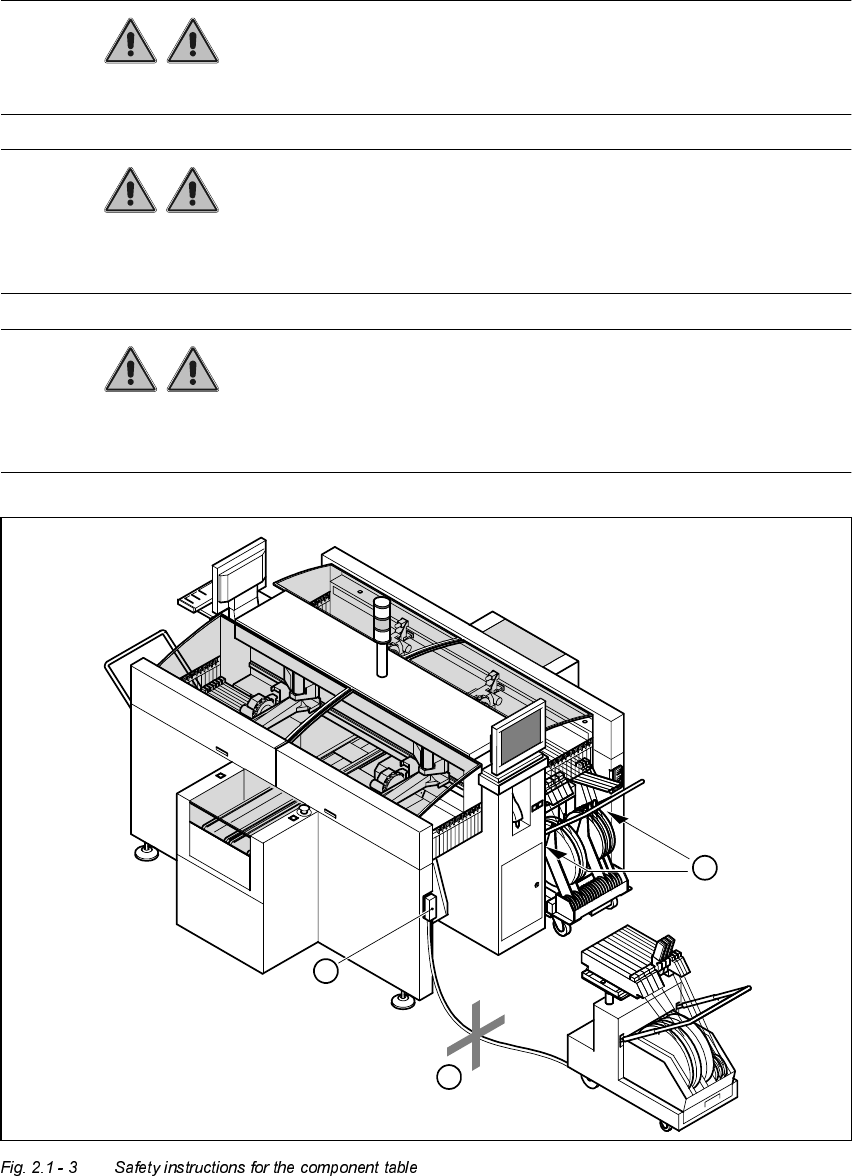
6DIHW\LQVWUXFWLRQVIRUFKDQJLQJWKHFRPSRQHQWWDEOH
WARNING Never reach into the gaps between the component changeover table
and the placement system frame while the machine is running (item 1 in Fig. 2.1 - 3).
WARNING Always check that the component table is docked on the placement sy-
stem before connecting or disconnecting the power cable for the component changeover table at
the socket on the placement system (item 2 in Fig. 2.1 - 3).
WARNING NEVER connect the connecting cable for the component table to the
socket on the placement system and then operate the component table outside the machine via
the compressed air control unit (item 3 in Fig. 2.1 - 3).
2
1
3