00197088-03_AI_Barcode_SICK620_SX12_X-S_TX_DE_EN.pdf - 第125页
5 Appendix 5.3 Excerpts from the Service Manual Assembly Instructions / Montageanleitung SIPLACE TX-Series, X-Series S, SX1/SX2 V2 Option PCB Barcode / LP-Barcode (Lector 620) 05/2019 125 5.3.2 Replacing the GigE Etherne…
5 Appendix
5.3 Excerpts from the Service Manual
124 Assembly Instructions / Montageanleitung SIPLACE TX-Series, X-Series S, SX1/SX2 V2
Option PCB Barcode / LP-Barcode (Lector 620) 05/2019
5.3.1 Replacing the LAN card
If a 3D Coplan or a barcode scanner is installed, the "LAN card PCI Gigabit SEMPRE
NC1000-1" [03112190-xx] is needed in addition.
This LAN card is used in the "BoxPC ABP402-A CPU1020E 2xPCI SSD (iBase)" [03120423-xx] in
machines from serial number Nxxxx onwards.
Parts, equipment and tools
●
LAN Card PCI Gigabit SEMPRE NC1000-1 [03112190-xx]
Overview
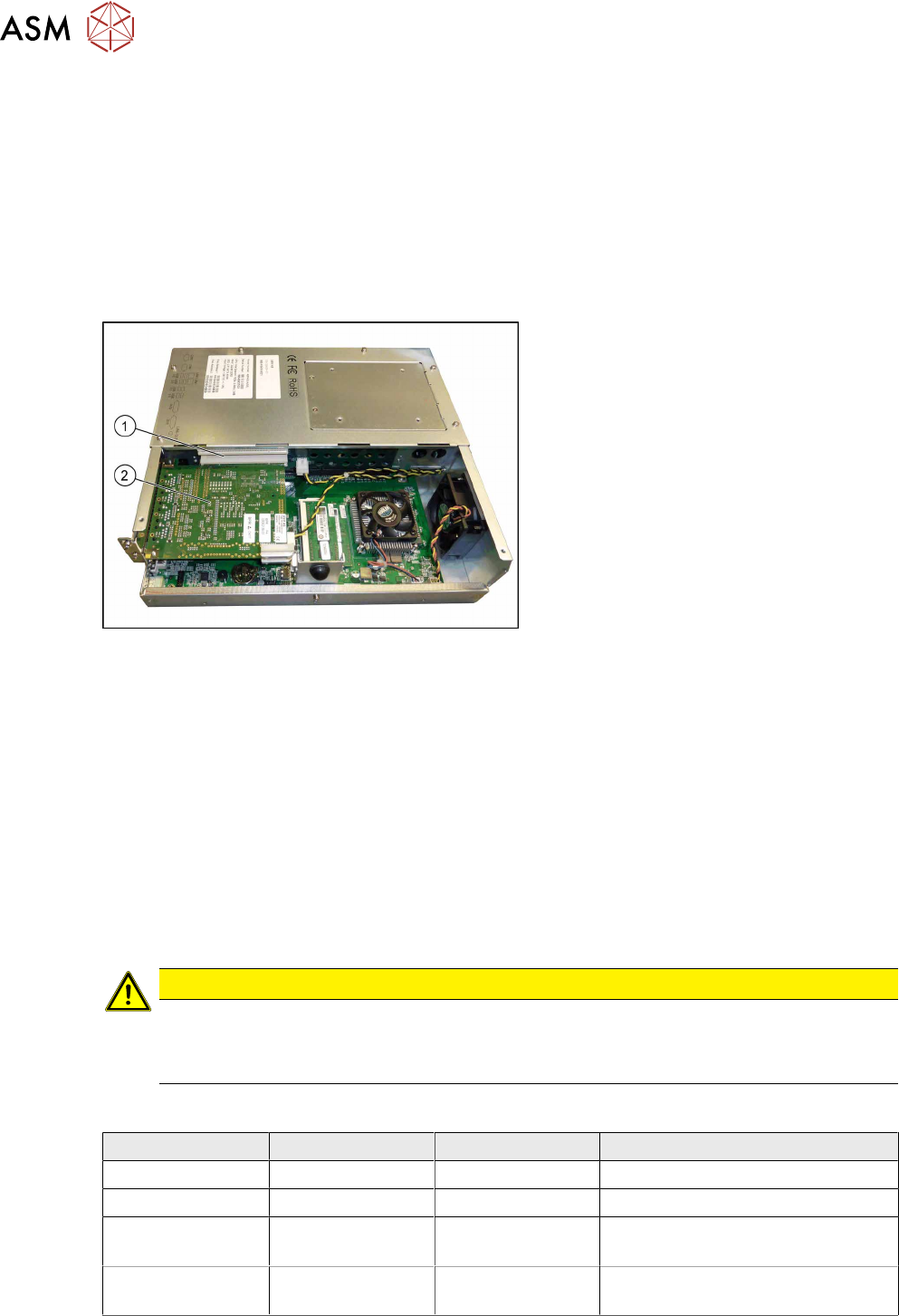
Fig.85: BoxPC ABP402-A CPU1020E 2xPCI SSD (iBase)
1. Free slot for the LAN card
2. Hotlink card
Removal
► Switch off the machine, disconnect it from the power supply and secure it to prevent
unauthorized reactivation.
1.2 "Preparatory work..." [}76]
► Dismantle and remove the BoxPC from the machine.
► Open the covers above the plug-in cards.
► Remove the screw fastening the LAN card and remove the LAN card.
Installation
► Follow the removal instructions in reverse order for installation. Also observe the following
instructions:
CAUTION
Installation instructions
► Make sure that the plug-in card is correctly fitted into its slot.
► Configure the IP settings for the LAN card (see below)
Overview of IP Addresses
IP address Subnet mask Comment
SIPLACE LAN 172.22.xxx.xxx 255.255.0.0 LAN connection on the computer
CIN box 192168255239 255255255224 LAN connection on the computer
Station computer 192168255249 255255255240 Additional LAN card for the
coplanarity computer
Coplanarity
computer
192168255253 255255255240
5 Appendix
5.3 Excerpts from the Service Manual
Assembly Instructions / Montageanleitung SIPLACE TX-Series, X-Series S, SX1/SX2 V2
Option PCB Barcode / LP-Barcode (Lector 620) 05/2019
125
5.3.2 Replacing the GigE Ethernet Adapter
Parts, equipment and tools
●
GigE ethernet adapter PCI-E I340-T4 [03105575‑xx]
●
GigE-Ethernet-Adapter PCI-E I350 T2 V2 BLK [03115569‑xx]
Overview
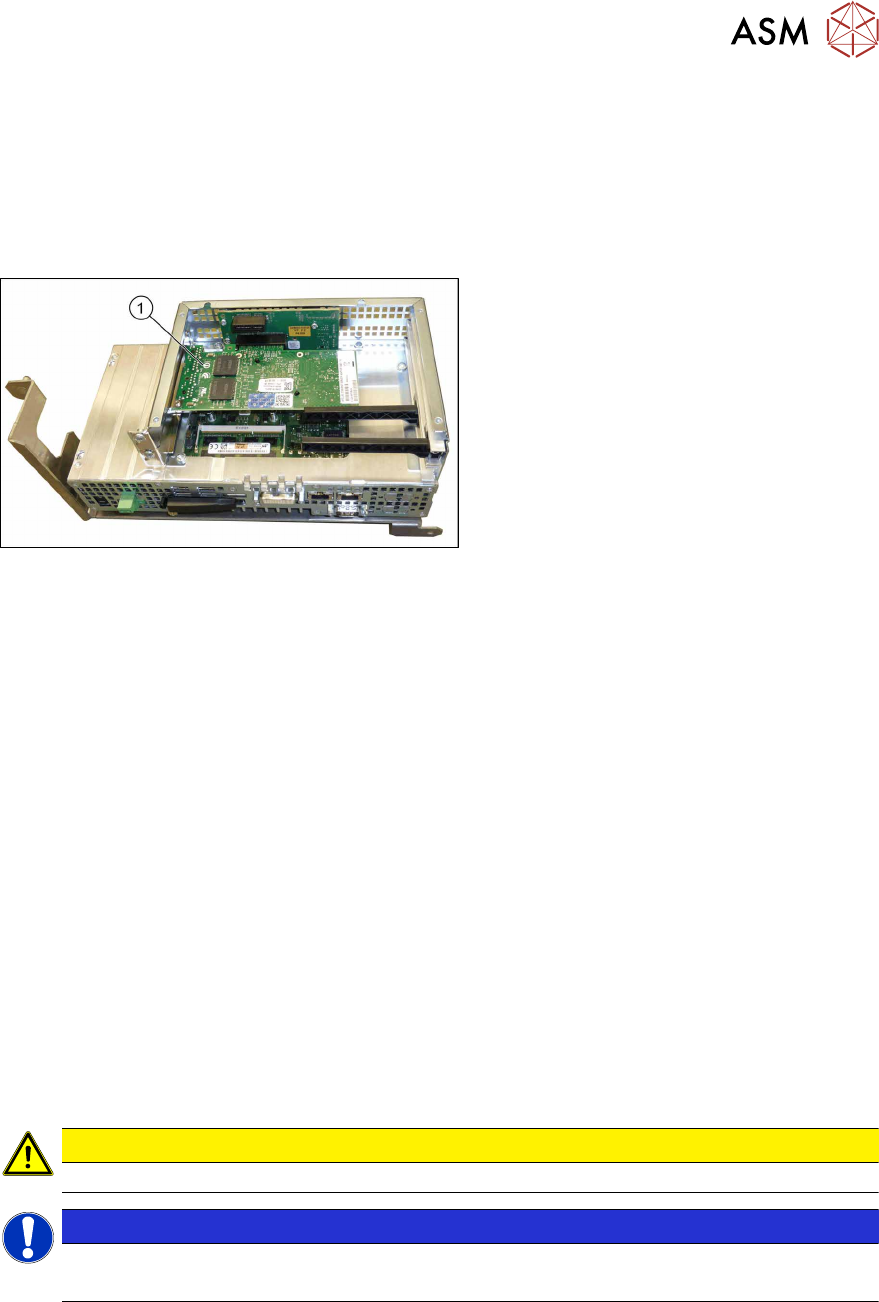
Fig.86: GigE Ethernet adapter in the BoxPC 427D
1. GigE ethernet adapter
Removal
► Switch off the machine, disconnect it from the power supply and secure it to prevent
unauthorized reactivation.
1.2 "Preparatory work..." [}76]
► Dismantle and remove the BoxPC from the machine.
► Remove the screws fastening the cover of the BoxPC and open the cover.
► Remove the screw fastening the Ethernet adapter and remove the Ethernet adapter.
Installation
► Follow the removal instructions in reverse order for installation. Also observe the following
instructions:
– Make sure that the plug-in card is correctly fitted into its slot.
5.3.3 Conveyor control TSP420 [03087642-xx]
Two TSP420 are fitted in SIPLACE TX-Series machines.
The conveyor control "TSP420 assembly" [03087642-xx] comprises the following components:
●
Main board: TSP420-M [ 03087640-xx ]
●
I/O board: TSP420-IO [ 03087641-xx ]
CAUTION
These two boards may not be separated!
NOTICE
Terminating resistor (cable set PCB dual conveyor [03110653‑xx])
The terminating resistor is set for the "Shuttle Option" by default.
5 Appendix
5.3 Excerpts from the Service Manual
126 Assembly Instructions / Montageanleitung SIPLACE TX-Series, X-Series S, SX1/SX2 V2
Option PCB Barcode / LP-Barcode (Lector 620) 05/2019
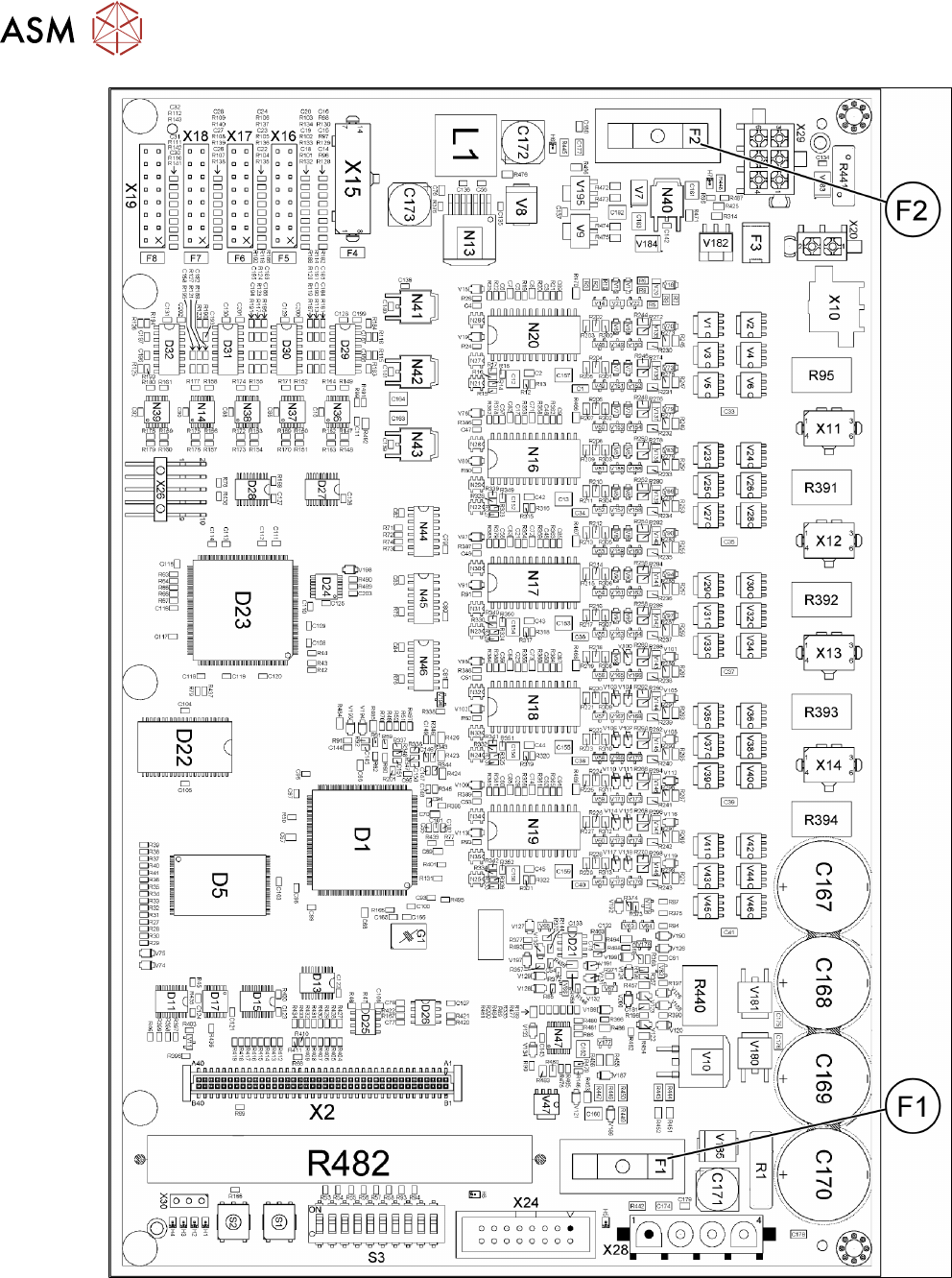
Fig.87: 03087640-02