00197088-03_AI_Barcode_SICK620_SX12_X-S_TX_DE_EN.pdf - 第93页
3 Installation 3.3 Mounting the 2D PCB Barcode Scanner at the Top Assembly Instructions / Montageanleitung SIPLACE TX-Series, X-Series S, SX1/SX2 V2 Option PCB Barcode / LP-Barcode (Lector 620) 05/2019 93 Fig.26: Openin…
3 Installation
3.3 Mounting the 2D PCB Barcode Scanner at the Top
92 Assembly Instructions / Montageanleitung SIPLACE TX-Series, X-Series S, SX1/SX2 V2
Option PCB Barcode / LP-Barcode (Lector 620) 05/2019
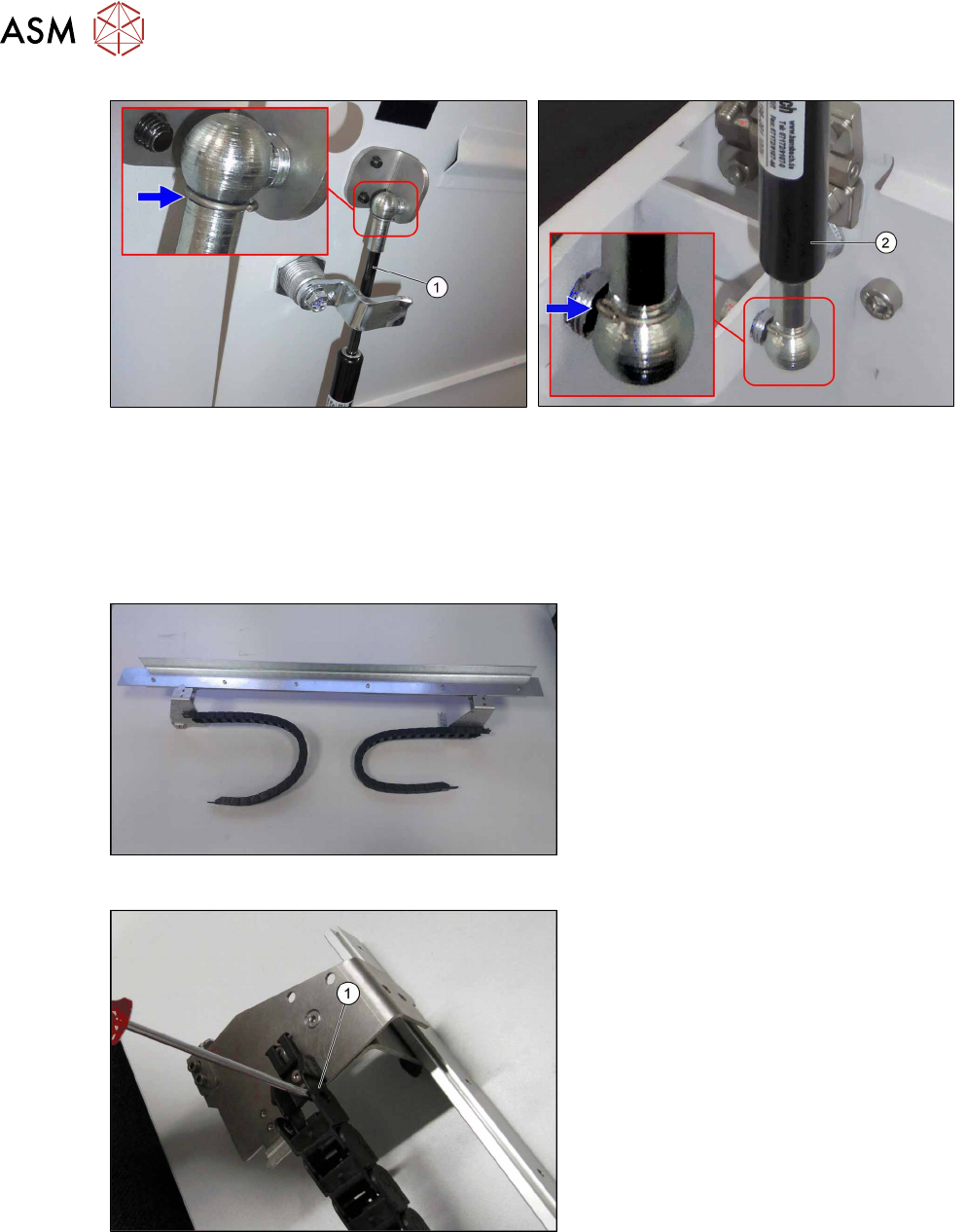
Fig.22: Top gas pressure shock absorber
Fig.23: Bottom gas pressure shock absorber
► Insert the top gas pressure shock absorber (1) at the top and secure it with a safety split pin.
► Insert the top gas pressure shock absorber (2) at the bottom and secure it with a safety split
pin.
3.3 Mounting the 2D PCB Barcode Scanner at the Top
Fig.24: Assembly kit
Assembly kit 2D PCB barcode top SIPLACE
X-Series S [00519996‑xx]
Fig.25: Disassembling the trailing chain
► Take the trailing chain(1) off the
holder.
► Remove the final link of the trailing
chain at both ends.
3 Installation
3.3 Mounting the 2D PCB Barcode Scanner at the Top
Assembly Instructions / Montageanleitung SIPLACE TX-Series, X-Series S, SX1/SX2 V2
Option PCB Barcode / LP-Barcode (Lector 620) 05/2019
93
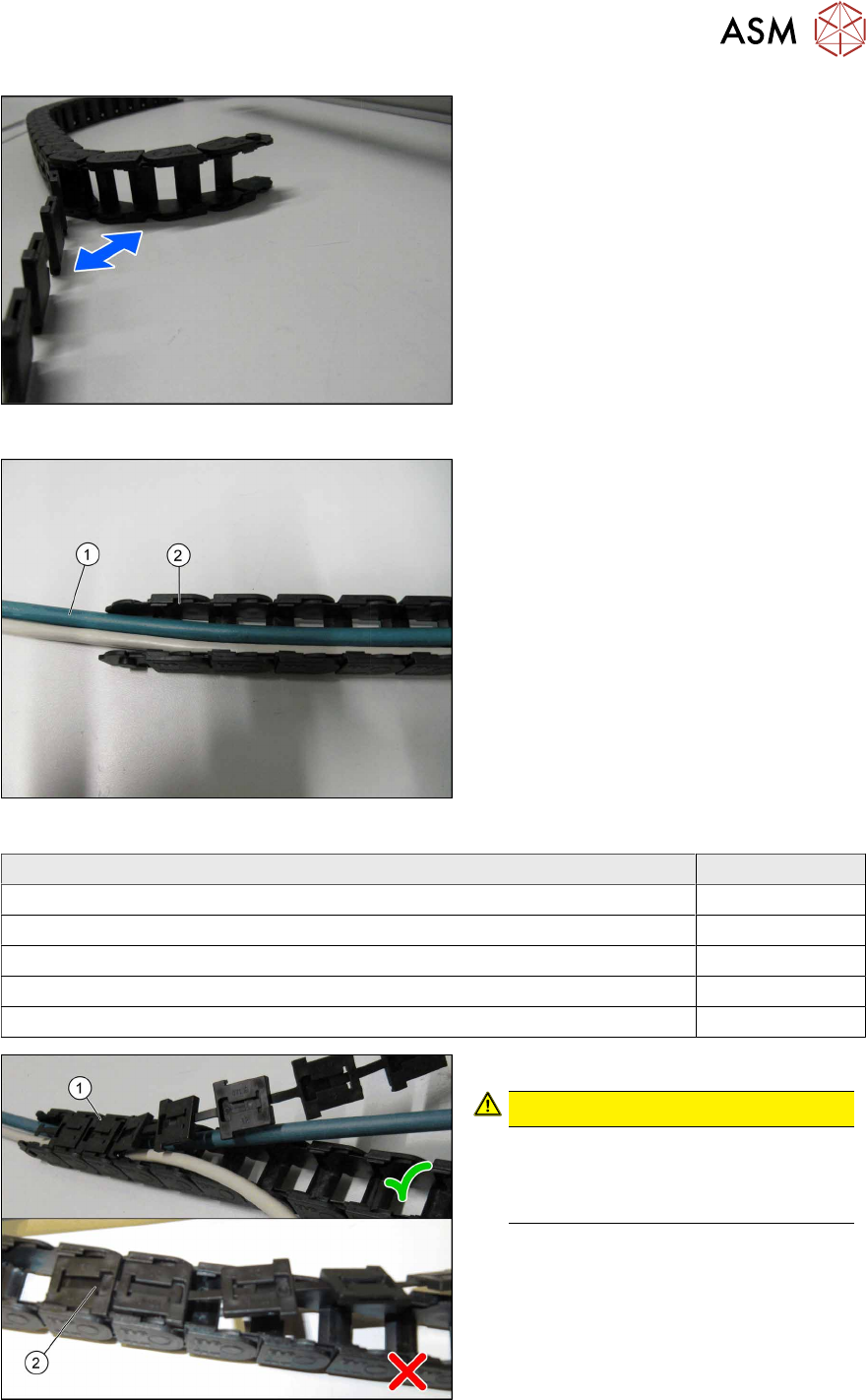
Fig.26: Opening the trailing chain
► Open the trailing chain.
Fig.27: Cable in the trailing chain
► Mark both ends of each cable for clear
assignment later on.
► Assign the cables to the respective
mounting location (also see the table
below).
► Place the cable (1) into the trailing
chain (2).
Cable Item no.
Cable PCB barcode reader Lector-620 lane 2 bottom 03104893-xx
Cable PCB barcode reader Lector-620 lane 2 top 03104894-xx
Cable with connector 2 m SSL-2J04-G02ME 03104896-xx
Cable: Extension PCB barcode reader lane 2 bottom 03112228-xx
Cable: Extension PCB barcode reader lane 2 top 03112229-xx
Fig.28: Closing the trailing chain
► Close the trailing chain (1).
CAUTION!
Check for the correct orientation(1)
when engaging the connections. Do
not unintentionally turn the connec-
tions(2).
.
3 Installation
3.3 Mounting the 2D PCB Barcode Scanner at the Top
94 Assembly Instructions / Montageanleitung SIPLACE TX-Series, X-Series S, SX1/SX2 V2
Option PCB Barcode / LP-Barcode (Lector 620) 05/2019
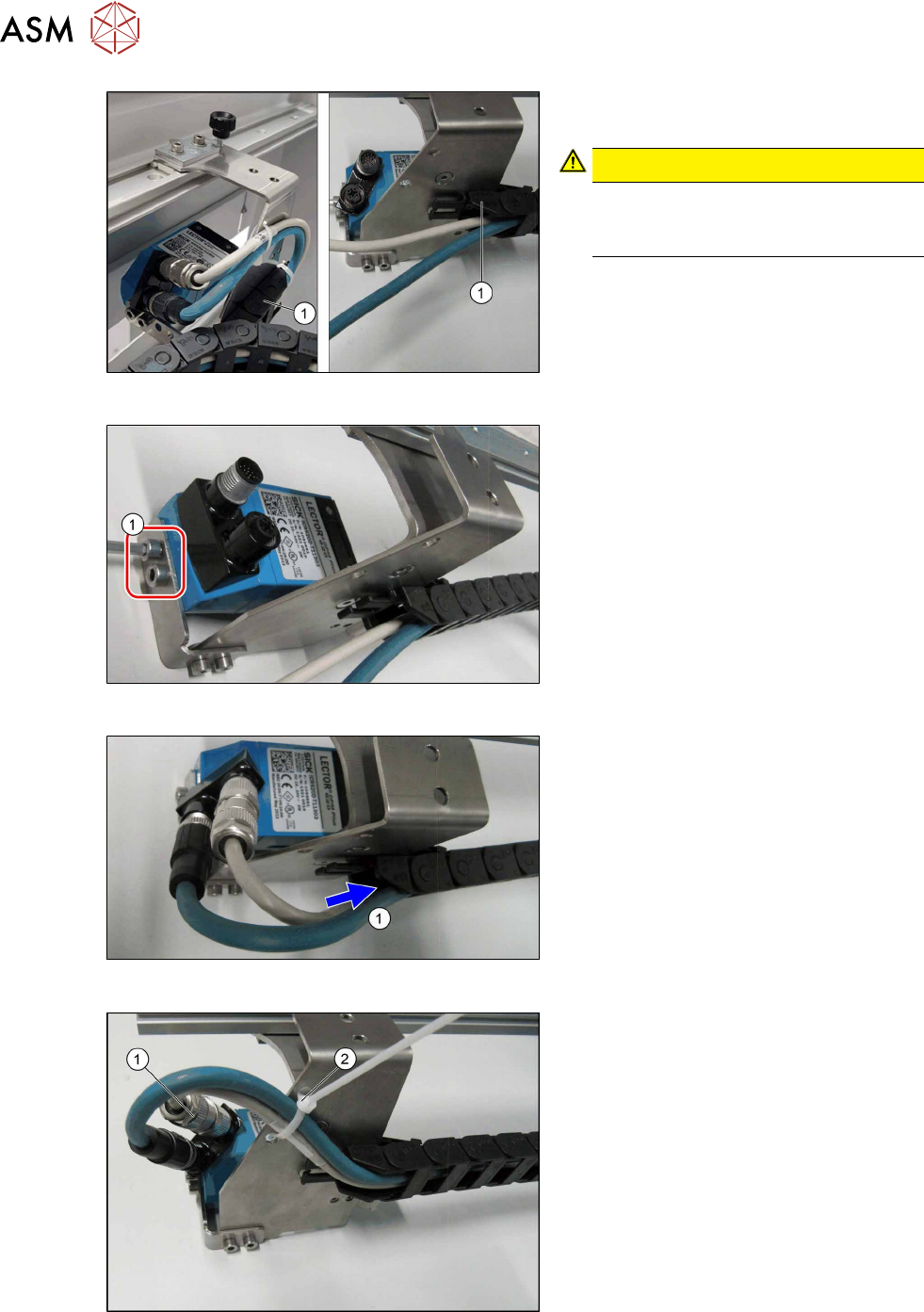
Fig.29: Assembling the trailing chain
► Fit the trailing chain (1) back onto the
retaining bracket.
CAUTION!
Incorrect assembly
During assembly, make sure that the
trailing chain is rolled out inwards.
.
Fig.30: Mounting the PCB barcode reader
► Fasten the PCB barcode reader with
the two screws(1). Make sure that the
window faces downwards.
Fig.31: Cables
► Push the cables into the trailing
chain(1), making sure that they do not
bend.
Fig.32: Connecting the cables
► Connect the cables to the flexible con-
nectors on the PCB barcode reader(1).
► Secure the cables with a cable tie(2).