00197088-03_AI_Barcode_SICK620_SX12_X-S_TX_DE_EN.pdf - 第70页
70 Assembly Instructions / Montageanleitung SIPLACE TX-Series, X-Series S, SX1/SX2 V2 Option PCB Barcode / LP-Barcode (Lector 620) 05/2019 Contents: 4 Software Installation and Configuration .. 111 5 Appendix .. 113 …

69Assembly Instructions / Montageanleitung SIPLACE TX-Series, X-Series S, SX1/SX2 V2
Option PCB Barcode / LP-Barcode (Lector 620) 05/2019
Contents:
Contents:
1 Introduction.. 71
1.1 Safety instructions.. 71
1.1.1 Conventions for the use of safety instructions and symbols.. 71
1.1.2 Safety instructions for working with strong magnetic fields.. 72
1.1.3 Safety instructions for the power supply (without SMPS).. 72
1.1.4 Safety instructions for the power supply (with SMPS).. 73
1.1.5 Safety instructions for the gantry.. 75
1.2 Preparatory work..... 76
1.3 Other instructions.. 78
1.3.1 Environmentally-friendly disposal of materials and components.. 78
1.3.2 Use of original accessories and spare parts.. 79
1.3.3 ESD guidelines.. 79
1.3.3.1 What does ESD mean?.. 79
1.3.3.2 Important measures to protect against static charging.. 79
1.3.3.3 Handling ESD modules.. 79
1.3.3.4 Measurements and modifications to ESD modules.. 79
1.3.3.5 Dispatching ESD modules.. 80
1.3.4 Validity of Document.. 80
1.3.5 Release History.. 80
1.4 Staff qualifications and training.. 81
2 Brief Description.. 83
2.1 Product Description.. 83
2.2 Prerequisites.. 83
2.3 Restrictions.. 84
2.4 Scope of Delivery.. 84
2.4.1 Overview of Parts.. 87
2.4.2 Serial no. of PCB barcode reader.. 88
2.5 Tools and Equipment Required.. 88
2.6 Required Working Time.. 88
3 Installation.. 89
3.1 Performing Preparatory Work.. 89
3.2 Installing the Lock and Gas Pressure Shock Absorber on the Hand Guard .. 90
3.3 Mounting the 2D PCB Barcode Scanner at the Top.. 92
3.4 Mounting the 2D PCB Barcode Scanner at the Bottom.. 95
3.5 Attaching the tape measure.. 96
3.6 Installing the hand guard.. 96
3.7 Installing the LAN card in the BoxPC.. 97
3.8 Running and Connecting the Cable.. 97
3.8.1 SIPLACE SX1/SX2: Running and connecting the cable.. 97
3.8.2 SIPLACE X-Series S: Running and connecting cables.. 101
3.8.3 SIPLACE TX-Series: Running and connecting the cable.. 107
3.9 Performing Final Work.. 110

70 Assembly Instructions / Montageanleitung SIPLACE TX-Series, X-Series S, SX1/SX2 V2
Option PCB Barcode / LP-Barcode (Lector 620) 05/2019
Contents:
4 Software Installation and Configuration.. 111
5 Appendix.. 113
5.1 Circuit Diagrams.. 113
5.1.1 SIPLACE SX1/SX2 V2 Circuit Diagrams .. 114
5.1.2 SIPLACE X-Series Circuit Diagrams .. 116
5.1.3 SIPLACE TX-Series Circuit Diagrams .. 120
5.2 General Notes About the Barcode.. 122
5.2.1 Structure of 2D Barcodes.. 122
5.3 Excerpts from the Service Manual.. 123
5.3.1 Replacing the LAN card.. 124
5.3.2 Replacing the GigE Ethernet Adapter.. 125
5.3.3 Conveyor control TSP420 [03087642-xx].. 125
1 Introduction
1.1 Safety instructions
Assembly Instructions / Montageanleitung SIPLACE TX-Series, X-Series S, SX1/SX2 V2
Option PCB Barcode / LP-Barcode (Lector 620) 05/2019
71
1 Introduction
This manual describes the installation of the "PCB Barcode" option on SIPLACEⓇ machines of
type SX1/SX2 V2 from serial number Nxxxx onwards, X-Series S and TX-Series.
(PCB barcode reader Sick Lector 620 2D from Sick enterprise)
1.1 Safety instructions
DANGER
Nonobservance of these safety instructions may cause injury to personnel and dam-
age to the machine!
► Please observe the safety instructions in the user manual of the relevant machine
for all work!
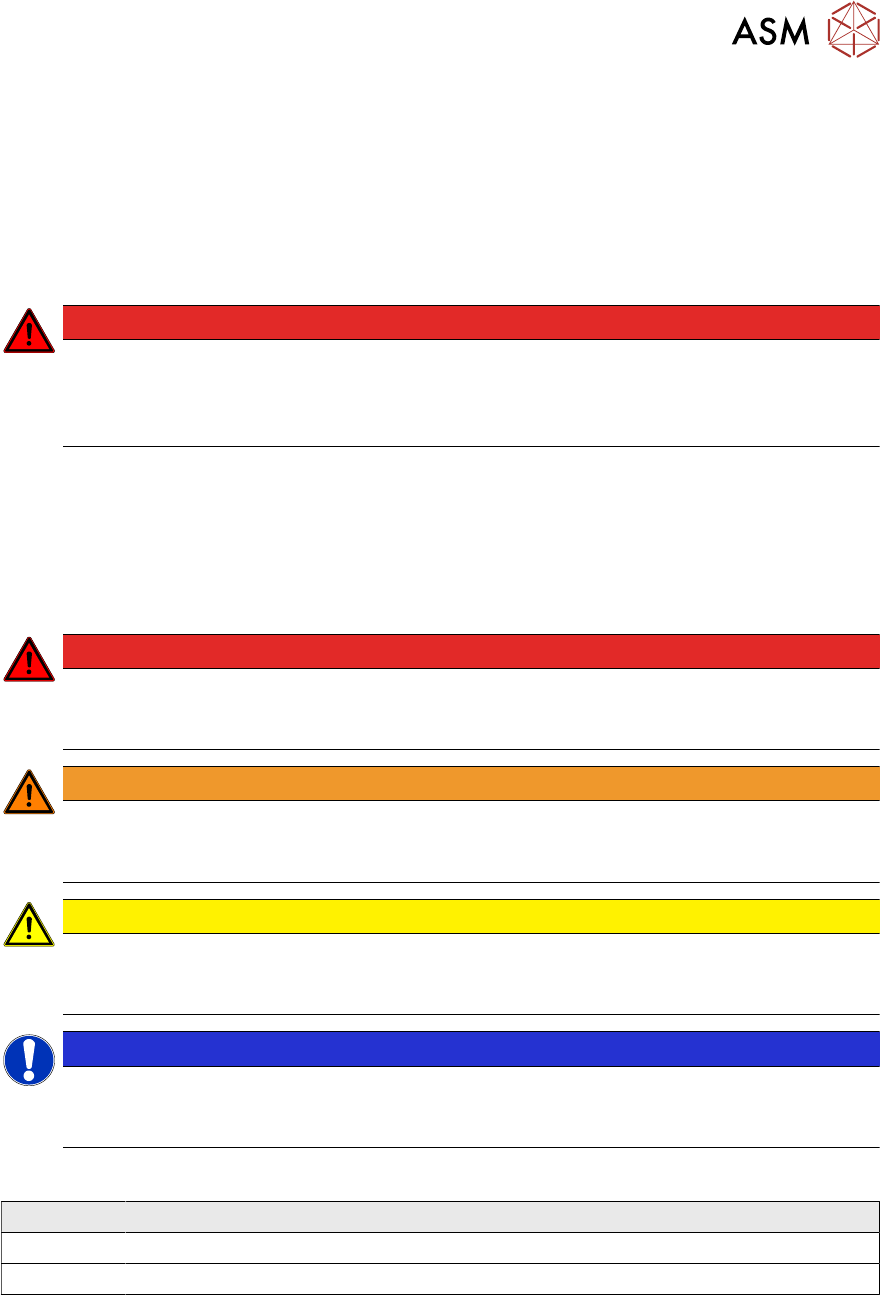
1.1.1 Conventions for the use of safety instructions and symbols
Safety instructions
This manual contains notes that must be observed to guarantee your personal safety and to avoid
damage to equipment. These notes are highlighted by warning triangles and are indicated as fol-
lows according to the level of risk:
DANGER
Definition
For the purposes of this manual, this indicates that fatal or severe injuries or considerable
damage to property will occur if this hazard warning is not observed.
WARNING
Definition
For the purposes of this manual, this indicates that fatal or severe injuries or considerable
damage to equipment may occur if these warning instructions are not followed.
CAUTION
Definition
For the purposes of this manual, this indicates that minor injuries or damage to property
may occur if this caution is not observed.
NOTICE
Definition
For the purposes of this manual, this note provides information about the product or indic-
ates a part of the manual that requires particular attention.
Symbols
Example Description
Next This typeface marks controls and interface elements in the software.
► This symbol indicates actions that have to be performed by the operator.