00198371-01_UM_SWS-EN.pdf - 第69页
User manual SIPLACE Wafer System (SWS) 3 Technical data and assemblies Edition 04/2018 3.4 Description of the SWS modules 69 3.4 Description of the SWS modules 3.4.1 Supply unit 3 Fig. 3.4 - 1 Supply unit (example SWS 2/…
3 Technical data and assemblies User manual SIPLACE Wafer System (SWS)
3.3 Overview of the modules Edition 04/2018
68
3
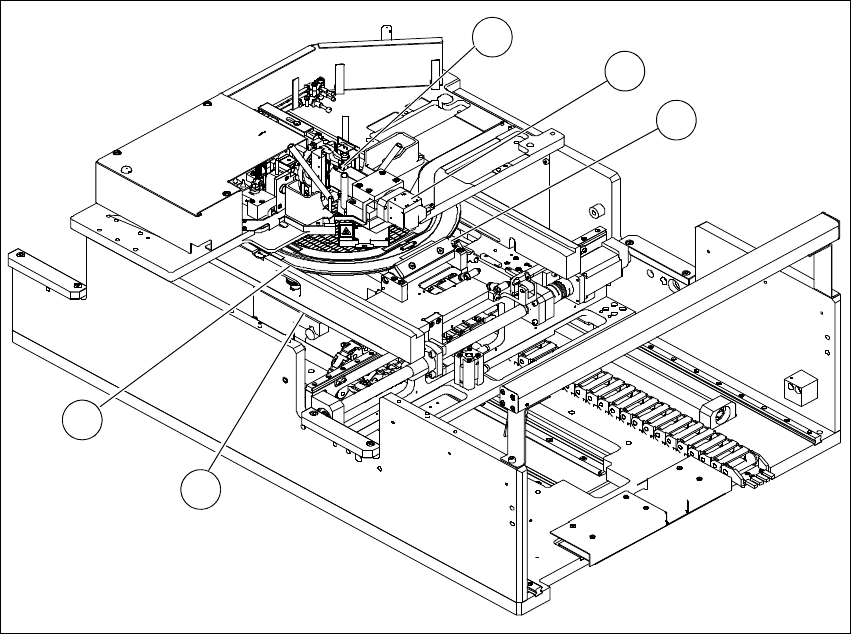
Fig. 3.3 - 3 Overview of SWS assemblies
(1) Clamping unit (2) Wafer camera
(3) Flip unit (4) Wafer support
(5) Guidance
4
3
1
2
5
User manual SIPLACE Wafer System (SWS) 3 Technical data and assemblies
Edition 04/2018 3.4 Description of the SWS modules
69
3.4 Description of the SWS modules
3.4.1 Supply unit
3
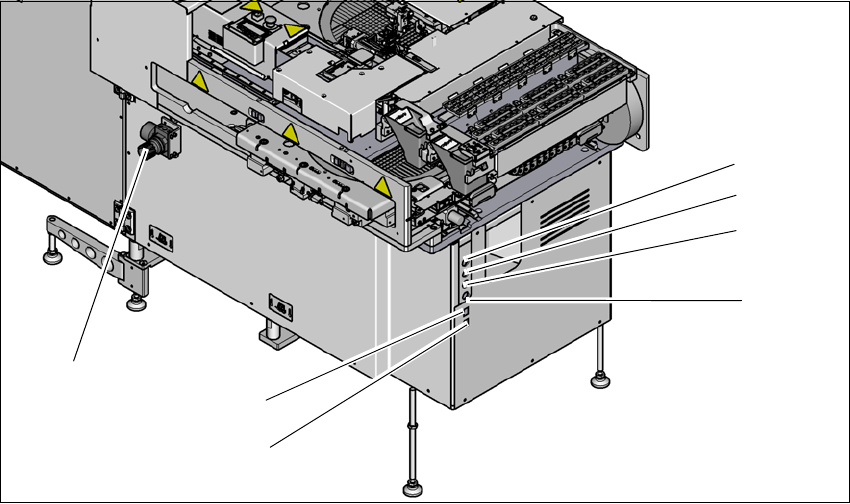
Fig. 3.4 - 1 Supply unit (example SWS 2/4)
3
(1) Setting the air blast for flip head segments
or die attach segments
(2) Voltage supply
(3) Interface safety cutoff with SIPLACE CA4
V2
(4) CAN bus (for SW 605.x only)
(5) Opening for compressed air hose from the
SIPLACE CA4 V2
(6) LAN1 - communication with external map
server
(7) LAN2 - communication with SIPLACE CA4
V2 and possible with other SWS
(1)
(2)
(3)
(4)
(6)
(7)
(5)
3 Technical data and assemblies User manual SIPLACE Wafer System (SWS)
3.4 Description of the SWS modules Edition 04/2018
70
3.4.2 Flip unit
3
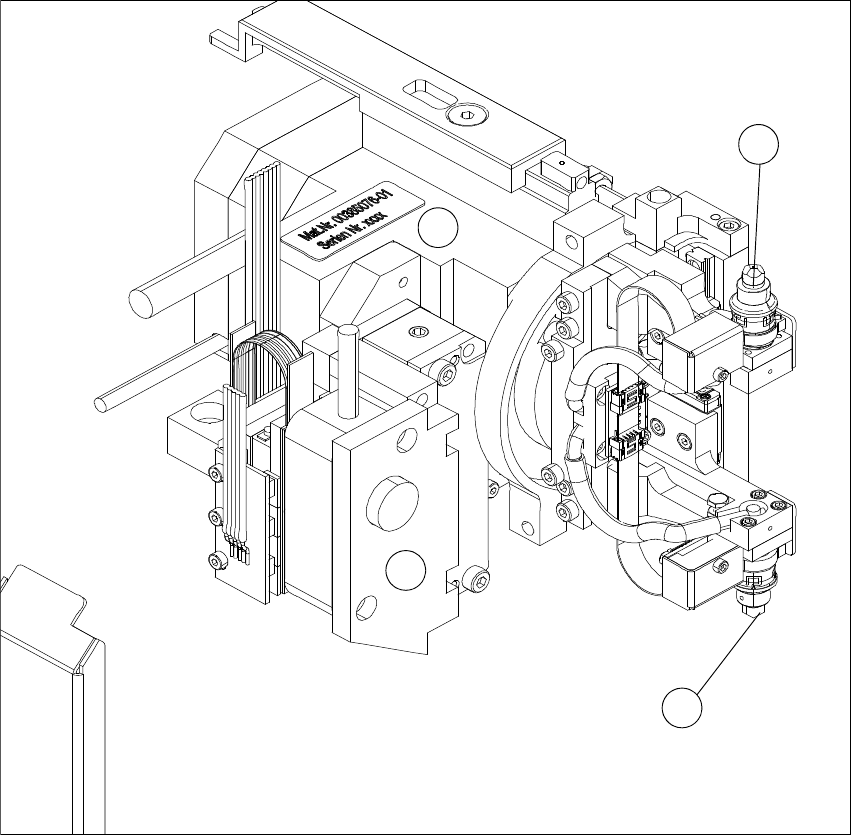
Fig. 3.4 - 2 Flip head - view from front
(1) Nozzle or tool support, segment 1
(2) Nozzle or tool support, segment 2
(3) Motor for Z-axis flipper
(4) Motor for flipper rotation axis
The flip unit takes the ejected die from the wafer foil. In flip chip mode, it rotates the die by 180°
into the pickup position for the placement head. In die attach mode, the flip unit rotates the die by
approx. 130° into the transfer position for the die attach unit.
1
3
4
2