00198371-01_UM_SWS-EN.pdf - 第93页
User manual SIPLACE Wafer System (SWS) 5 SWS tasks Edition 04/2018 5.3 Setting up the needle configuration for th e ejector system 93 5.3 Setting up the needle conf iguration for the ejector system In the SWS GUI, swit…
5 SWS tasks User manual SIPLACE Wafer System (SWS)
5.2 Inserting the magazine into the magazine lift Edition 04/2018
92
5.2 Inserting the magazine into the magazine lift
Move the magazine lift into the magazine change position so that the magazine lift is level
with the height of the change position.
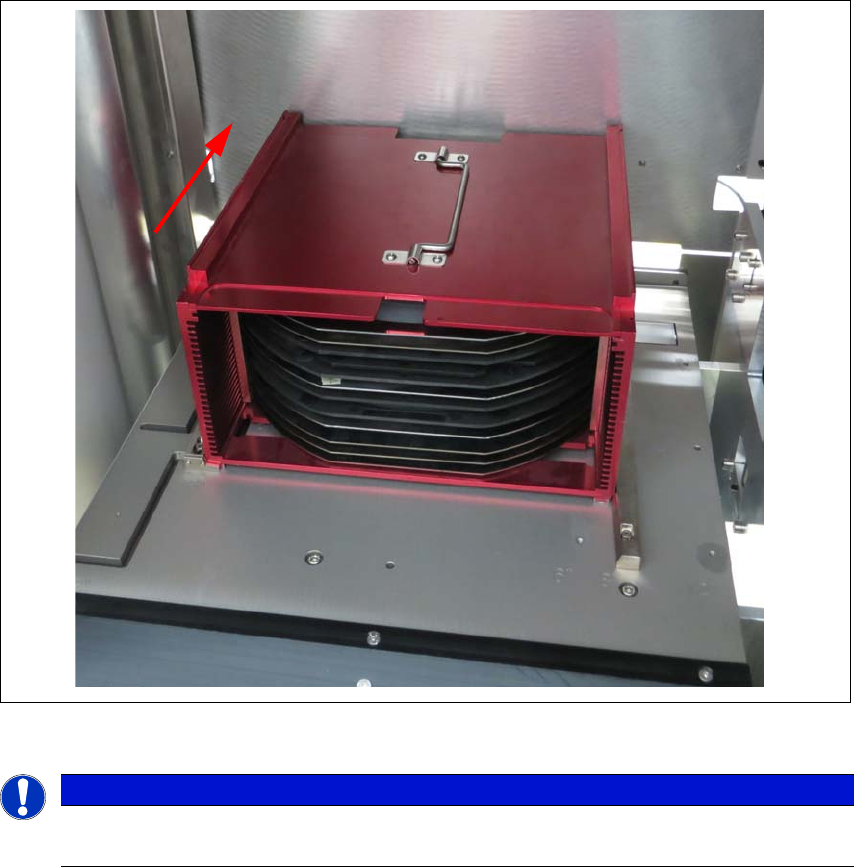
Open the SWS sliding door of the magazine lift and place the magazine onto the plate. The
centering notches of the wafers must face into the machine. Make sure that the magazine
latches properly.
Fig. 5.2 - 1 Inserting the magazine
5
5.2.1 Swiveling the magazine up and closing it
In order to undertake service work on components which can not be accessed from above, you
will need to create access to the inside of the SWS from the front. See the SWS service manual
for details.
PLEASE NOTE
When inserting the wafer frame, the recesses in the wafer frame must point in the feed-
in direction.
User manual SIPLACE Wafer System (SWS) 5 SWS tasks
Edition 04/2018 5.3 Setting up the needle configuration for the ejector system
93
5.3 Setting up the needle configuration for the ejector
system
In the SWS GUI, switch over to the Manual operations -> Wafer handling view and click on
the Go to change position button.
The wafer table is removed.
In the SWS GUI, switch over to the Manual operations -> Die handling view and select the
Ejection unit tab.
Click on the button.
The die ejector is moved upwards, so that it can be accessed.
5
Open the side sliding cover on the SIPLACE CA4 V2.
5
CAUTION
Risk of damage!
When moving the wafter table manually, the ejector system which was moved upwards
could collide with the wafer table and be damaged.
Do not push the wafer table manually.
CAUTION
Risk of injury from sharp needles
There is a risk of injury from the sharp needles on the ejector system.
5 SWS tasks User manual SIPLACE Wafer System (SWS)
5.3 Setting up the needle configuration for the ejector system Edition 04/2018
94
5
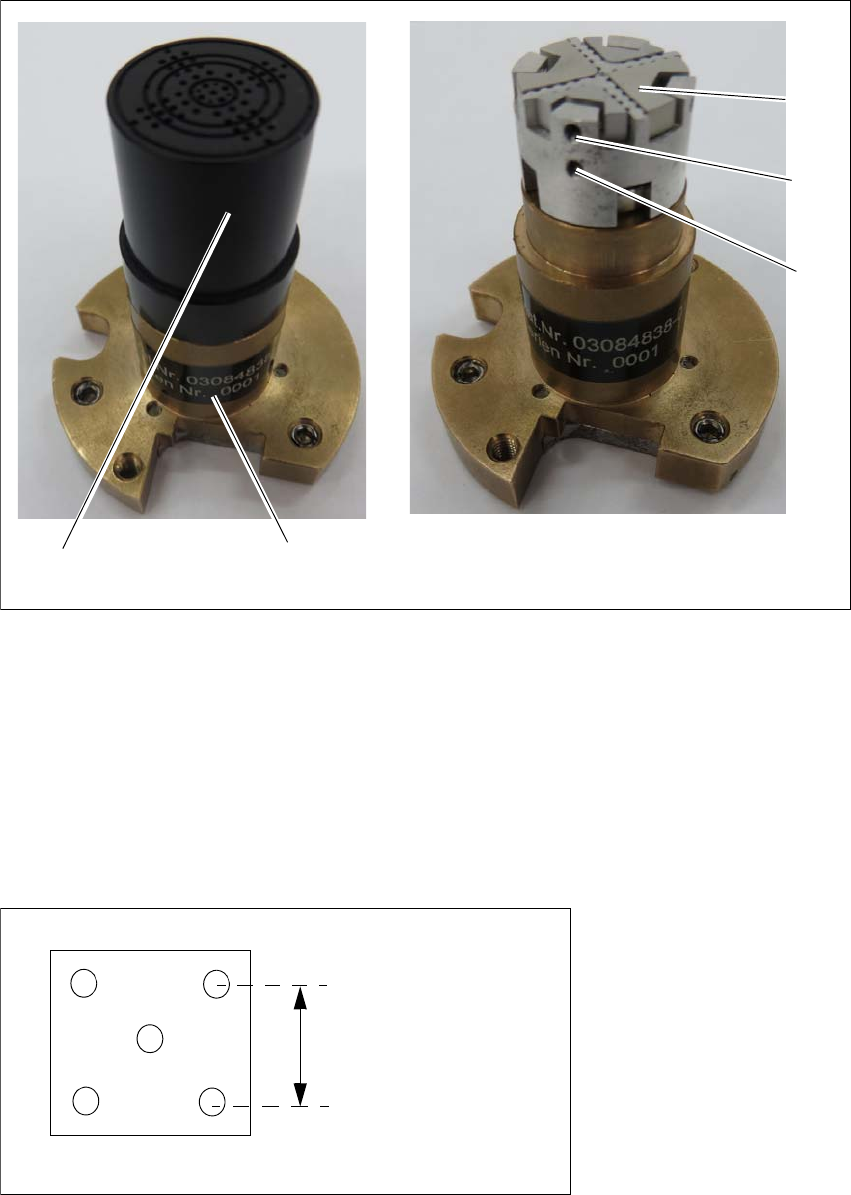
Fig. 5.3 - 1 Ejector system for die ejector, magnetic
Pull out the ejection system (1).
Pull the black cap (2) off to reveal the needles in the guidance head (3).
The needles can be clamped into 4 sectors. There can be one needle in the middle. 5
Grub screws (4) clamp the needles into place at the 4 segments.
The middle needle is clamped into place with the lower grub screw (5). 5
Fit the relevant needles for your application in the openings of the 4 segments.
5
Fig. 5.3 - 2 Diagram of needle position (example)
1
3
2
4
5
3.5 mm or 2 mm