00196749-02_UM_LDU-X_EN.pdf - 第30页
4 Software Description 4.3 Menu Description 30 Operating Manual SIPLACE LDU-X Linear Dipping Unit 11/2017 REFILLING FLUX Without Refill Unit ► Fill the flux into the flux tank. Make sure that the maximum level is not exc…
4 Software Description
4.3 Menu Description
Operating Manual SIPLACE LDU-X Linear Dipping Unit 11/2017 29
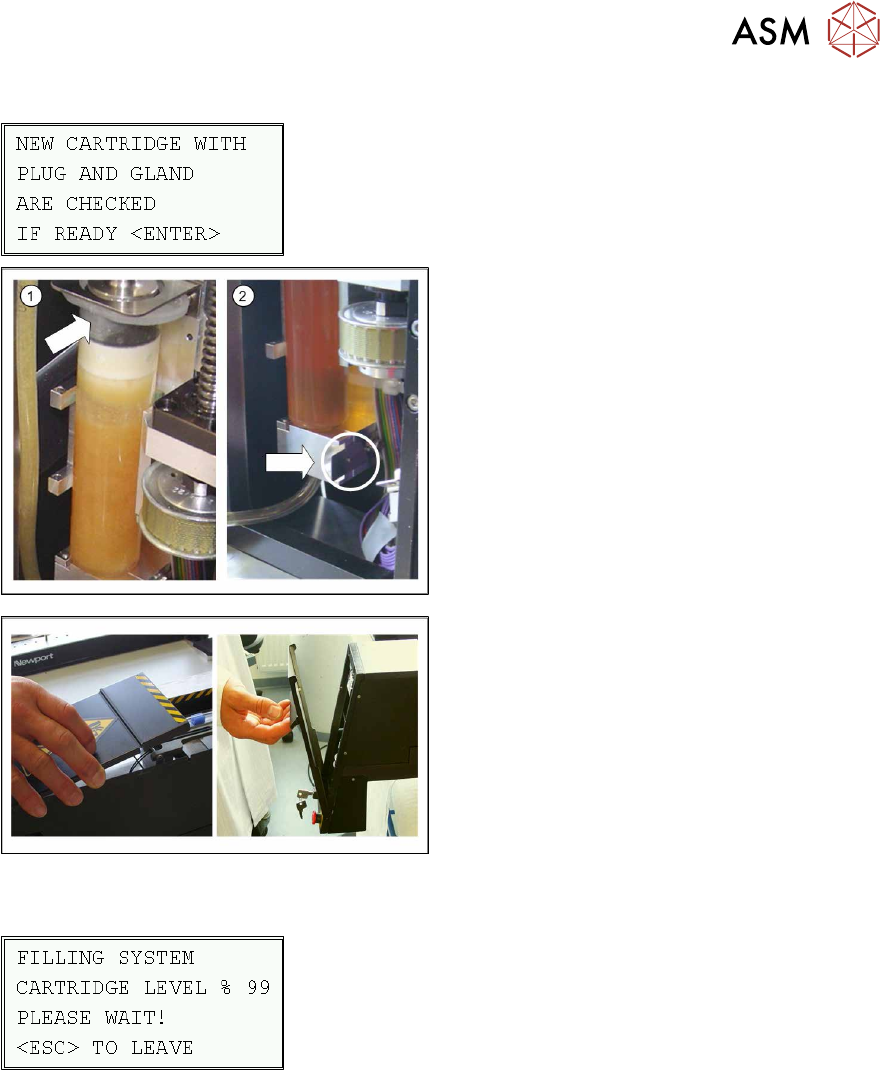
The LDU-X display will show the following message:
► (1) Check again whether the rubber plug
has been inserted correctly into the cart-
ridge.
► (2) Check again whether the hose clamp
fixture has engaged properly.
► Close the cover.
► Close the service lid.
► Press the ENTER button.
The LDU-X display will show the following message:
The LDU-X will now begin filling. The flux is pressed into the hose and coated alternately, until the
set flux level has been reached.
Once the set level of flux has been reached, the LDU-X automatically performs the function WARM
UP.
4 Software Description
4.3 Menu Description
30 Operating Manual SIPLACE LDU-X Linear Dipping Unit 11/2017
REFILLING FLUX Without Refill Unit
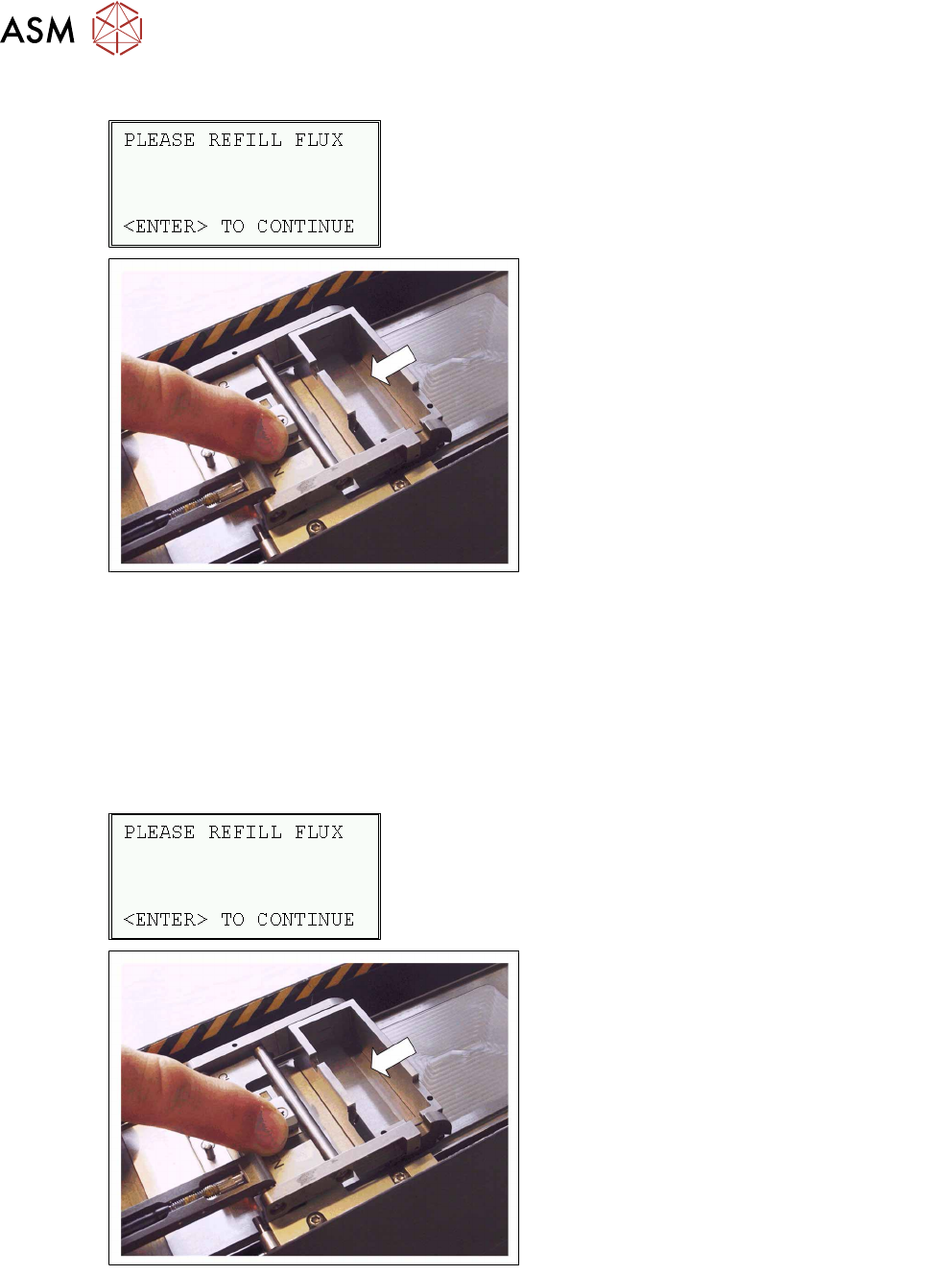
► Fill the flux into the flux tank. Make sure
that the maximum level is not exceeded.
► Press the ENTER button.
The LDU-X will begin coating cycles and then measures the level of the flux with the level sensor.
If the level of flux is too low, a corresponding message will be shown on the LDU-X display.
► Fill more flux into the flux tank. Make sure that the maximum level is not exceeded.
► Press the ENTER button.
Repeat this procedure until there is enough flux in the tray.
REFILLING FLUX Without the Level Sensor
► Fill the flux into the flux tank. Make sure
that the maximum level is not exceeded.
► Press the ENTER button.
The LDU-X will begin coating cycles.
4 Software Description
4.3 Menu Description
Operating Manual SIPLACE LDU-X Linear Dipping Unit 11/2017 31
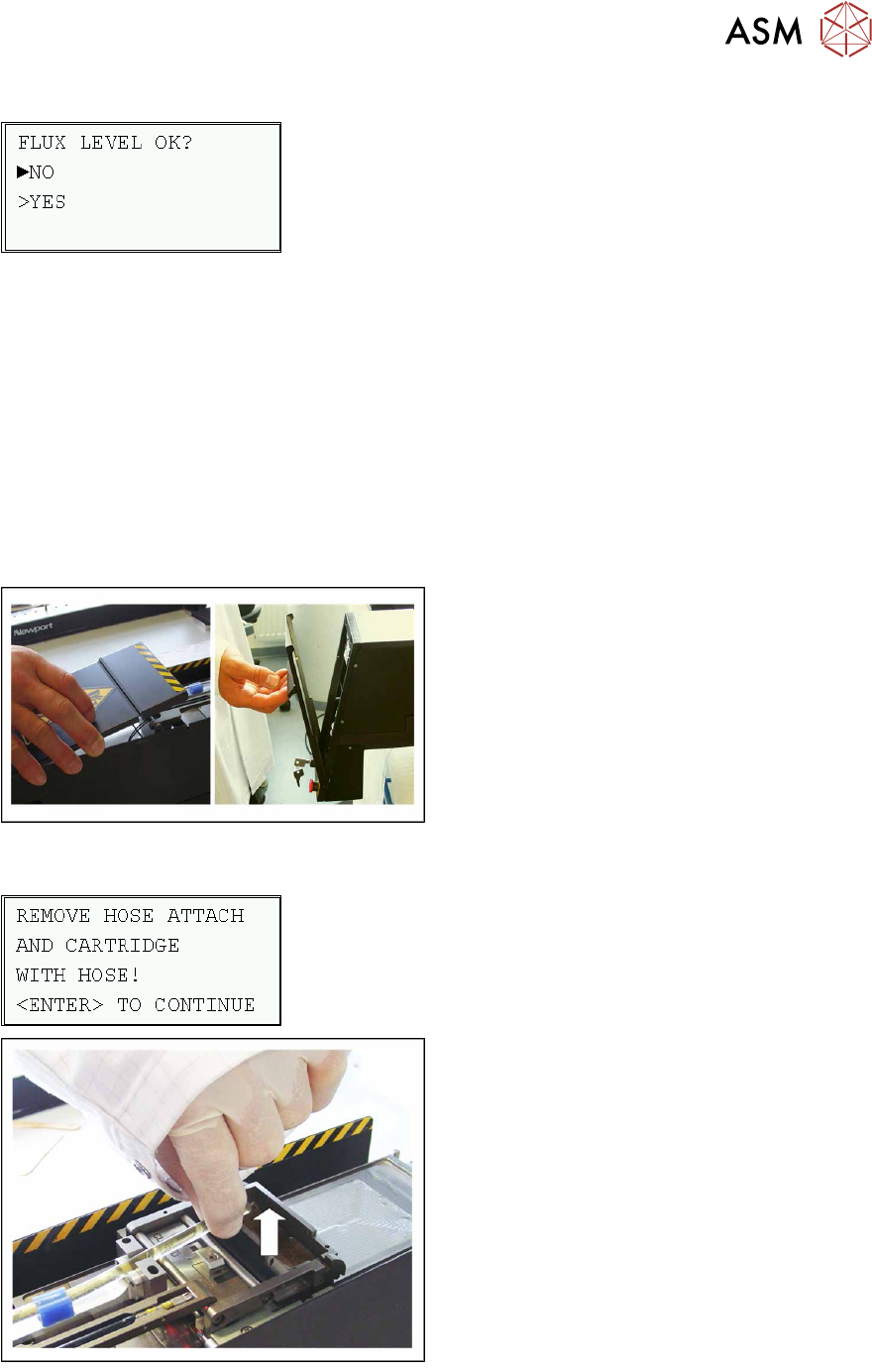
The LDU-X display will then show the following message.
If you do not yet have enough flux in the tank:
► Select NO.
► Press the ENTER button.
► Repeat the procedure as described above.
If you do have enough flux in the tank:
► Select YES.
► Press the ENTER button.
CLEANING function
This function is used to remove the dip components to be cleaned from the LDU-X.
The squeegee moves forwards onto the dip plate.
► Wait until the squeegee has moved com-
pletely onto the dip plate.
► Remove the cover.
► Open the service lid.
The LDU-X display will show the following message:
(only in LDU-X options with refill unit)
► Disconnect the hose from the flux tank.