00196749-02_UM_LDU-X_EN.pdf - 第70页
7 Options 7.1 Level sensor 70 Operating Manual SIPLACE LDU-X Linear Dipping Unit 11/2017 7.1.2 Activating and deactivating the level sensor Perform the following steps to enable or disable the level sensor: ► Set the key…
7 Options
7.1 Level sensor
Operating Manual SIPLACE LDU-X Linear Dipping Unit 11/2017 69
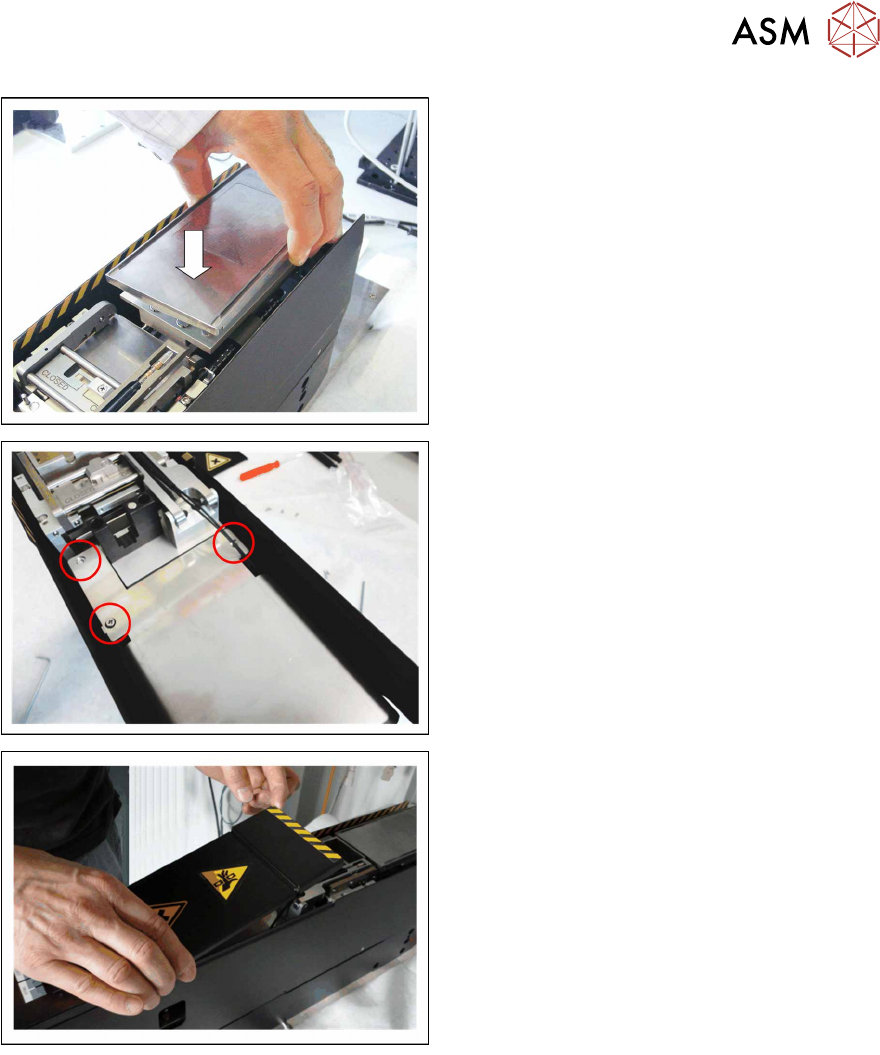
► Refit the dip plate.
► Run the cables as shown in the diagram.
► Fix the middle cover into place with the
three screws.
► Fit the top cover into place.
7.1.1.6 Initializing the LDU-X (storing sensor position)
After assembly, the LDU-X needs to "learn" the control position for the level sensor.
► On the LDU-X display, open the Service menu and select the function SYSTEM FUNCTION /
LEVEL SENSOR ADJUSTMENT. The coating head will be moved forwards, until the correct
position is found.
7.1.1.7 Function Test
After initialization, check whether the LDU-X works properly.
► Connect the LDU-X to a single slot EDIF or to a changeover table at the machine.
► On the LDU-X display, open the Service menu and select the function PRODUCTION PARA-
METERS / LEVEL SENSOR ON.
► Select the function SERVICE FUNCTIONS / SINGLE CYCLE.
If an error occurs when calling up this function, correct it as described in the User Manual for the
LDU-X.
7 Options
7.1 Level sensor
70 Operating Manual SIPLACE LDU-X Linear Dipping Unit 11/2017
7.1.2 Activating and deactivating the level sensor
Perform the following steps to enable or disable the level sensor:
► Set the key switch to the position SERVICE (vertical).
► On the LDU-X display, select the PRODUCT PARAMETERS menu.
► Press the ENTER button.
► Select the function LEVEL SENSOR.
► Press the VALUE button (+), until the display shows the state ON (enabled) or OFF (dis-
abled).
► Press the ENTER button to save the value.
7.1.3 Function
The level sensor works with a light beam which scans the edge of the flux shaft.
To detect contamination, a control measurement of the park plate is performed when the tank is
over the dip plate and another control measurement is performed over the slanted part of the tank.
Another control measurement will be performed over the slanted part of the tank. If these measure-
ments are not successful, the LDU-X will stop and a corresponding error message will be shown.
CAUTION
Do not dismantle the sensor.
The sensor is factory set and may not be taken apart.
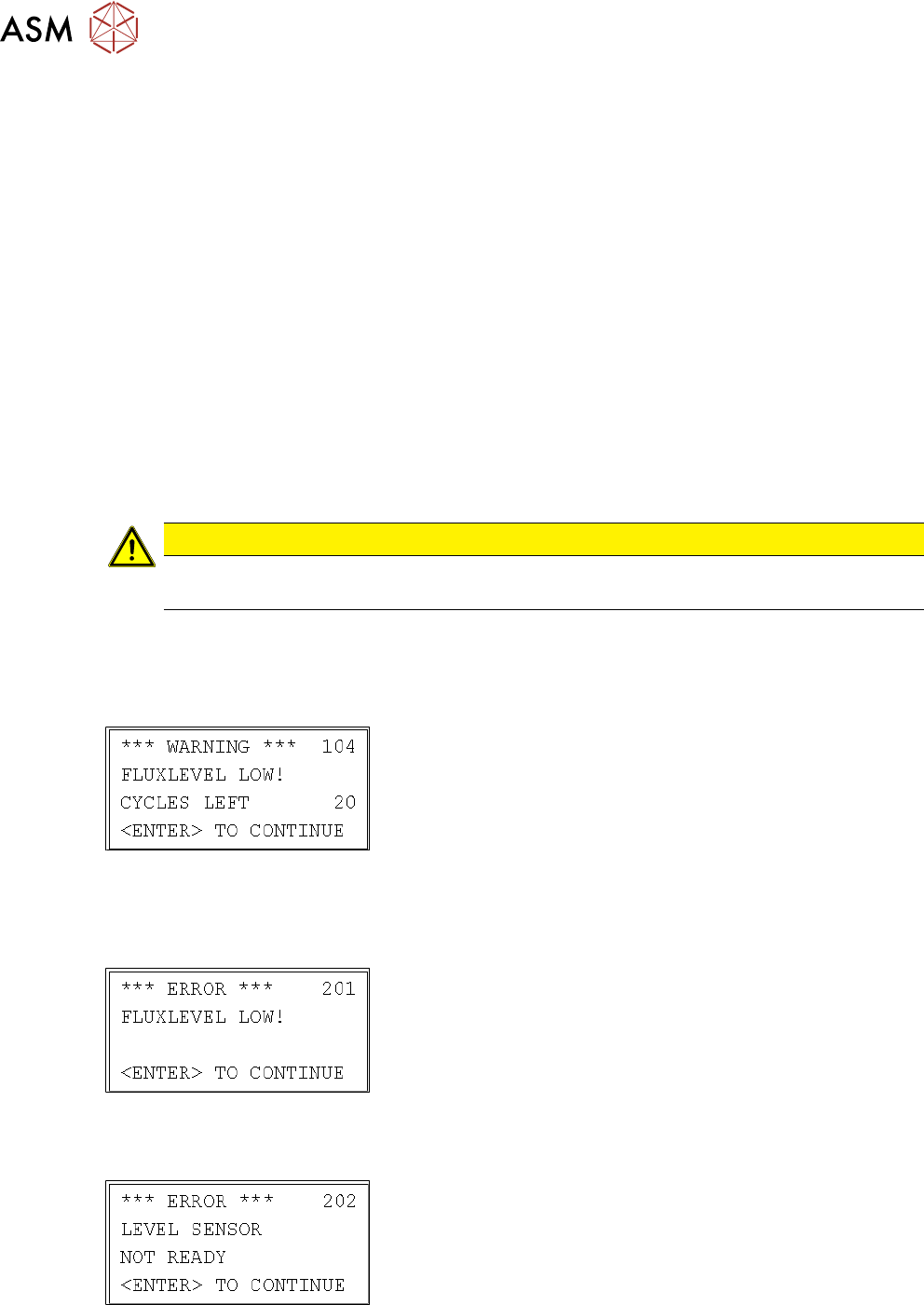
If the flux sinks below a certain level, this is recognized by the level sensor. The minimum flux level
at which the sensor will trigger can be set via the PRODUCT PARAMETERS menu.
Once the sensor has detected a level of flux which is too low, the top red LED on the right of the
display will shine and the display will show the following message:
However, the LDU-X will not stop.
The remaining cycles set for the LDU-X will now be processed.
After completion of the remaining cycles, the LDU-X will stop and the display will show the following
message.
The level sensor performs a control measurement.
If the level sensor is dirty or not fitted correctly, the following message will be shown on the display
of the LDU-X:
An error message will also be shown on the SIPLACE placement machine.
If the message FLUX LEVEL LOW is shown on the display, the flux now needs to be filled up
again and the error messages on the placement machine and the LDU-X need to be acknow-
ledged.
7 Options
7.2 Refill Unit
Operating Manual SIPLACE LDU-X Linear Dipping Unit 11/2017 71
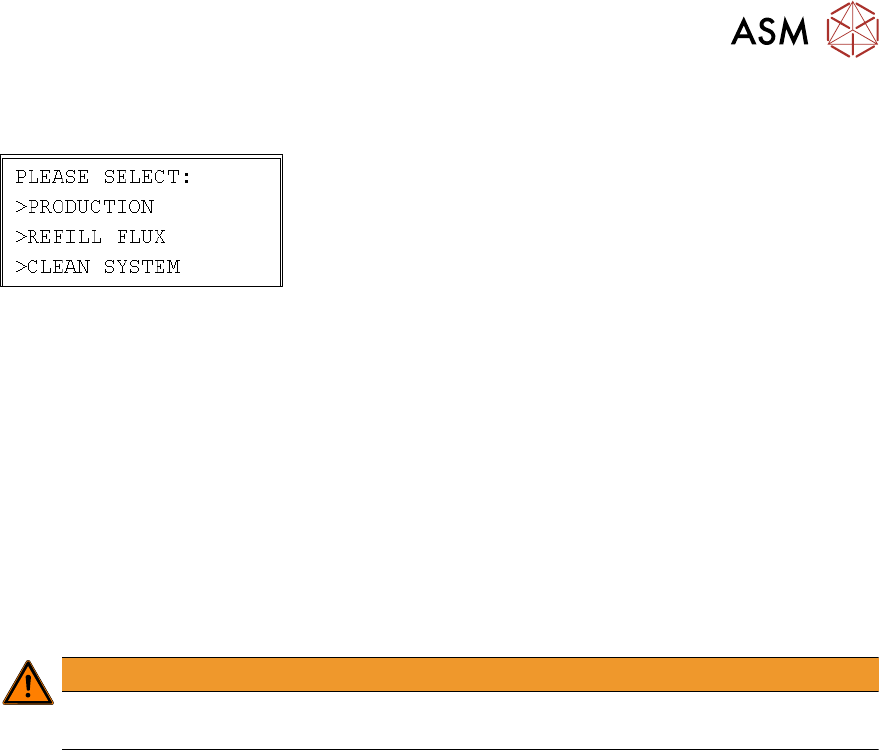
► Press the ENTER button.
The LDU-X display will show the following message:
You can now switch over to the functions REFILL FLUX or CLEAN SYSTEM. The menu will then
guide you through the selected function.
Once the LDU-X is ready for use again, you can resume operation by selecting the function PRO-
DUCTION.
7.1.4 Cleaning the Level Sensor
Cleaning the mirror:
► Clean the complete mirror unit of the level sensor with ethanol or isopropanol and a clean, lint-
free cloth.
Cleaning the sensor:
► Clean the complete sensor of the level sensor with ethanol or isopropanol and a clean, lint-
free cloth.
WARNING
Do not use acetone for cleaning.
Acetone can corrode the surface of the sensor.
7.2 Refill Unit
If the level sensor reports that the amount of flux in the flux tank is too low, the volume of flux can
be automatically refilled using the refill unit.
The refill unit is fitted with a flux cartridge. After each coating movement, the flux level is determ-
ined with the level sensor and refilled again when required.
After refilling, another coating run must be performed to ensure that the flux is smooth and can be
distributed and applied properly. As the LDU-X is not permitted to coat automatically when in pro-
duction mode, the next coating run is performed when the machine issues the command. To en-
sure that the flux can be distributed well, you can set multiple coating runs (function WARM UP in
the PRODUCTION PARAMETERS menu).
7.2.1 Retrofitting the refill unit
Prerequisite
A refill unit can be retrofitted in the LDU-X from function state 3 (FS3) onwards.
The FS3 can only be set by the manufacturer.
Equipment required
●
Standard tools
●
Refill unit [03062510-xx]