00196749-02_UM_LDU-X_EN.pdf - 第79页
7 Options 7.2 Refill Unit Operating Manual SIPLACE LDU-X Linear Dipping Unit 11/2017 79 7.2.1.3 Closing the LDU-X Fastening the side cover plates: ► Place the LDU-X down on its right-hand side, on a soft and stable surfa…
7 Options
7.2 Refill Unit
78 Operating Manual SIPLACE LDU-X Linear Dipping Unit 11/2017
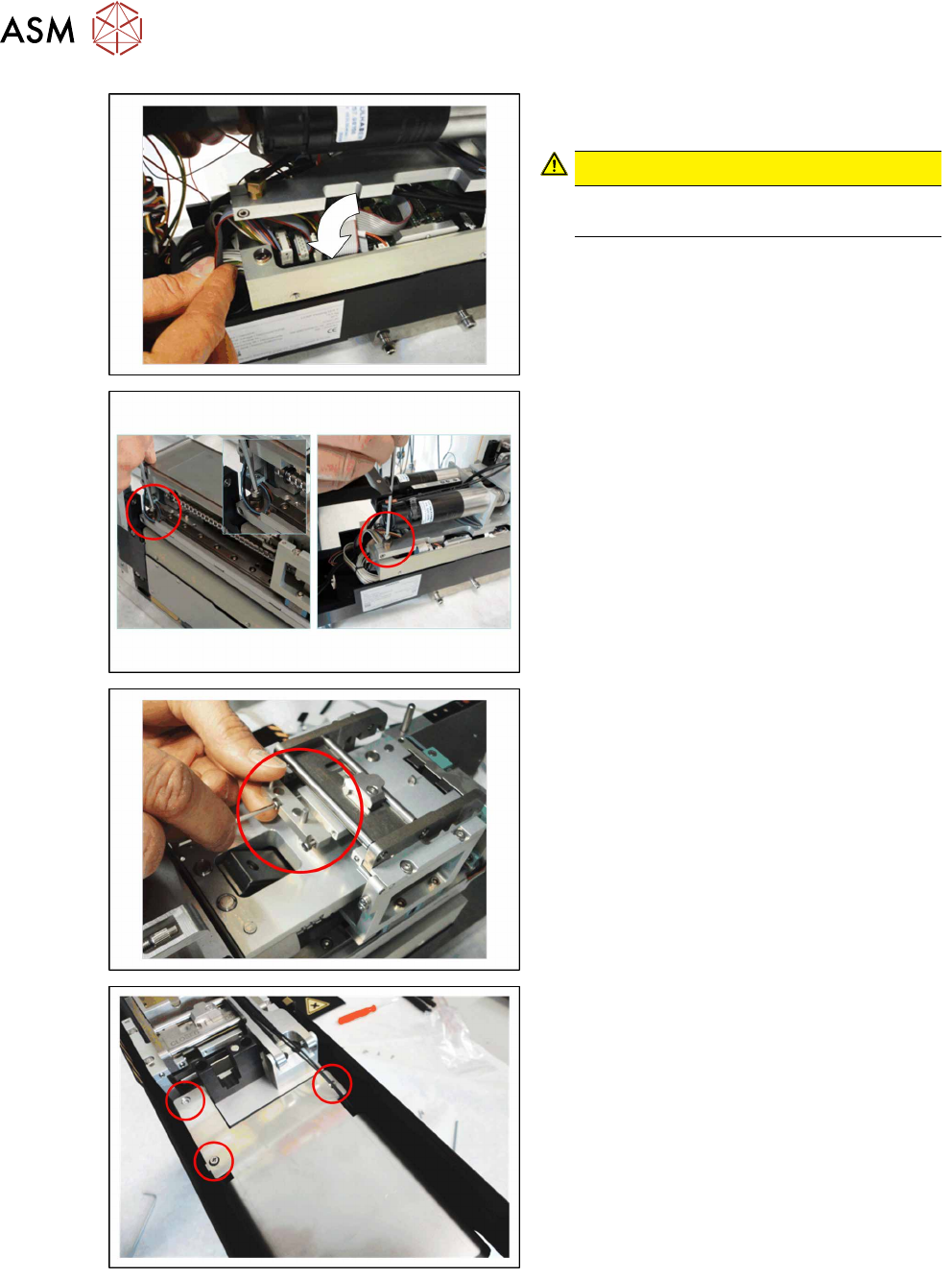
► Lift the LDU-X base unit back into its
straight position again.
CAUTION!
Make sure that the flat ribbon cable is not
trapped.
.
► Fix the LDU base unit into place.
► Fix the hose attachment holder into place
(2 screws).
► Fix the cover plate into place (3 screws).
► If the plate does not fit, you will need to
slightly loosen the two screws fastening
the refill unit, adjust the position of the refill
unit accordingly and then retighten the
screws.
7 Options
7.2 Refill Unit
Operating Manual SIPLACE LDU-X Linear Dipping Unit 11/2017 79
7.2.1.3 Closing the LDU-X
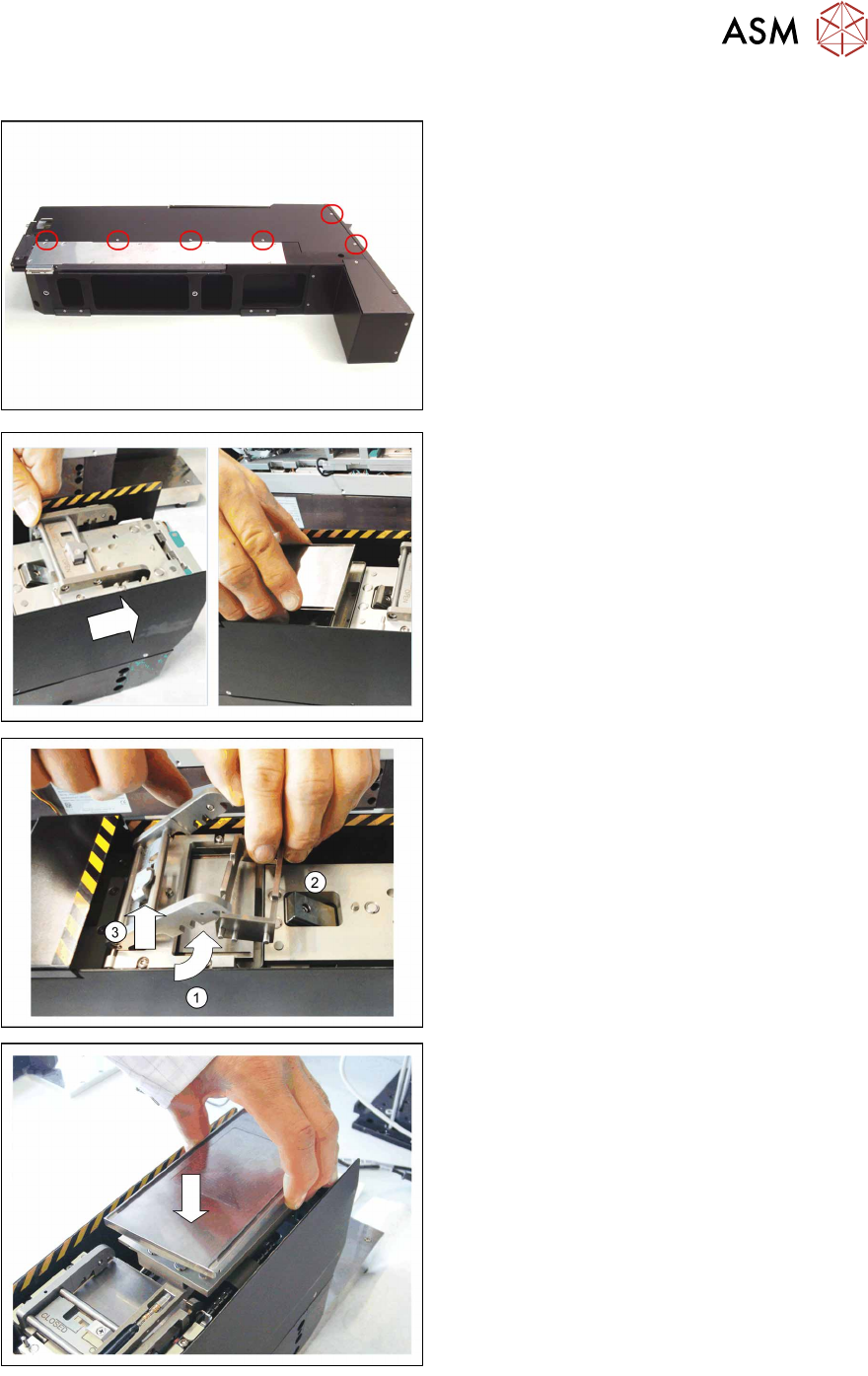
Fastening the side cover plates:
► Place the LDU-X down on its right-hand
side, on a soft and stable surface.
► Place the left cover plate the right way
onto the LDU-X.
► Fix with the 6 screws.
► Place the LDU-X down on its left-hand
side, on a soft and stable surface.
► Place the right cover plate the right way
onto the LDU-X.
► Fix with the 6 screws.
► Push the slide unit forwards.
► Refit the park plate.
► Push the slide back again.
Inserting the coating jar:
► (1) Lift the downholder.
► (2) Insert the coating jar and lower the
downholder again.
► (3) Push the lock on the downholder to the
position CLOSED.
► Refit the dip plate.
7 Options
7.2 Refill Unit
80 Operating Manual SIPLACE LDU-X Linear Dipping Unit 11/2017
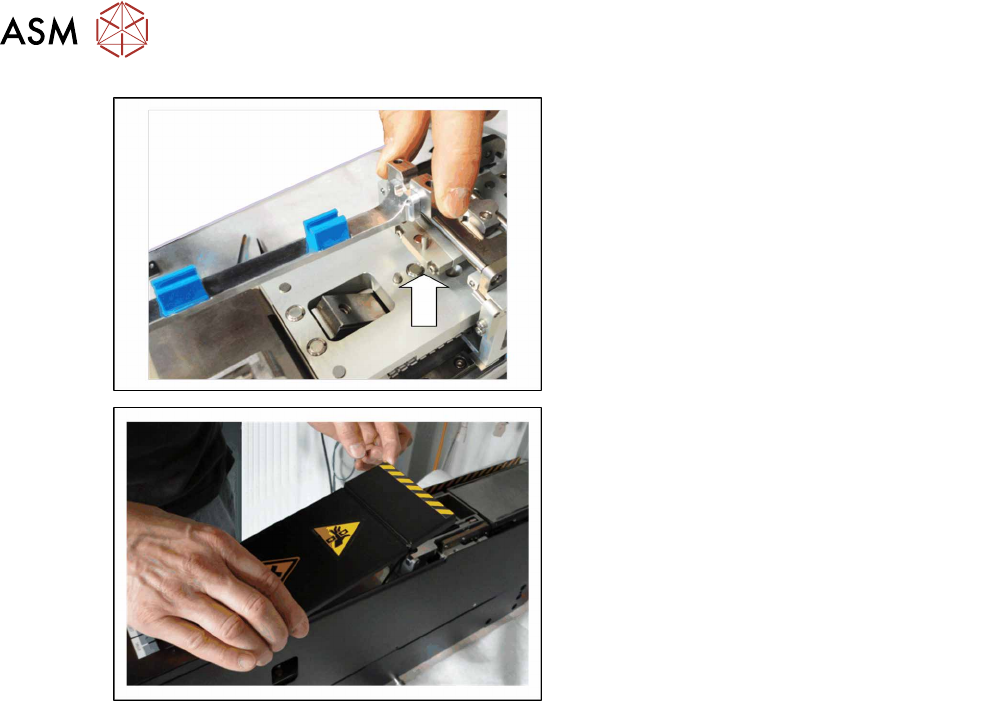
► Place the hose holder onto the hose at-
tachment holder.
► Fit the top cover into place.
7.2.1.4 Function Test
After the refill unit has been installed, check if the LDU-X works properly.
► Connect the LDU-X to a single slot EDIF or to a changeover table at the machine.
► Open the flap at the back of the LDU-X.
► On the LDU-X display, open the Service menu and select the function
PRODUCTION PARAMETERS / REFILL UNIT ON.
► Select the function REFILL UNIT / FIND CARTRIDGE.
► Check if the plunger of the refill unit moves down.
●
If the plunger moves down, stop it using your hand or a finger.
●
If the plunger does not move down, check if the cables of the refill unit are properly connec-
ted.
7.2.2 Activating and deactivating the refill unit
Perform the following steps to enable or disable the refill unit:
► Set the key switch on the LDU‑X to the position SERVICE (vertical).
► On the LDU-X display, select the PRODUCT PARAMETERS menu.
► Press the ENTER button.
► Select the function REFILL UNIT.
► Press the VALUE button (+), until the display shows the state ON (enabled) or OFF (dis-
abled).
► Press the ENTER button to save the value.