00196749-02_UM_LDU-X_EN.pdf - 第48页
4 Software Description 4.4 Error Messages 48 Operating Manual SIPLACE LDU-X Linear Dipping Unit 11/2017
4 Software Description
4.4 Error Messages
Operating Manual SIPLACE LDU-X Linear Dipping Unit 11/2017 47
4.4.7 Messages About the Key Switch
Error Displays Description
108 SET SERVICE KEY
TO SERVICE POSITION
To perform the selected function, switch the key switch
to the "Service" position (vertical).
109 SET SERVICE KEY
TO PRODUCTION MODE
To perform the selected function, switch the key switch
to the "Production" position (horizontal).
4.4.8 Messages About the Emergency Stop
Error Displays Description
204 EMERGENCY SWITCH
IS LOCKED
The emergency stop has been enabled.
Release the emergency stop.

4 Software Description
4.4 Error Messages
48 Operating Manual SIPLACE LDU-X Linear Dipping Unit 11/2017
5 Working with the LDU‑X
5.1 Removing the transportation fastenings
Operating Manual SIPLACE LDU-X Linear Dipping Unit 11/2017 49
5 Working with the LDU‑X
5.1 Removing the transportation fastenings
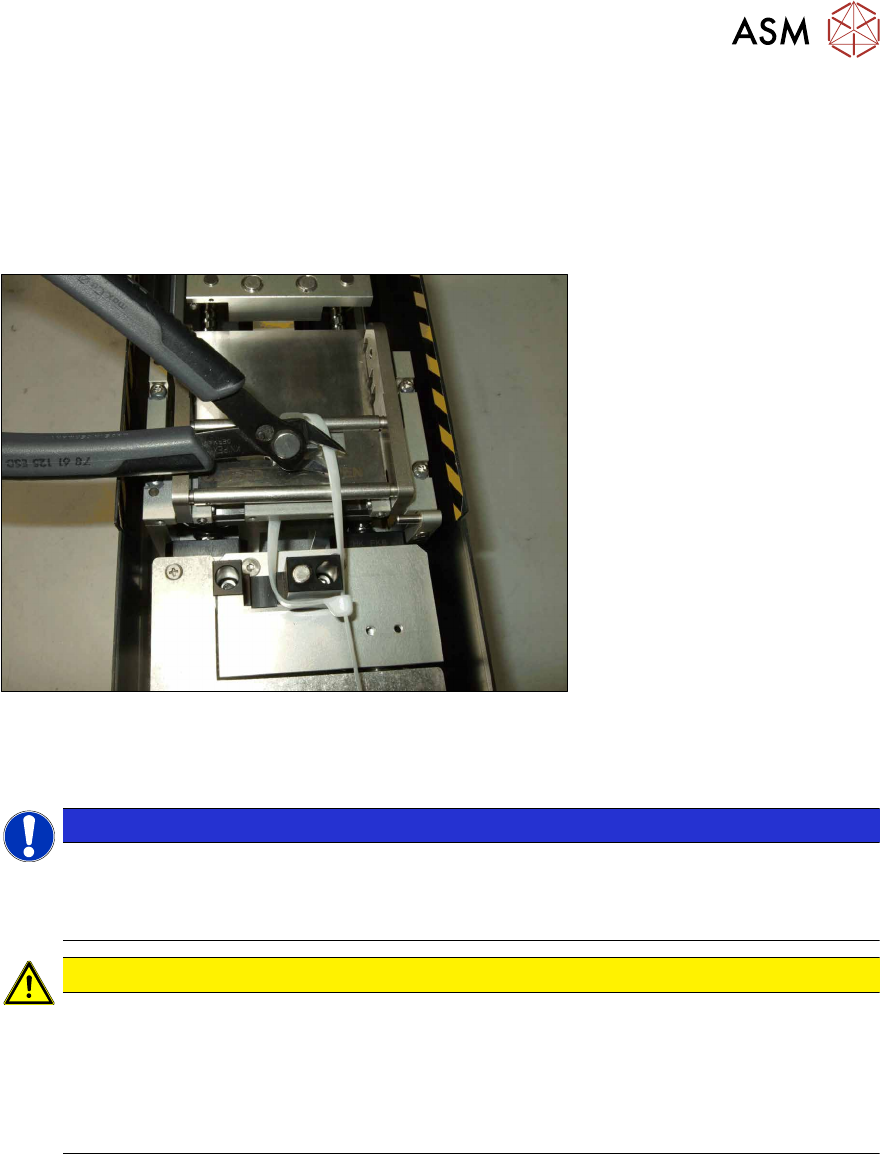
The LDU-X downholder is secured with a cable tie for transportation purposes.
► Remove this cable tie before putting the LDU-X into operation.
Fig.3: Removing the transportation fastenings
5.2 Configuring the LDU‑X
NOTICE
To prevent small components from falling into the LDU‑X application unit, make sure that
these components are not configured in the direct vicinity of the LDU-X. Where possible,
keep the area around the LDU-X free or set feeders for larger components up there (BGAs,
connectors).
CAUTION
Do not place the linear feeder directly next to the LDU-X
The vibration of a linear feeder which is directly next to the LDU-X can have a negative ef-
fect on the coating of components during the dipping process.
Do not set up any linear feeder modules directly next to the LDU-X.
Leave at least one track free to the left and right of the LDU-X or set the linear feeder up at
another location.
5.2.1 SIPLACE PRO
Component Editor
In the Component Editor you can mark components for dipping.
Component Shape Editor
The dipping mode can be programmed in the Component Shape Editor, as can various dipping
parameters, such as the order of Vision/dipping and the dipping dwell time etc..