00198377-01_SM_JTF-ML2_en.pdf - 第139页
5 Electrics 5.11 Replacing Slot Sensor w/ Connector Service Manual SIPLACE JTF-ML2 08/2017 139 ► Remove the cable holder (1) . ► Unplug the connector (1) from the slot sensor w/ connector [03145975-xx] (2) . ► Remove the…
5 Electrics
5.11 Replacing Slot Sensor w/ Connector
138 Service Manual SIPLACE JTF-ML2 08/2017
5.11 Replacing Slot Sensor w/ Connector
Removal
► Switch off the machine, disconnect it from the power supply and secure it to prevent
unauthorized reactivation. Observe the instructions in section 1.2 "Preparatory Work..." [}11].
► Remove the SIPLACE JTF-ML2 from the machine (see Removing SIPLACE JTF-ML2 from
Machine).
► Remove the top cover (see 2.1.3 "Removing Tower Top Cover" [}25]).
► Remove the side cover (see 2.1.4 "Removing Side Cover" [}27]).
► Place the JFT-ML2 on a stable surface like a work bench while working on it.
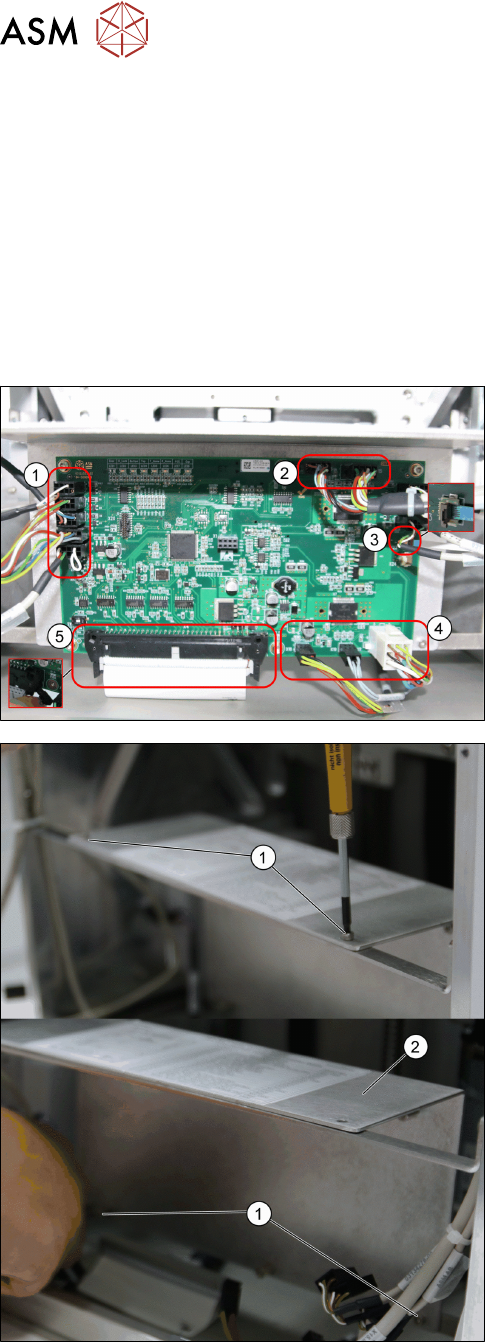
► Remove all cables from the PCBA, JFT-ML2 con-
trol board [03125534-xx].
1. X22; X8; X7; X6; X5
2. X16; X15
3. X23
4. X18; X19; X17
5. X4
► Remove the four screws ISO 4762 - M 3 x 6-
A2-70 [03042541-xx] (1).
► Remove the Plate f. PCBA Support [03129139-
xx] (2).
5 Electrics
5.11 Replacing Slot Sensor w/ Connector
Service Manual SIPLACE JTF-ML2 08/2017 139
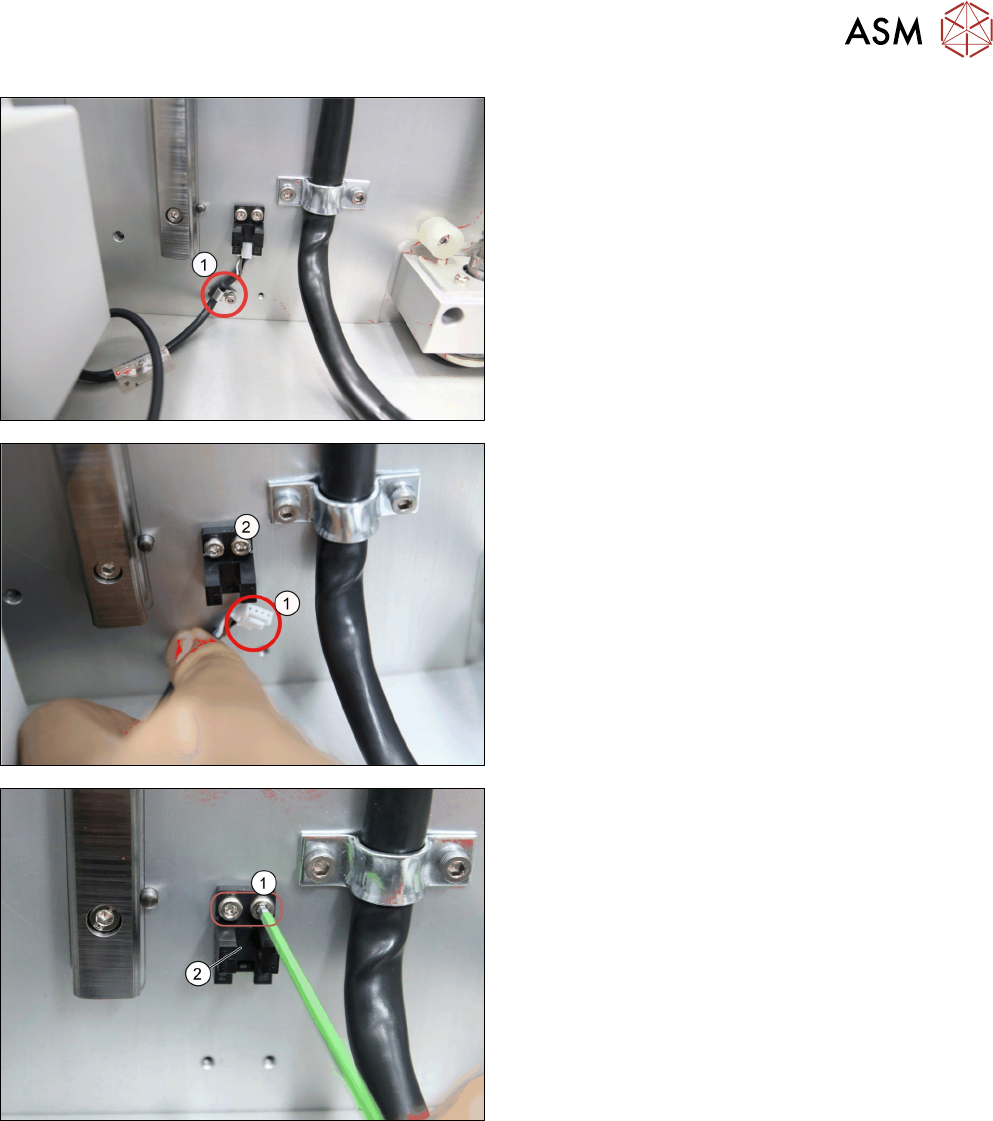
► Remove the cable holder (1).
► Unplug the connector (1) from the slot sensor w/
connector [03145975-xx] (2).
► Remove the two screws (1).
► Remove the slot sensor w/ connector
[03145975-xx] (2).
5 Electrics
5.11 Replacing Slot Sensor w/ Connector
140 Service Manual SIPLACE JTF-ML2 08/2017
Installation
► Follow the removal instructions in reverse order for installation. Also observe the following in-
structions:
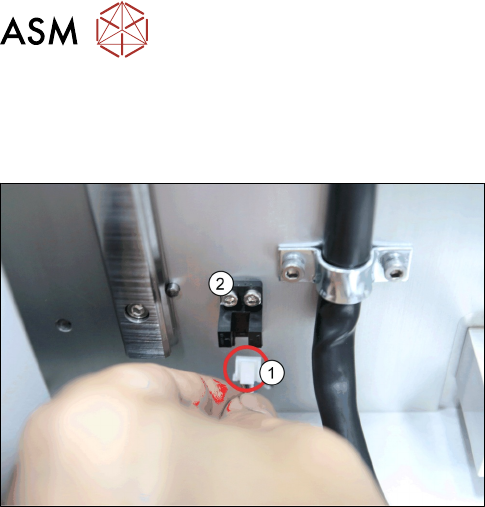
► Reconnect the connector (1) to the slot sensor w/
connector [03145975-xx] (2) as shown in the pic-
ture.