00198377-01_SM_JTF-ML2_en.pdf - 第148页
6 Magazine 6.5 Replacing the Cassette Spring Lock 148 Service Manual SIPLACE JTF-ML2 08/2017 6.5 Replacing the Cassette Spring Lock Parts, Equipment and Tools ● Standard tools ● Cassette spring lock [03134735-xx] Removal…
6 Magazine
6.4 Inserting the Cassette into the SIPLACE JTF-ML2
Service Manual SIPLACE JTF-ML2 08/2017 147
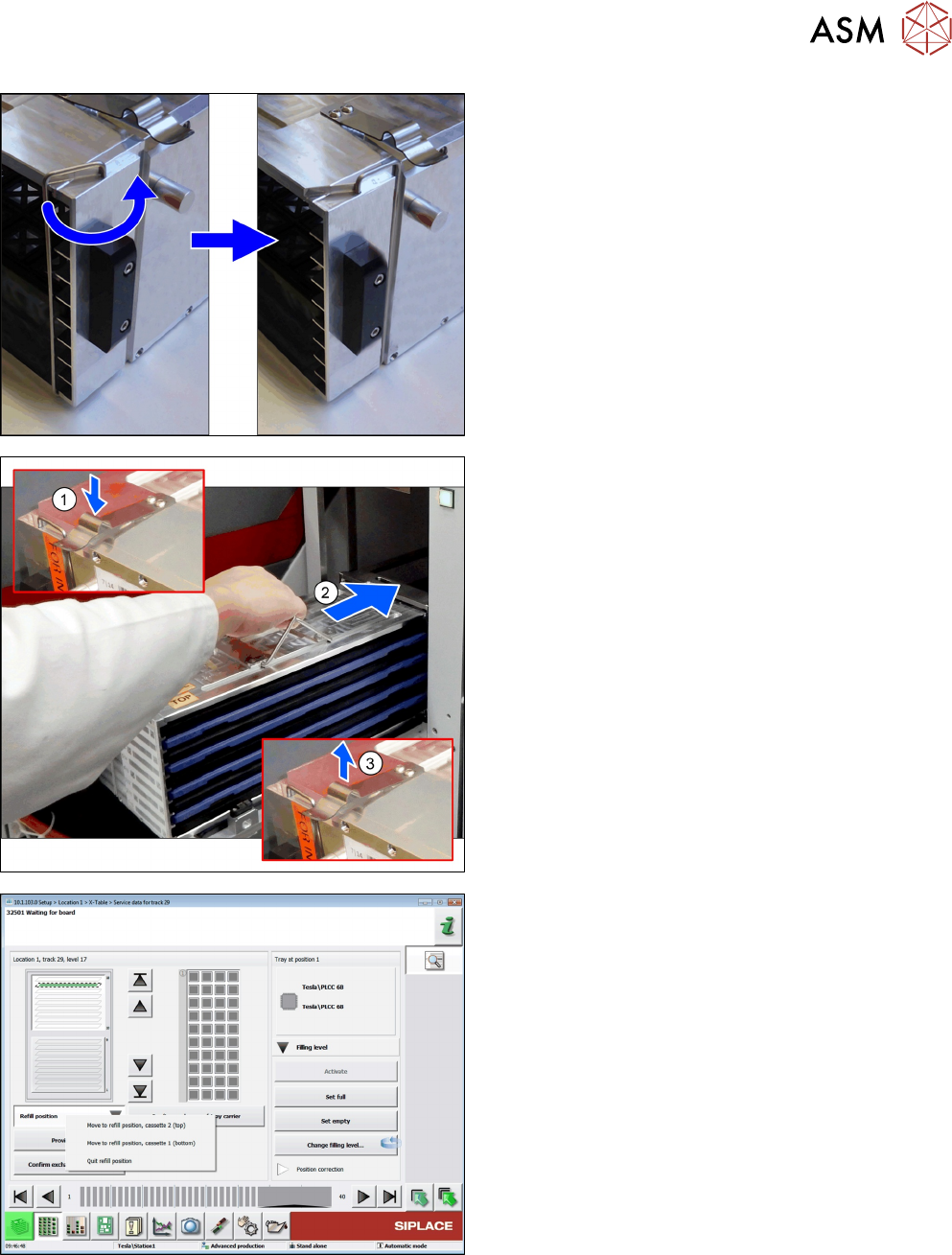
► Unlock the transportation locks on both sides.
► Ensure the direction lock is active.
► Press down the spring(1) fully.
► Carefully push(2) the cassette into the tower.
Avoid sudden movement to avoid component
jump.
► Release the spring(3).
► Close the door.
Fig.38: Move the Cassette into the Refill Position
► Click the button Refill position and choose Quit
refill position.
ð The SIPLACE JTF‑ML2 ready for operation
again.
6 Magazine
6.5 Replacing the Cassette Spring Lock
148 Service Manual SIPLACE JTF-ML2 08/2017
6.5 Replacing the Cassette Spring Lock
Parts, Equipment and Tools
●
Standard tools
●
Cassette spring lock [03134735-xx]
Removal
► Switch off the machine, disconnect it from the power supply and secure it to prevent
unauthorized reactivation. Observe the instructions in section 1.2 "Preparatory Work..." [}11].
► Remove the Cassette from the tower (see 6.3 "Remove the Cassette from the SIPLACE JTF-
ML2" [}144]).
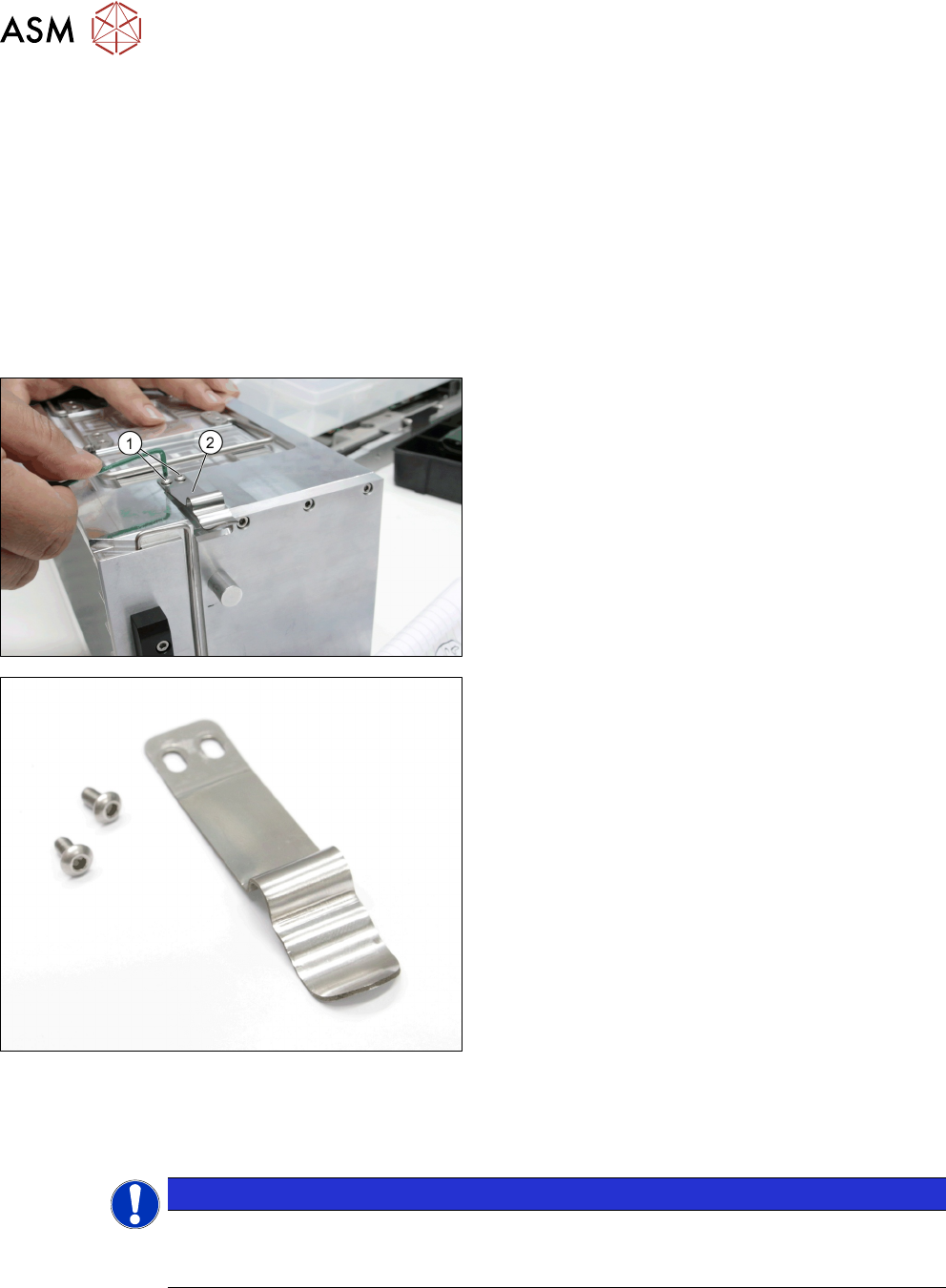
► Remove the two button head screws DIN EN ISO
7380-M3 x 6-A2-70 [03045194-xx] (1).
► Remove the Cassette Spring Lock [03134735-xx]
(2).
Cassette Spring Lock [03134735-xx]
Installation
► Follow the removal instructions in reverse order for installation.
► Install the spring in the most outer position.
NOTICE
Stuck Cassette
The cassette will be stuck in the magazine if the groove is sitting in the slot. Note that the
groove should not sit perfectly into the slot on the tower side.