00198377-01_SM_JTF-ML2_en.pdf - 第19页
2 General Tasks 2.1 Hardware Tasks Service Manual SIPLACE JTF-ML2 08/2017 19 ► Reinsert the PCBA position Cover [03148885-xx] in the unplugged position. ► Fix the two screws ISO 10642 - M3x6-A2-70 [03082814-xx] (1) . The…
2 General Tasks
2.1 Hardware Tasks
18 Service Manual SIPLACE JTF-ML2 08/2017
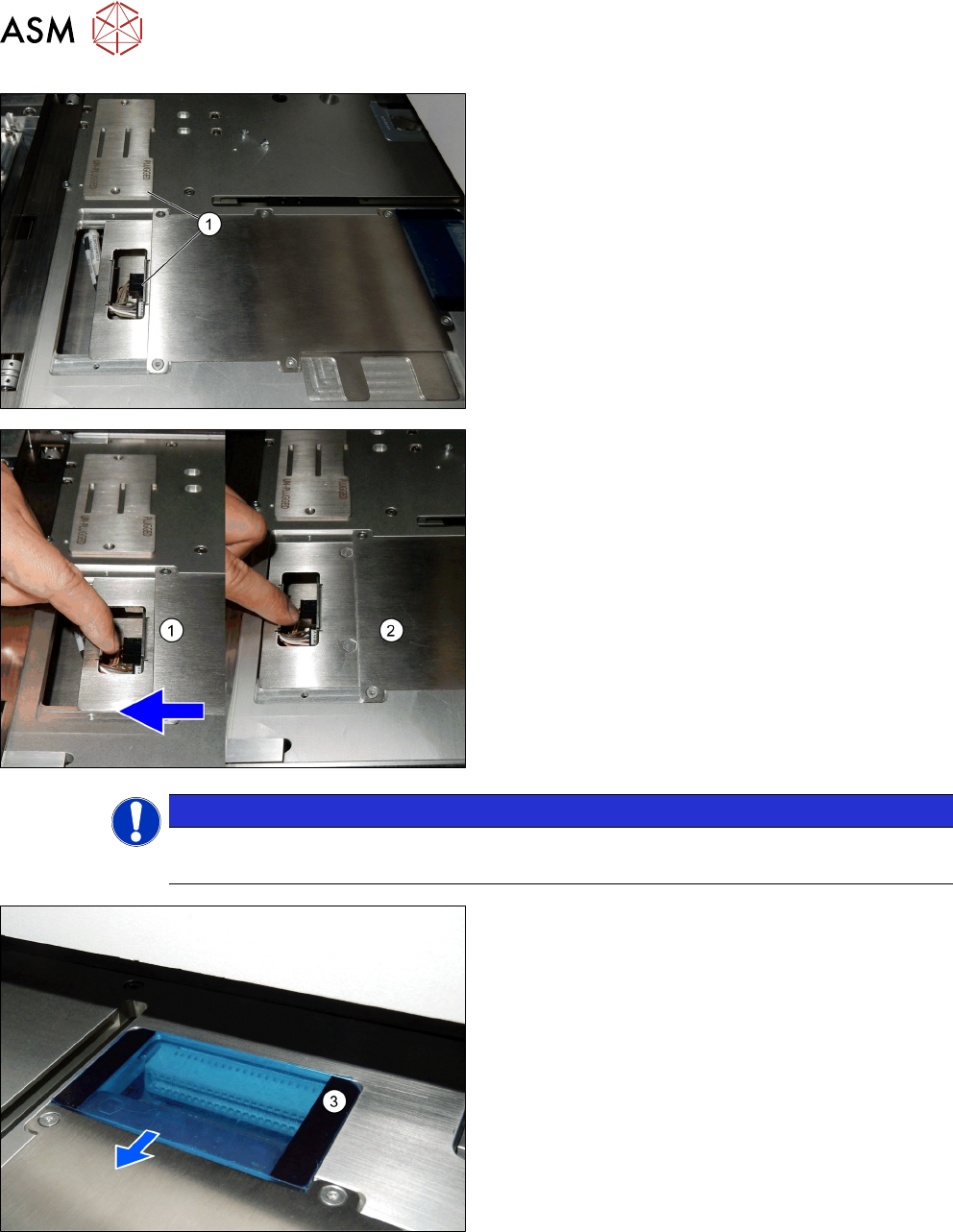
► Remove the PCBA position Cover [03148885-xx]
(1).
► Pull the PCB mounting part [03138496-xx] (1) to-
wards the machine.
ð The PCB mounting part [03138496-xx]
changes from plugged to unplugged position
(2).
NOTICE
Power connections
The PCB must be disconnected before removing the tower or the conveyor
The power is disconnected (3).
2 General Tasks
2.1 Hardware Tasks
Service Manual SIPLACE JTF-ML2 08/2017 19
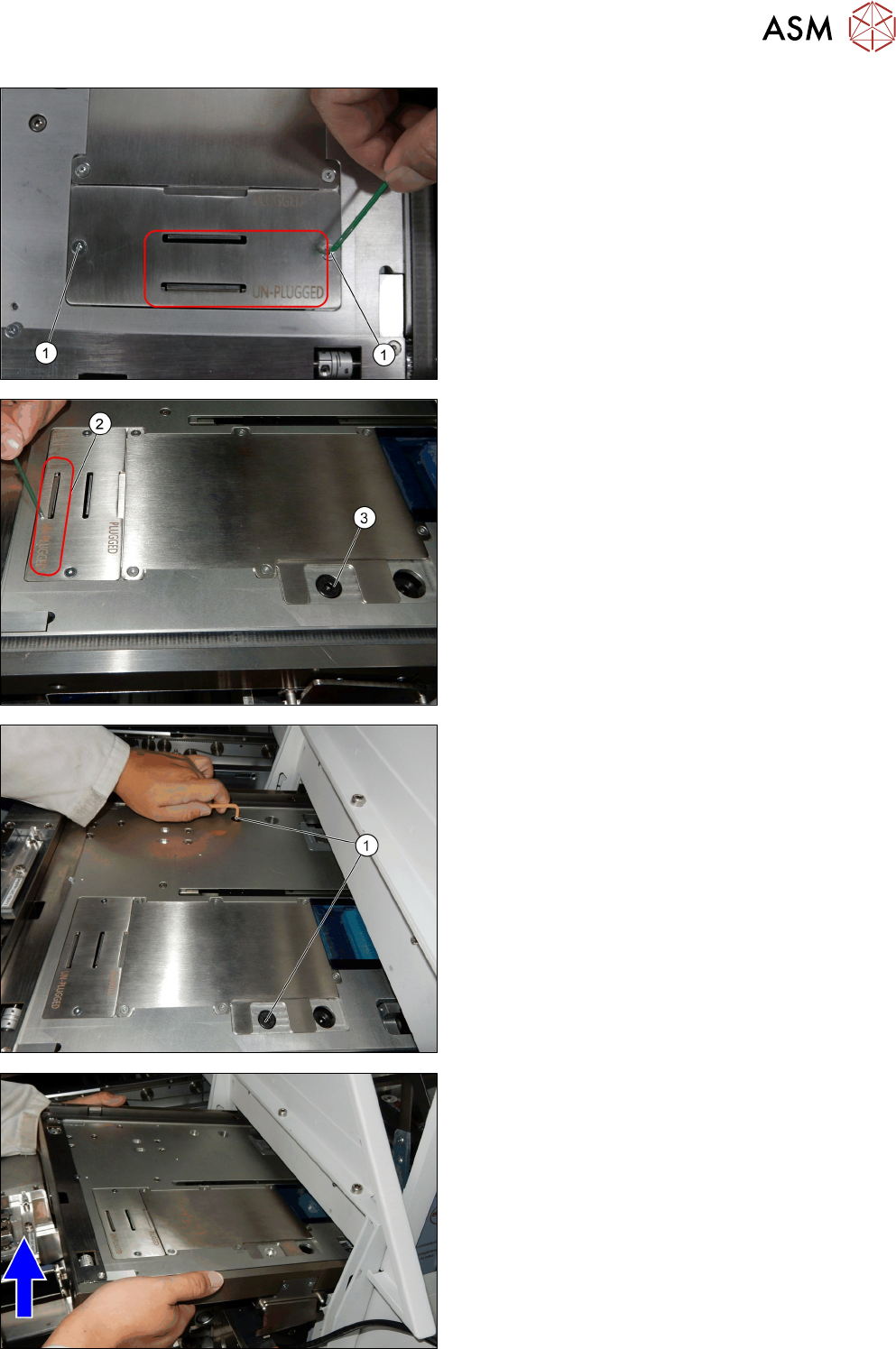
► Reinsert the PCBA position Cover [03148885-xx]
in the unplugged position.
► Fix the two screws ISO 10642 - M3x6-A2-70
[03082814-xx] (1).
The cover now stays in the unplugged position (2).
The screw ISO 7379 - 8 x 16-12.9 [03005644-xx] (3) is
accessible.
► Remove the two screws ISO 7379 - 8 x 16-12.9
[03005644-xx] (1).
► Lift the conveyor a bit up on the side towards the
machine. Lift the conveyor until it clears the bot-
tom slide guide.
2 General Tasks
2.1 Hardware Tasks
20 Service Manual SIPLACE JTF-ML2 08/2017
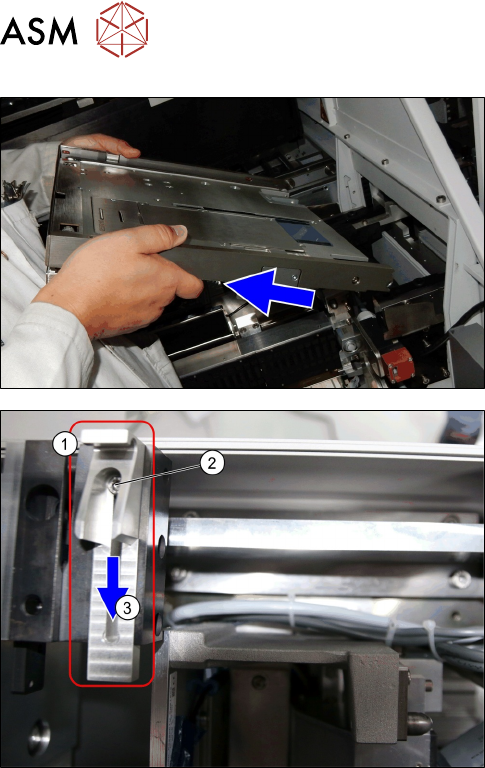
► Pull the conveyor out.
► Loosen the screw (2) at conveyor pivot (1).
► (3) Push the conveyor pivot until end position
away from the tower.
► Fasten the screw (2) at conveyor pivot (1).
Installation
► Follow the removal instructions in reverse order for installation (See also 2.1.6 "Mounting the
Conveyor" [}29]).
► Extent or retract the conveyor pivot.