00198377-01_SM_JTF-ML2_en.pdf - 第144页
6 Magazine 6.3 Remove the Cassette from the SIPLACE JTF-ML2 144 Service Manual SIPLACE JTF-ML2 08/2017 6.3 Remove the Cassette from the SIPLACE JTF-ML2 Fig.30: Menu Locations ► Click the button to open the Setup Loca- t…
6 Magazine
6.2 Locking and Unlocking the Direction Lock of 9-Level Cassettes
Service Manual SIPLACE JTF-ML2 08/2017 143
6.2 Locking and Unlocking the Direction Lock of 9-Level
Cassettes
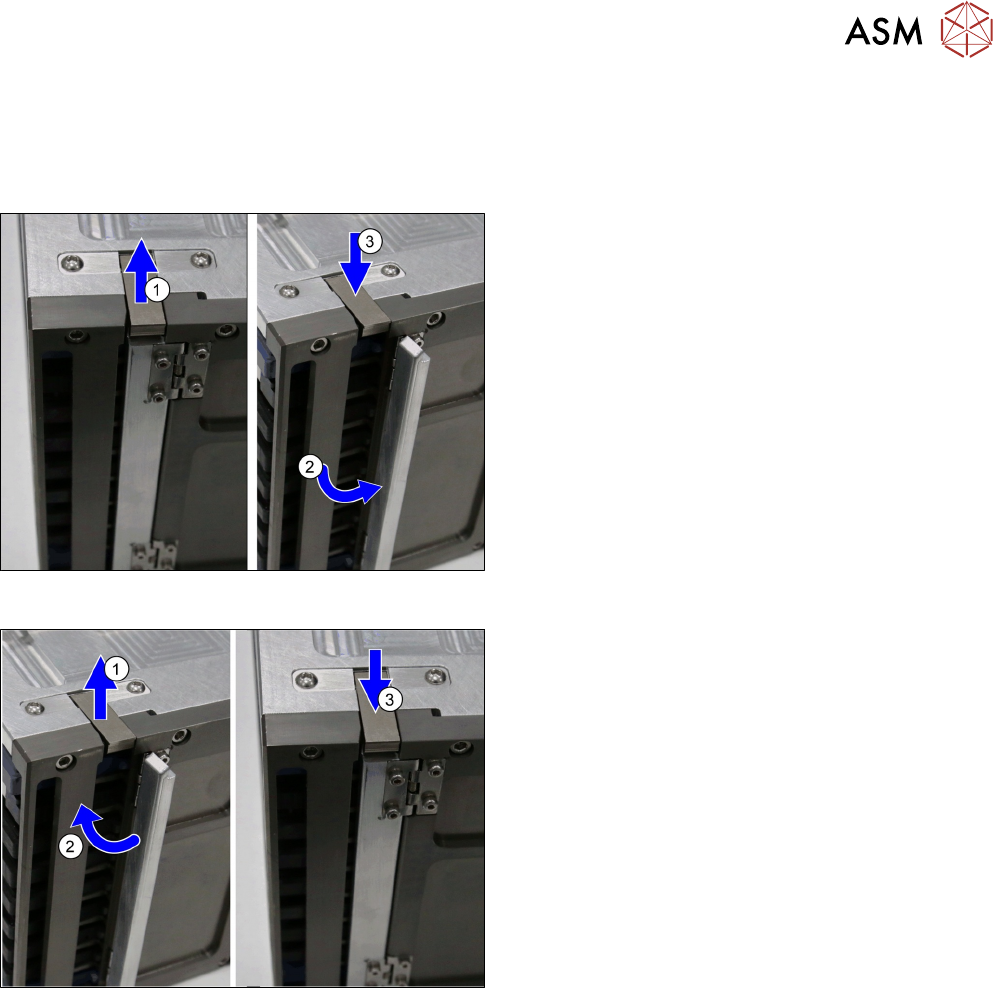
Unlocking the Direction Lock
To unlock the direction lock proceed as follows:
► Unlock the lever (1).
► Move the direction lock outwards (2) (position
"open").
► Lock the lever (3).
Lock the Direction Lock
To lock the direction lock proceed as follows:
► Unlock the lever (1).
► Move the direction lock inwards (2) (position
"close").
► Lock the lever (3).
6 Magazine
6.3 Remove the Cassette from the SIPLACE JTF-ML2
144 Service Manual SIPLACE JTF-ML2 08/2017
6.3 Remove the Cassette from the SIPLACE JTF-ML2
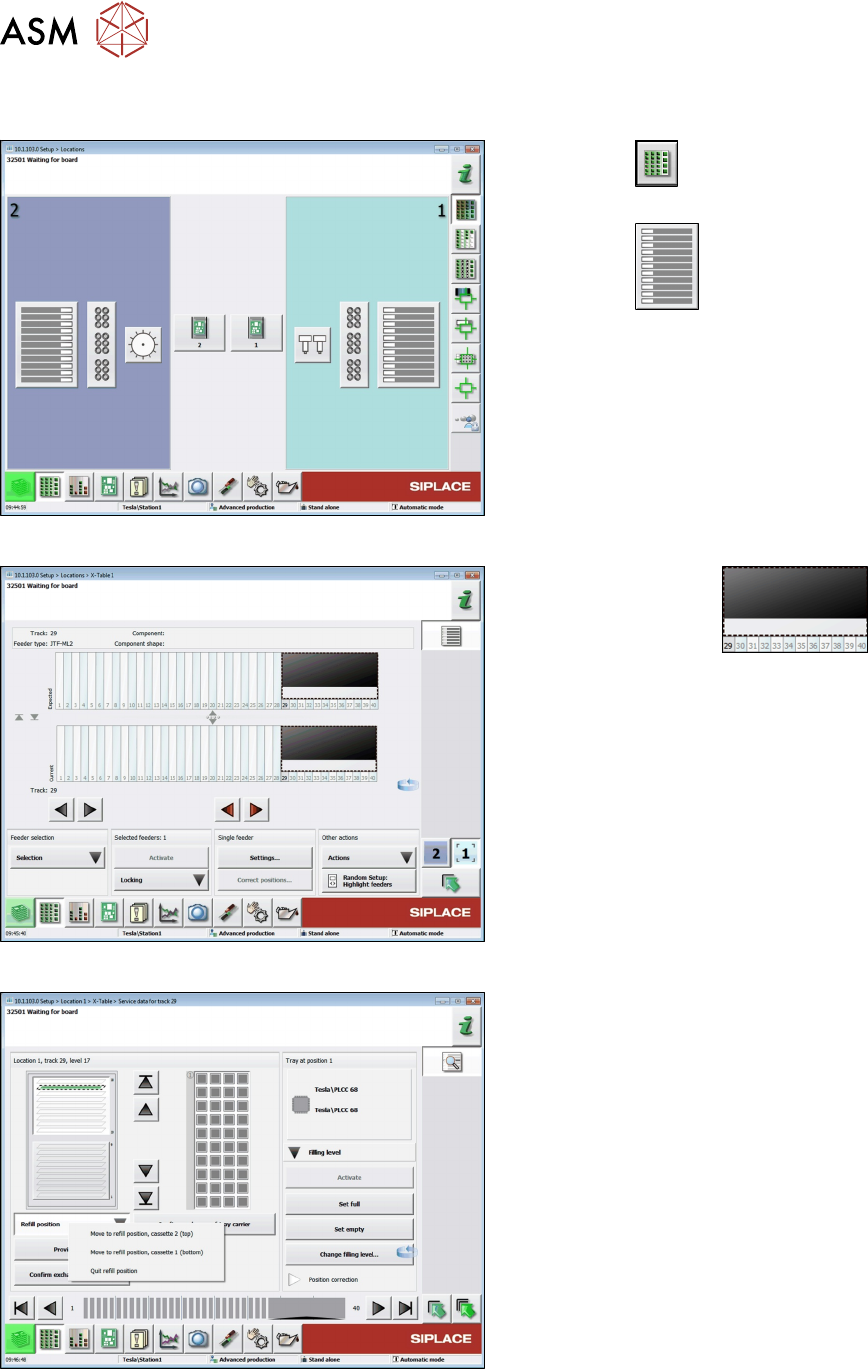
Fig.30: Menu Locations
► Click the button to open the Setup Loca-
tions menu.
► Click the button to display the setup of
the table.
Fig.31: Menu Locations - Table
► Mark the JTF area .
► Click the Settings... button.
Fig.32: Move the Cassette into the Refill Position
► Move the cassette into the refill position. Click the
Refill position button and the Move to refill
position ... for the relevant cassette.
6 Magazine
6.3 Remove the Cassette from the SIPLACE JTF-ML2
Service Manual SIPLACE JTF-ML2 08/2017 145
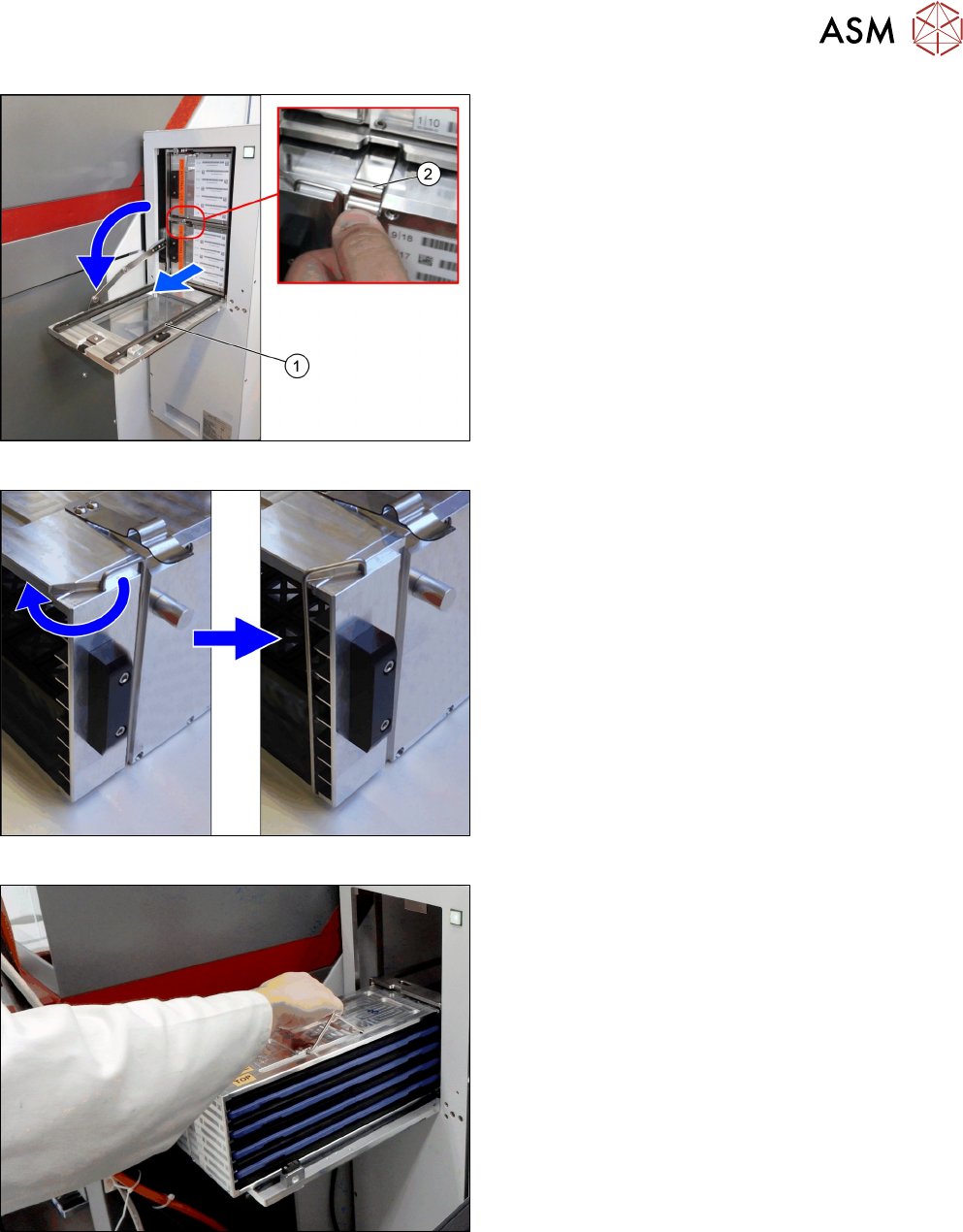
Fig.33: Open Door
► Open the door(1) once the lift has reached the
refill position.
► Press the spring(2) down and pull the cassette
out on the rails.
Fig.34: Transportation Lock
► Secure the waffle pack trays with the transporta-
tion locks on both sides.
Fig.35: Take Off Cassette
► Lift off the cassette from the rails. Hold the cas-
sette horizontal and place it on a stable surface.