00198377-01_SM_JTF-ML2_en.pdf - 第29页
2 General Tasks 2.1 Hardware Tasks Service Manual SIPLACE JTF-ML2 08/2017 29 ► Move the tower a bit while mounting the screws to reduce pressure on the screws. Fig.12: Tighten the tower ► Fasten the tower with two screw…
2 General Tasks
2.1 Hardware Tasks
28 Service Manual SIPLACE JTF-ML2 08/2017
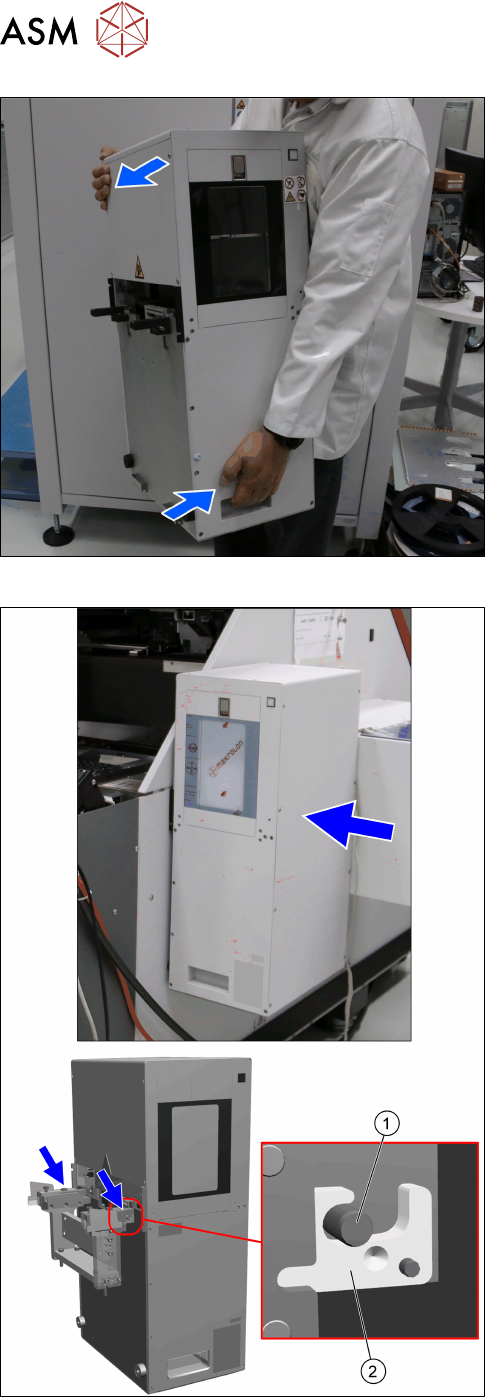
Fig.10: Holding the tower
► Hold the SIPLACE JTF‑ML2 with one hand on
the bottom handle and one hand on top of the
tower.
Fig.11: Hooking in the tower
► Hook in the tower at the SIPLACE JTF‑ML2 ad-
apter.
The bolts(1) have to be at the hooks(2).
► Push the tower parallel in the machine.
2 General Tasks
2.1 Hardware Tasks
Service Manual SIPLACE JTF-ML2 08/2017 29
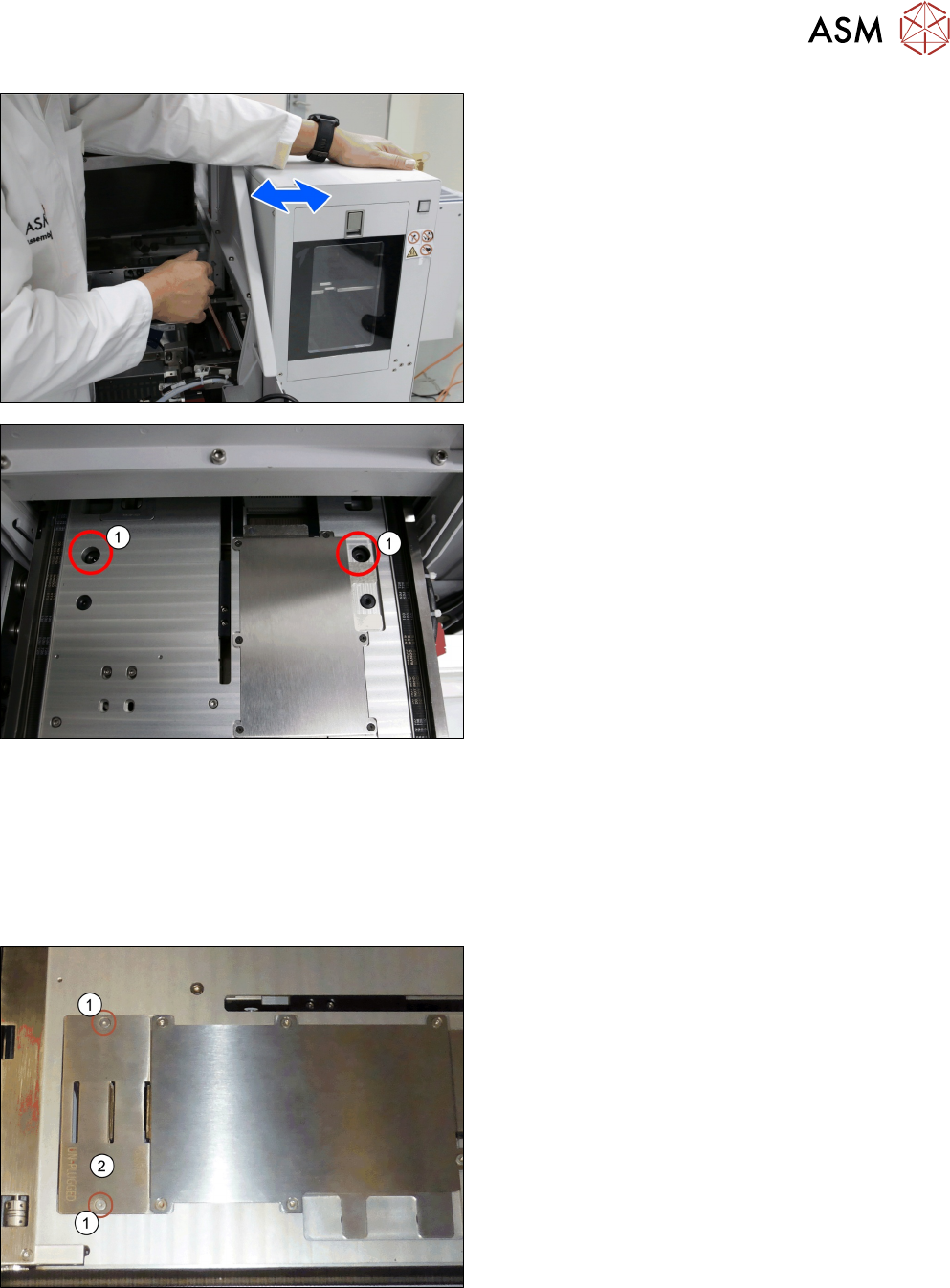
► Move the tower a bit while mounting the screws
to reduce pressure on the screws.
Fig.12: Tighten the tower
► Fasten the tower with two screws(1) ISO7379 -
10x25-12.9 on the SIPLACE JTF‑ML2 adapter.
2.1.6 Mounting the Conveyor
Parts, Equipment and Tools
●
Standard tools
Installation
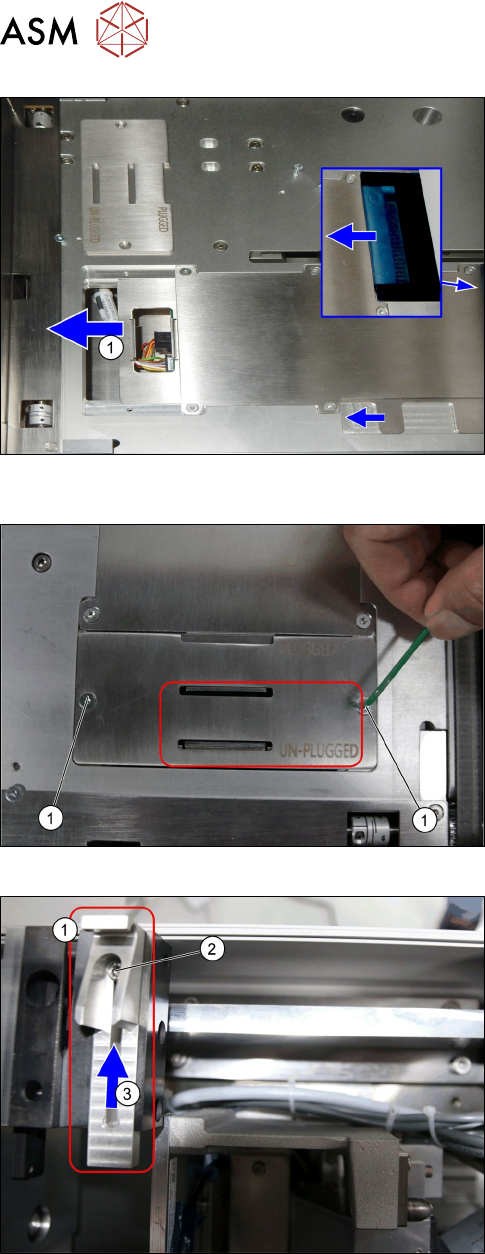
Fig.13: Mounting the Transport 1
► Remove the screws(1) and remove the
cover(2).
2 General Tasks
2.1 Hardware Tasks
30 Service Manual SIPLACE JTF-ML2 08/2017
Fig.14: Mounting the Transport 2
► Push the plate(1) until end position to the left.
Fig.15:
Mounting the Transport 3
► Put back the plate with the screws.
Fig.16: Mounting the Transport 4
► Loosen the screw(2) at conveyor pivot(1).
► (3) Push the conveyor pivot until end position to-
wards the tower.