iTAC Advance Issue 2, Mar 2018.pdf - 第15页
15 Issue 2 , Mar 18 Note: The site/station parameters above should be checked if some of the features will not work correctly. NOTES: BOM Module - Bill of Material Bill of Material module is used for creating & editi…
14
Issue 2, Mar 18
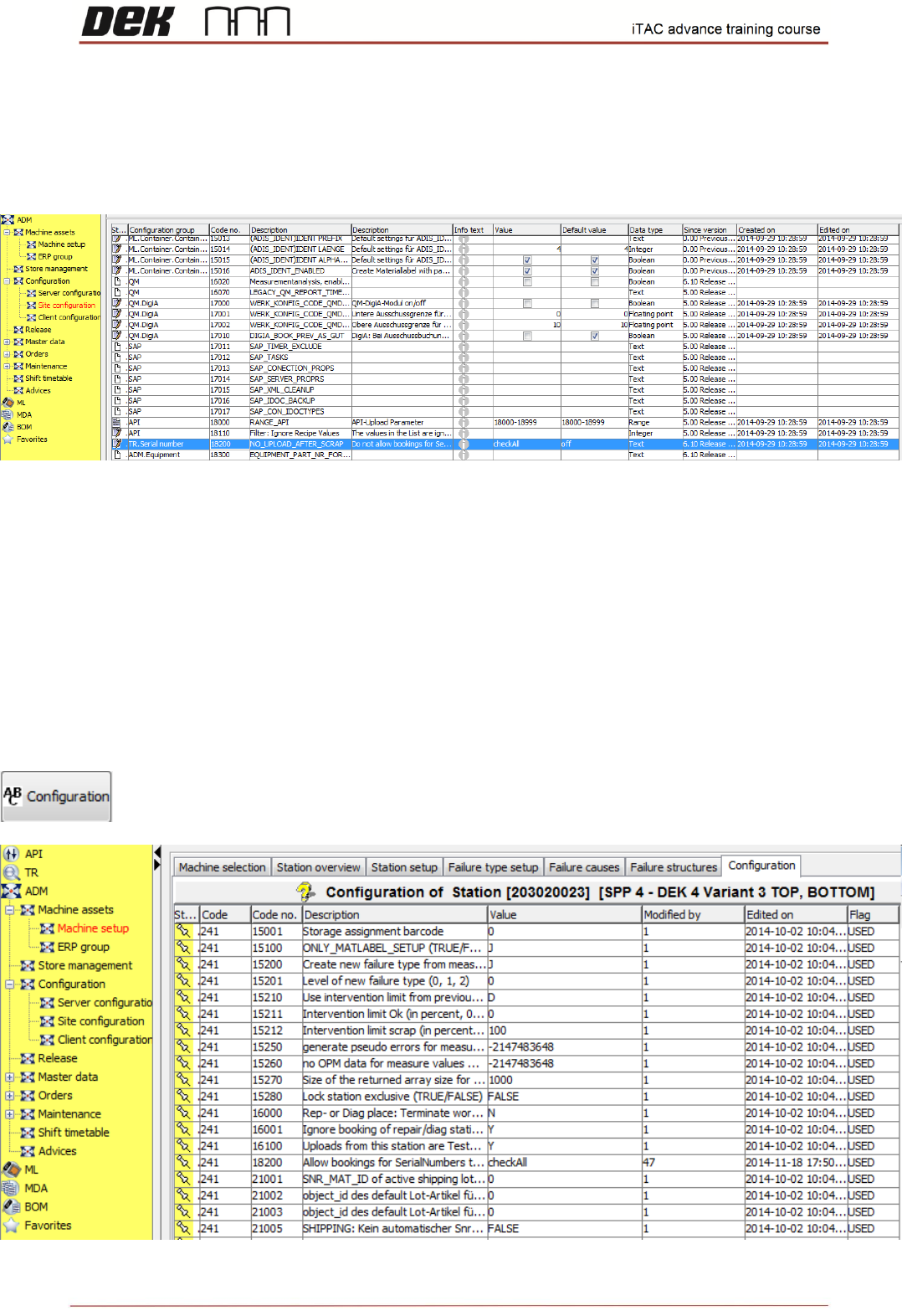
Site parameters
❑ Go to ADM
❑ Click on Configuration\ Site configuration
Station parameters
❑ Go to ADM
❑ Click on Machine Setup
❑ Click on Station Overview tab
❑ Select station, right click edit
❑ Select ABC configuration
15
Issue 2, Mar 18
Note: The site/station parameters above should be checked if some of the features will not
work correctly.
NOTES:
BOM Module - Bill of Material
Bill of Material module is used for creating & editing of BOMs.
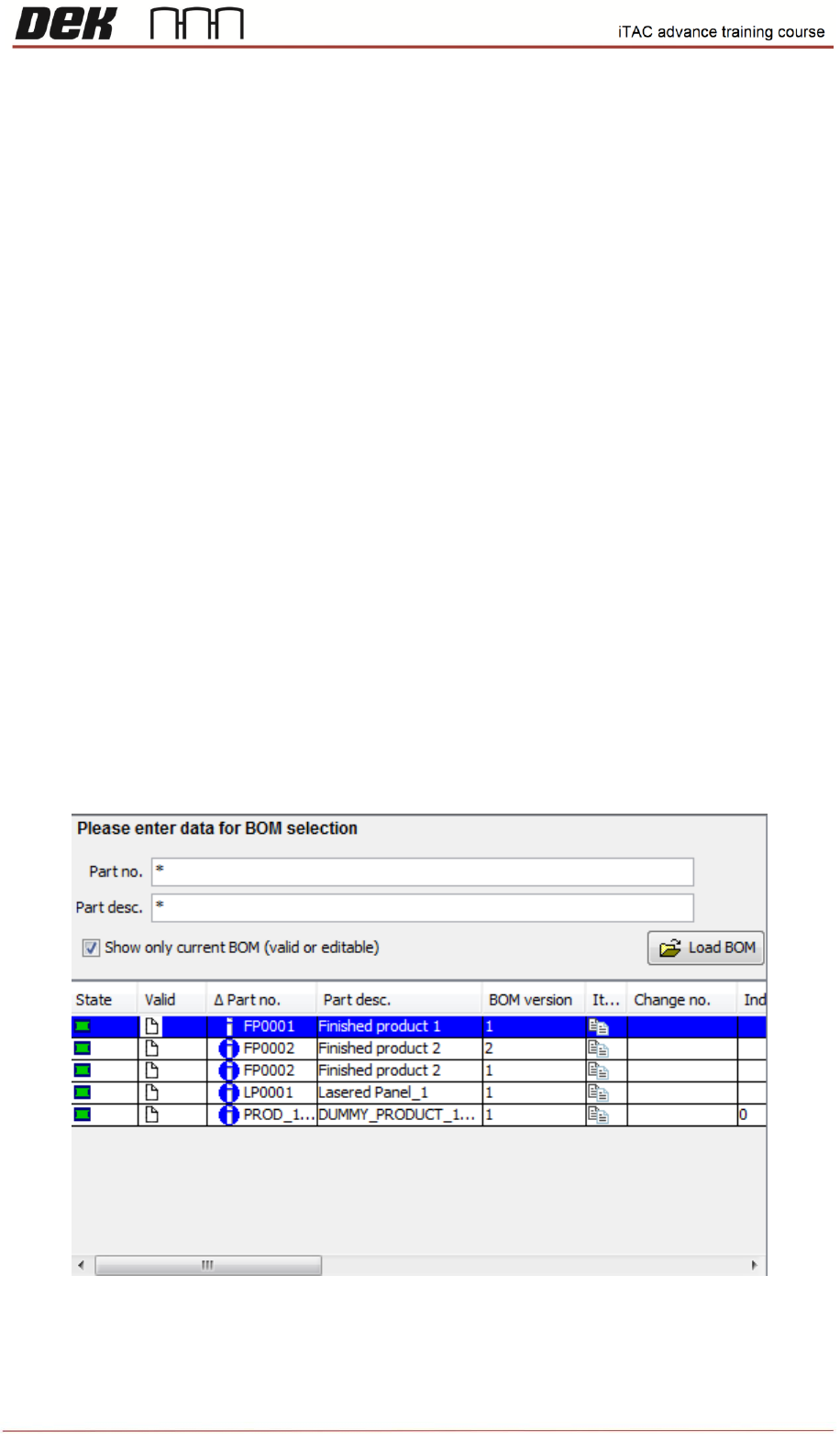
❑ Go to BOM
To load the BOMs click on any field and type ("*"), then click on Load BOM button, all BOMs should
be displayed.
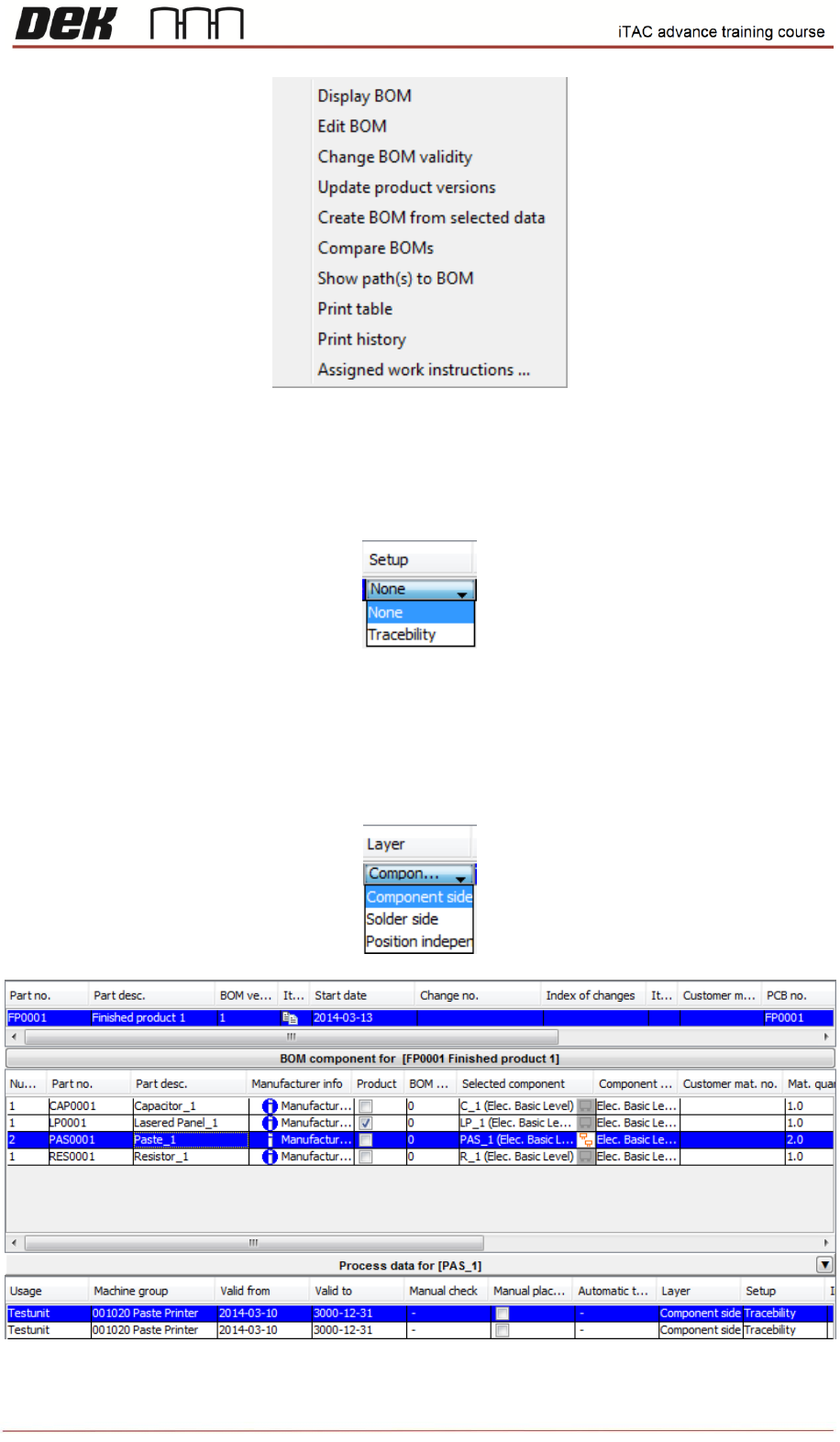
To Display what contains the BOM right click, selection window will be displayed, then select Display
BOM.
16
Issue 2, Mar 18
For DEK machine is only important the paste, click on paste and check whether field setup is set to
traceability.
Note: Field Setup activates or deactivates monitoring of material setup. That means if Setup is
set to none material is not checked. Setup field should be always set to traceability.
Note: iTAC is using the older terminology for naming of layer:
1. Component side (usually Top side)
2. Solder side (usually Bottom side)
3. Position independent