iTAC Advance Issue 2, Mar 2018.pdf - 第68页
68 Issue 2 , Mar 18 Sales support - technical details to be known before PO W e need t o make sure that iTAC option will work for customer who wants to buy the iTAC option, therefore is recommended to clarify all technic…
67
Issue 2, Mar 18
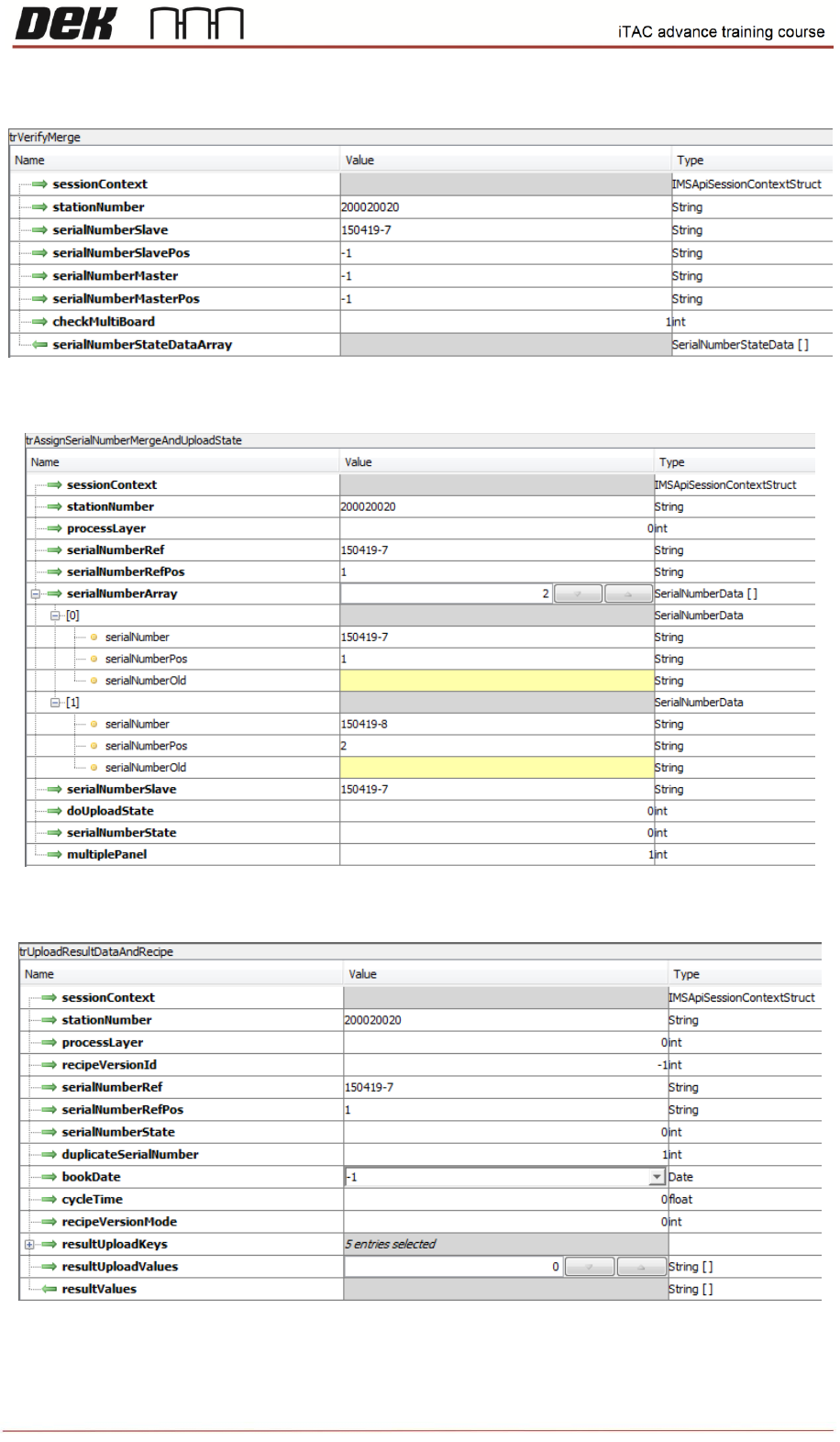
trVerifyMerge
trAssignSerialNumberMergeAndUploadState
trUploadResultDataAndRecipe

68
Issue 2, Mar 18
Sales support - technical details to be known before PO
We need to make sure that iTAC option will work for customer who wants to buy the iTAC option,
therefore is recommended to clarify all technical details:
The software is RTX, ensure that customer not using RTX software already. It is based on SP15 –
should be checked that it will work for customer.
Is machine capable to run SP15 software? If DEK software on machine is older than 09 SP15, few
checks must be completed prior software upgrade such as:
• The software is not compatible with the Dunkermotoren BGE9010
• Nextmove ES card part number must be 193409
• For machines using Hawkeye (Deposit Verification) please check that encoder connector is
fitted into the M36 in slot x6
All details can be found in TB466.
It should be agreed with customer which operating system will be used.
If customer requires upgrade from WinXP to WES7 first must be checked whether machine is fitted
with compatible PC:
• If the PC is fitted with Q35 or H81 only Microsoft licence required
Software upgrade to WES7 for Q35 pc - MPU 602360*1
Software upgrade to WES7 for H81 pc – MPU 602377*1
• If Printer is fitted with other PC it must be replaced – MPU 602376*1 to be ordered
All details regarding 09SP15 compatibility and WES7 upgrade including associated checks and
upgrades can be found in TB431.
Customer to define which options wants to use – Refer to Workbook to see all available/supported
options.
Option
Description
Available
Comments
Option 1
Workorder Handling
A, B, D
Option 2.1
Check Get Process Data
Y
Option 2.2
Load Program
TBA
Pending planning
Option 3.1
Create Setup Internal
Y
Option 3.2
Create Setup External
N
Not Applicable
Option 3.3
Check Setup
Y
Option 3.4
Equipment Setup
Y
Option 4
Process Interlocking
Y
Option 5
Assign Serial Number
Y
Option 5.1
Merge Serial Number
Y
Option 6.1
Upload Only process data
N
No request for this
Option 6.2
Upload process data and status
Y
Option 6.3
Upload failure data and status
TBA
Pending planning
Option 7
Status Condition
TBA
Pending planning

69
Issue 2, Mar 18
Note: For Work Order handling, route A, B works with assign and merge, route D works with
Process Interlocking.
Is Printer 1
st
machine on the line connected to the iTAC? (Assign/Merge or Interlocking)
iTAC option is applicable only for machines with standard and HTC conveyor. It is not compatible
with machine fitted with RTC conveyor. HTC conveyor should be used ideally in 1 stage mode for
inroad conveyor – difficulties to remove PCB from inroad conveyor. 3 stage mode could be used only
if the remote barcode reader is 100% reliable.
iTAC is not compatible with APC (APC is merged into SP16, but iTAC RTX is based on SP15)
Which remote and handheld scanner will be used?
This has to be pre-agreed with customer prior purchase order. Customer has to be aware of 1 serial
port availability on machine PC as well – if wish to use separate remote scanners for the Top &
Bottom side, the scanners have to be connected in daisy chain mode or similar requiring only one
RS232 port.
Customer has to be aware of fixed setting of COM Port (slow baud rate).
Type of the panel barcodes (label or laser edged), size and density should be clarified as well.
It should be decided about barcode format for material & equipment - - Barcode Parameters based
on machine file or product file?
Equipment based on P/N or equipment description?
Will be used standard MES key and product identification in recipe?
NOTES: